
Go to: Account receivable> Customers> All customer.
Select the customer and click “Balance”:
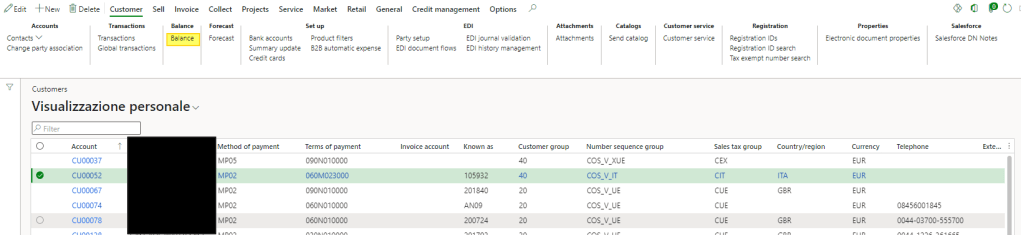
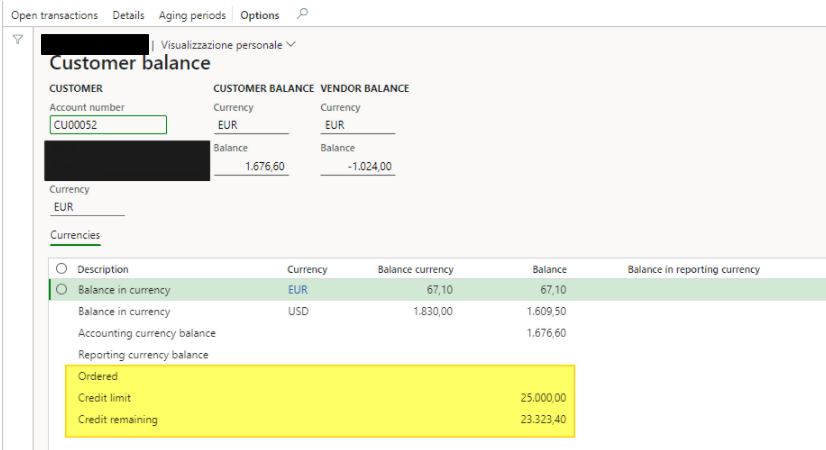
Firstly, you can see the sum of the transaction split by transaction currency:
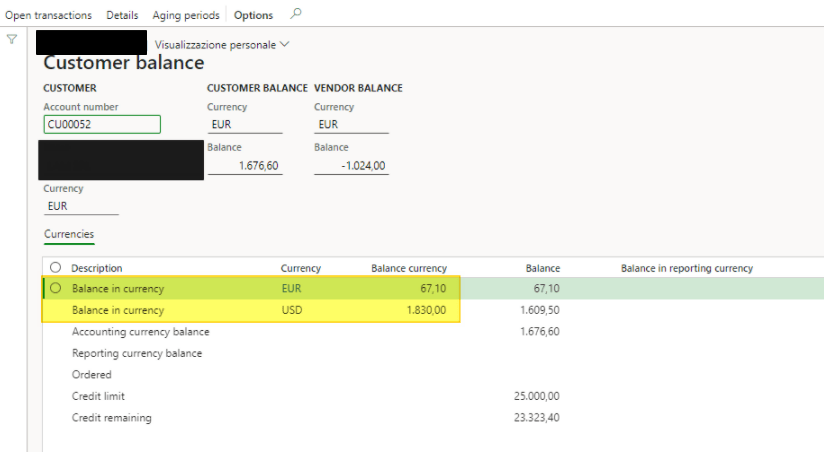
Then, it’s possible to see the Total of the balance converted on the accounting currency. If the customer is linked with a vendor using the same “Global address book”, you can see also total vendor balance on the accounting currency:
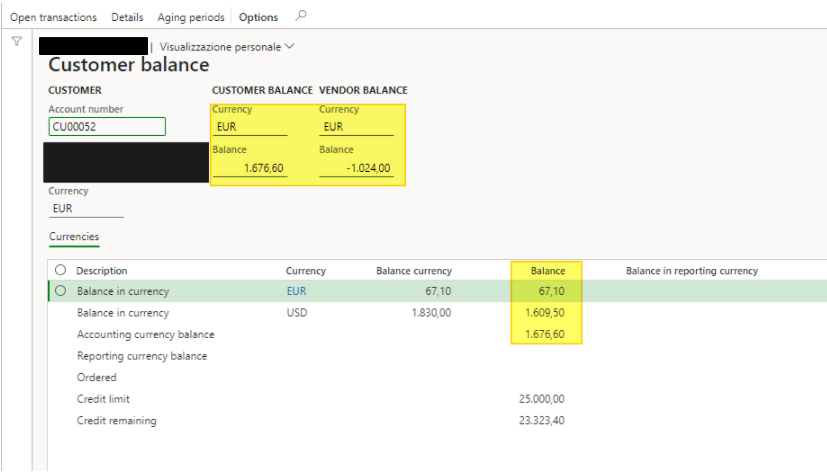
If it’s set, you can view the Total of the balance convert on the reporting currency:
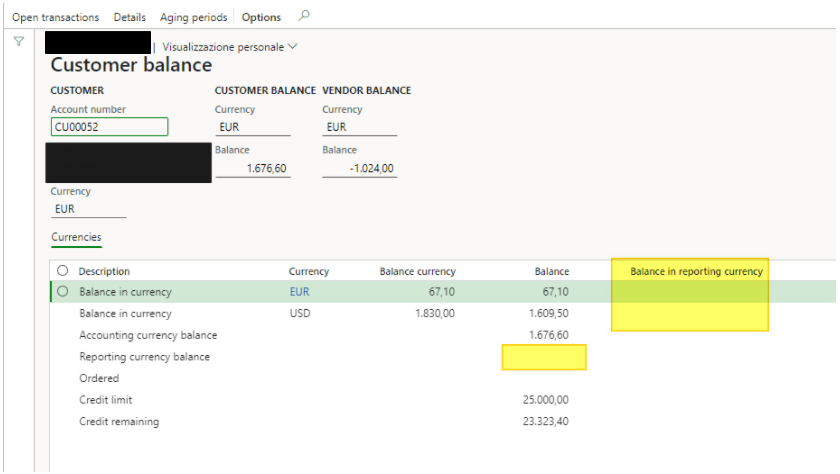
You can also check:
- Ordered: Total ordered but not yet delivered;
- Credit limit: Total credit limit available for this customer;
- Credit remaining: Ordered-Packing split -Credit limit
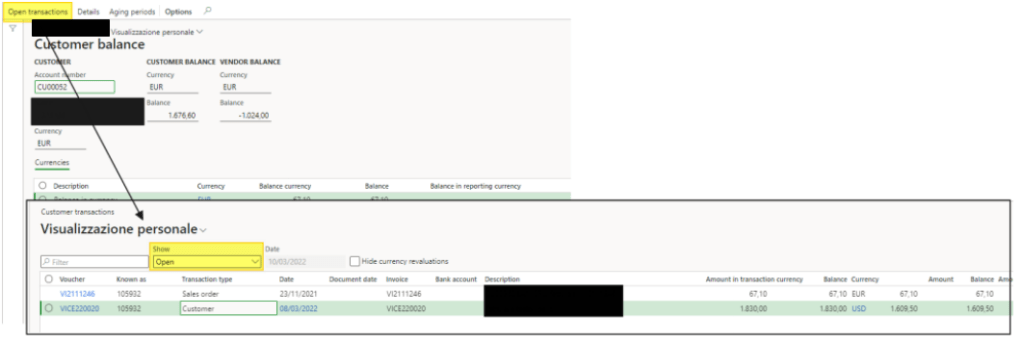
Select “open transaction” to see the open transaction that was composed of the balance:
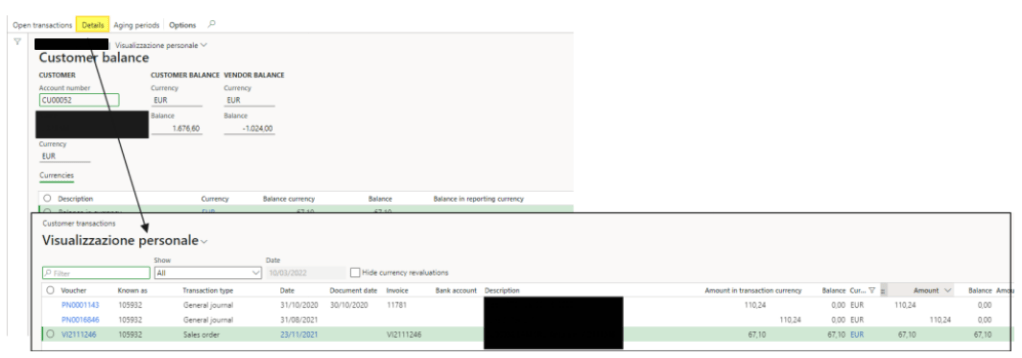
Select “details” to see all customer’s transaction
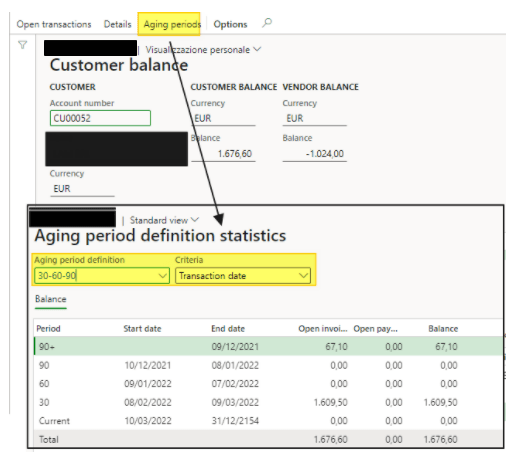
Lastly, select “Aging period” to see quickly an aging selecting:
- the aging bucket;
- the data driver: classification make by document data, due date, or transaction date.

 Dax365FO
Leave a comment