
Business requirement
Fec declarations are reports for the fiscal audit and it is regarding different kind of entry:
– Main account.
– Customer balance;
– Vendor balance;
– Customer transaction;
– Vendor transaction.
– Other transactions related to customers and vendors (es. Invoice to be received, cost of good sales, inventory issue, etc.…)
Consider that each entry type is a separate txt file.
Configuration
Electronic report
- Import from the Microsoft Global repository the last version of the following ER:

General ledger
Then, on the general ledger setup set the ER imported:
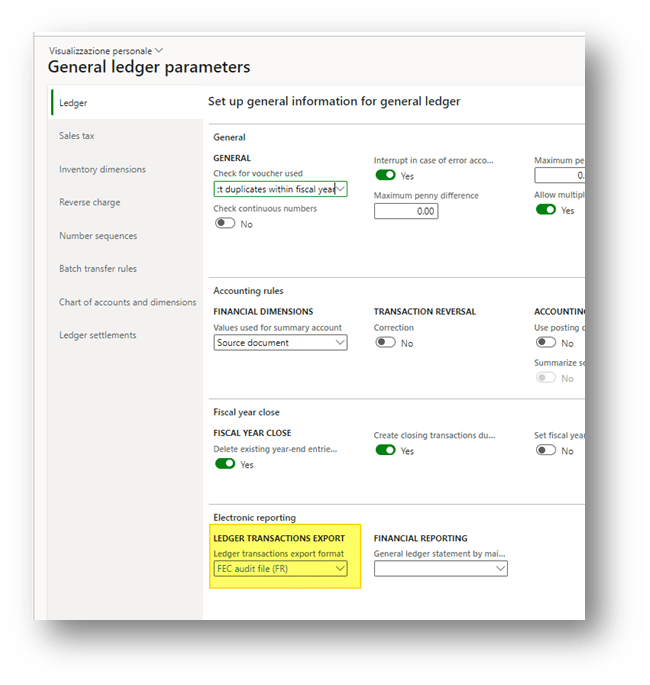
Main account
- In accordance with the k-user, inset the account number agreed for the French localization. Remember the first 3-5 numbers are the number of the FEC:
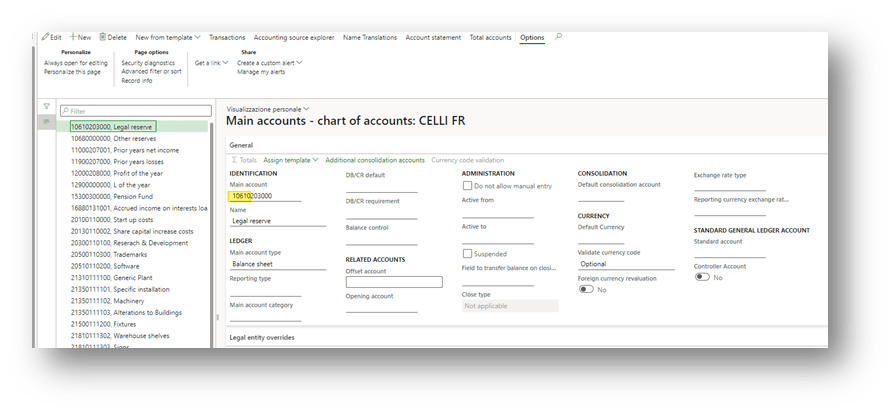
As alternative, if we want to use a financial dimension to track the Legal French account number, we recommend to following the instruction in this article: https://axaptamasters.com/electronic-reporting-in-d365-replacing-existing-field-with-a-financial-dimension-in-an-outgoing-report-structured-as-a-zip-of-text-files/
Voucher
- Set the voucher structure in accordance with the k-user Fec specification. The voucher to be focused on are:
– Customer packing slip
– Sales Invoice
– Customer payment journal
– Vendor product receipt
– Vendor invoice
– Vendor invoice journal
– Vendor invoice payment journal
– Stock journal
– Production order journal
Process
Go to: General ledger> Periodic tasks> Data export.
Select the:
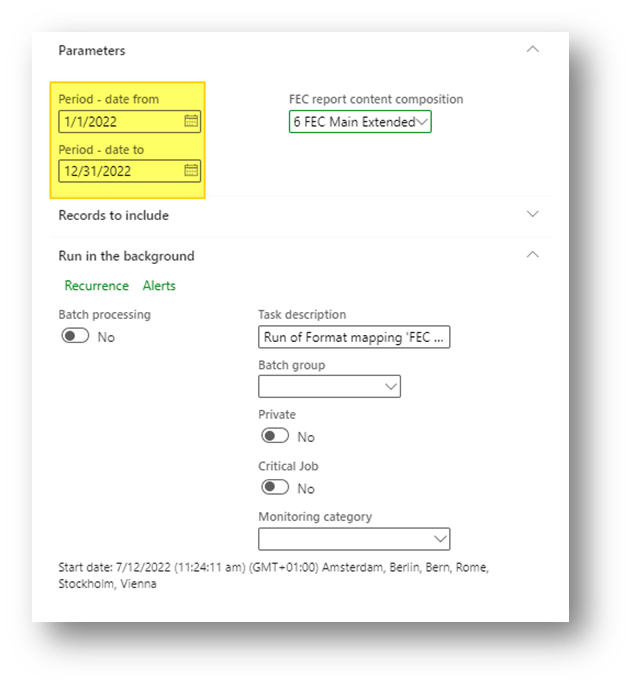
– Range of time:
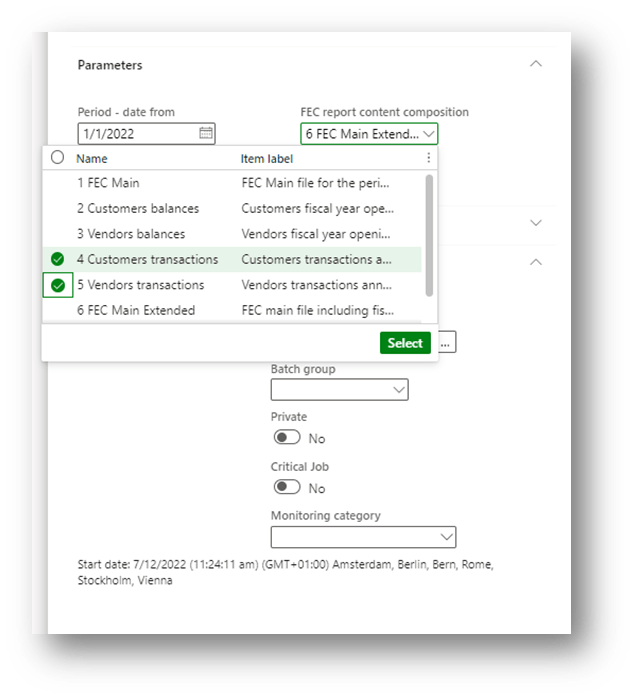
– The elements that you would like to integrate into the exportation:
Perform the extraction to have the Fec declaration:
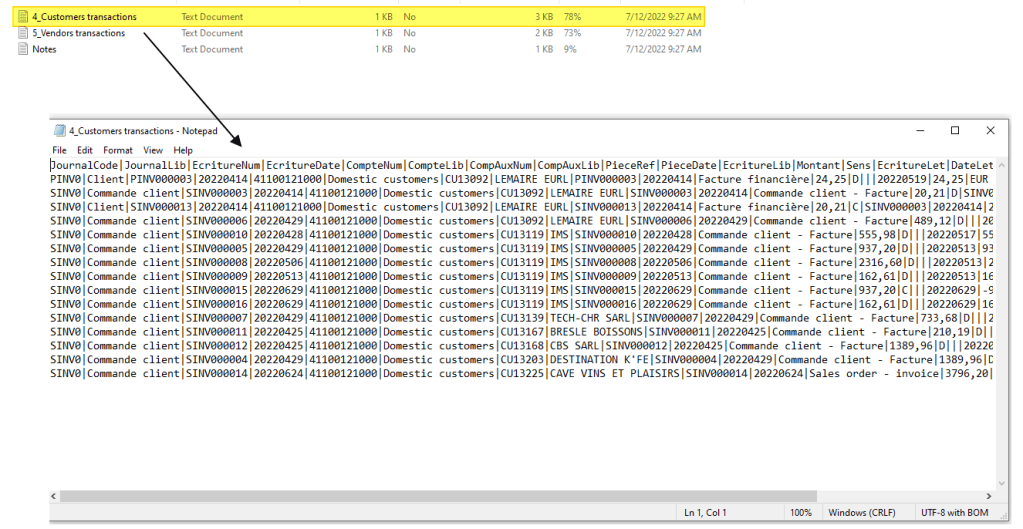
Source: https://docs.microsoft.com/en-us/dynamics365/finance/localizations/emea-fra-fec-audit-file-structure

 Dax365FO
Leave a comment