
Business requirement
It can be useful when we are on a table to see all the information related to it. In fact, the data exposed on the form is always a selection of the more pertinent information..
Take note away from a data tracking perspective, we can use this technique to have the information tracked on the table about how/when the data was created/updated. About this last point, you can see this article for more information: https://daxmsdynamics365.wordpress.com/2023/10/22/data-tracking/
MD365FO solution
There are fundamentally two solutions.
Record info
With the record info, you can see all the data regarding a single record. Follow the activities below to see the record info:
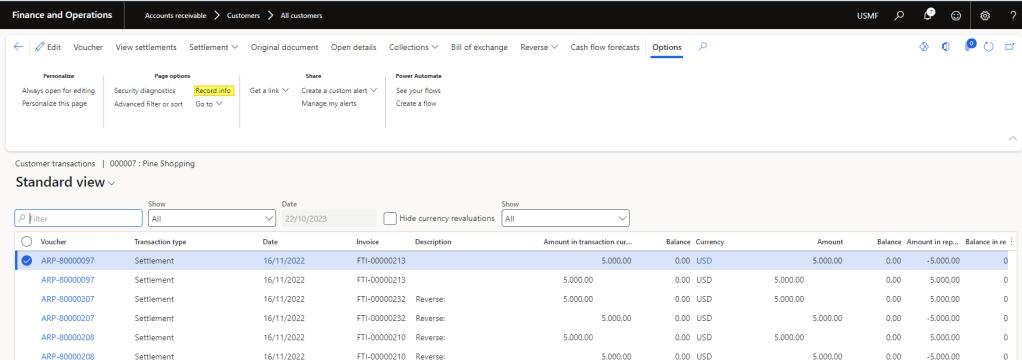
Go to the table with the record that you want to recover the information. In my case, it is the customer transaction. Here, select your record, then in the tab “”, press the button “record info”:
You can see all the record’s fields and all the values associated with them. For example, in my case, I look into the create and modify by:
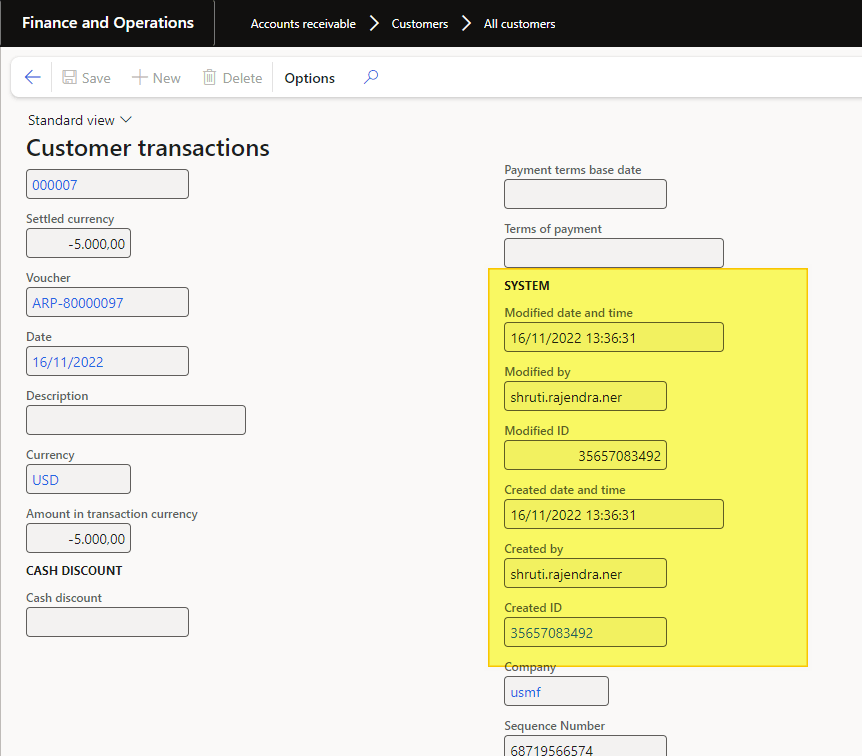
Table Browser
You can use the table browser to see all the field values regarding all the records.
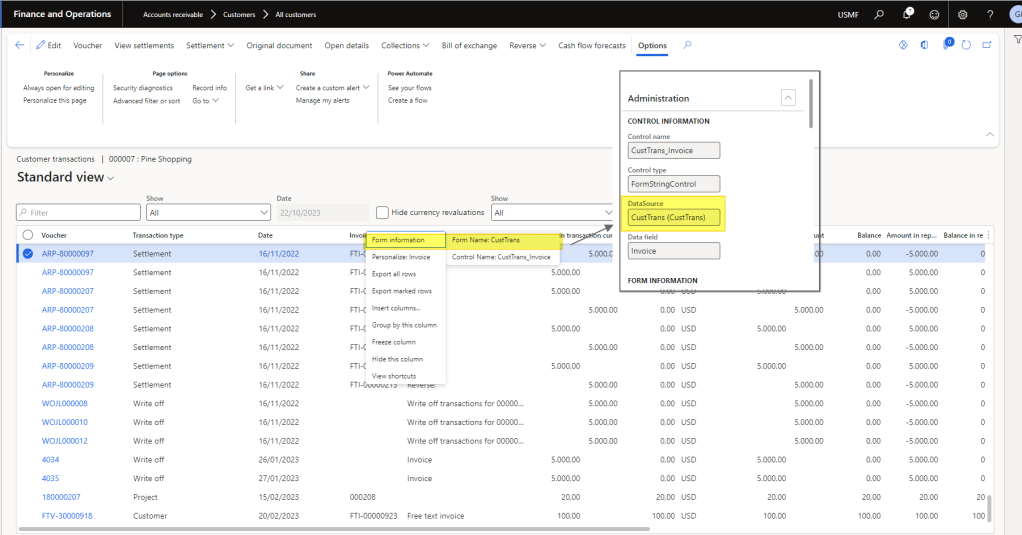
Go to the table where you want to see all the values, press a random field, and click the right button. Then select form information > form. Here you can see the data source of this view. Copy table name.
Insert a URL structured in this way after the environment URL:
?cmp=[YOURLEGALENTITYID]&mi=SysTableBrowser&TableName=[YOURTABLENAME]
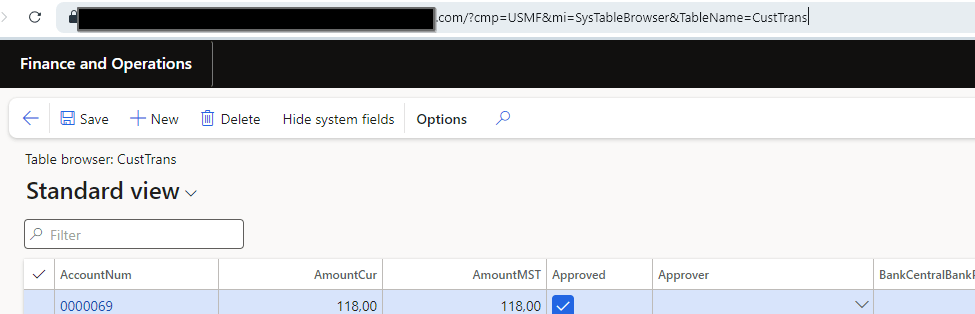
In this way, you going to see all the records present on the table with all the fields.


 Dax365FO
Leave a comment