
Error message
Sometimes, during the purchase order, the system can confused during the calculation of the accounting distribution. The error message is: Unable to determine the next valid target source document line accounting status. The desired status was Draft, the current status is Completed.
Solving
Try to follow these activities to solve this issue: 1-Clean the account distribution, and 2-Recaculate account distribution on the PO.
Clean account distribution
Go to: Procurement & Sourcing > Periodic Tasks > Cleanup > Purchase Order Distrobution Cleanup
Select the PO that you want to clean up
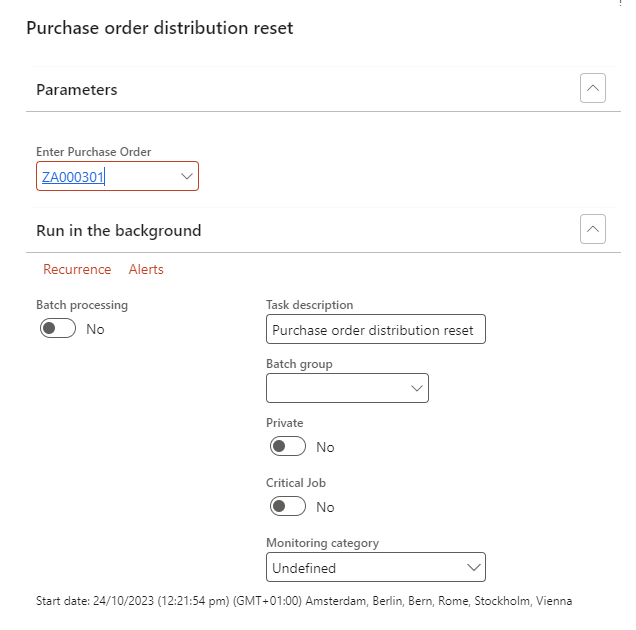
Recalculate account distribution on the PO.
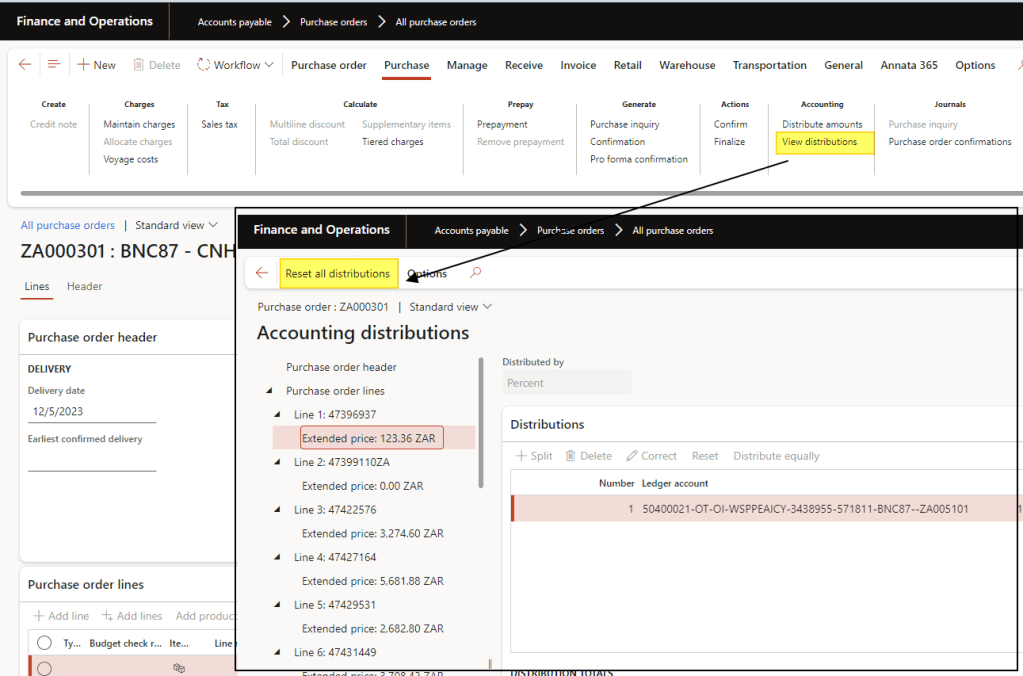
Select your PO, view the account distribution and reset it.
For more details, you can also consult this article: https://cloudblogs.microsoft.com/dynamics365/it/2020/08/12/resolve-po-distribution-errors-in-dynamics-365-supply-chain-management/

 Dax365FO
Leave a comment