
It’s possible to use the project’s forecast to calculate the budget plan proposition. This process is split into two activities:
- Insert project forecast
- Generation of the budget planning
Insert project forecast
Go into our project, and in the “plan” tab, we can see the function to insert the forecast:
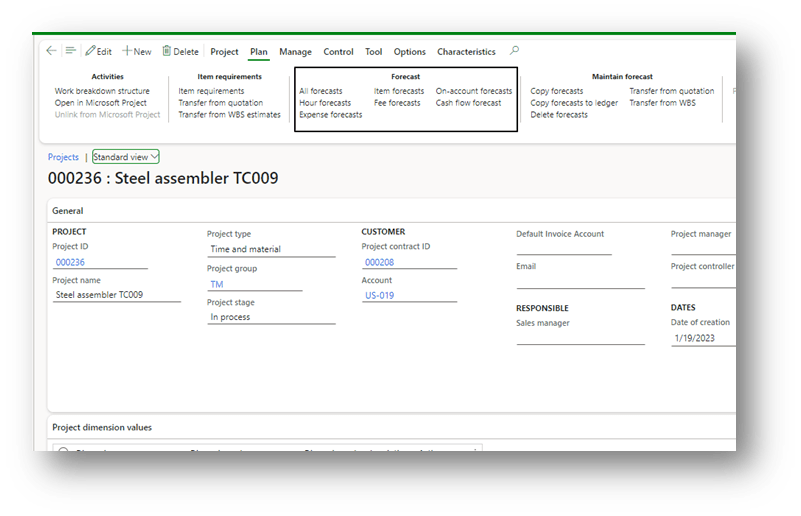
It works with different kinds of forecasts. Insert the future transaction with the details of the revenue, cost, financial dimension, date and project category. Furthermore, pay attention to two elements:
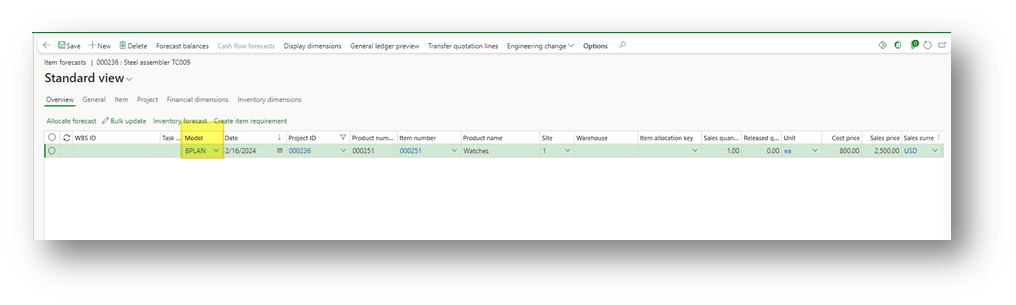
- Forecast model: we have to use a specific forecast model dedicated to the budgeting plan:
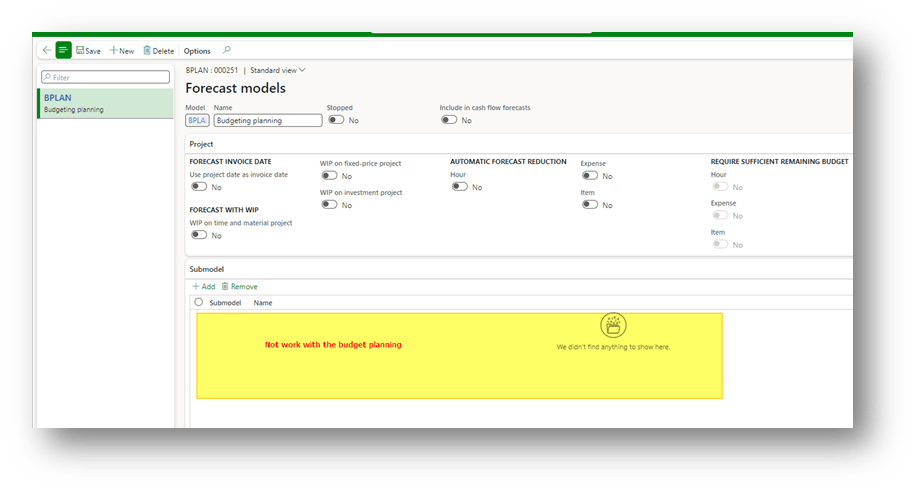
Consider the sub-model logic doesn’t work with this process. So, we should use just 1 forecast model dedicated to our budget planning:
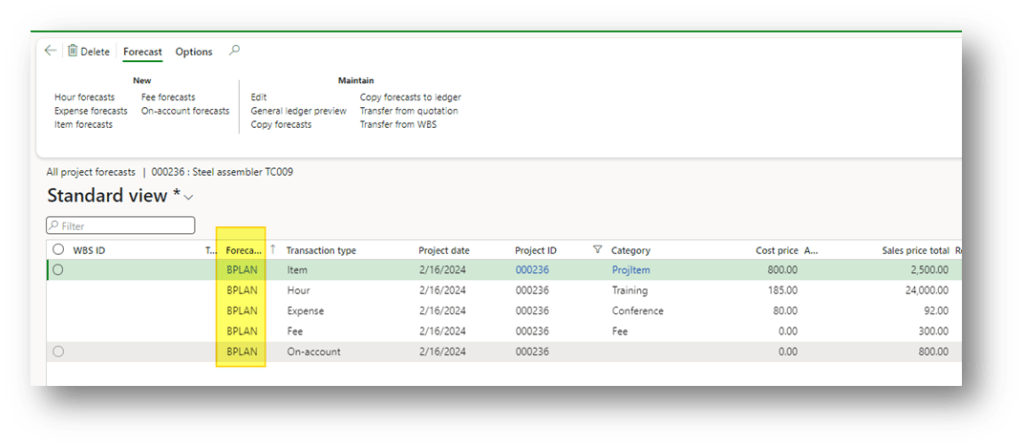
We can see below an example of the data insert:
Generate budget
Go to: Budgeting> Periodic> Generate budget plan from project forecast.
Here, select our forecast model and the range of time:
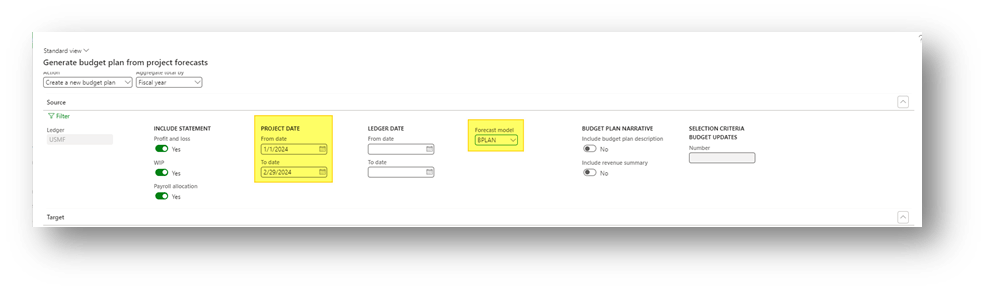
Launch the recovery procedure. As we can see, D365FO recovered the forecast transaction to build a proposition:
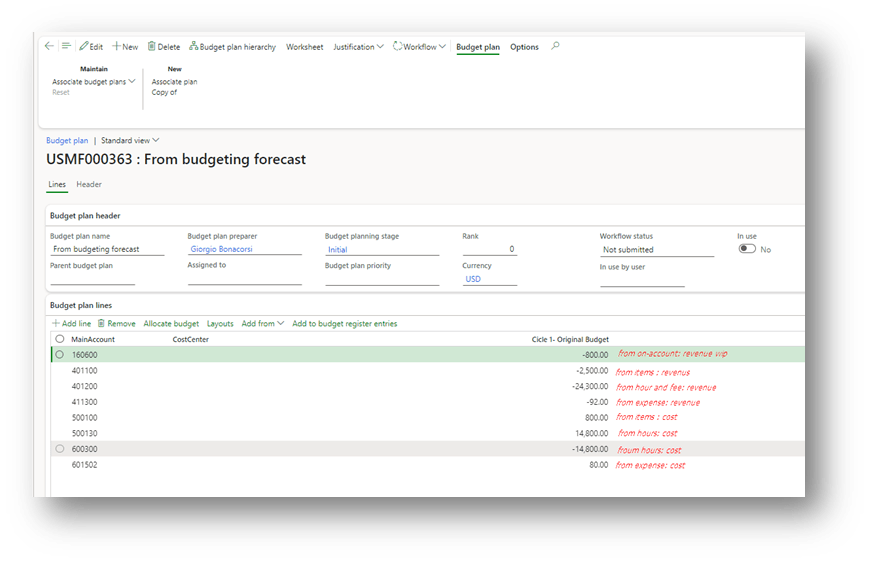
Question: How D365FO understand the main account to use throughout the recovering? It recovered from the project posting profile. So, check if the posting profile of the revenue and the cost was correctly inserted in the project’s setup before to launch the procedure.


 Dax365FO
Leave a comment