
It’s possible to create a budget plan based on the previous budget plan. For example, if we want to use the budget of the previous period as a basis for the new one,
Generate budget
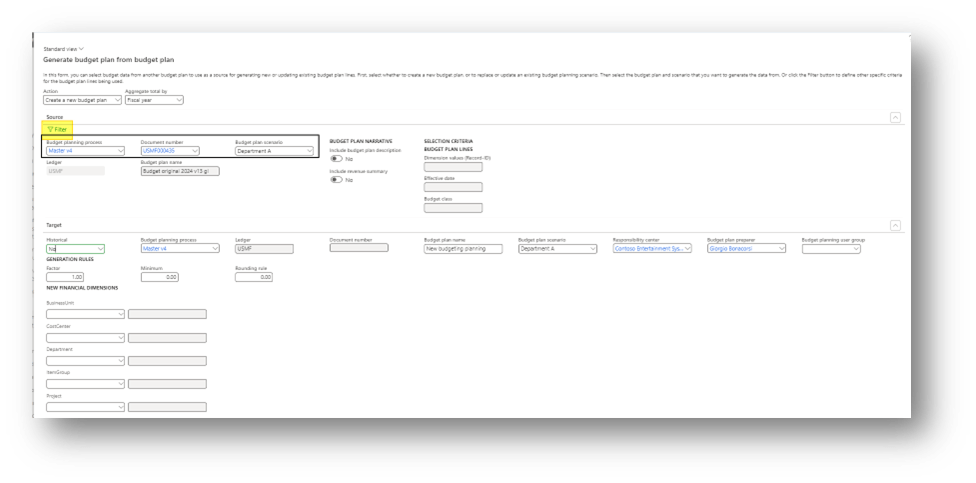
Go to: Budgeting> Periodic> Generate budget plan from general ledger
Here, select our date range regarding the forecasted transaction:
- Source information: select the budget plan process, document number and budget plan scenario here to recover the information;
- Historical: We can ask to see all the transactions of their sum. We suggest setting “no”, in order to extract only the sum
- Target: Insert the information related to the new budget plan. D365FO will use financial dimensions as default for all new records created. So, we suggest inserting nothing as a financial dimension
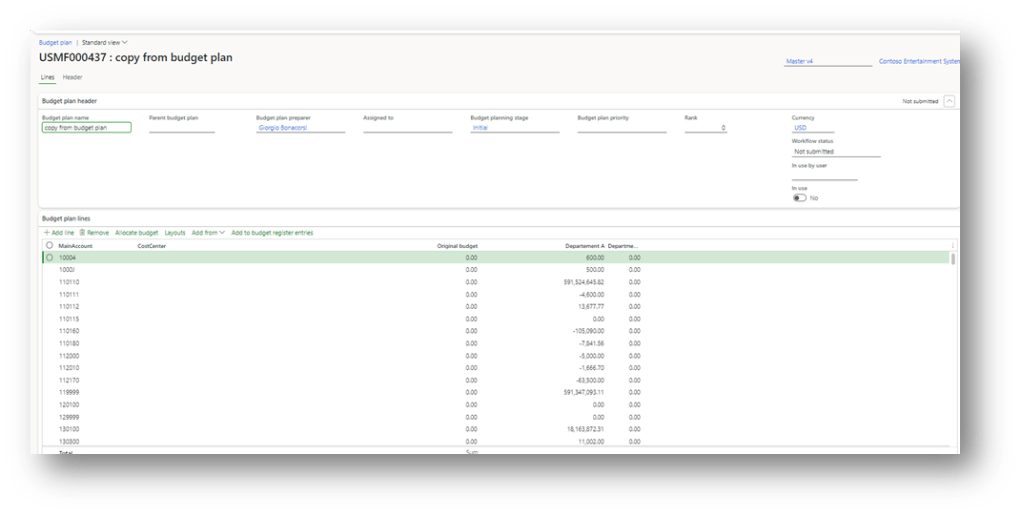
Launch the generation. When D365FO has finished, we can see the budget planning proposition:

 Dax365FO
Leave a comment