
This a configuration guide to decide the organization policies how rules our budgeting process planning.
Organization operating unit
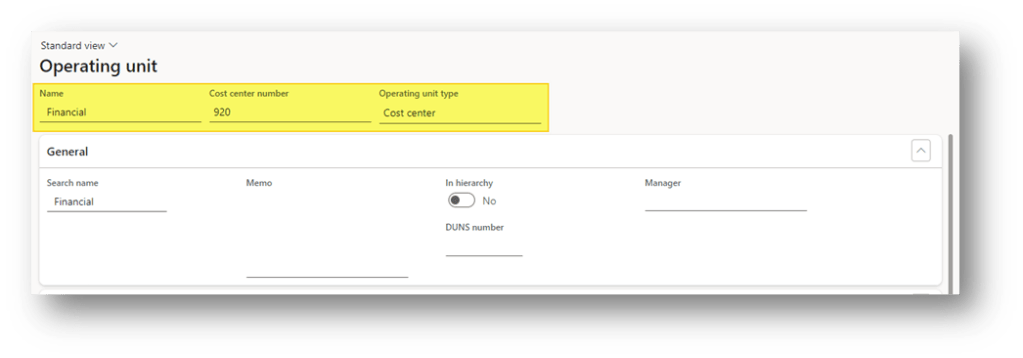
Go to: Organization administration> Organizations> Operating units.
The first important thing is to define the operating unit involved in the budget. That is mainly for two reasons:
- financial dimension: the value of the financial dimension should be inherited from the operating unit configuration
- Further, we can allocate how the manager is in charge of the approbation for each operating unit.
Keep in mind that the budget will be created based on those financial dimensions, and the actual record should use those records.
Create our unit by inserting at least:
- Name
- Operating type
- Type (Department, value stream, Business unit or Retail channel)
Organization hierarchies
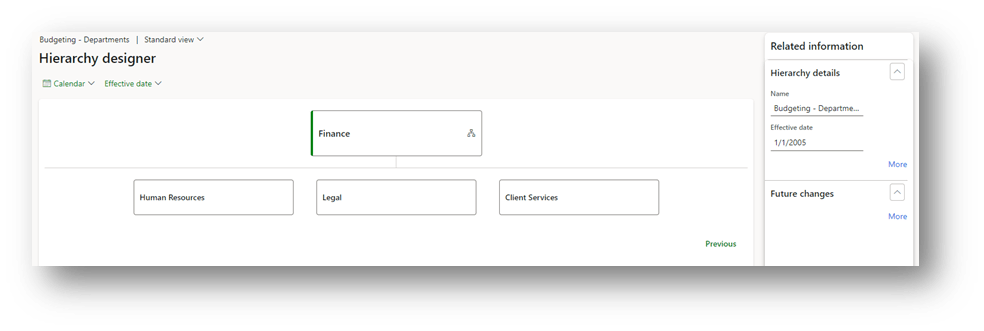
Go to: Organization administration> Organizations> Organization hierarchies.
Here we can create the budgeting structure. Remember, the structure should reflect the composition tree of the master budget and sub-budget to manage.
In this example, the budget tree is structured in this way:
- Budget Master: Finance department
- Sub-budget: Sales & Marketing
- Sub-budget: Operation
- Sub-budget: IT department
- Sub-budget: Human Resources
- Sub-budget: Legal
- Sub-budget: Client Services
The hierarchy should have an activation date before to create the budgeting planning:
Organization purpose
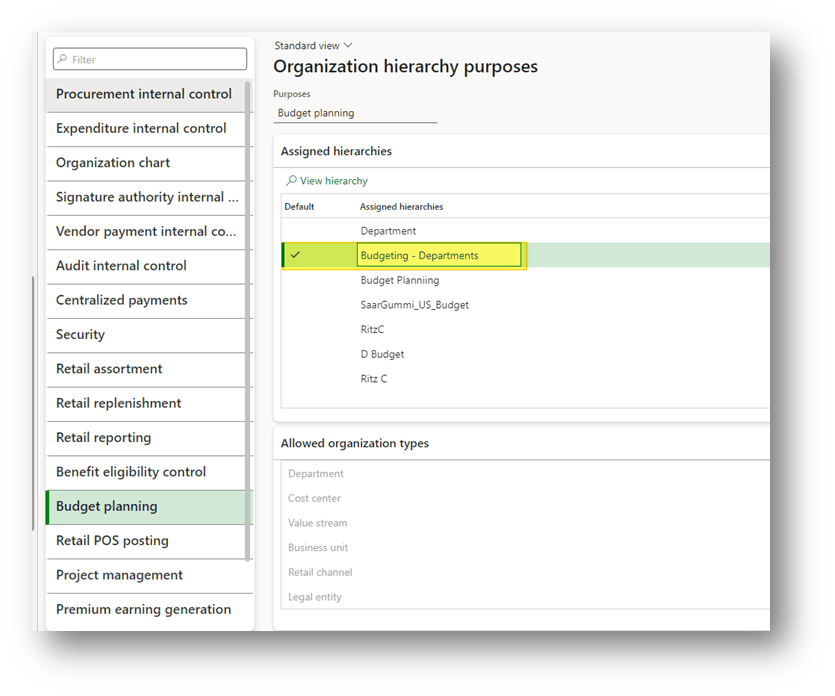
Go to: Organization administration> Organizations> Organization hierarchy purposes.
Select the purpose “Budget planning”. Here insert the organization hierarchy previously created:

 Dax365FO
Leave a comment