
The distribution is moving the budget plan from the parent to the child, from a scenario targeting a specific scenario. Typically, it is used in the case of traditional budgeting when the CFO creates a new budget back to the previous period’s budgeting. Then, after the original forecast estimation, the budget is moved as sub-budgets throughout the different departments for review.
The system will understand which budget plan line to distribute based on the financial dimension related to the “operation unit” financial dimension.
There are two different kinds of distribution:
- Manual distribution: Triggered manually by the k-users;
- Automatic distribution: Triggered automatically by D365FO during the workflow process
Activities
1. Manual distribution
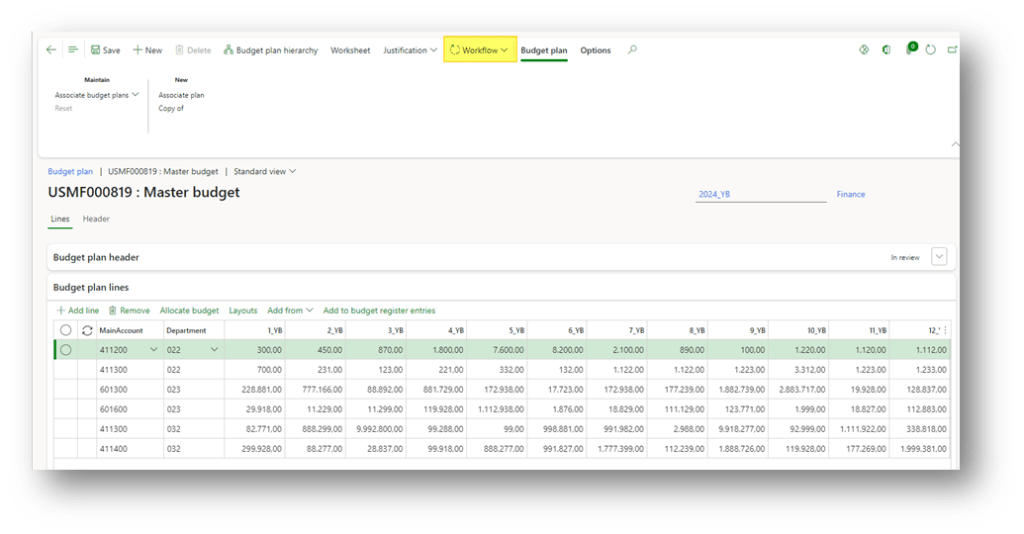
Select our parent master plan. We can also click on “Budget plan hierarchy” to verify the relationship between the budget plan:
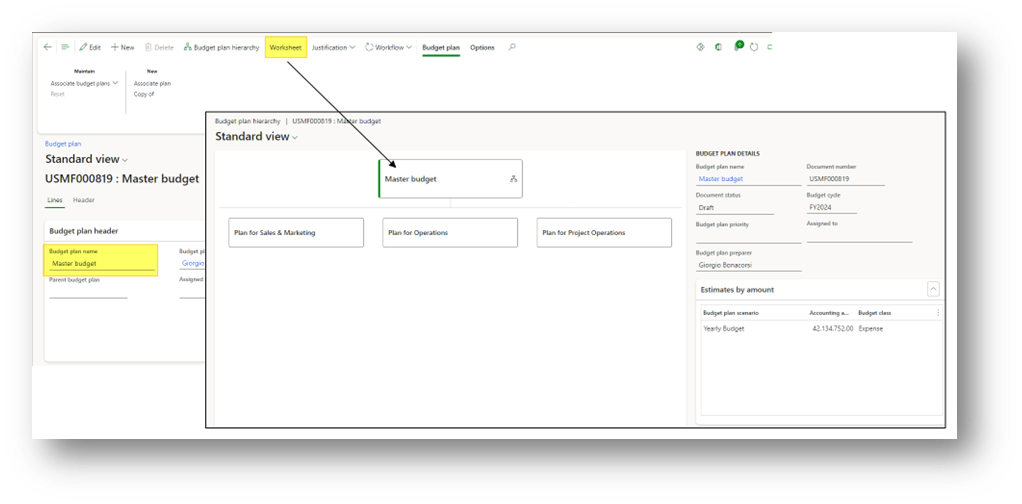
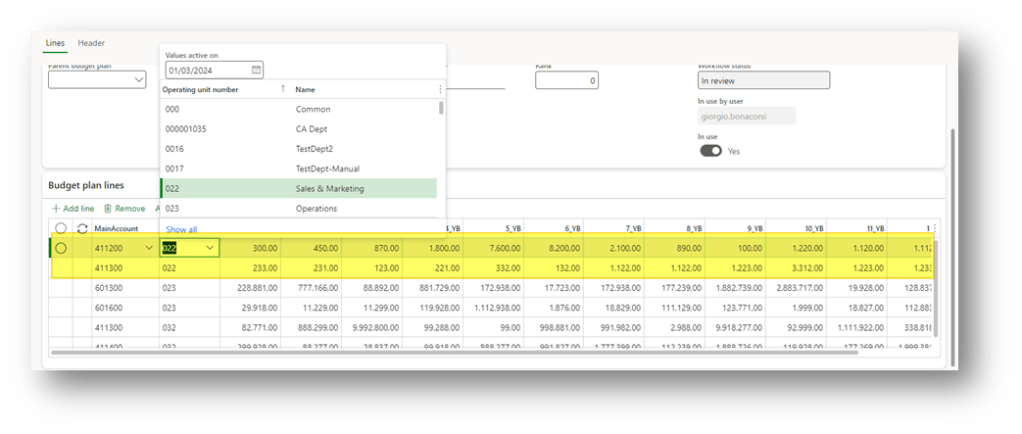
In our example, the financial dimension used to identify the organizational unit of distribution is the department. So, for example, the “Sales & Marketing” department has the value of financial dimension: 022.
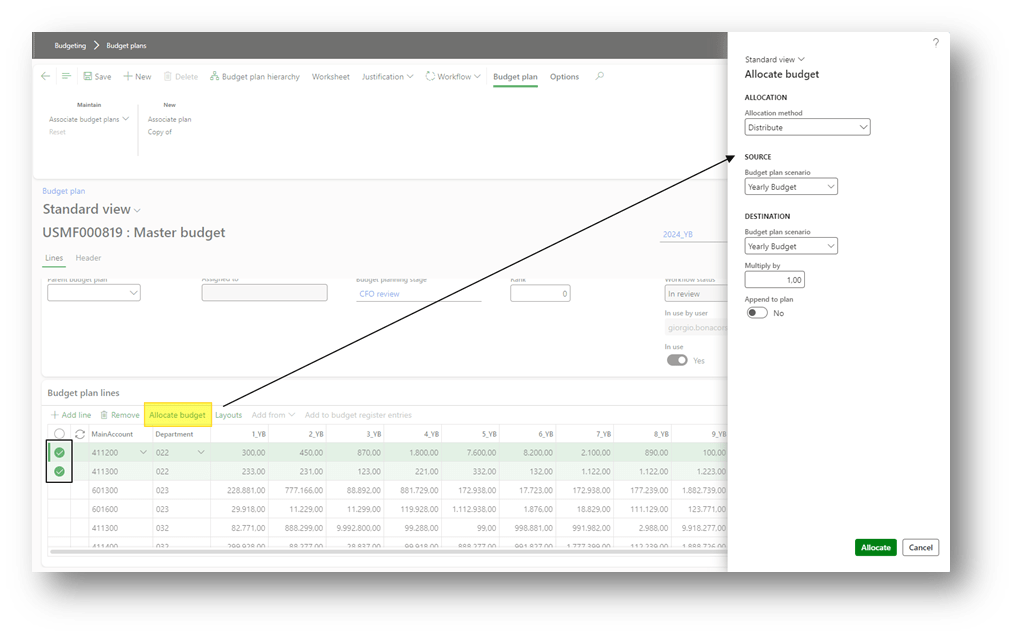
We can decide to select just a couple of lines to distribute. Click on “allocate budget” and select:
- Allocation method: Distribute
- Source budget plan scenario: Columns collections here to recover the data from the parent budget;
- Target budget plan scenario: Columns collections here to apply the data to the child budget;
- Multiply by: Whether we want to apply a particular multiple or let as value 1;
- Append to plan: decide if to update the existing line in the sub-budgeting in the parent value or sum the parent budget amount with the amount already present in the sub-budget;
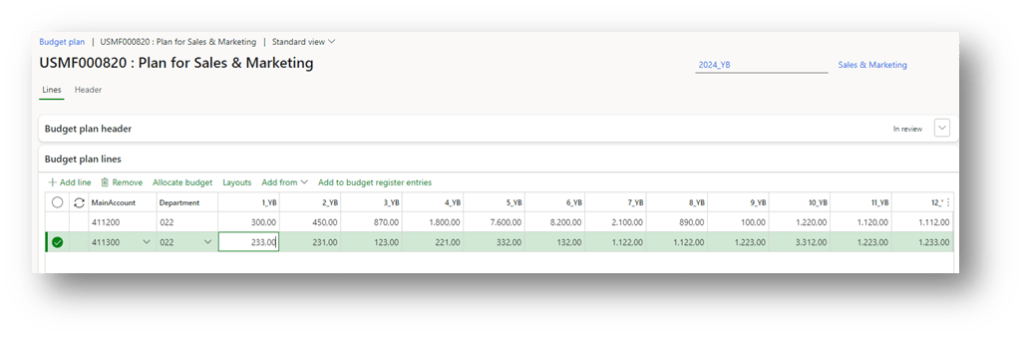
As we can see, at the end of the process, the parent budget line is present in the sub-budget:
2. Automatic distribution
The distribution is made automatically by D365FO when we launch the workflow on the budget parent. The process do is the same of the manual function. In reality, it’s not so simple because it means the distribution is constrained by the workflow structure. For more information, go to see the configuration:
Configuration
Workflow
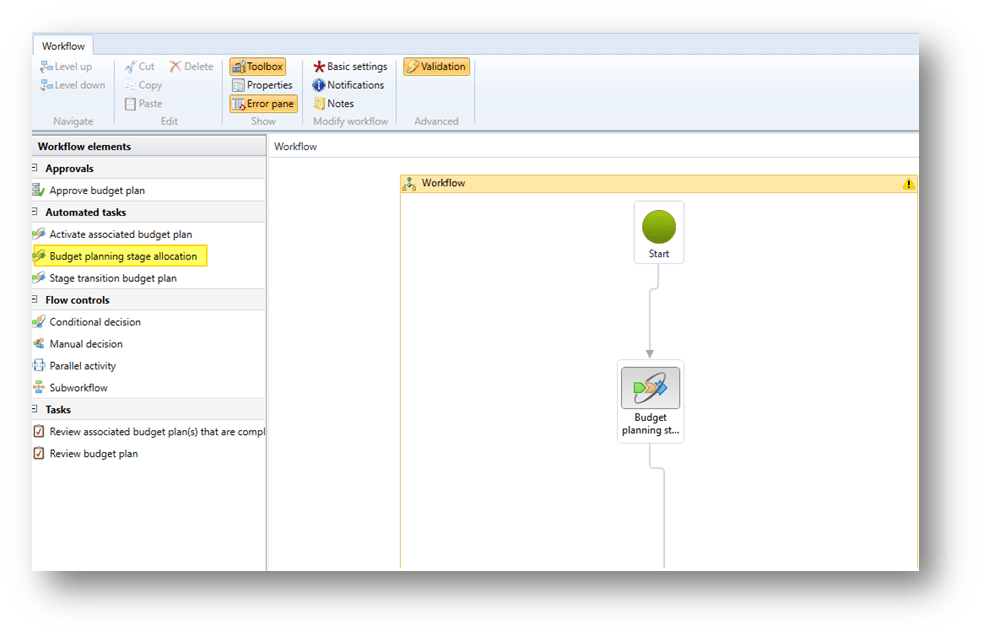
Go to: Budgeting> Setup> Budget planning> Budgeting workflows.
Create a workflow with the type “Budget plan workflows”, and use the element “Budget planning stage allocation”:
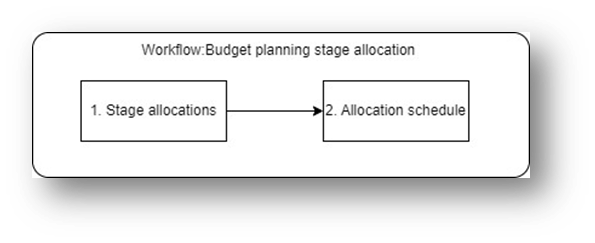
The system is going to trigger the “allocation schedule” based on the combination of “budgeting planning” + “stage” inserted as input in the stage allocations configuration:
Stage allocation
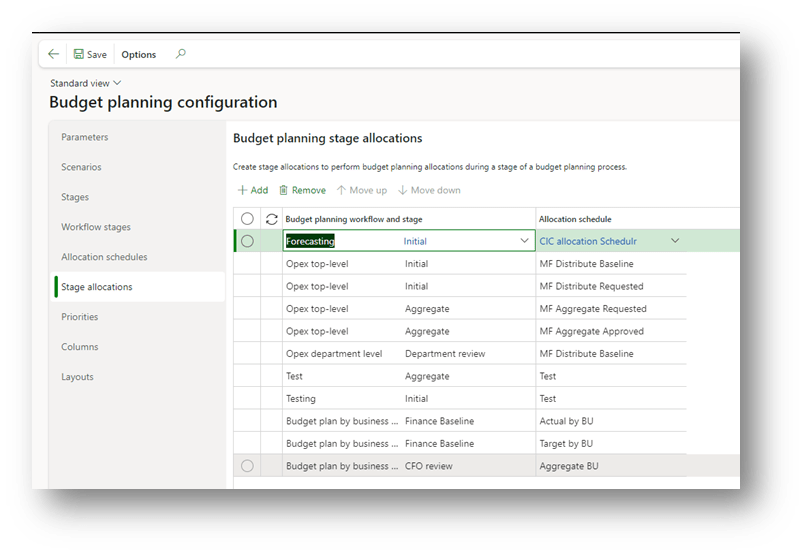
Go to: Budgeting> Setup> Budget planning> Budget planning configuration.
Insert for which combination of budget planning and stage, the allocation schedule to apply based and in which order:
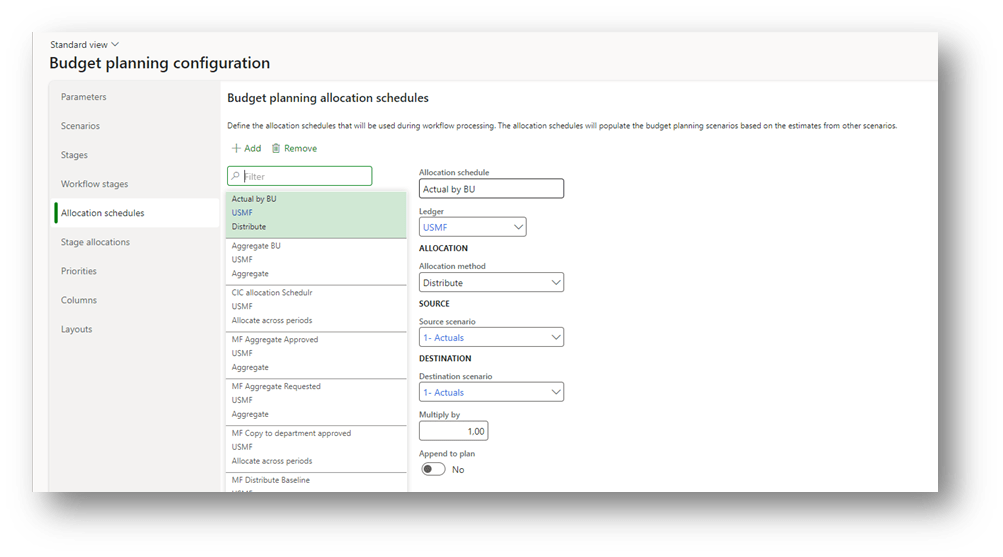
Allocation schedules
Go to: Budgeting> Setup> Budget planning> Budget planning configuration.
We are going to define our schedule rule. For the distribution, the information to insert is as follows:
- Allocation schedule: the allocation identifier name;
- Ledger The legal entity where we can apply the rule;
- Allocation method: Distribute;
- Source scenario: Columns collections here to recover the data from the parent budget;
- Destination scenario: Columns collections here to apply the data to the child budget;
- Multiply by: If we want to apply a particular multiple, let as value 1;
- Append to plan: decide if to update the existing line in the sub-budgeting in the parent value or sum the parent budget amount with the amount already present in the sub-budget;

 Dax365FO
Leave a comment