
This article continues the Capitalized Fixed Asset in D365FO. It provides more information from the architectural perspective: link
There are two ways to use the inventory journal for capitalization:
- Synchronous capitalization: Using a special inventory journal. When we issue the items, we will simultaneously capitalize the value in the fixed asset
- Asynchronous capitalization: the post of the items issue and the capitalization are separate and manually handled. So, we are going to have two journals: a movement journal to record the items issued to a T account. Then a general ledger journal is to capitalize the amount from the T account
Note that the asynchronous way is a manual procedure, so it’s inadequate for high volume. Both solutions can cohabitate stimulatingly and use it based on the business case you should manage.
D365FO solution
Synchronous capitalization
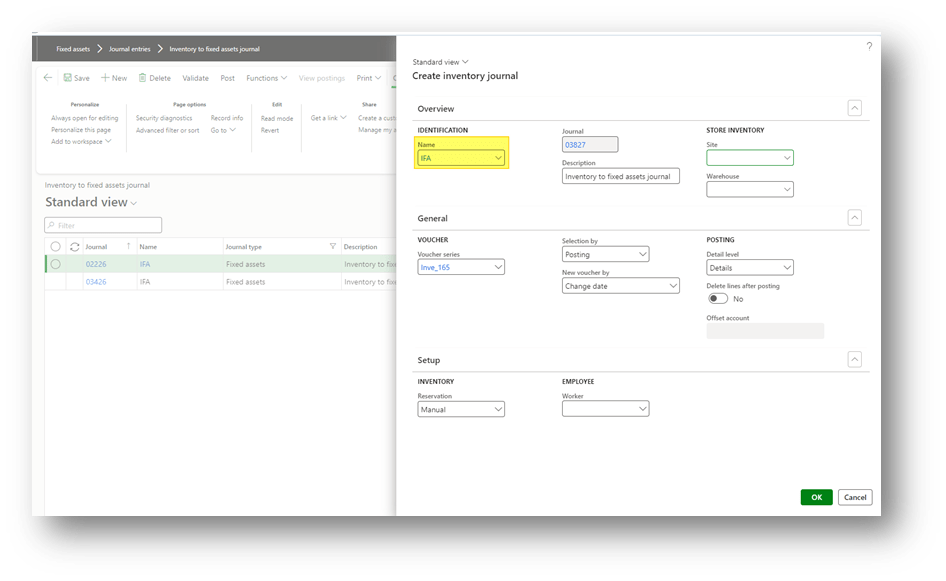
Go to: Fixed assets> Journal entries> Inventory to fixed assets journal.
Create an inventory journal. It’s possible to insert the site and the warehouse as header information inserted then at each line. Same for the reservation, it’s possible to proceed with a manual or an automatic reservation:
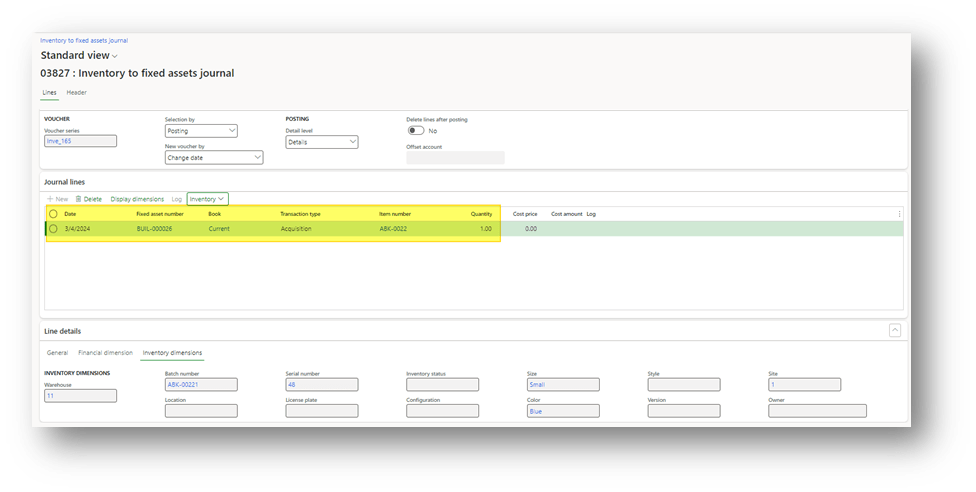
Insert at least this data:
- Date: Date of capitalization;
- Fixed asset number
- Book: asset book where to make the transaction
- Transaction type: Acquisition
- Item number: insert the item to absorb
- Quantity: quantity to absorb
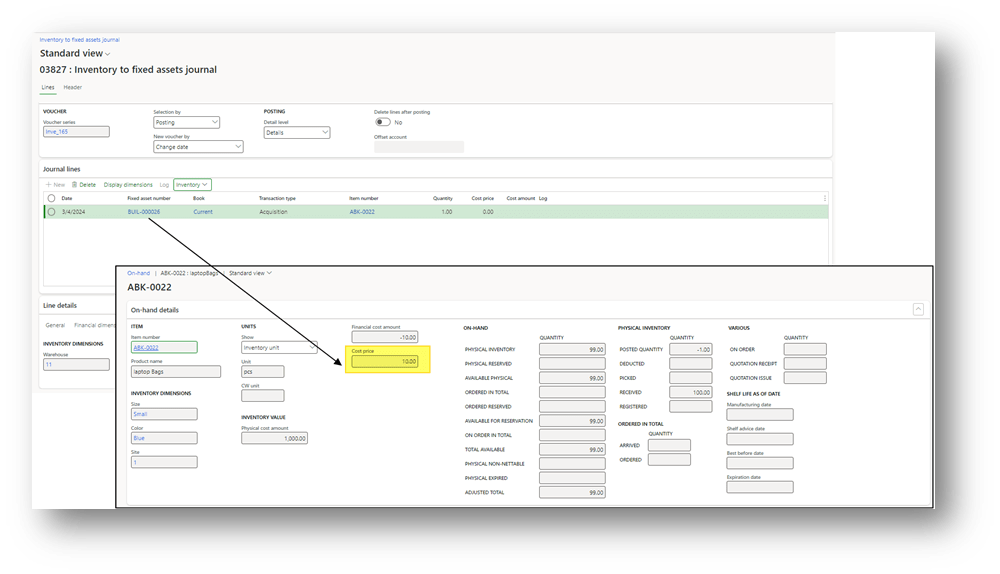
D365FO inserts the cost. It’s the result of the items’ cost base in the inventory model (it calculates the value of the items).
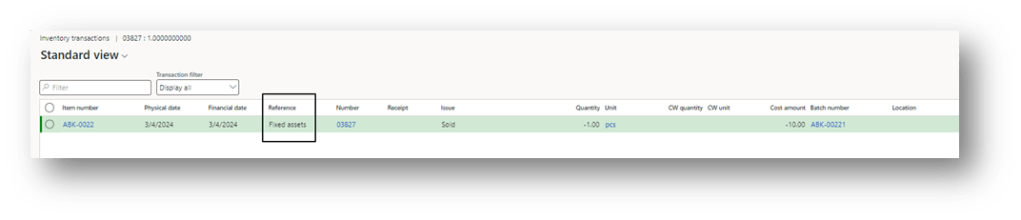
Remember, it’s an inventory issue. So, the posting isn’t just a finance event, it write also inventory and fixed assert transactions.
When the journal is posted, we can see:
- the inventory movement issue:
- General ledger entry:
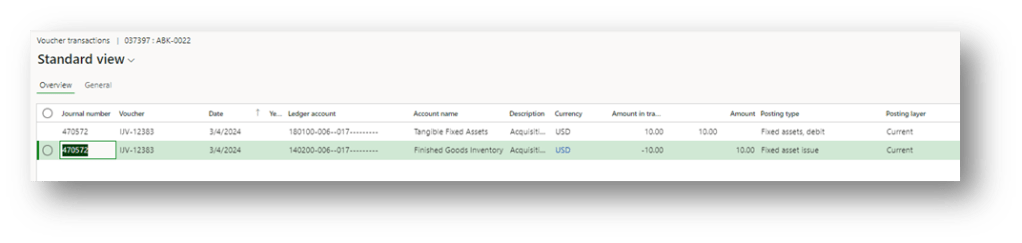
- Fixed asset acquisition:
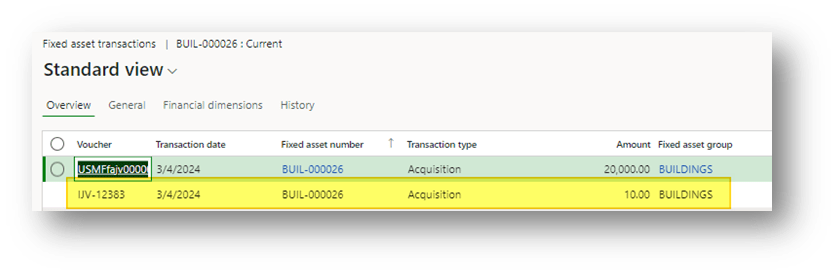
Asynchronous capitalization
The asynchronous process is based on a T main account. In some words, we have this account matrix:
| ID | Event | Main account | Debit | Credit | Solution component |
| 1 | Inventory issue | Inventory | 900 | Movement journal | |
| 2 | Inventory issue | Fixed asset to be capitalize | 900 | Movement journal | |
| Capitalize cost | Fixed asset to be capitalize | 900 | Fixed asset journal/General journal | ||
| Capitalize cost | Fixed asset | 900 | Fixed asset journal/ General journal |
As you can read, the solution is based on two components:
- Movement journal: A movement journal where to post the inventory issue, but the amount is moved to a T account:
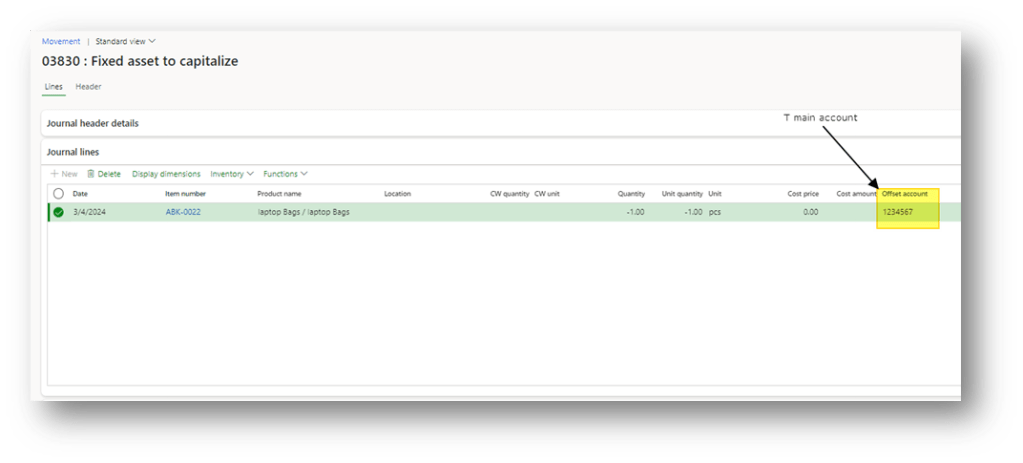
Also here, D365FO inserts the cost. It’s the result of the items’ cost base in the inventory model (it calculates the value of the items).
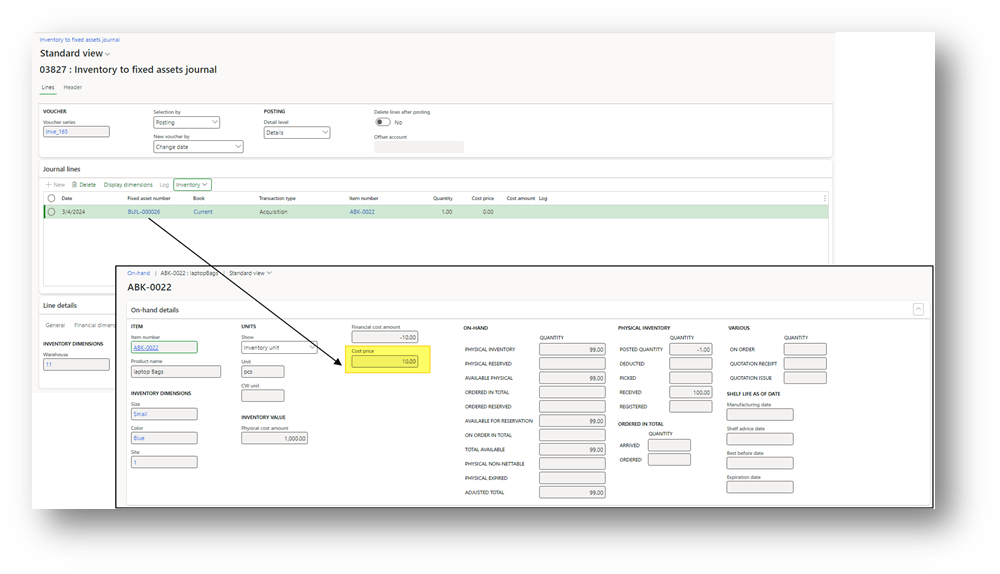
- Fixed asset journal/ General journal: It’s exactly the capitalization process described in the article Capitalize journal entry to a Fixed asset. So, the creation of the journal is manual. Considering the differences are:
- We need to use the T account instead of the cost main account as offset account
- The amount absorbed should be inserted manually:
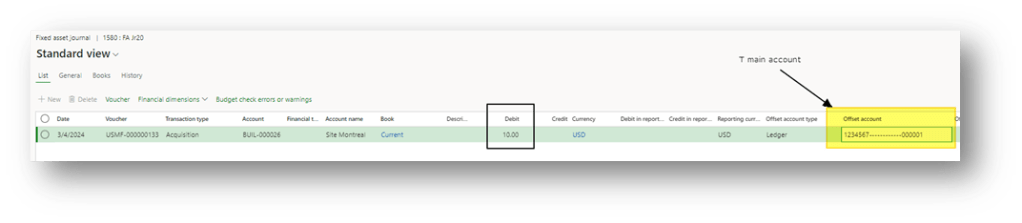
When the journal is posted, we can see:
- inventory movement issue: It is a common items issue. The wise choice is at least to use a movement journal with a dedicated voucher. In order to be recognized quickly this kind of transaction:

- General ledger entry:
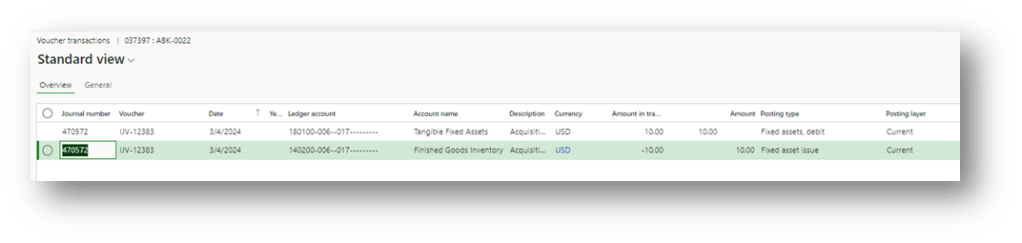
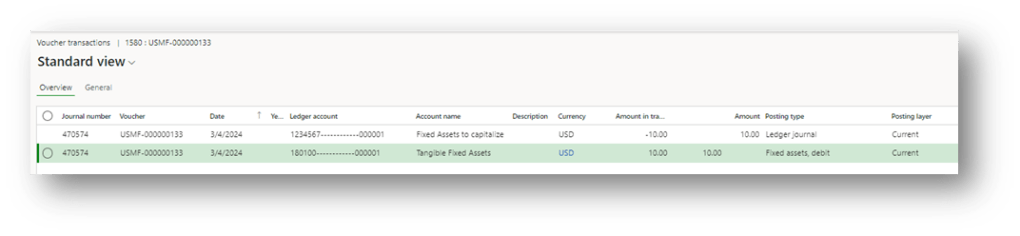
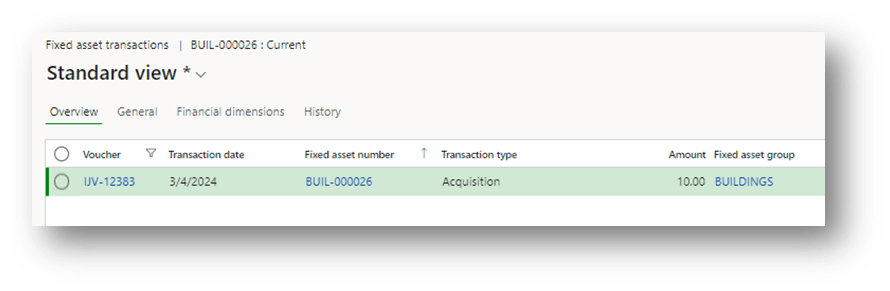
- Fixed asset acquisition:

 Dax365FO
Leave a comment