
This article continues the Capitalized Fixed Asset in D365FO. It provides more information from the architectural perspective: link
There are two ways to use the project module for capitalization:
- Synchronous capitalization: The project transactions will be absorbed directly into the fixed asset.
- Asynchronous capitalization: The project transactions will be inserted into a T account. Then, manually and separately, they will be absorbed by the fixed asset.
Note that the asynchronous way is a manual procedure, so it’s inadequate for high volume. Both solutions can cohabitate stimulatingly and use it based on the business case you should manage.
Solution D365FO
Synchronous capitalization
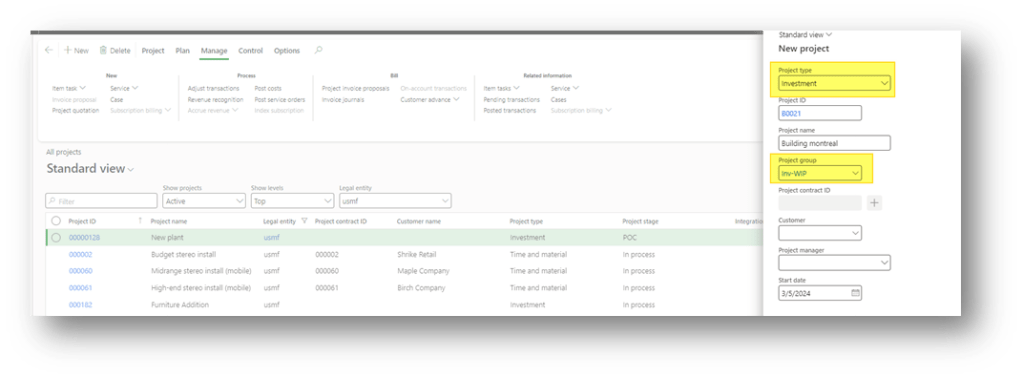
Create a new project with a type equal to “investment”:
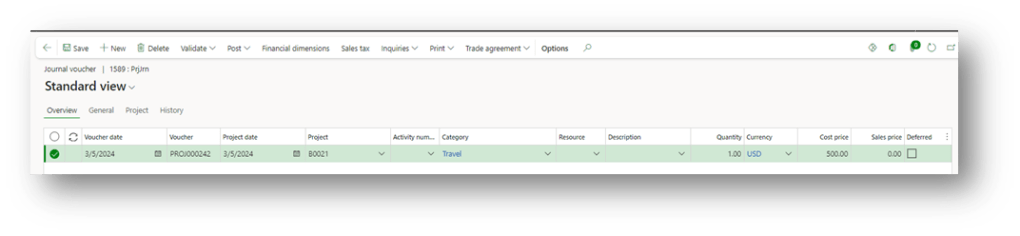
Insert your transaction consumption in this project as usual. For example, we can see some entry examples:
- Expense:
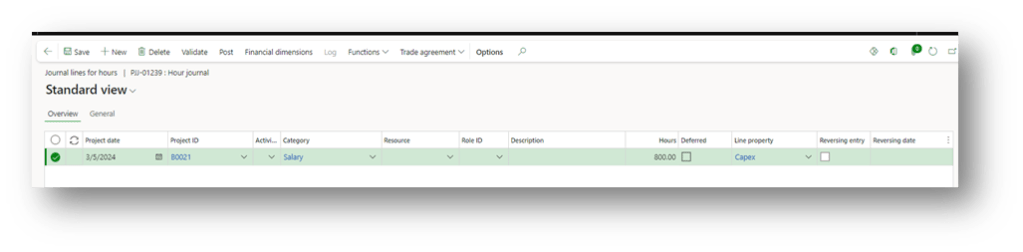
- Hours:
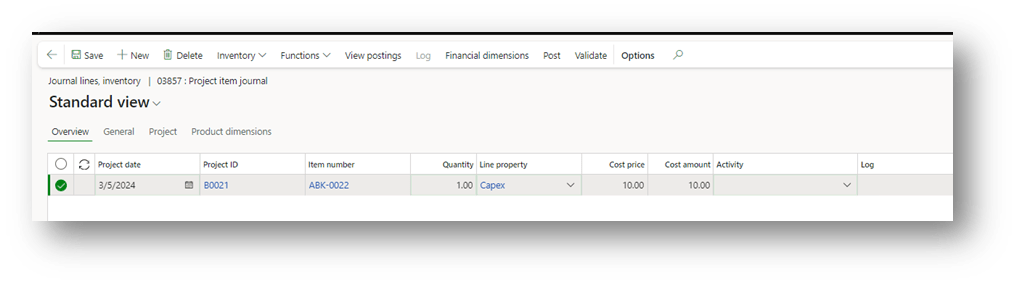
- Items:
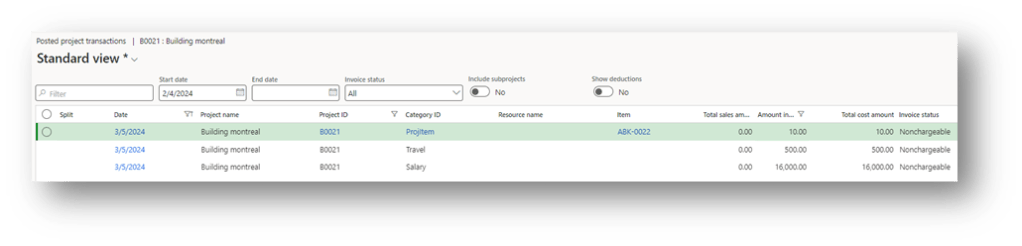
Here is a little overview of your project transactions:
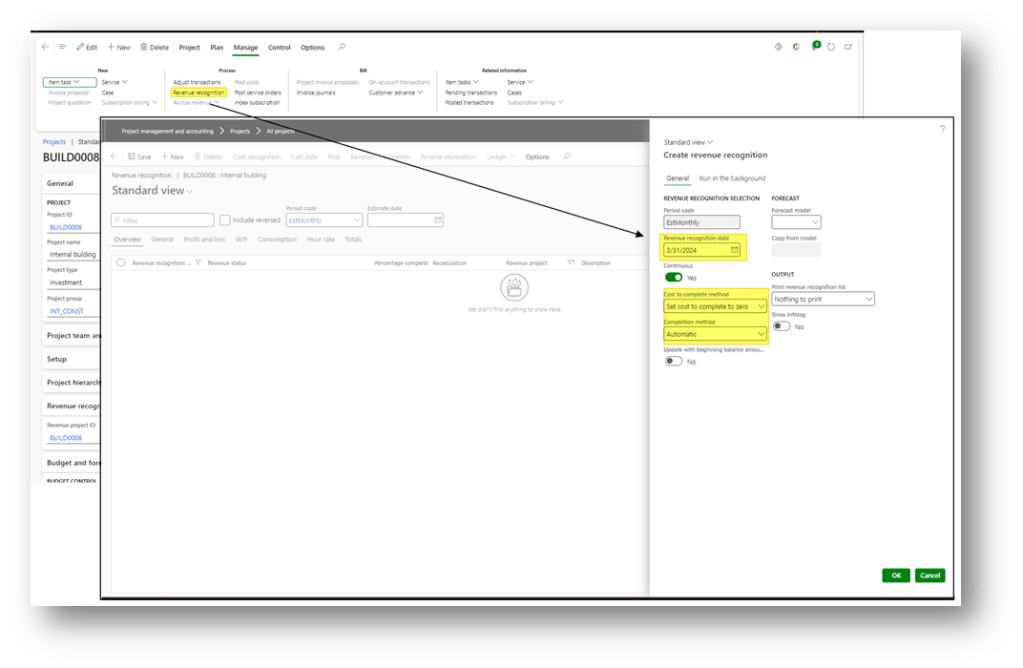
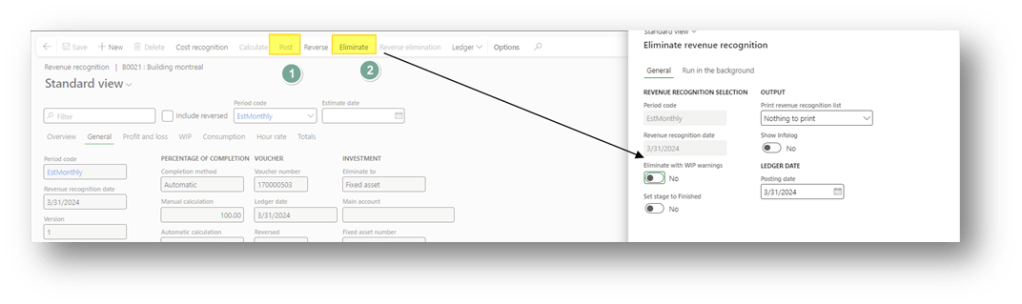
At the end of the period, go to Mange> revenue recognition. Here select:
- Revenue recognition date: Insert the end date of our period;
- Cost to the complete method: Set the cost to complete zero. It means the system will be based on the cost amount. The progression is automatically set as 100%
- Competition method: Automatic, the system gives 100%
Don’t worry about the completion as 100%. In the next period, we can continue to make the capitalization.
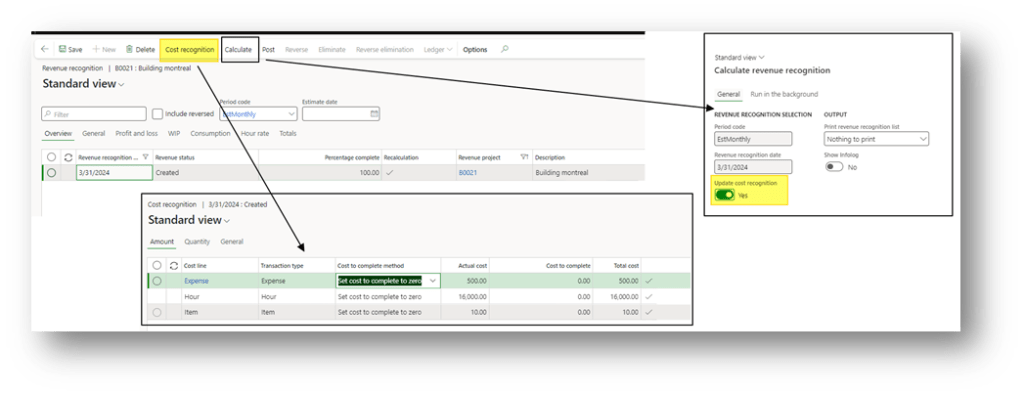
Click on the cost recognition button to see the sum of the cost that we are going to absorb (see the actual cost). If, meanwhile, new transactions have been recorded, we can recalculate the actual cost by clicking in “calculate”:
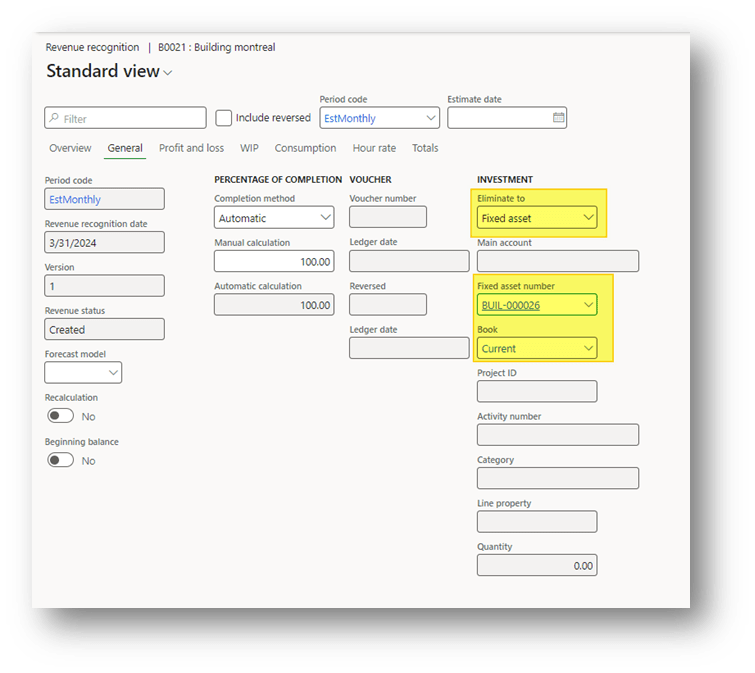
Go to the tab “General” and choose the fixed asset where to absorb the cost:
At the end post, the absorption pressing in the post is eliminated. The system will post the absorption transaction when we press “eliminate”. Pay attention: This procedure can only be launched on time. So, execute it when the capitalization is completed. If you want to absorb the project in progress, you need to create a sub-project and transfer the transaction to absorb it. Then, apply this procedure only to the sub-project.
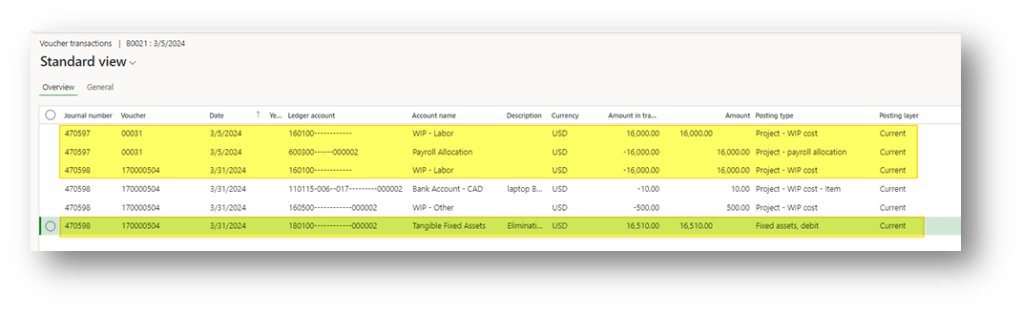
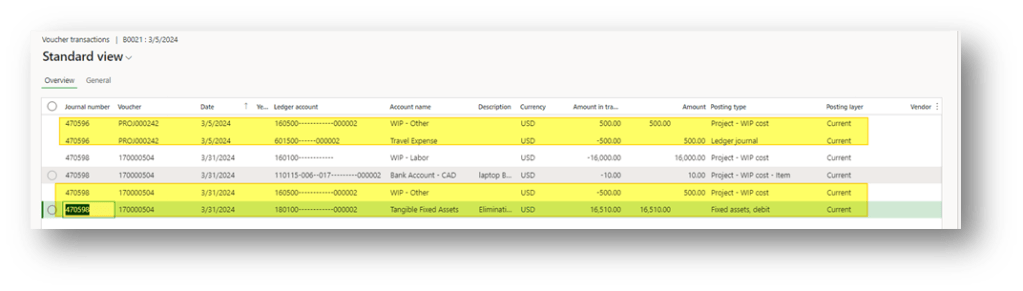
Here you can see the:
- Voucher transaction – Hours
- Voucher transaction – Expense
- Voucher transaction – Items (sorry, the posting is correct, but the bank account as WIP is not the account to use in the configuration. It’s a problem of D365FO. It’s a random configuration in sandbox)
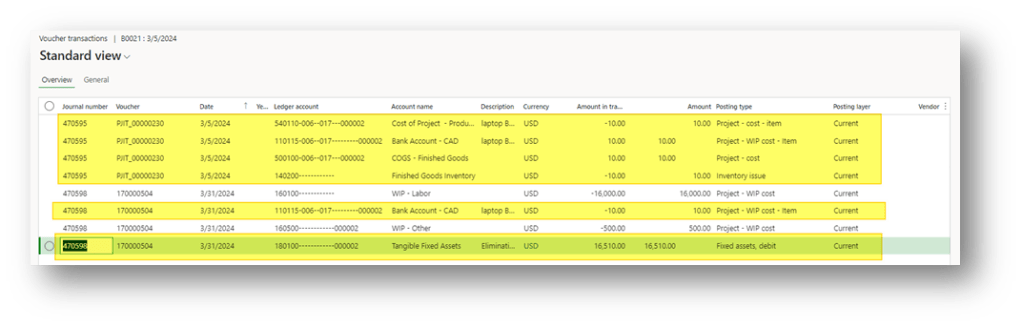
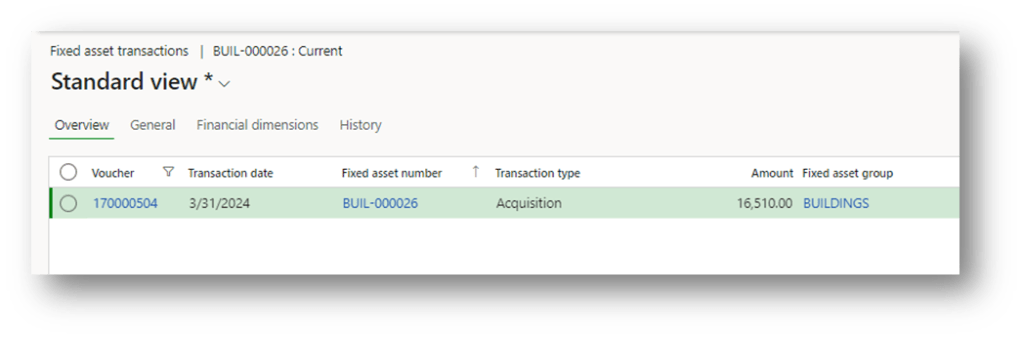
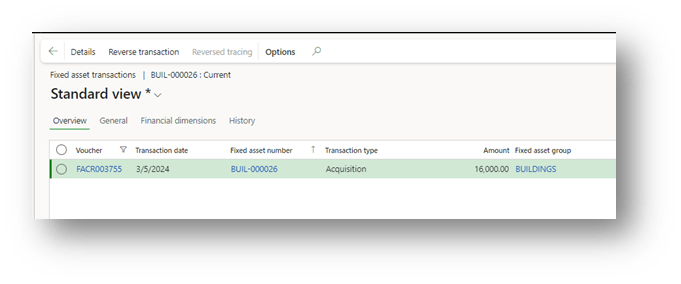
- Fixed asset transaction
Asynchronous capitalization
The asynchronous process is based on a T main account. In some words, we have this account matrix:
| ID | Event | Main account | Debit | Credit | Solution component |
| 1 | Revenue recognition | WIP project | 900 | Project revenue | |
| 2 | Revenue recognition | Fixed asset to be capitalize | 900 | Project revenue | |
| Capitalize cost | Fixed asset to be capitalize | 900 | Fixed asset journal/General journal | ||
| Capitalize cost | Fixed asset | 900 | Fixed asset journal/ General journal |
As you can read, the solution is based on two components:
- Project transaction: Follow the investment in the same process as the synchronous case. The only difference is when we make the revenue recognition, we are going to select the T account instead of the fixed asset master data:
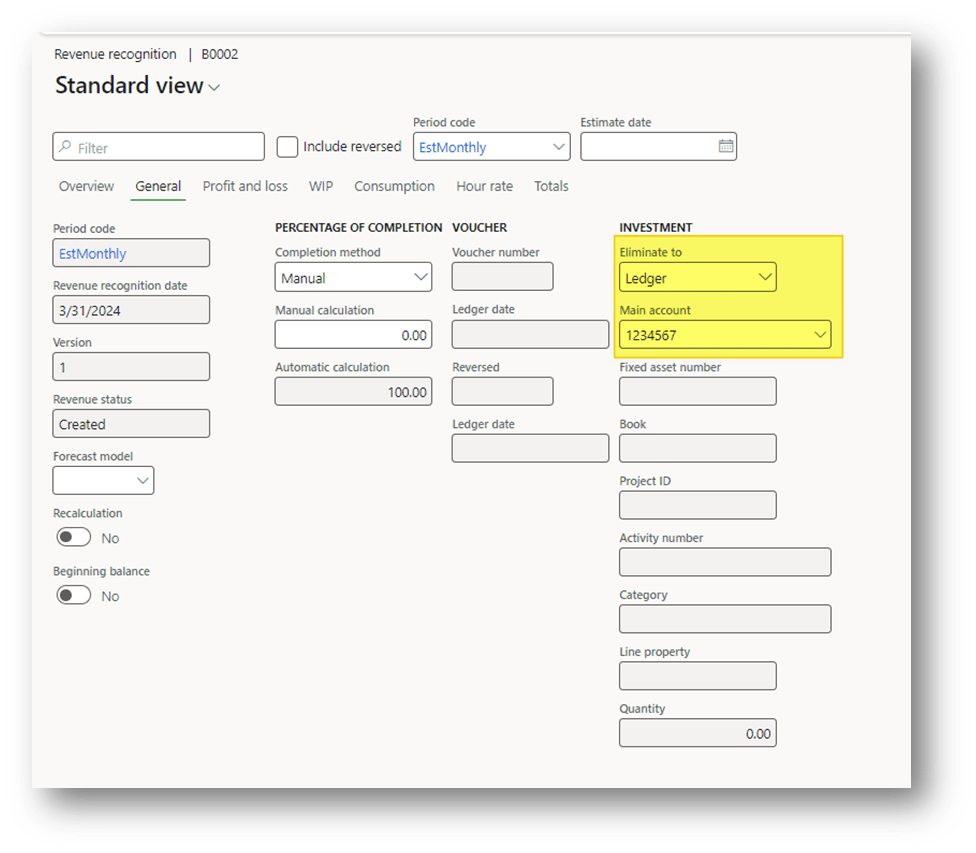
- Fixed asset journal/ General journal: It’s exactly the capitalization process described in the article Capitalize journal entry to a Fixed asset. So, the creation of the journal is manual. Considering the differences are:
- We need to use the T account instead of the cost main account as the offset account
- The amount absorbed should be inserted manually:
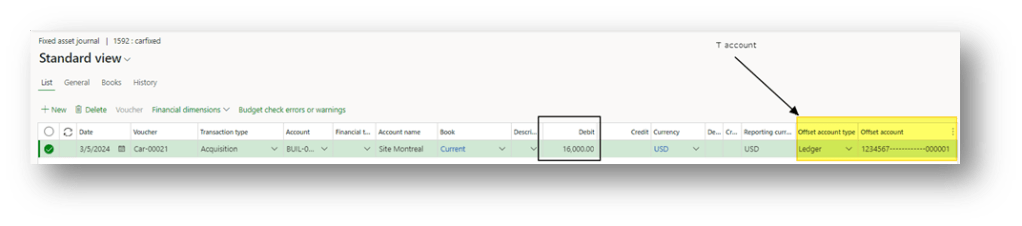
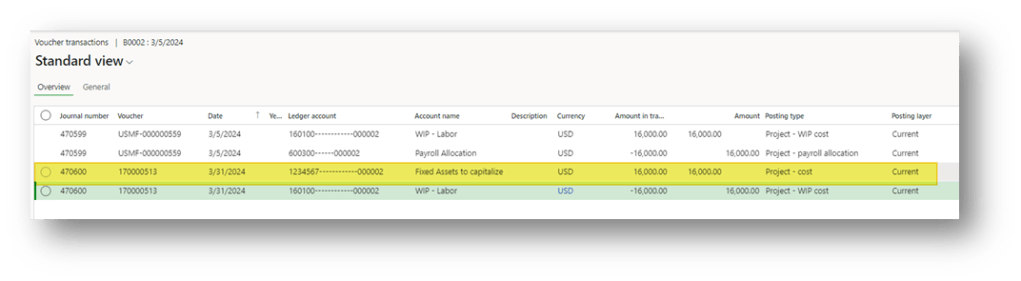
When the journal is posted, we can see:
- General ledger entry:
- Fixed asset transaction:

 Dax365FO
Leave a comment