
This is the specific case where we want to add a custom components to our workspace based on a date range. For example, we may need a list of invoices for the last 30 days.
The out-of-box solution is to create a new query filter in your form and then use it as a base to add the new components for our workspace.
D365FO solution
- New query
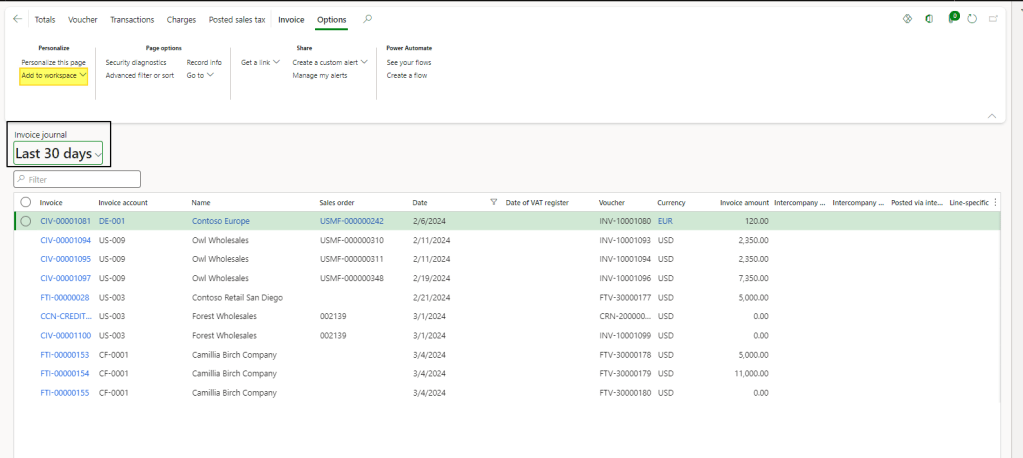
Go to our form, for example into the customer invoice. Then, use the advanced filter to filter the record base the range time needed:

When you finished, save the form:
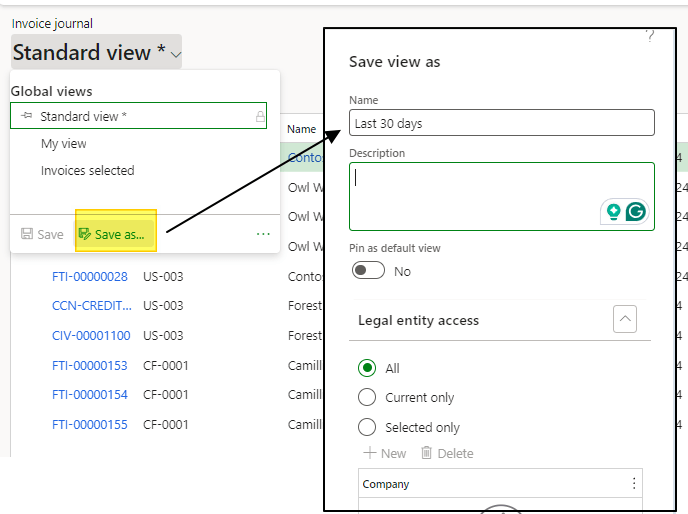
Note: To distribute it, we can share this new form with the rest of the user roles.
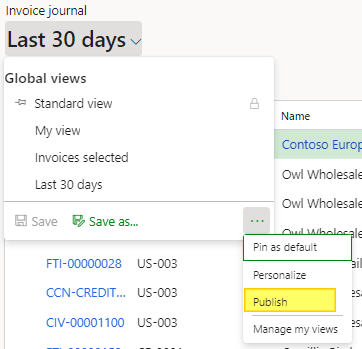
2. Create own workspace
Go in the workspace of our interest, and create a new one:
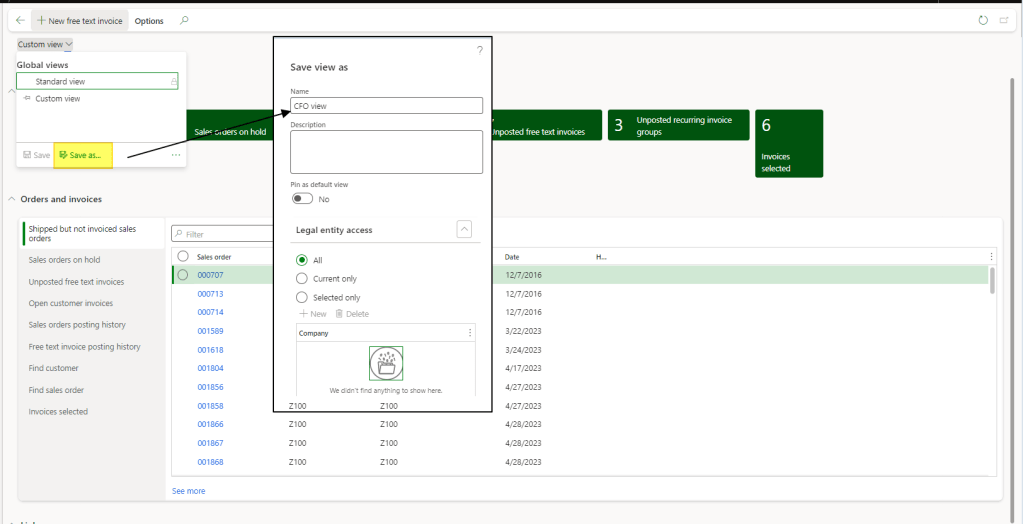
Note: To distribute it, we can share this new form with the rest of the user roles.
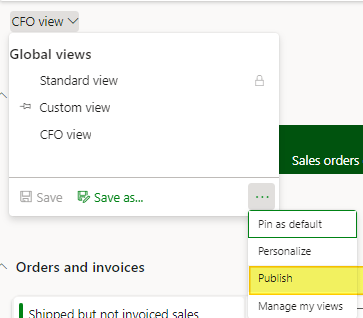
3. Add new Workspace components
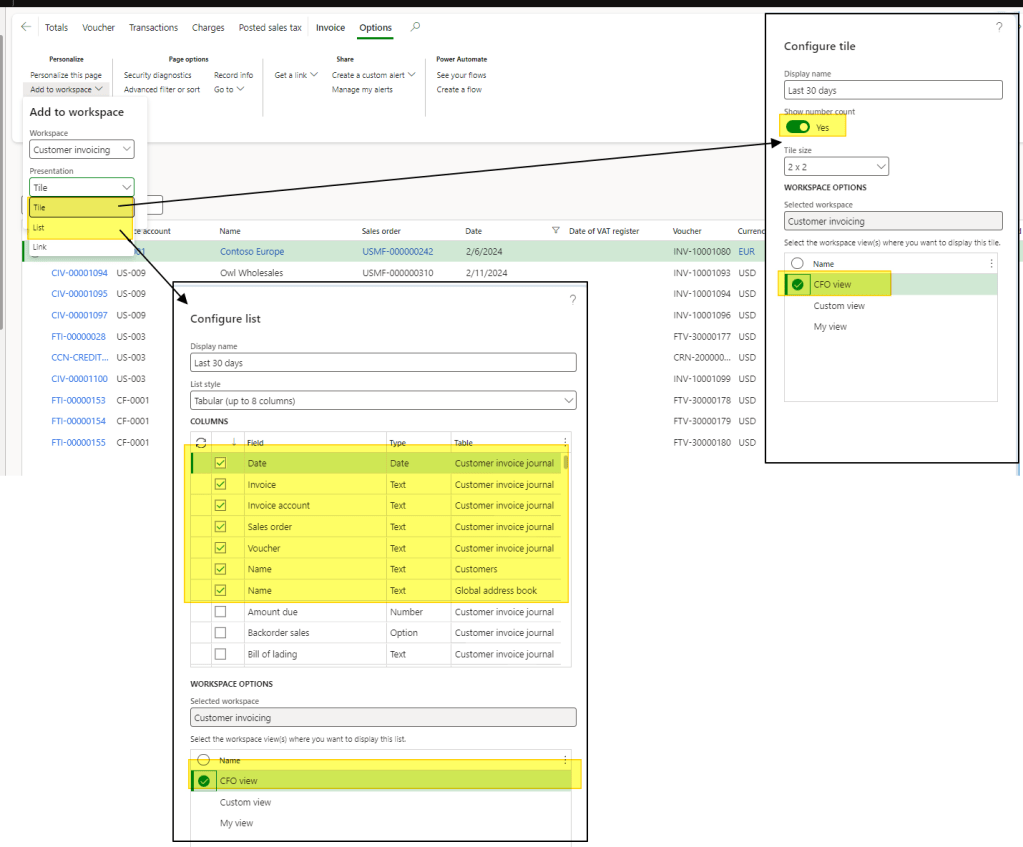
Return in our custom form (customer invoice in this example), select the correct filter, and press “add to workspace”
Our advice is to add it like “Title” and “List”:
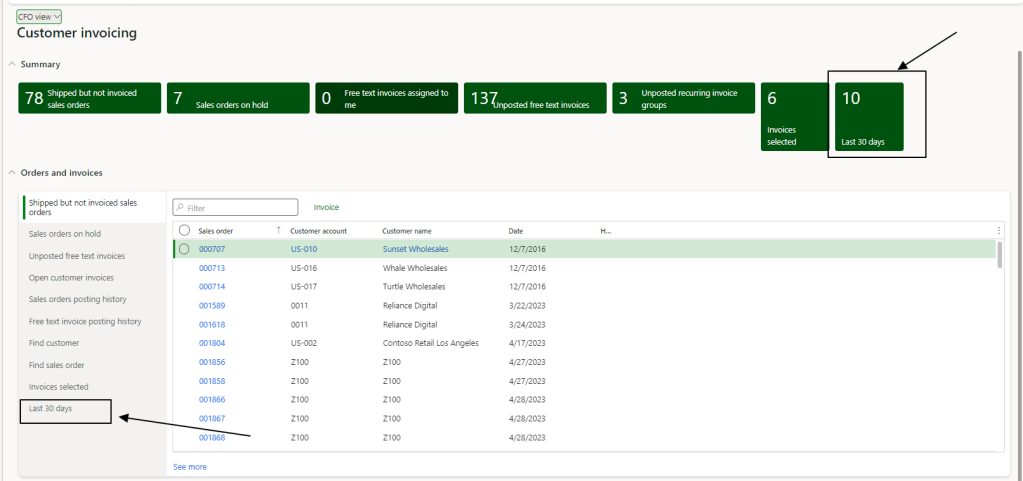
At then end, that the result when we come back to our own workspace:

 Dax365FO
Leave a comment