
D365FO solution
Sometimes, we need to use the procurement category for your purchasing (for example, to make a prepayment, purchase services, etc.). However, it’s not always clear where we can set up the fiscal information. This article explains where to insert these information.
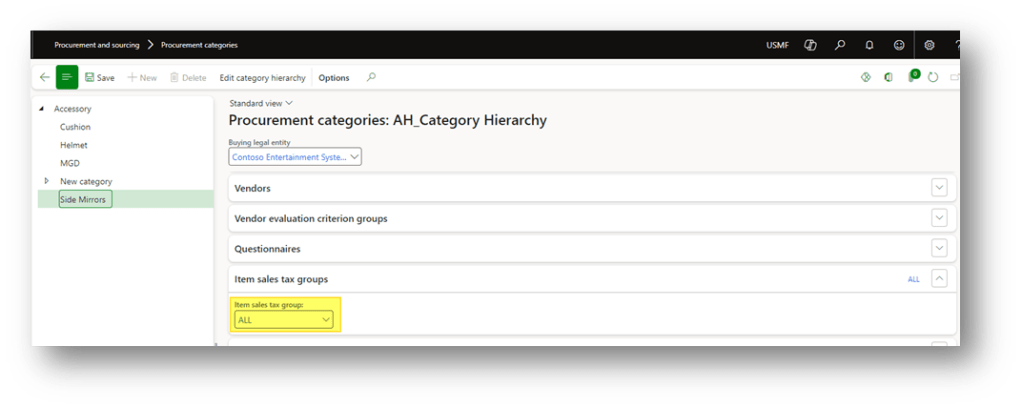
Go to Procurement and Sourcing> Procurement categories, and select the category.
Items sales tax group
In the field “Item sales tax group” we will insert our value:
Commodity code
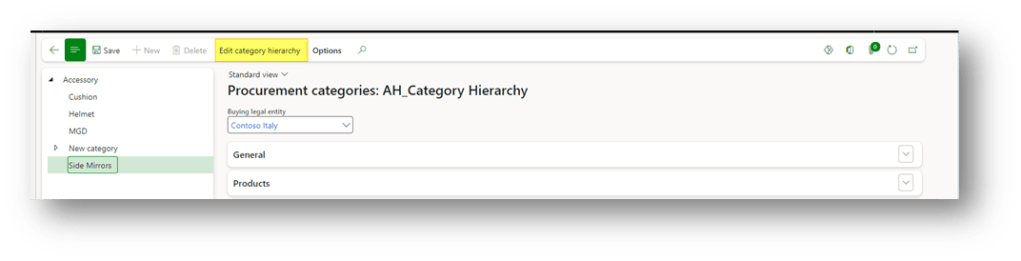
To change the commodity code, click in “edit category hierarchy” and insert it:
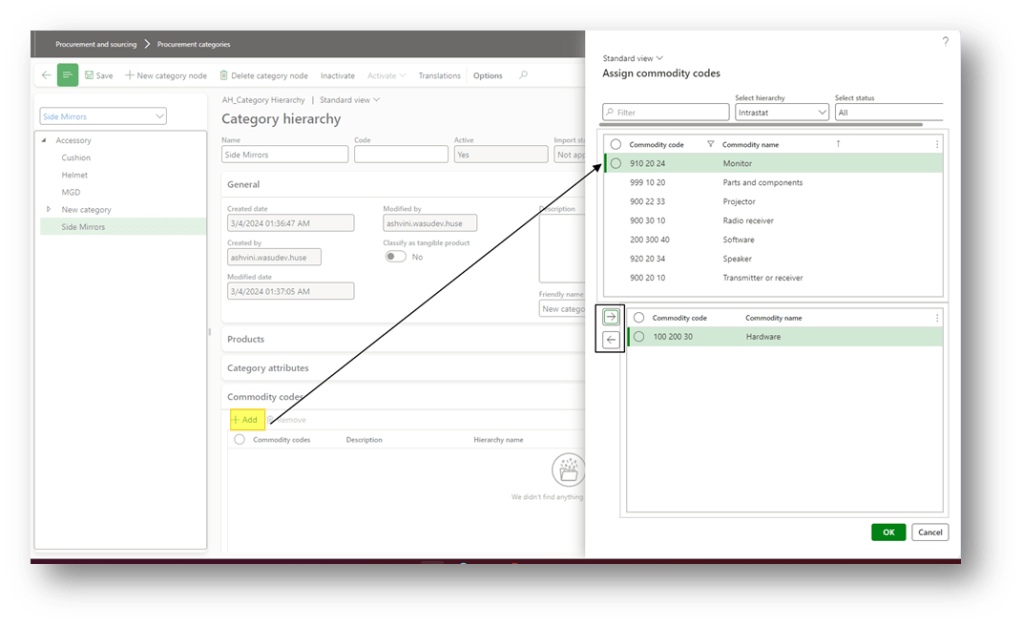
In the session “commodity code”, select and assign a code:

 Dax365FO
Leave a comment