
Go to: Budgeting> Setup> Budget planning> Budget planning process.
The budget planning configuration is the most important setup. Here, we will choose the pillar of our planning structure. The budgeting planning creation reference will change based on which budgeting planning we select.
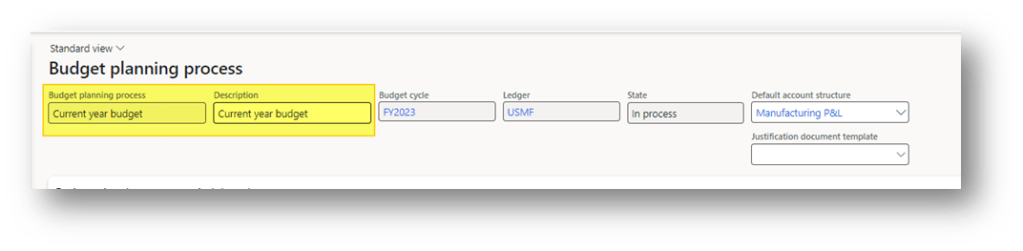
Please create a new budget plan and give it a name and a description. Then, below, explain each of the structure’s elements.
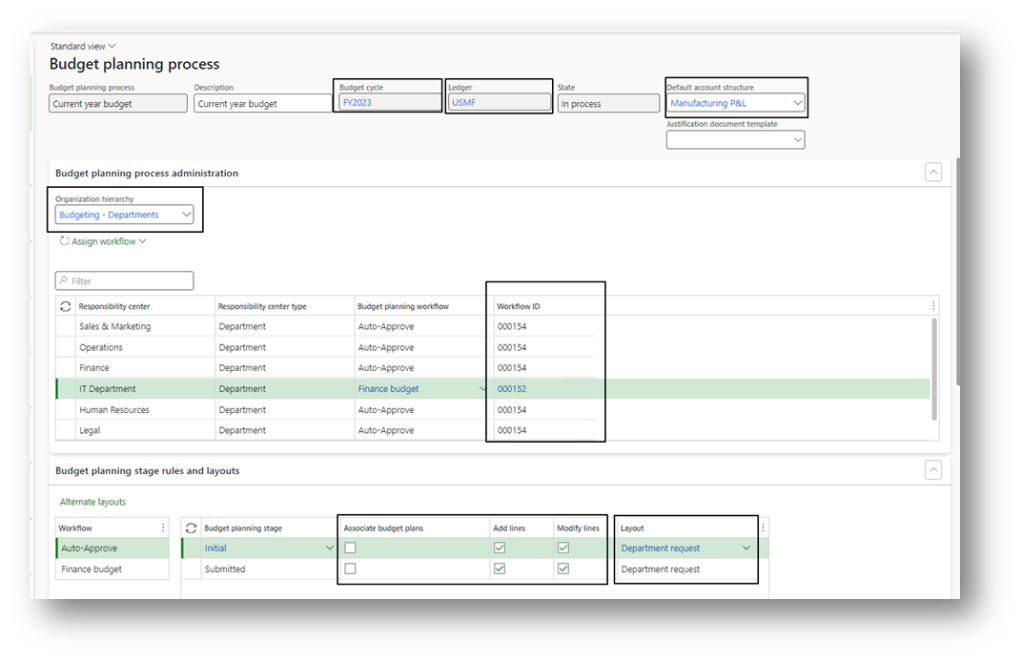
- Budget cycle: Start and end date period of our planning;
- Ledger: Legal entity;
- Default account structure: we can perform the planning only for one accounting structure;
- Organization hierarchy: Approbation hierarchy is involved in the process. See this article for more details: link
- Workflow: for each budget owned by a department, assign the workflow to process:
- Excel template: for each budget stage, assign the Excel layout for each workflow. We can also decide if the user can assign to the budget, add or modify the line. Usually, when we create/modify a budget, we flag assign, but when we should only approve it, we don’t assign anything. This article provide more details about the excel template: link

 Dax365FO
Leave a comment