
This article is link to the previous one who talking about: link
The system to understand the authorization to work in budgeting planning will combine the information set in these three setups:
- Roles: keys authorization to user form and function in the system;
- Grants: Authorization to work in an operations unit
- Position: Allocation in an operation unit
For example, if a resource is a Budget manager we should to set:
- Roles: Budget manager
- Grants: Authorization to work in the operation unit “finance”
- Position: at least a position link to the operation unit “finance”
Roles & Grants authorization
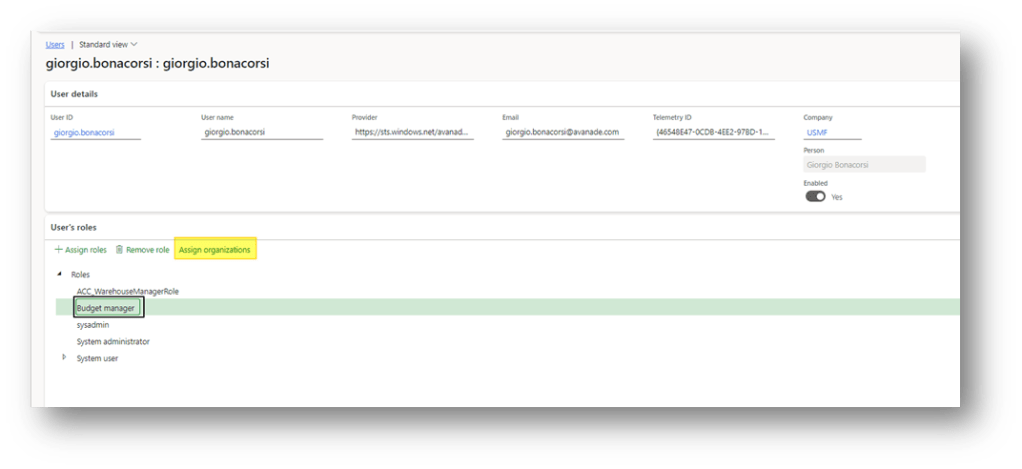
We need to grant correct access to the user in order they manage correctly the budget planning. To do that, go in: System administration> Users> Users.
Assign a role related to the budgeting planning definition, and click in the function “adding organization”:
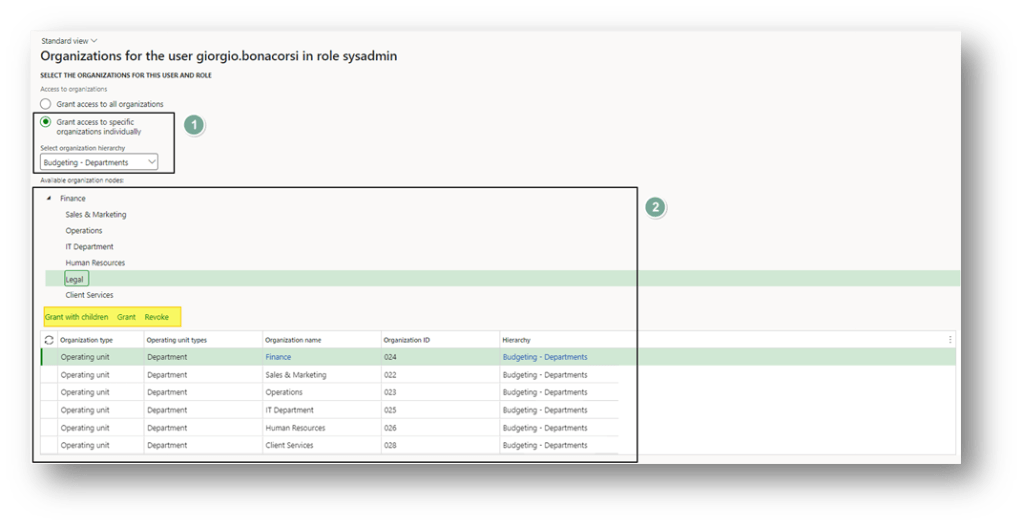
Then, select the organization hierarchy related to our budgeting planning and grant access based on the department. In this example, I’m the system administrator, so I gave you all the access. However, based on our case, grant to the correct department based on the segregation of duties of each user:
Position
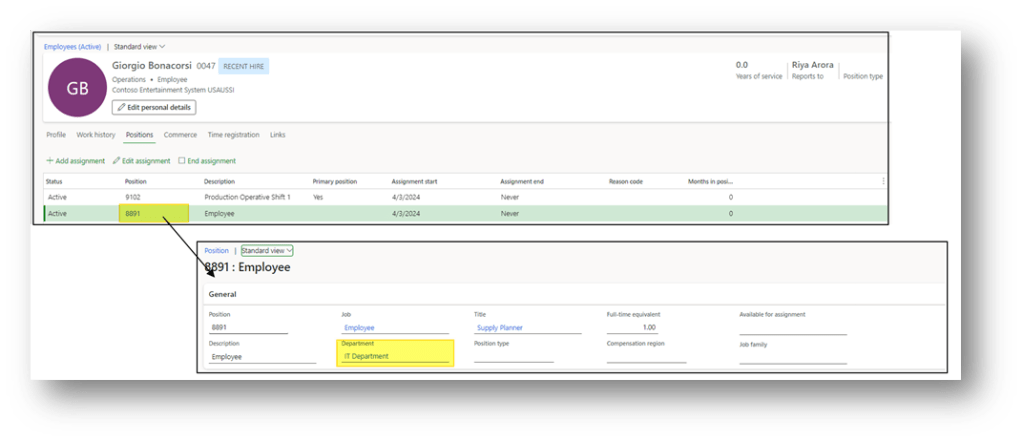
Go to: Human resources> Workers> Employees.
Here, select our employee and click on position. If we go to see the position details, we can find out the operation unit link on it.

 Dax365FO
Leave a comment