
This function allows us to allocate project amounts through the financial dimension or time. Typically, it helps the user insert the entry more easily. As mentioned, we have two alternative allocation activities:
- Allocation financial dimension: allocate the amount through a set of dimensions for the line selection. It can be used to reflect the allocation phenomena related to indirect cost allocation.
- Allocation across periods: allocate the amount through the different periods for the line selection. It can be used to reflect the allocation phenomena related to the operative cycle of business life
Activities
1. Allocate financial dimension
Select our budget planning lines and click on “allocation budget”. The information to insert is as follows:
- Allocation method: allocate to dimensions
- Allocation term: select the rules to apply for the allocation
- Source scenario: Columns collections here to recover the data;
- Destination scenario: Columns collections here to apply the data;
- Multiply by: If we want to apply a particular multiple, let as value 1;
- Append to plan: decide if to update the existing line in the sub-budgeting in the parent value or sum the parent budget amount with the amount already present in the sub-budget.
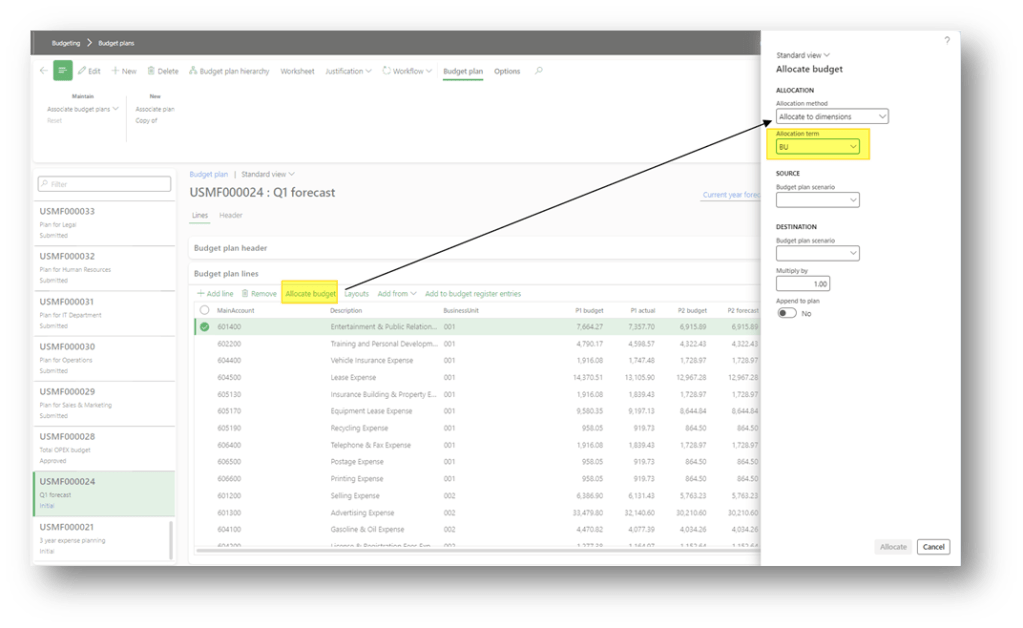
To understand the allocation rules, please refer to the “allocation term: setup.
2. Automatic distribution
Select our budget planning lines and click on “allocation budget”. The information to insert is as follows:
- Allocation method: allocate across periods
- Period key: select the rules to apply for the allocation
- Source scenario: Columns collections here to recover the data;
- Destination scenario: Columns collections here to apply the data;
- Multiply by: If we want to apply a particular multiple, let as value 1;
- Append to plan: decide if to update the existing line in the sub-budgeting in the parent value or sum the parent budget amount with the amount already present in the sub-budget.
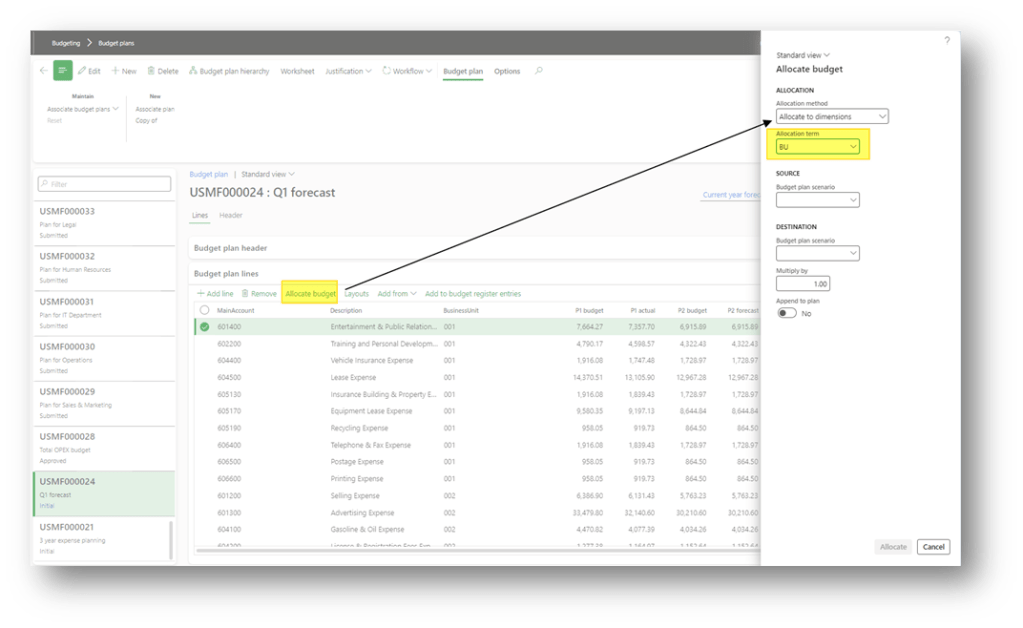
Please refer to the “period key” setup to understand the allocation rules.
Configuration
Budget allocation terms
Go to: Budgeting> Setup> Budget planning> Budget allocation terms
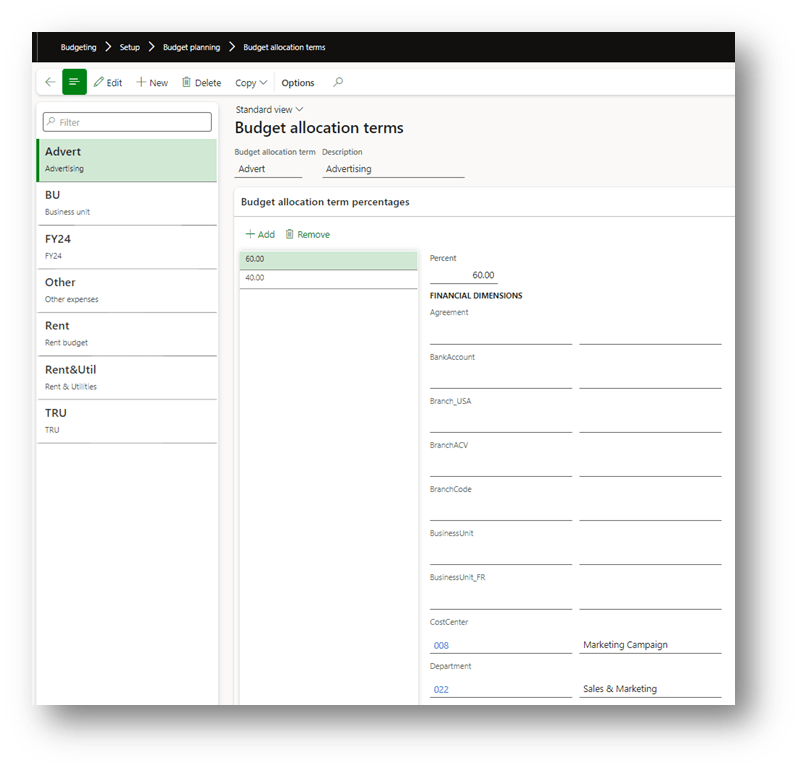
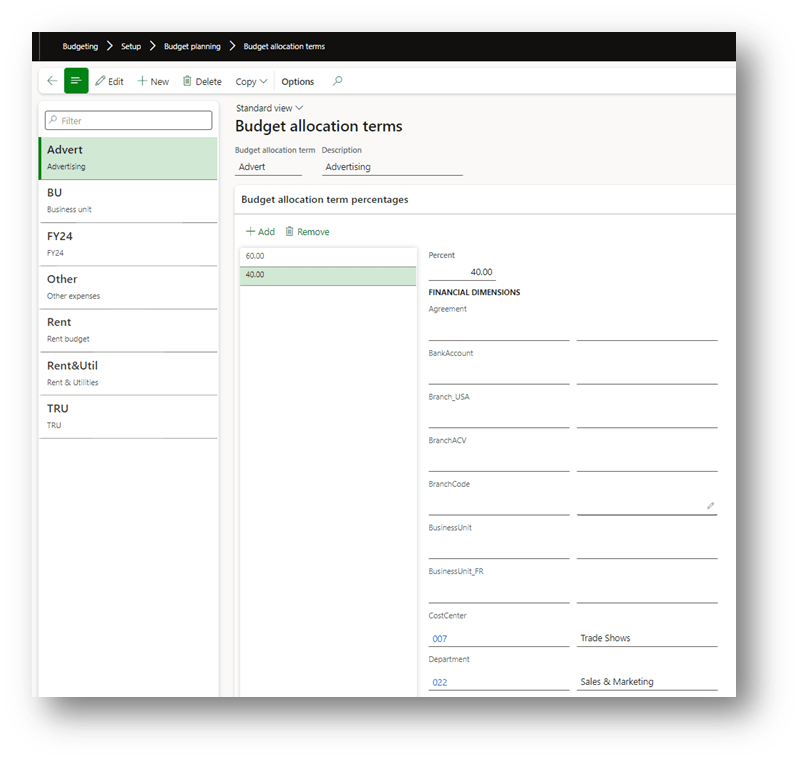
We can insert here rules to allocate our amount. In this example, into the “Advert” term, we split the allocation in two:
- 60% in the cost center 008 and department 002
- 40% in the cost center 007 and department 002
Periods key
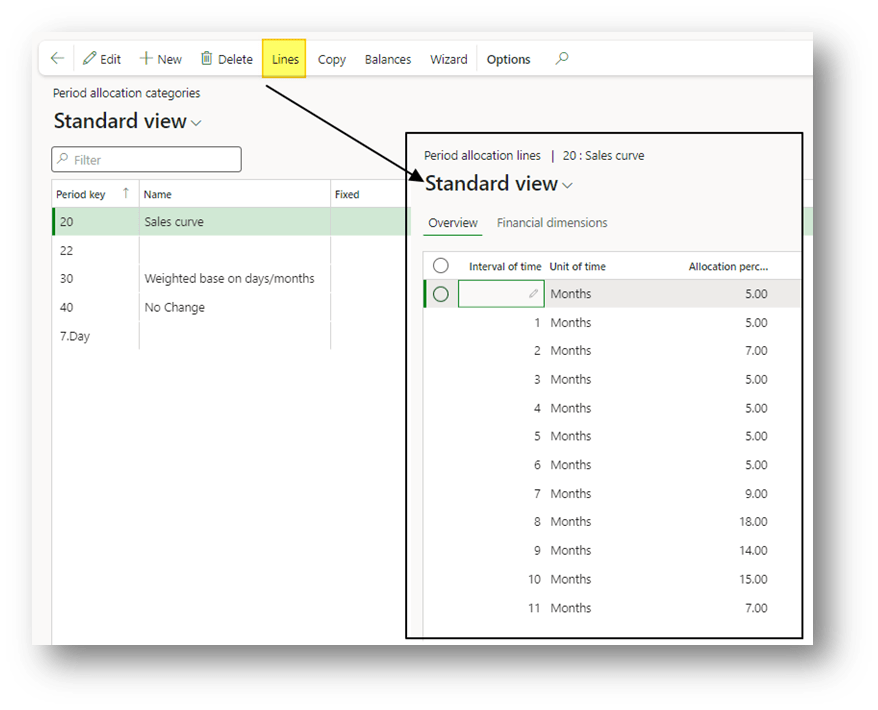
Go to: General ledger> Ledger setup> Period allocation categories.
We create here your allocation key set the line period and allocation percentage:

 Dax365FO
Leave a comment