
Version: 10.39
This feature is an extension of the standard function “Foreign currency revaluation” from accounts payable and accounts receivable.
Usually, the open invoice is revalued using the exchange rate set in the general ledger module. Usually, the balance in foreign currency is revalued using the exchange rate set in the general ledger module. However, it can be a problem because we would like to revaluate those balance with a different criteria (like the average exchange rate during the period).
When we enable this feature allows setting an alternative exchange rate based on the customer/vendor module configuration. In this scenario, the system no longer considers the setup present in the general ledger.
We are going to explain the configuration and demonstrate it with the accounts receivable. Considering that the design is diametral, the same configuration and process is performed in the accounts payable. So, if you understand one of them, we automatically get the other one.
Configuration
Feature
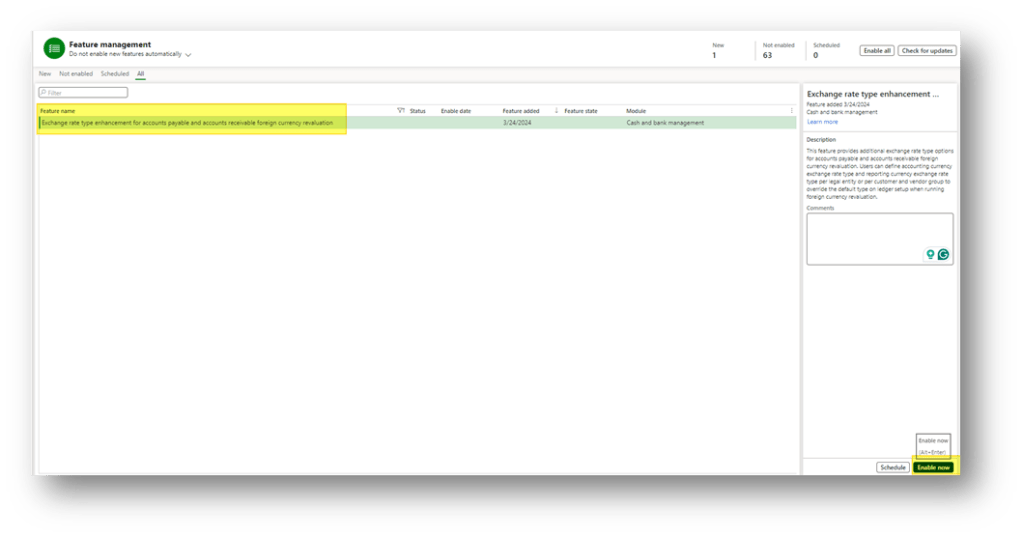
Go to: System administration> Feature management.
We need to enable the new feature “Exchange rate type enhancement for accounts payable and accounts receivable foreign currency revaluation”:
Accounts receivable parameters
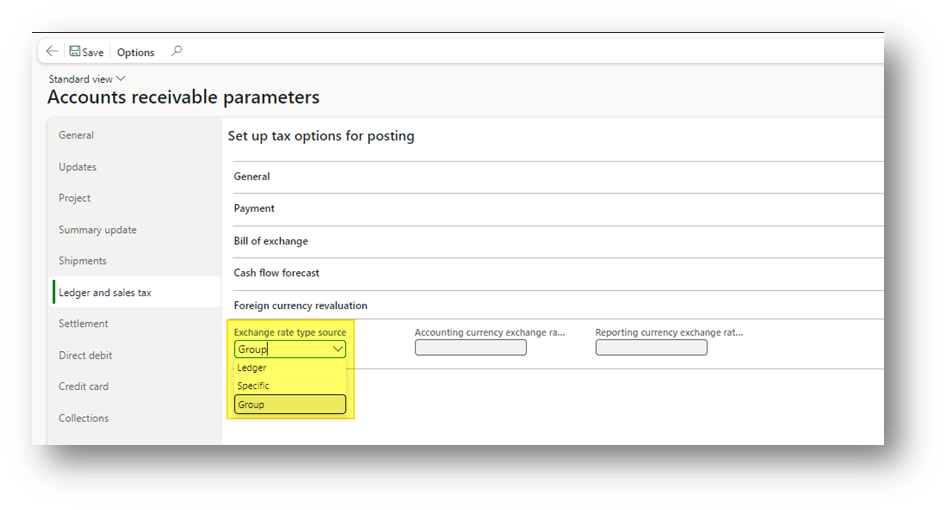
Go to: Accounts receivable> Setup> Accounts receivable parameters
In the tab “Ledger and sales tax,” choose the exchange rate source to use during the revaluation:
We have the alternative between:
- Ledger: recover the exchange rate from the general ledger (as usual)
- Specific: recover the exchange rate from the cash and bank management parameters
- Group: recover the exchange rate from the customer/vendor group
Customer groups
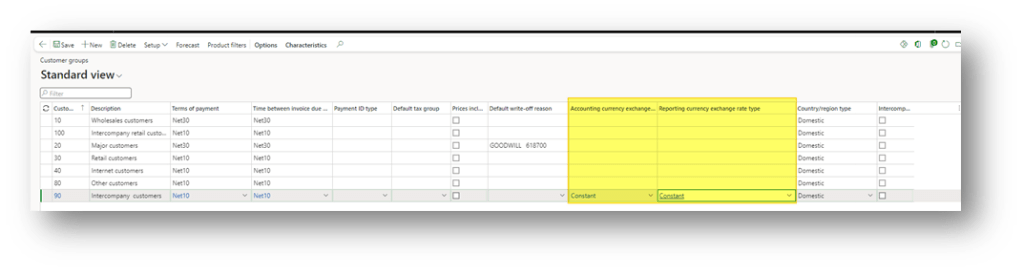
Go to: Accounts receivable> Setup> Customer groups
We leverage this setup, only if on the parameters we have decide to use as criteria “group”. Here, we can insert the exchange rate to use in the columns “Accounting currency exchange rate type” and “
Reporting currency exchange rate type”.
Process
Data testing
Before proceeding with the demonstration, let’s briefly resume our data in our environment. We want to recalculate this foreign invoice:

The general ledger exchange rate present in the general ledger module is “default”:
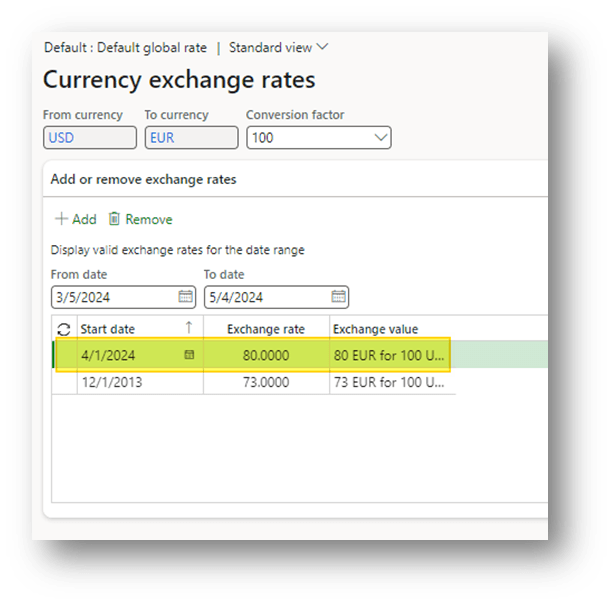
But that we have set in the customer group is “Constant”:
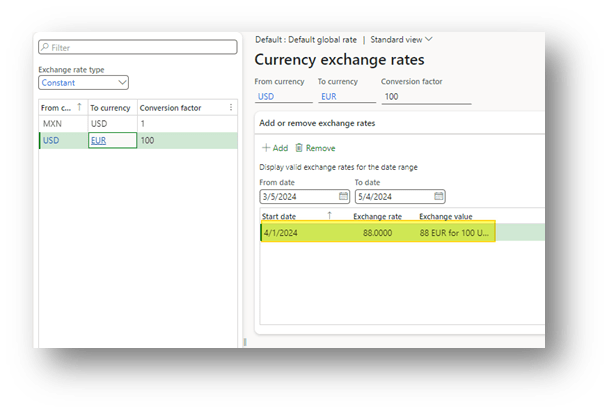
Here, we can see the expected loss amount for the two alternatives based on the exchange rate used.
| Exchange rate | Revaluation Rate | Invoice amount | Invoice amount in accounting currency | Revaluation amount in accounting currency | P&L |
| Default | 80 | 684.93 | 938.26 | 856.16 | (82.10) |
| Constant | 88 | 684.93 | 938.26 | 778.33 | (159.93) |
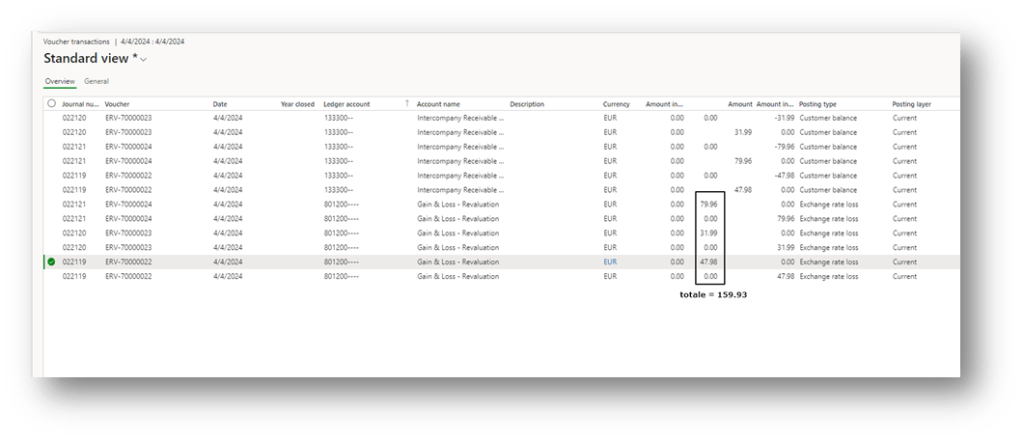
If everything is correct, we expect a revaluation based on the alternative exchange rate—a loss of 159.93 dollars.
Now that we have a clear overview of the data and the expected result, let’s demonstrate.
Foreign currency revaluation
Go to: Accounts receivable> Periodic tasks> Foreign currency revaluation.
We launch the foreign currency revaluation for our invoice. Notice that the setup are the same, because the system will recover the exchange rate from the configuration (not from the launch parameters):
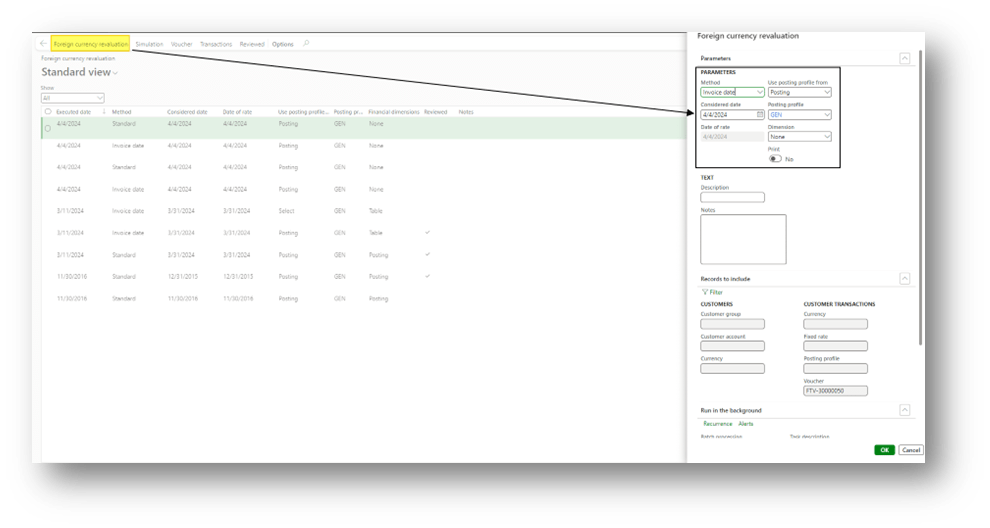
As expected, we obtained the posting based on the alternative posting profile. So, the total of the revaluation is a loss for 159.93 dollars:
Key points
Currently, the testing is done at version 10.39. During the testing, some important points arise to keep in mind. Maybe there will be some changes in the future.
Customer/Vendor group
If we use the group as criteria, consider that the customer group used to recover the exchange group is present in the master data:

Simulation
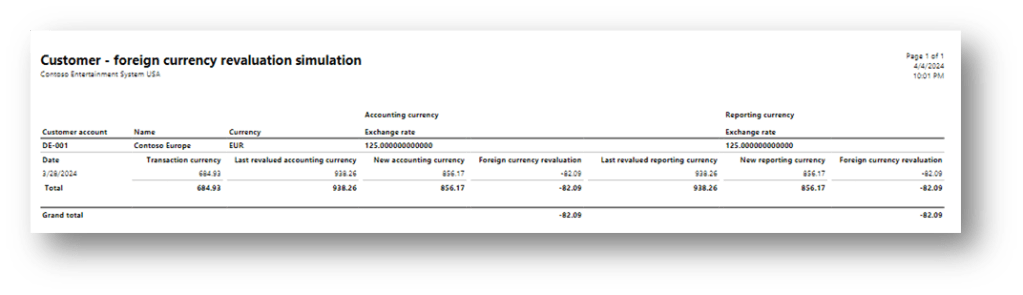
The alternative exchange rate doesn’t work for the revaluation simulation. The simulation was been launched with the same configuration used for the revaluation:
Reverse calculation
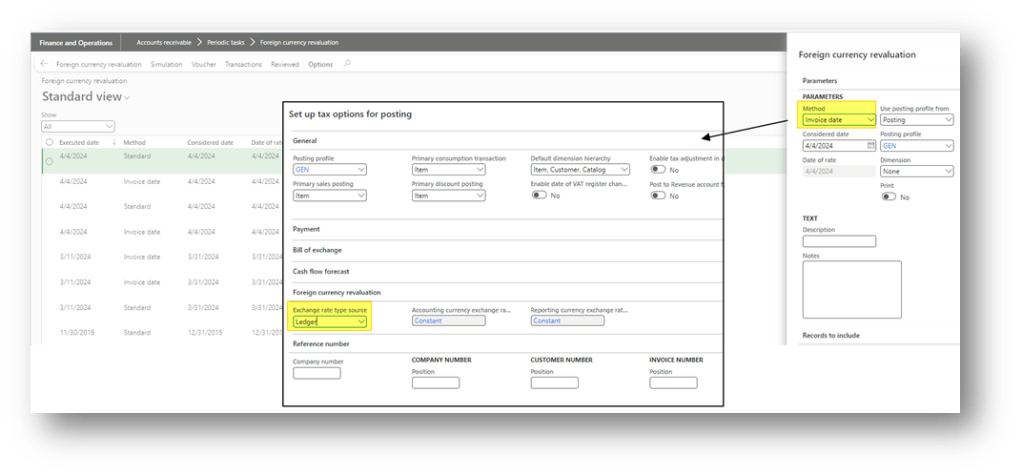
As you know, we use the revaluation method “invoice date” to make a rollback of your calculation. If we do it, we should remember to change the parameters to take the general ledger parameters:

 Dax365FO
Leave a comment