
Business requirements.
The periodic is a function that allows us to copy and paste a journal template previously created. It’s used to avoid reinserting the same entry from the beginning. It can be used as an alternative to the voucher template.
Business process
Create periodic journal
Go to: General ledger> Journal entries> Periodic journals.
Considering the journal present here will not be posted, they are the templates from where we will recover our entry. Insert a journal as usual:
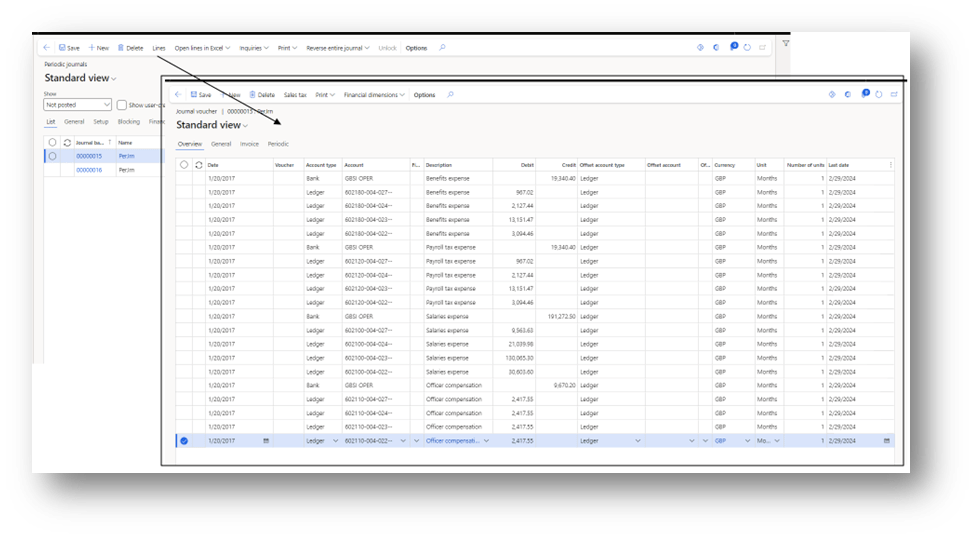
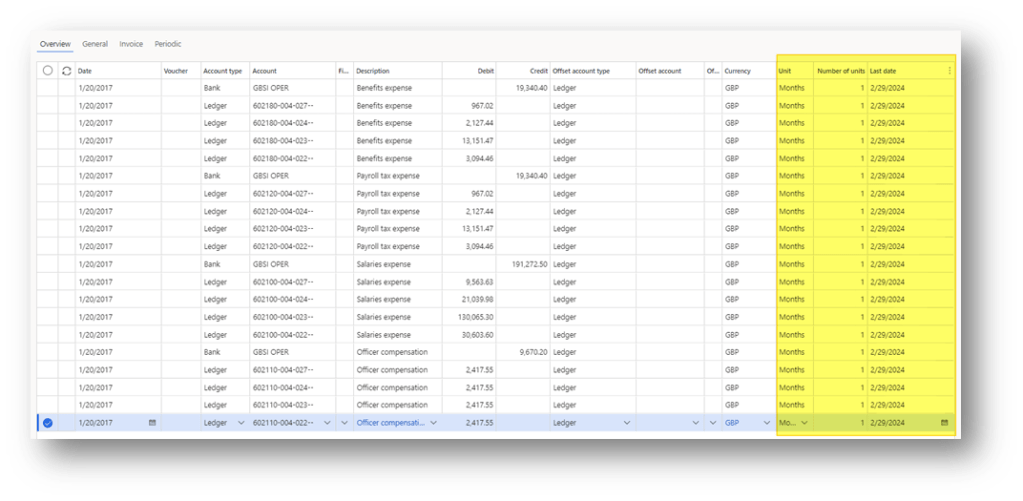
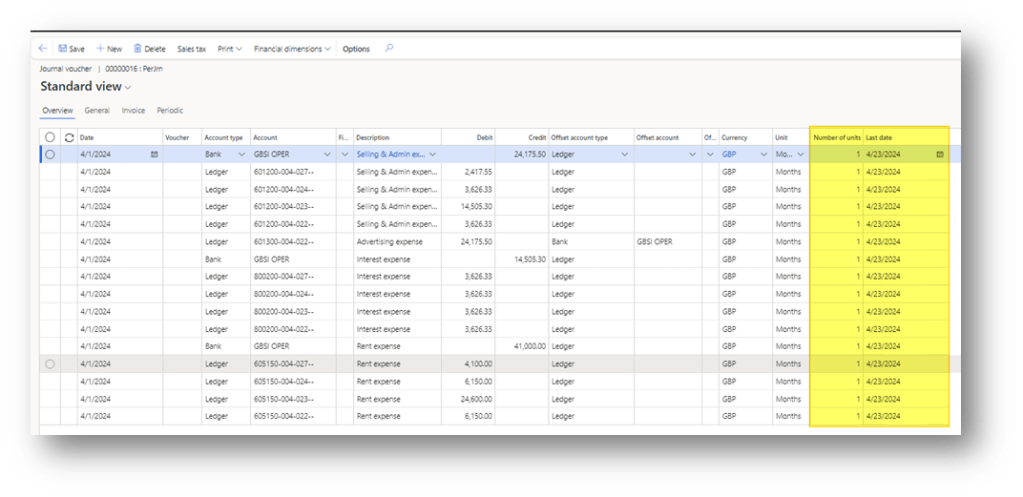
At the line, we insert the recurrency time information:
- Unit: The unit of measure (each day, month, year or all. All meaning we can recover any time that we want);
- Number of units: Number of periods before a recovery and another;
- Last date: Last date to consider as star date calculation for the next recovering
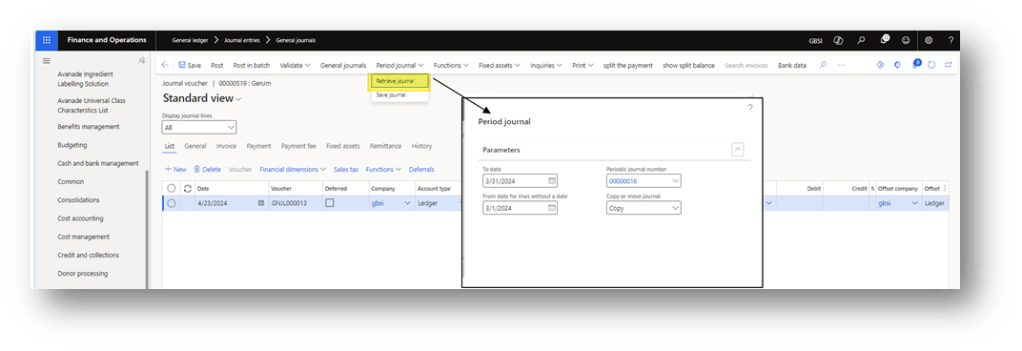
Retrieve journal
Go: General ledger> Journal entries> General journals.
Launch the function “retrieve the journal. Here we can indicate:
- To Date: posting date to propose.
- From date: from date to roll-up to recover the periodic journal (is based on the last date)
- Periodic journal: Choose if to involve one particular journal or all journals.
- Copy or move journal: Choose if to copy or move the periodic journal;
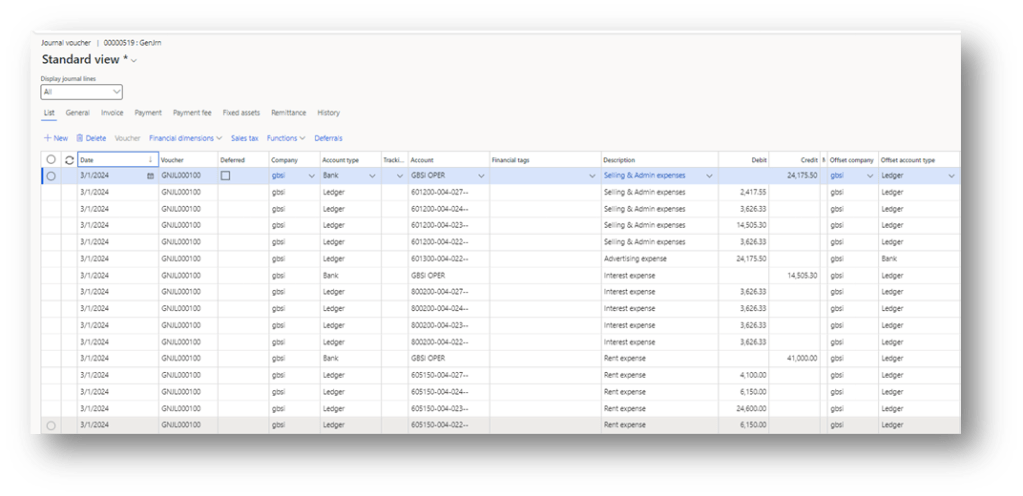
We can see that the system correctly recover our periodic journal:
Furthermore, it updates the last date in the periodic journal:

 Dax365FO
Leave a comment