
Business requirements
The journal control is a collection of validation rules regarding the account type, main account, and financial dimension we can insert in a journal. It checks whether we can insert a value as account type, main account, or financial dimension.
As an analogy, imagine that the main account, account type and financial dimension value are fruits (apple, strawberry, banana, etc..). The journal control is the set where we indicate that we want just apple contained in this journal. If someone tries to insert a different fruit, the system returns an error because it cannot be contained in this journal.
It is not responsible for checking the journal’s approbation, creator or if the combination of the main account and financial dimension is valid. Those last validations are maintained by posting registration and account structure.
Solution D365FO
Configuration
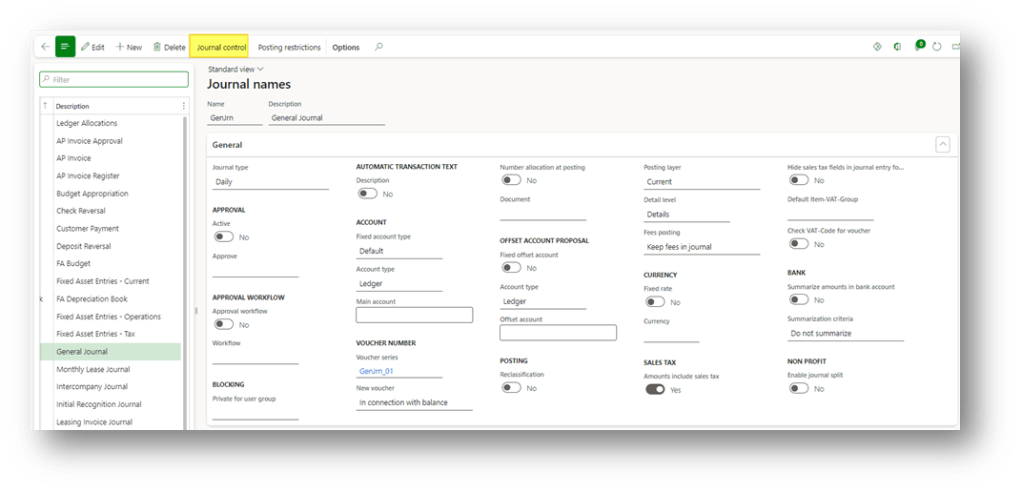
Go to: General ledger> Journal setup> Journal names.
Select the journal where we want to apply the validation rules and press “Journal control”.
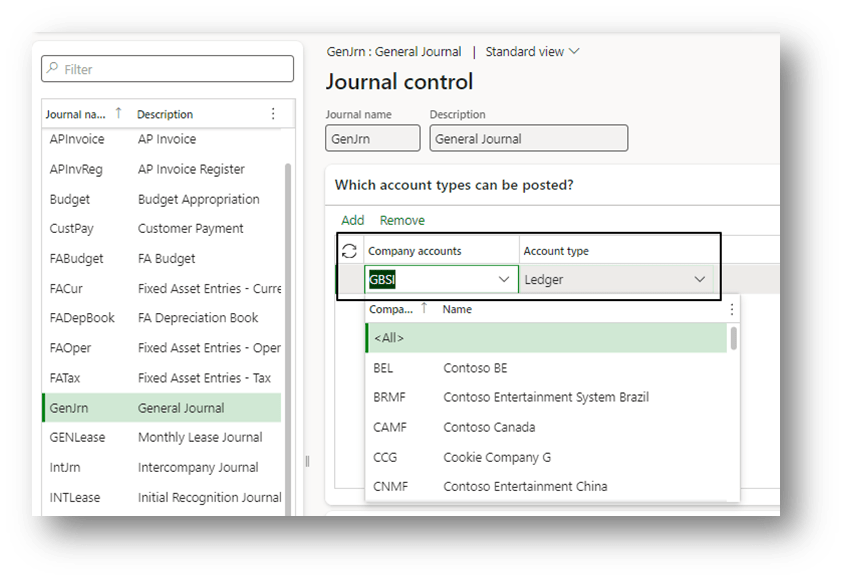
As mentioned by the box “Which account types can be posted,” here we insert that account type value we can use in this journal, and the configuration can be segregated by the legal entity.
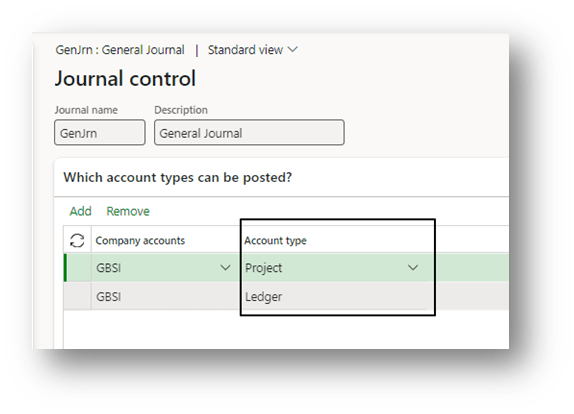
Notice that we can add multiple account types. This validation rule applies only if the setup is not empty. Therefore, in this case, we are saying that the journal can tolerate only the account type ledger or project. For example, that can be the case when we want to configure a journal dedicated to the project expense entry.
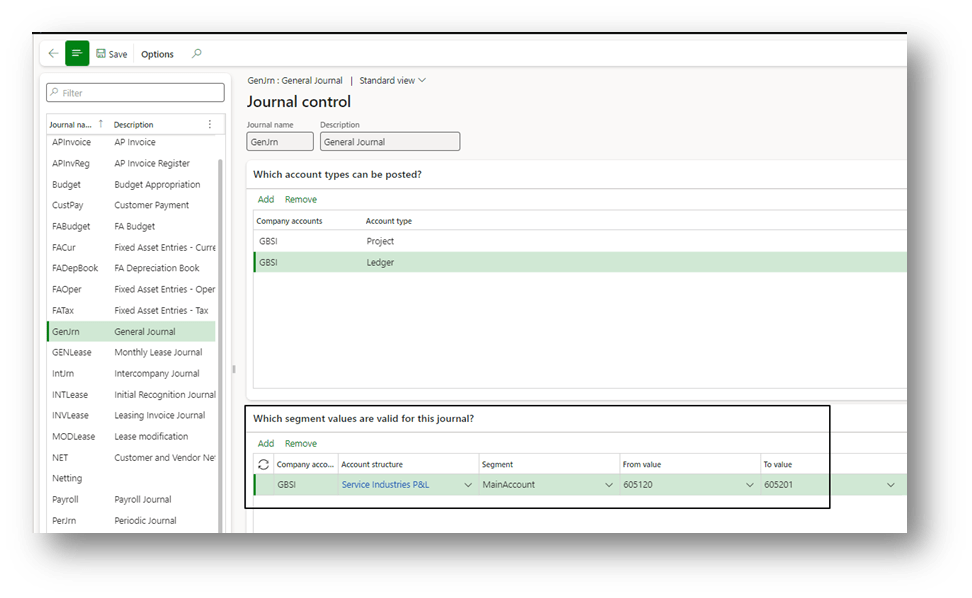
If we set at least one account type row as “Ledger”, we can add additional information about the Main account and the financial dimension tolerated in this journal. If we decide not to add this additional setup, we indicate to the system that we can use it inside all the main accounts and financial dimensions:
Process
Go to: General ledger> Journal entries> General journals.
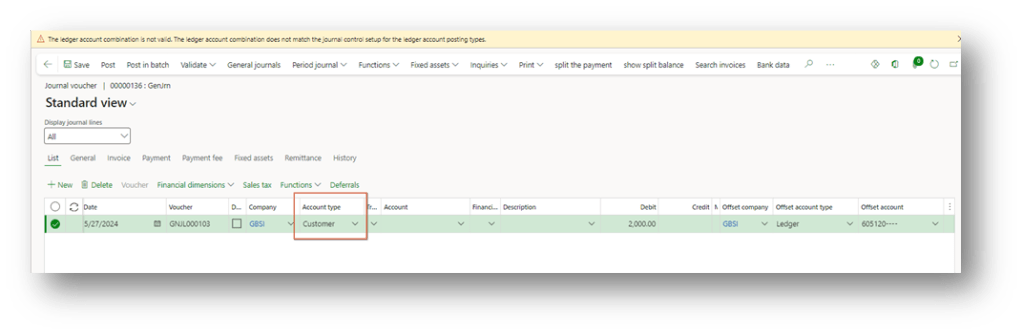
Insert a journal and jump into the lines. As we can see, if we try to use an account type different from what we have configured on the journal control, the system validation gets us the error “The ledger account combination is not valid. The ledger account combination does not match the journal control setup for the ledger account posting types.”
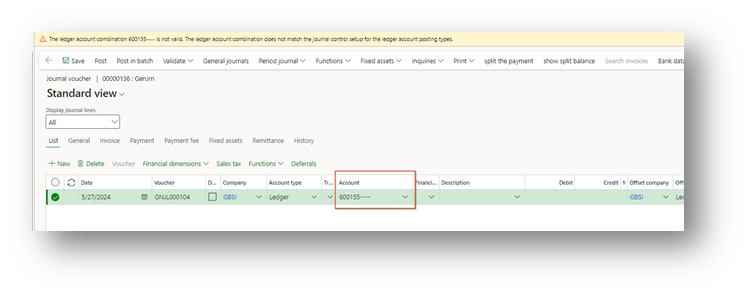
The same error appears when we try to use a main account, which isn’t valid for this journal:

 Dax365FO
Leave a comment