
Business requirements
The blocking journal is how we dedicate the journal’s utilization to a specific user. There are two ways to dedicate a journal to a user:
- Manual: the user blocks the journal manually to use for herself/ himself.
- Automatically: The system blocks the utilization of the journal to a dedicated user group;
In any case, the journal will be created as private, and the third user will not be able to touch it. So, it’s a way to restrain the person who can create and modify a journal.
Configuration
All the configurations that we will see need automatic blocking.
User groups
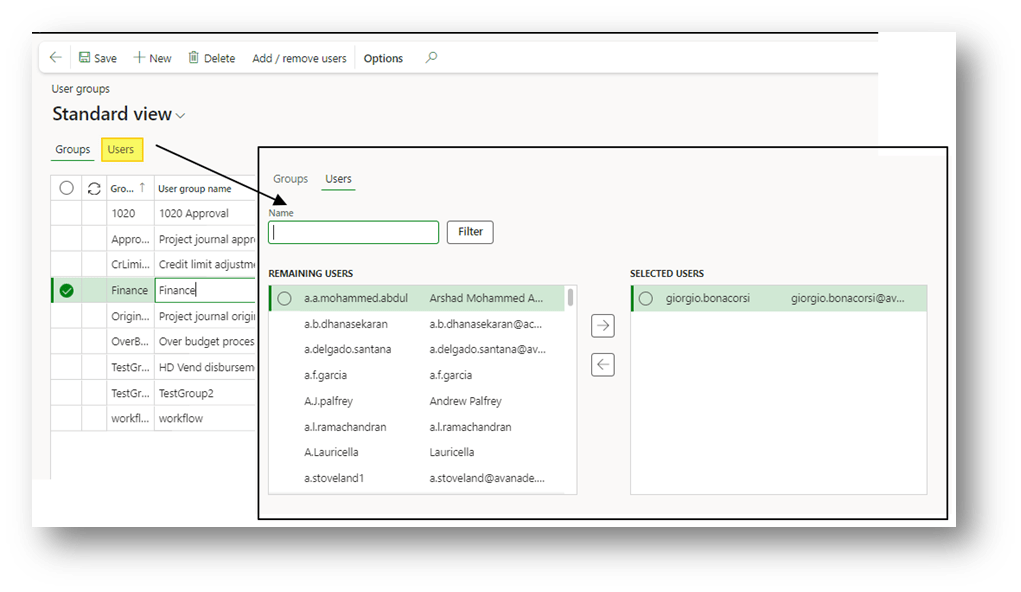
Go to: System administration> Users> User groups.
Here, we create the user group, which we will use to specify who can work on the journal. After the creation, we can assign the user to our user group:
Journal name
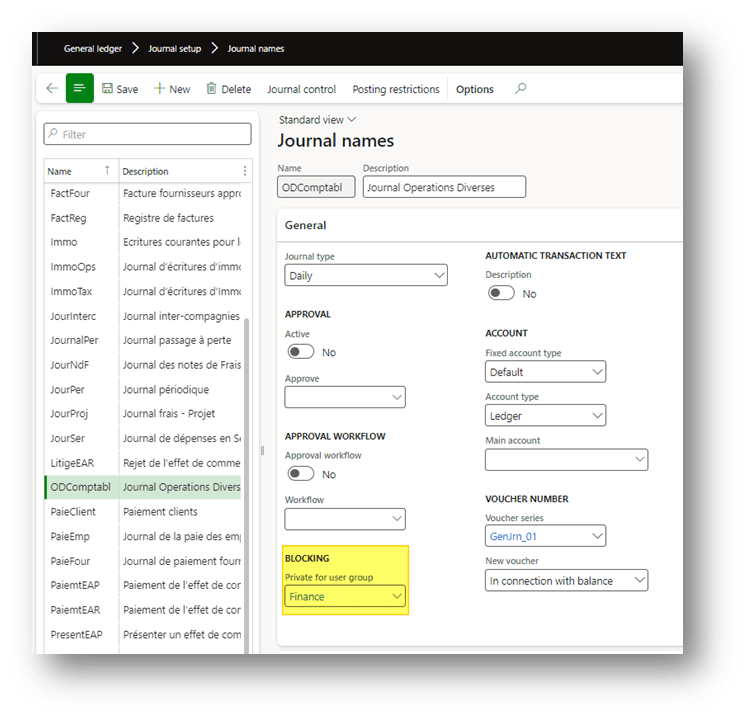
Go to: General ledger> Journal setup> Journal names.
Here, we select the group created:
Process
Create journal
Go to: General ledger> Journal entries> General journals.
Manual blocking
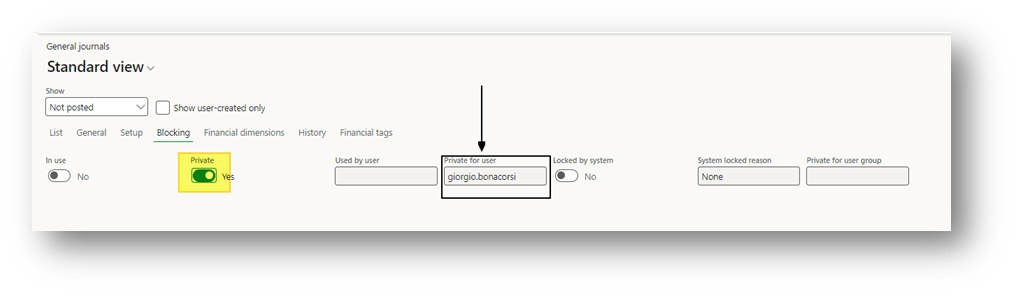
When the user creates a journal, he/she can decide to restrict the utilization of the journal to herself/ himself by pressing the “private” button. The system will assign the journal as private only for this user:
Automatic blocking
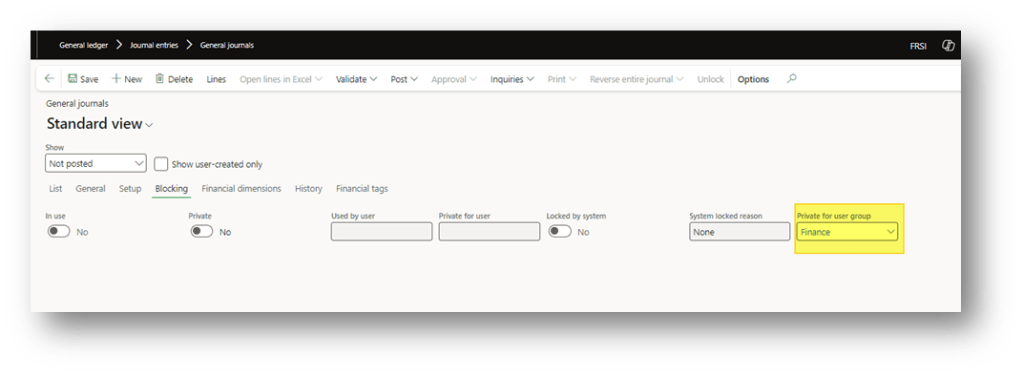
Here, only the users who are part of the group configurated can invoke the creation of this journal.

Furthermore, they have the right to see and modify the journal created. There user doesn’t include on the group cannot touch it:

 Dax365FO
Leave a comment