
Business requirement
The business is regulated by a lifecycle of activities that are processed periodically. Like a clock, the activities are the business component of how they move in a specific frequency, and they define the business life rhythm. For example, typically, customer invoices are issued at the end of the month. Next month, we will pass on the invoice posting to the customer, but we cannot invoice the customer with the previous month’s date. So, we must allow the user to do or now operation in a certain period. We cannot post invoices for the previous months in the next months.
This article explains how to manage the calendar period to allow or deny posting during a specific period.
Business process
Ledger
Go to: General ledger> Calendars> Ledger calendars.
If we have some doubt about which calendar is used in our legal entity, here is the setup where we can understand which one has been set on the ledger milestone configuration:
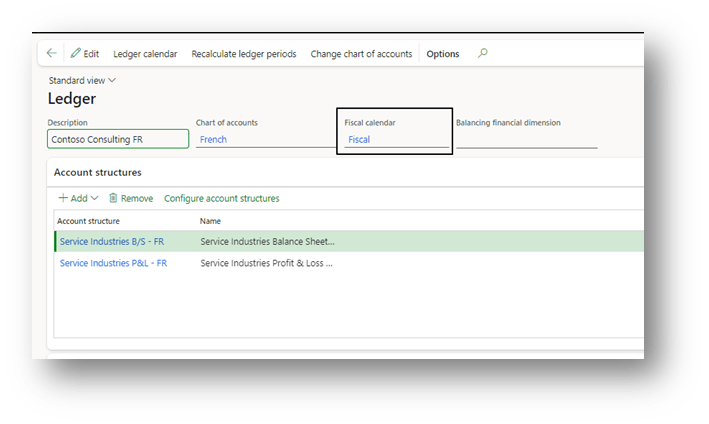
Fiscal calendar
Go to: General ledger> Calendars> Ledger calendars.
Select our calendar and the year; below, we can see the calendar period. Select the period, and now we have fundamentally two choices:
- Status: Modify the status of the calendar to allow or not the new record.
- Accesso module: Indicate who can continue to write;
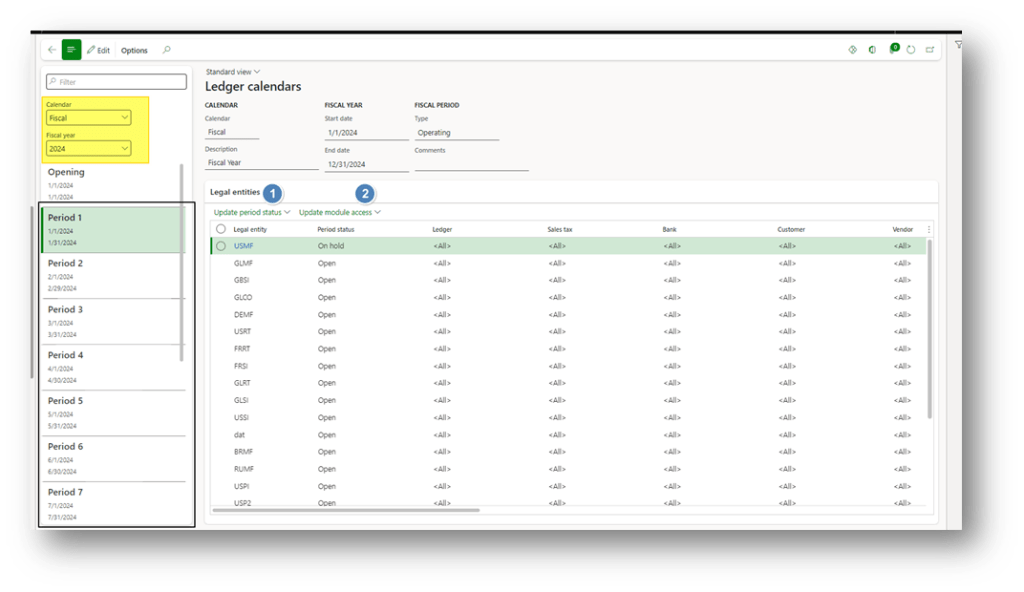
Now, we talk more deeply about those two actions. However, before selecting the legal entity that we want to modify in our period:
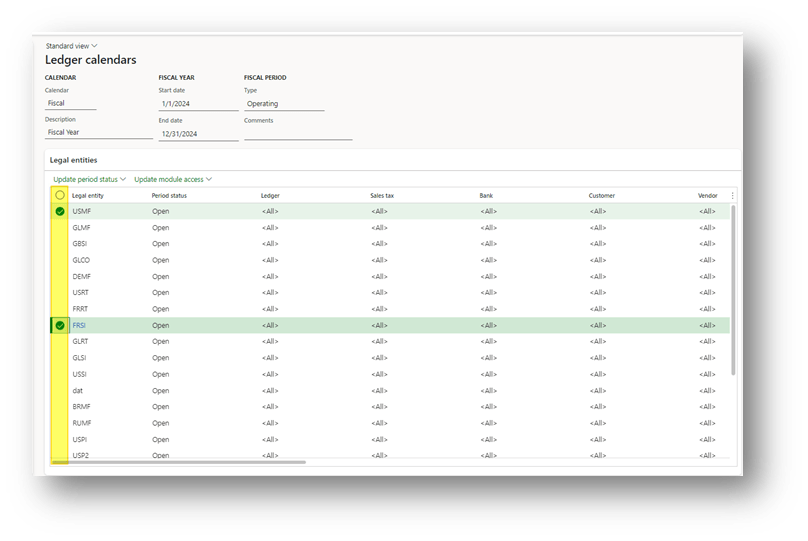
Update period
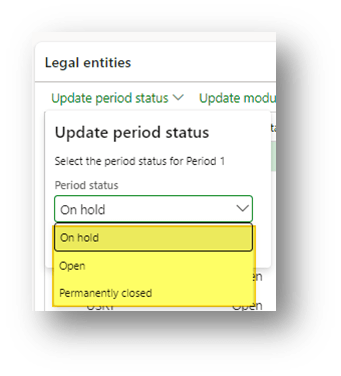
We must pay attention because it is a risky activity. Here, we have to choose between three options:
- Open: the period is open, the used can continue to make the entry;
- On hold: the period on hold. So, nobody can continue to make records. However, the period can be turned back as open if we have some rectification to do;
- Permanently closed: Nobody can make registration, and it’s irreversible (we cannot go back). So, we advise never to turn the period in this stage until the financial statement has been approved by the board;
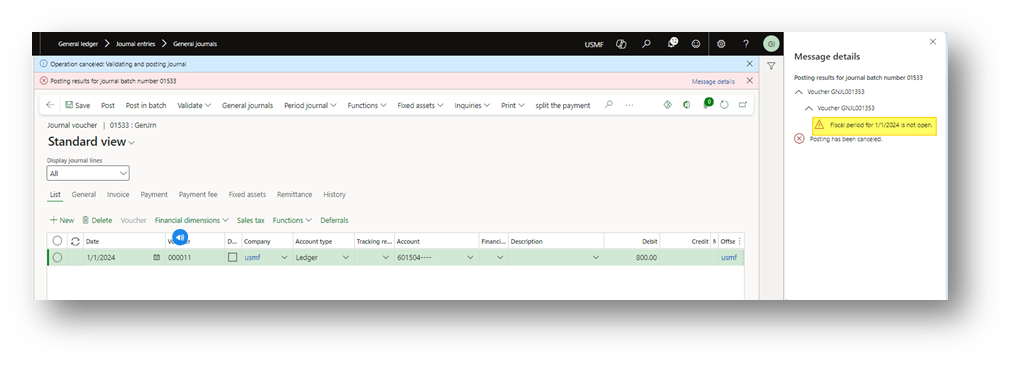
Here we can see an example of posting blocking when the period has status on hold or permanently closed:
Update module access
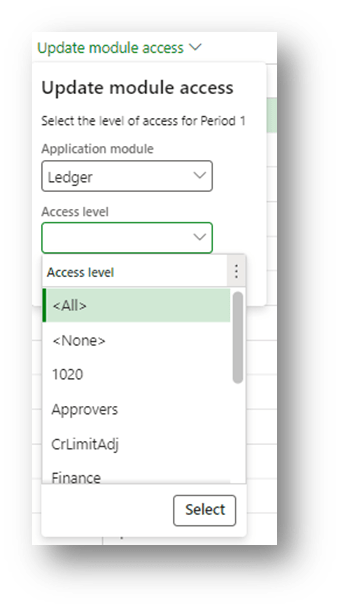
That’s valid only when the period status is open. We can decide who can continue to make the registration. Therefore, we select the application module and the user recognition rules:
- <All>: All users can continue to proceed with the registration.
- <None>: Anybody can continue.
- <user group>: select the user group that can continue with the registration
The application modules that we can choose are:
- Ledger: Insert voucher transaction;
- Sales tax: Tax transactions
- Bank: Bank transactions
- Customer: Customer invoice and payment
- Vendor: Vendor invoice and payment
- Sales order: Sales order creation;
- Purchasing: Purchase order, purchase requisition;
- Inventory: Inventory transaction;
- Production: Production transaction;
- Project: Project transaction;
- Fixed assets: Fixed asset transaction;
- Payroll: Payroll transaction;
- Expense: Expense transaction;
- Retail headquarters: Retail transactions

 Dax365FO
Leave a comment