
Business requirements
Different solutions can be used to manage intercompany transactions. This type of journal is typically used for intercompany eliminations, as it represents purely general ledger entries. Therefore, it is not the appropriate tool to involve other elements such as tax implications, management accounting considerations, and similar aspects.
The accounting matrix of an intercompany is like this: In the Form company, we have the write-off of the original transaction, and in the target company, we have the allocation. Below is an example of accounting relocation for the cost:
| Id | Main account | Legal entity | Debit | Credit |
| 1 | Accural | USMF | 1000 | |
| 1 | Intercompany | USMF | 1000 | |
| 2 | Intercompany | CCS | 1000 | |
| 2 | Accural | CCS | 1000 |
Solution D365FO
Configuration
Go to: General Ledger> Posting setup> Intercompany accounting.
We create here the intercompany rules. We select the original and destination company then we insert the main account to use. Inset also the journal name generated automatically in the destination company, when we trigger a posting from the original company:
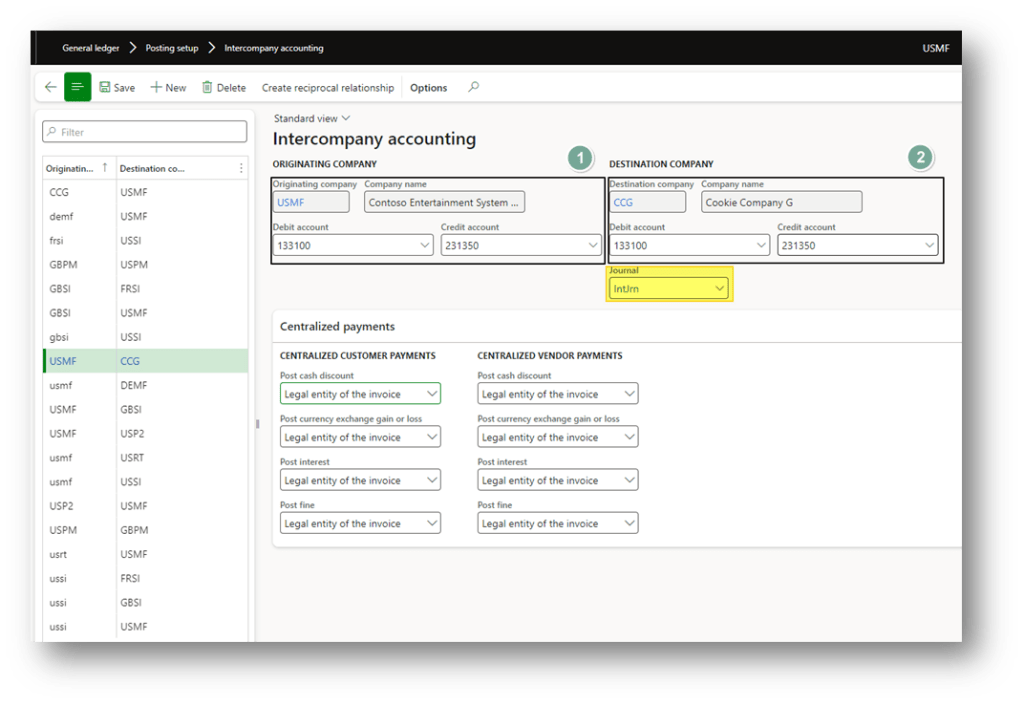
About the centralized payment, we will talk about more dive separately in an article on how to treat cash polling.
Procedure
Create a regular journal from the origin company, during the insert change the legal entity target in debit or credit and select the allocation account:
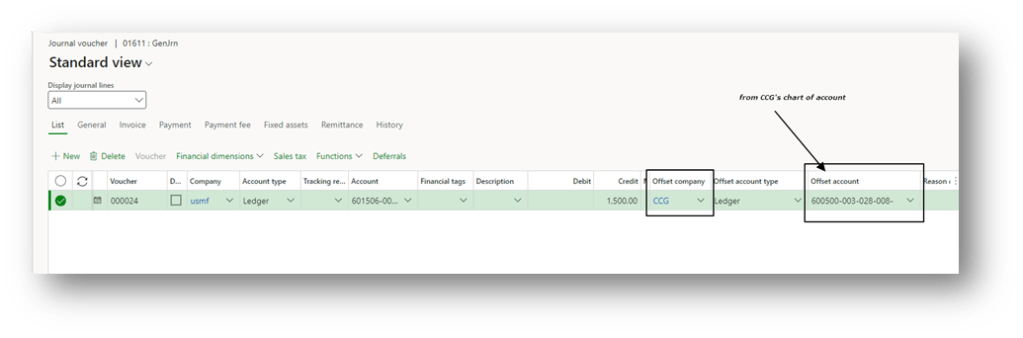
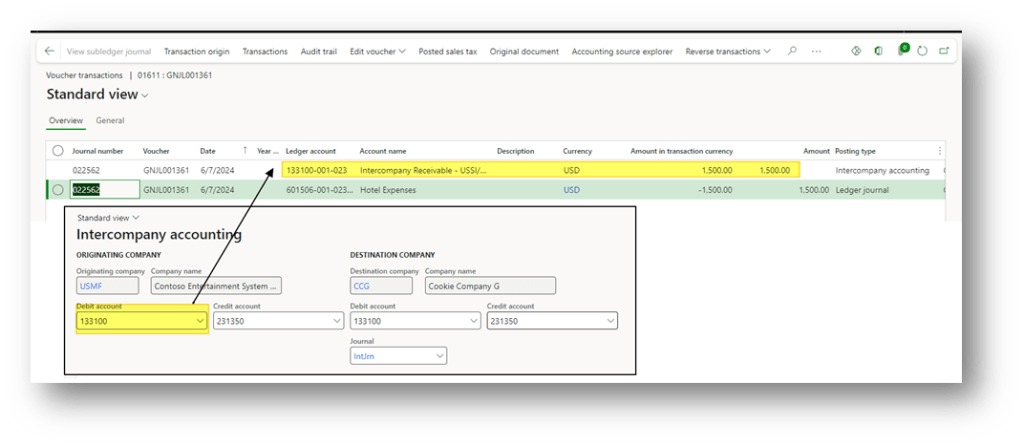
After the posting, the system does 2 things:
- In the original company voucher, it substitutes the destination main account with the intercompany main account set:
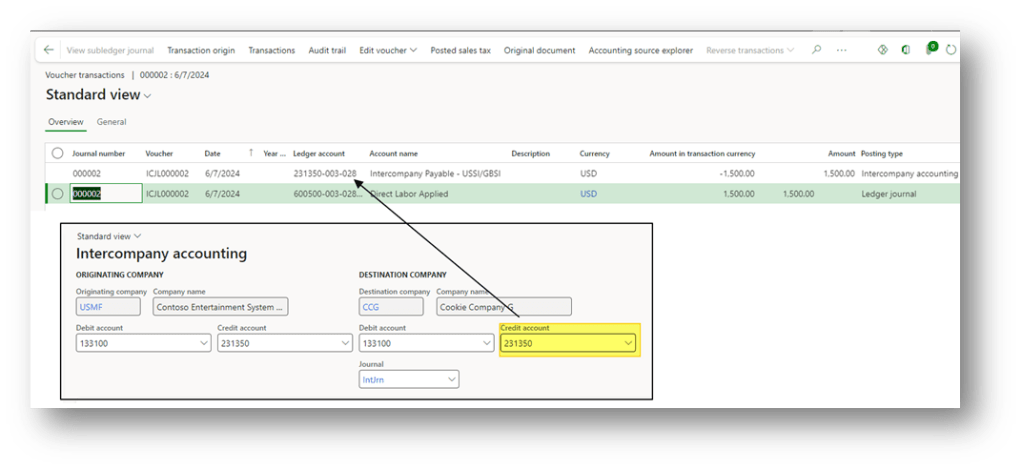
- In the destination company, it creates a new journal and posts it. As the offset account of the accounting inserted on the original journal, we will use the intercompany account:
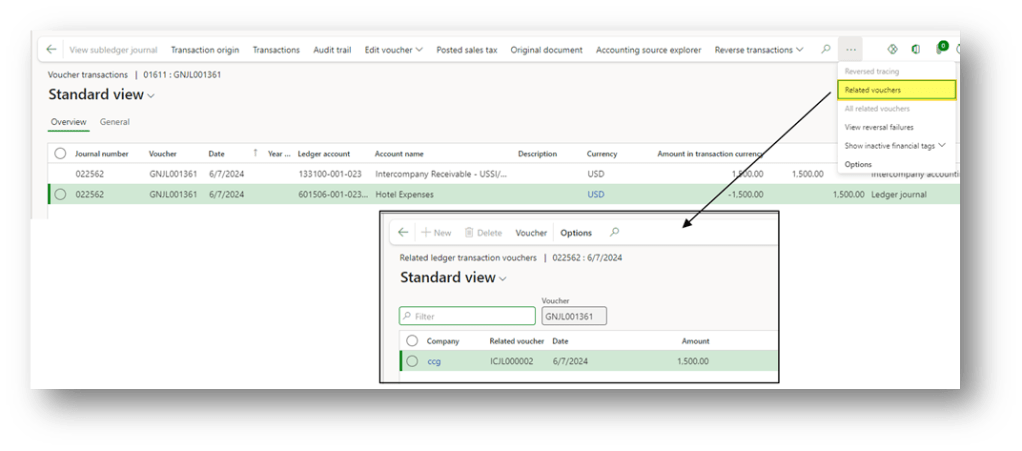
Tip: We can recover the intercompany voucher linked from the voucher transactions. We can use the function “related voucher”:

 Dax365FO
Leave a comment