
Business requirements
Sometimes, the request is to insert a description in the journal to better understand the cause of the registration. In D365FO, it is possible to manually insert the description or decide to re-use a predefined description or reason code. As the name says, the predefined description allows us to insert a predefined value that we can modify during the entry. Otherwise, the reason code is just a code we can select, but it’s not editable during the posting.
D365FO solution
Default description
Configuration
Go to: General ledger> Journal setup> Journal descriptions.
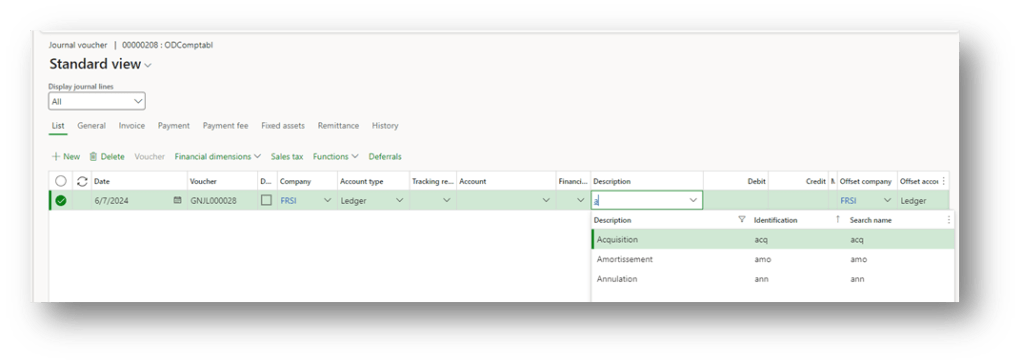
Here, we can insert the default descriptions that we can invoke during the registration process. In the search name, we can insert the value that the system will use to identify the description during the registration process.
Process
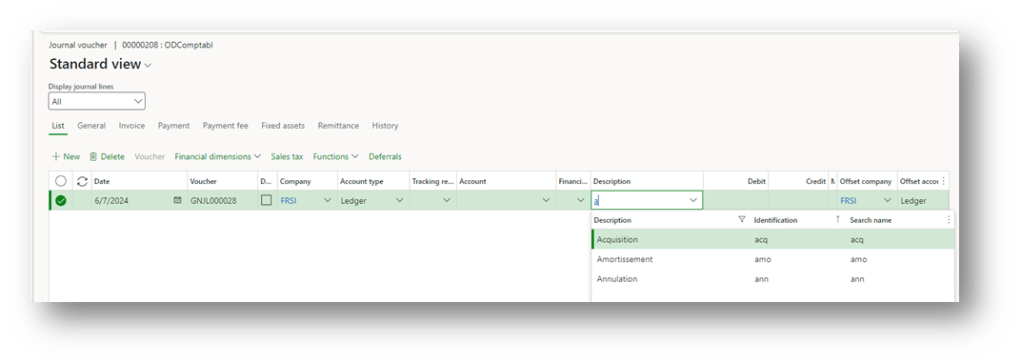
Create a journal, and in the description field, we can write the value to search our predefined description. After the posting we can see the description on the voucher line:
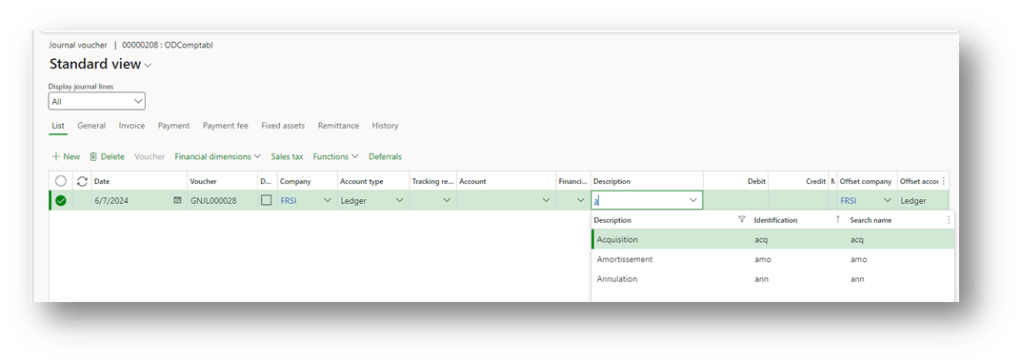
After the invoke of the description, we can go ahead with the editing:

Ledger reason
Configuration
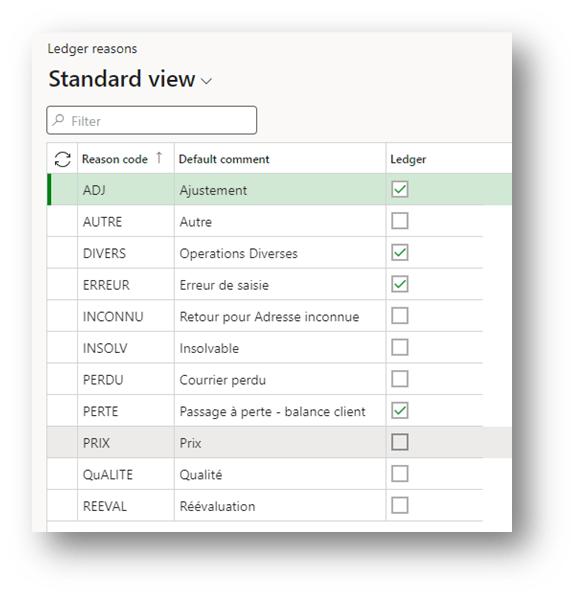
Go to: General ledger> Journal setup> Ledger reasons.
We insert our reason code here and select Ledger if we want to use those codes only for journal entries with the account type equal to “ledger” in debit and credit.
Process
We create our journal line and select our reason code here. At contrary, to the description template, the reason the description cannot be edited:
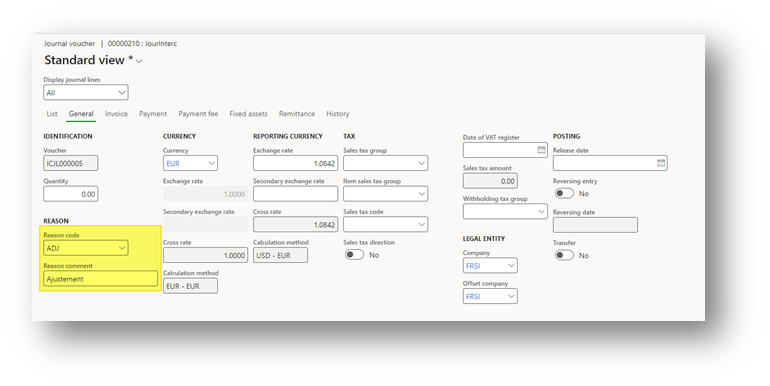
After the posting, the reason code description is shown in a specific field, but pay attention. We can inquire about the reason voucher line by voucher line in the tab “general”. It’s not possible at STD to insert this field in the overview tab (for this reason we don’t recommend this solution):

 Dax365FO
Leave a comment