
Go to: Accounts payable> Setup> Invoice capture.
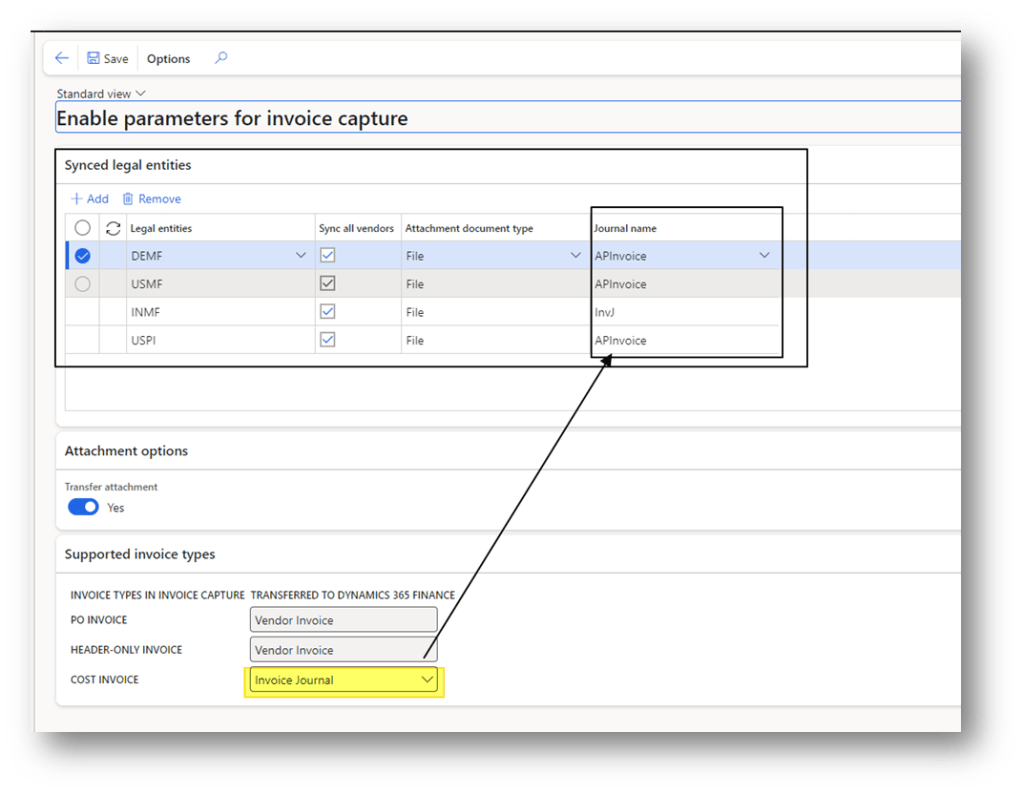
In D365FO we have to enable some invoice capture parameters. That’s regarding:
- Legal entity to consider on the perimeter of the invoice capture.
- Vendor master data synchronization
- Attachment policies
- Invoice type polices
Synced legal entity
We decide here, which legal entity is on the perimeters of the integration. For each legal entity we can decide:
- Sync all vendor: if to synchronize all the vendor master data;
- Attachment document type: Whether import the file like file or image;
- Journal name: if the cost invoice = Invoice journal, it means the service invoice (not linked to PO) should be entered as vendor journal invoice. Otherwise, it will be entered as pending invoice too.
Transfer attachment
We select here if we want to transfer the file as attachment in our entry also in D365FO.
Supported invoice types
For each invoice type, which entry D365FO should do:
- PO Invoice: Vendor invoice (pending invoice)
- Header only Invoice: Vendor invoice (pending invoice)
- Cost Invoice: Invoice Journal (Vendor Invoice journal) or Vendor invoice (pending invoice)
Data synchronization – Legal entity and Vendor master data
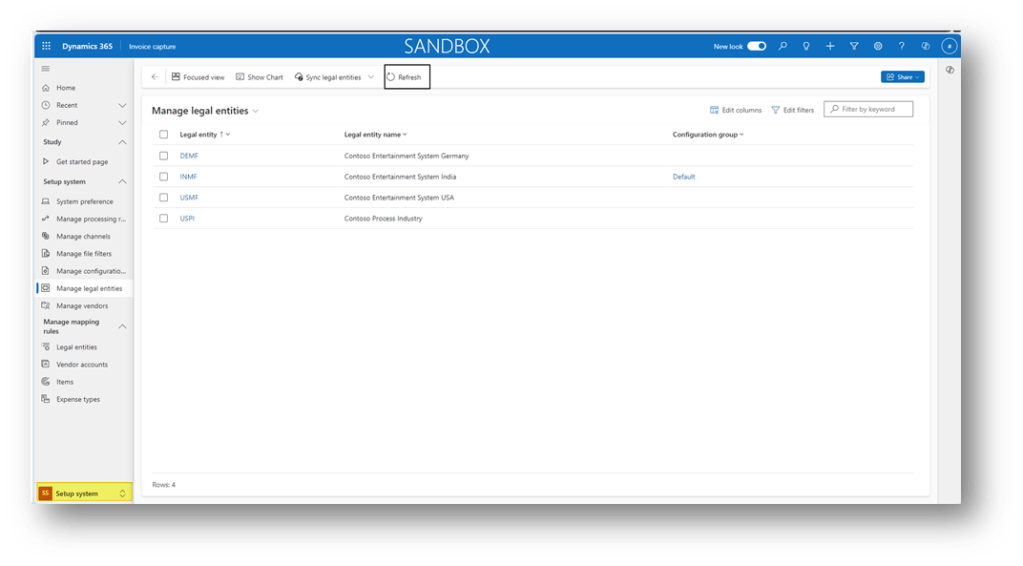
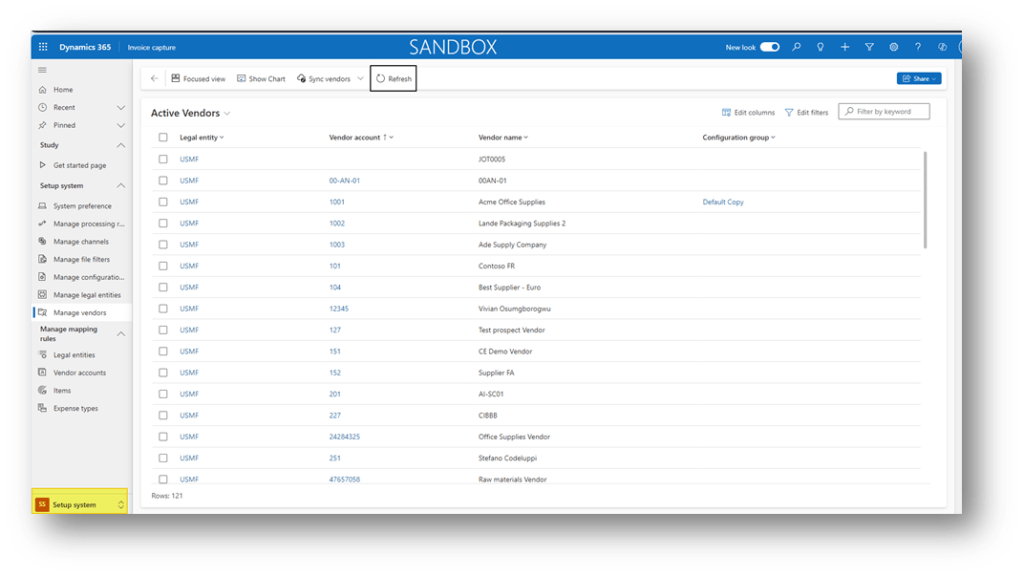
When we decide on the legal entity to include and whether to include the vendor master data or not, we can go to our invoice capture configuration and then see the data synchronized. The synchronization is automatic.
Legal entity
Go to: Setup system> Manage legal entities:
Vendor master data
Go to: Setup system> Manage vendors

 Dax365FO
Leave a comment