
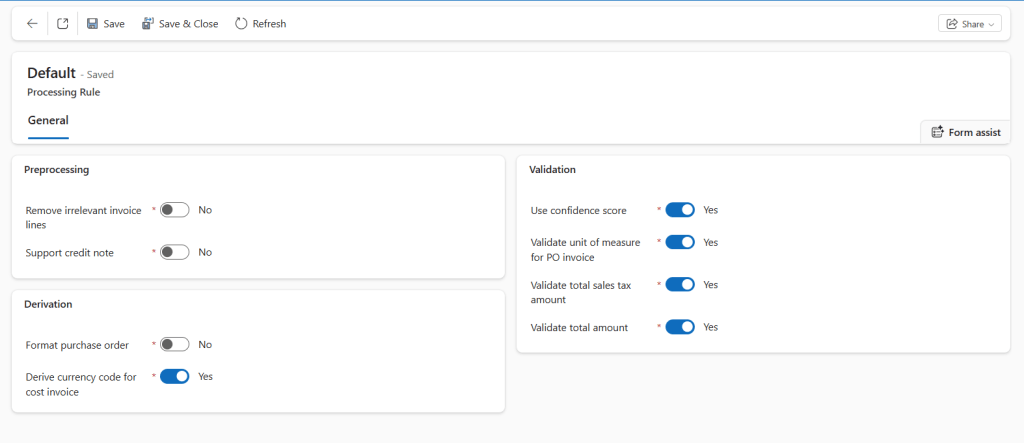
The manage processing rules allow us to set some behavior following by the system:
Processing
Behavior during the processing:
- Remove irrelevant invoice: remove zero quantity and amount lines
- Support credit note: Identify whether the document is a credit note or note. In case it’s, the invoice capture will change the amount sign.
Derivation
Derivation of information to apply in our invoice:
- Format purchase order: Check the purchase order number and convert it based on the format present in D365FO;
- Derive currency code for cost invoice: We can derive the currency code from the vendor master data;
Validation
Control if the information inserted are correct:
- Use confidence score: Validation based on the confidence score restituted by the model. A low confidence score requests validation from the user.
- Validate unit of measure: Validate the constituency of the unit of measure between the invoice and the purchase order.
- Validate total sales tax amount: Ensure that the sales tax line present in the invoice is coherent with the total sales tax;
- Validate total amount: Ensure that the total present in the invoice, it’s coherent with the element of the invoice captured (net amount, line, discount and charge);

 Dax365FO
Leave a comment