
Solution D365FO
The principle of this solution is that during the line entry, we will select the invoice involved throughout the settle function. This selection has two advantages:
- Inheriting on the payment line the information from the invoice selected;
- Match automatically the invoice and the payment;
We will use the customer payment journal as an example, but consider that the process is exactly the same for both.
Insert the payment journal
Go to: Account receivable> Payment> Customer payment journal or Account payable> Payment> Vendor payment journal.
We create our journal and jump on the line, and firstly we have to select our customer. Then, we press “settle”, and we can start to choose our invoices:
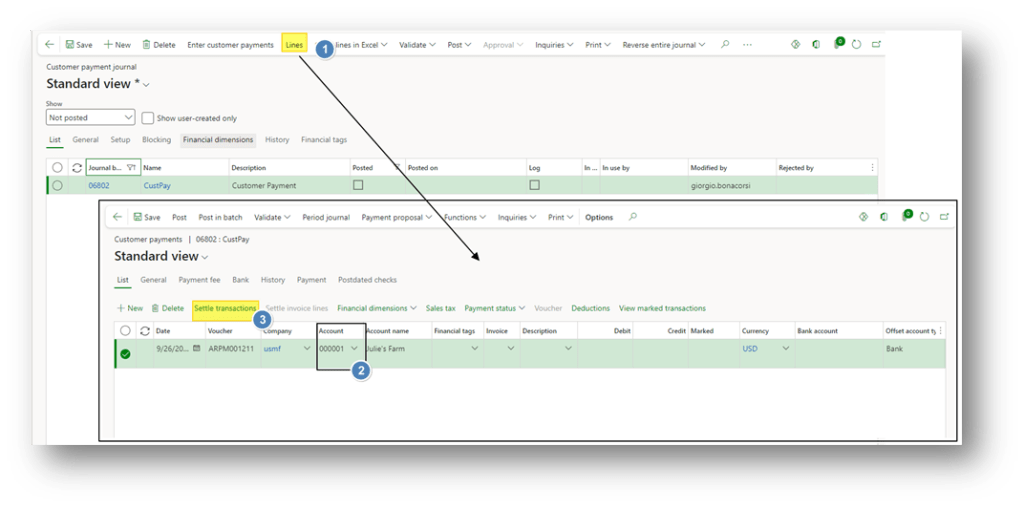
Settle invoice
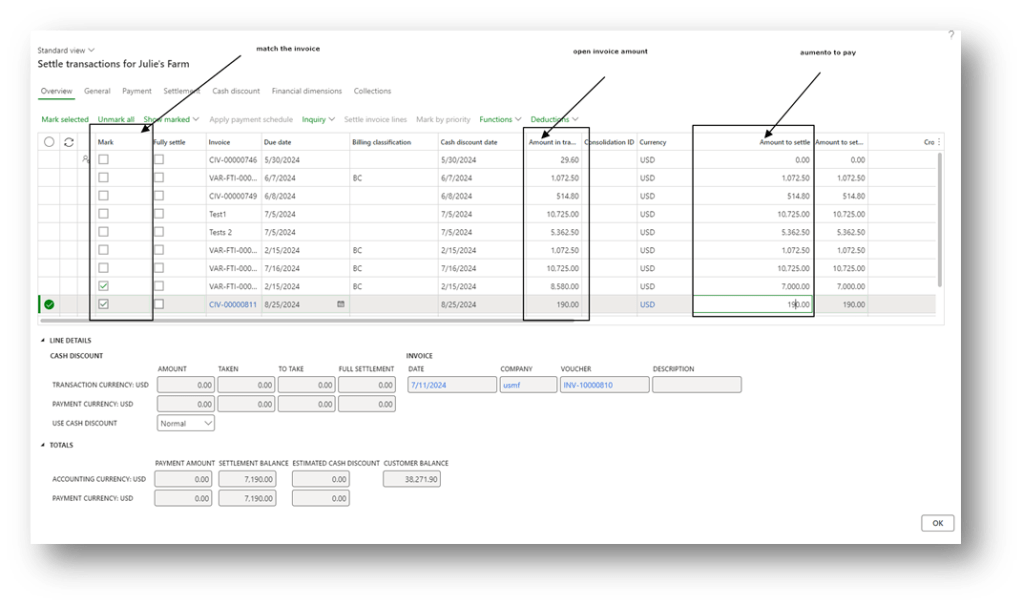
Select the invoice to match and, if necessary, play with the amount to settle to make a partial payment:
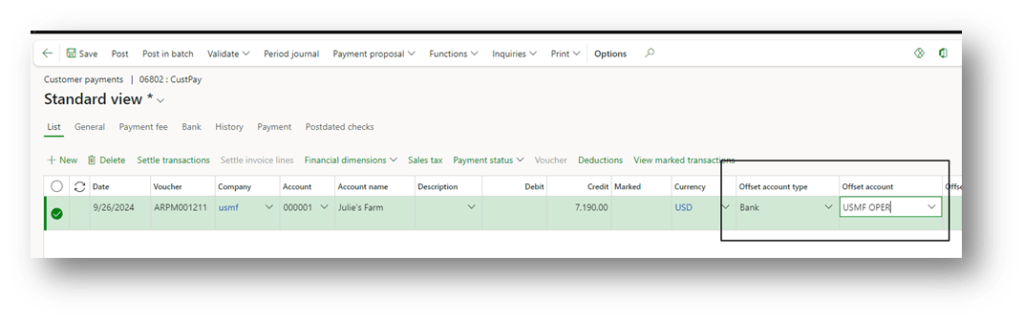
When we finished, we had to insert the bank account involved in the payment as an offset. Post the journal to complete the activity.

 Dax365FO
Leave a comment