
Budget requirement
Sometimes, there is statistical information that we would like to modify on a voucher because we made a mistake in the document entry. Generally speaking, the best practice is when we make a wrong entry, we should write off the document entry and then proceed with the reposting of the original document with the right data. It’s for track hardly: 1-there was a mistake in our entry and 2-the fact that we have fixed it. It’s a solid principle for those main data that represent the milestones of our entry, like date, main account, amount, and financial dimension.
But for the descriptive data, it’s not useful to do an hard track. Indeed, D365FO gives us the option to do directly the modification on the voucher line. The field that we can update into the voucher lines are:
- description
- tags
Configuration
Active feature
Go to: System administration> Workspace> Feature management.
Before the version 36, I’ve to active the feature: Allow edits to internal data on general ledger vouchers. After this version, this function on by default part of the standard.
Process
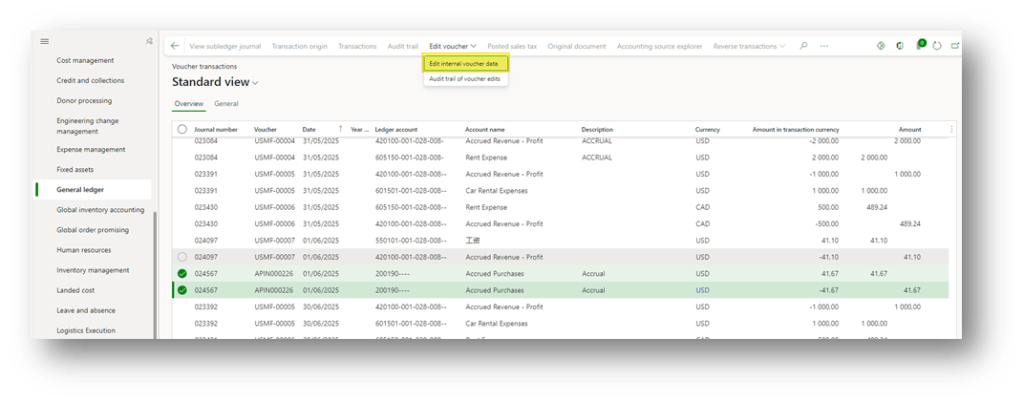
Go to: General ledger> Inquiries and reports> Voucher transactions.
Select the voucher lines and press “Edit voucher>Edit internal voucher data“.
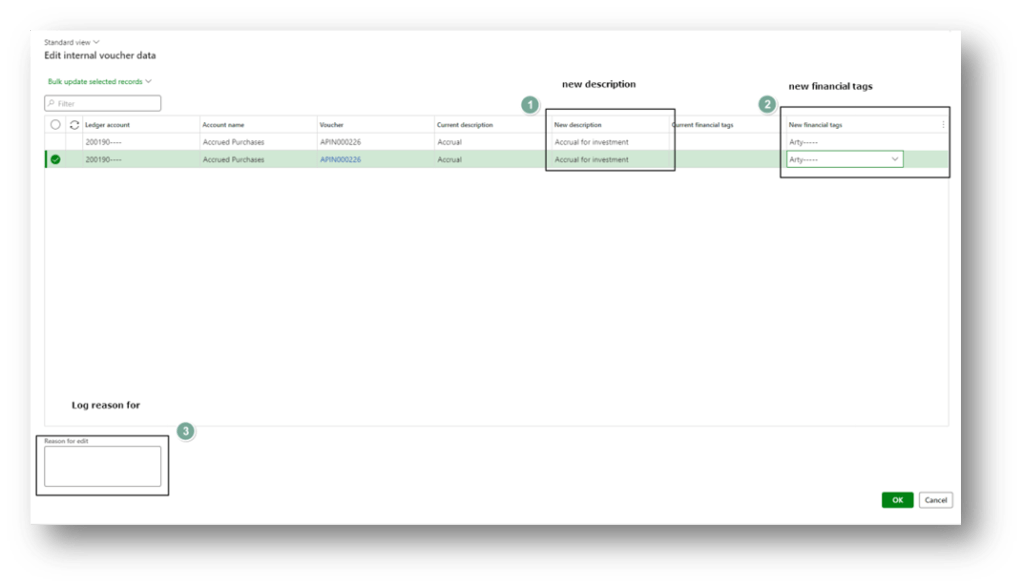
The data that we can change are:
- description
- Financial tag
Notice that we can also add a reason’s description for each change. When we have finished, press “OK.”
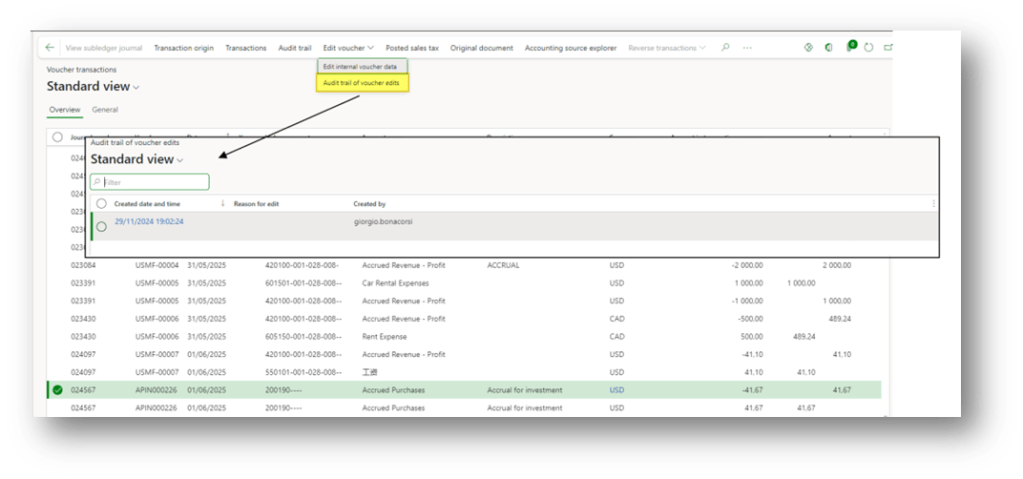
Audit trial inquiries
If somehow you would like to see the history of the change, we have to select our voucher line and press “audit trail of voucher edits”:

 Dax365FO
Leave a comment