
Business requirement
Some businesses don’t have a stable price because they contract the price, order by order. This is typically the case in the distribution sector, which works in B2B. The sellers need to adjust the deal’s condition. Hence, it’s important to get an alert on how to return info if the deal margin is in danger.
Solution D365FO
The margin alert present in this article is the current standard function. Consider these aspects during the solution evaluation:
- Calculation is at the line level, never on the sales order header for the total order;
- Return warnings and unacceptable margin alerts are just information. In other terms, they don’t block us from going ahead with the sales order (confirmation, picking, etc…);
- The calculation is based on a percentage threshold;
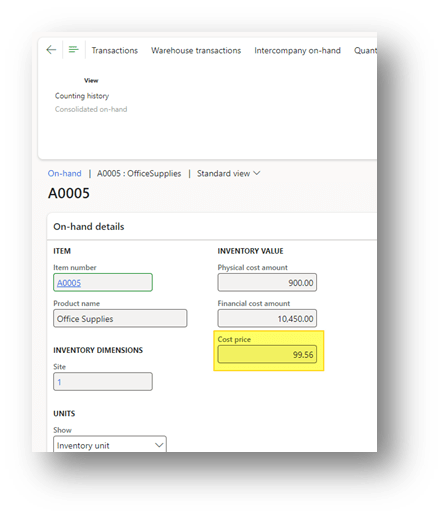
- For the margin calculation, we use the item’s inventory cost. The feature doesn’t consider the cost of the transaction marked to the sales order (es. purchase order related to the sales order line);
- The update of the calculation should be triggered manually in case of a change of the sales order line condition
- The sales order margin validation policy is applied to all the orders created. There is not way to segregate the application of validation for some the king of customers or items;
Configuration
Margin alert
Go to: Accounts receivable> Setup> Accounts receivable parameters.
Firstly, we have to activate the feature by pressing “enable margin alert”:
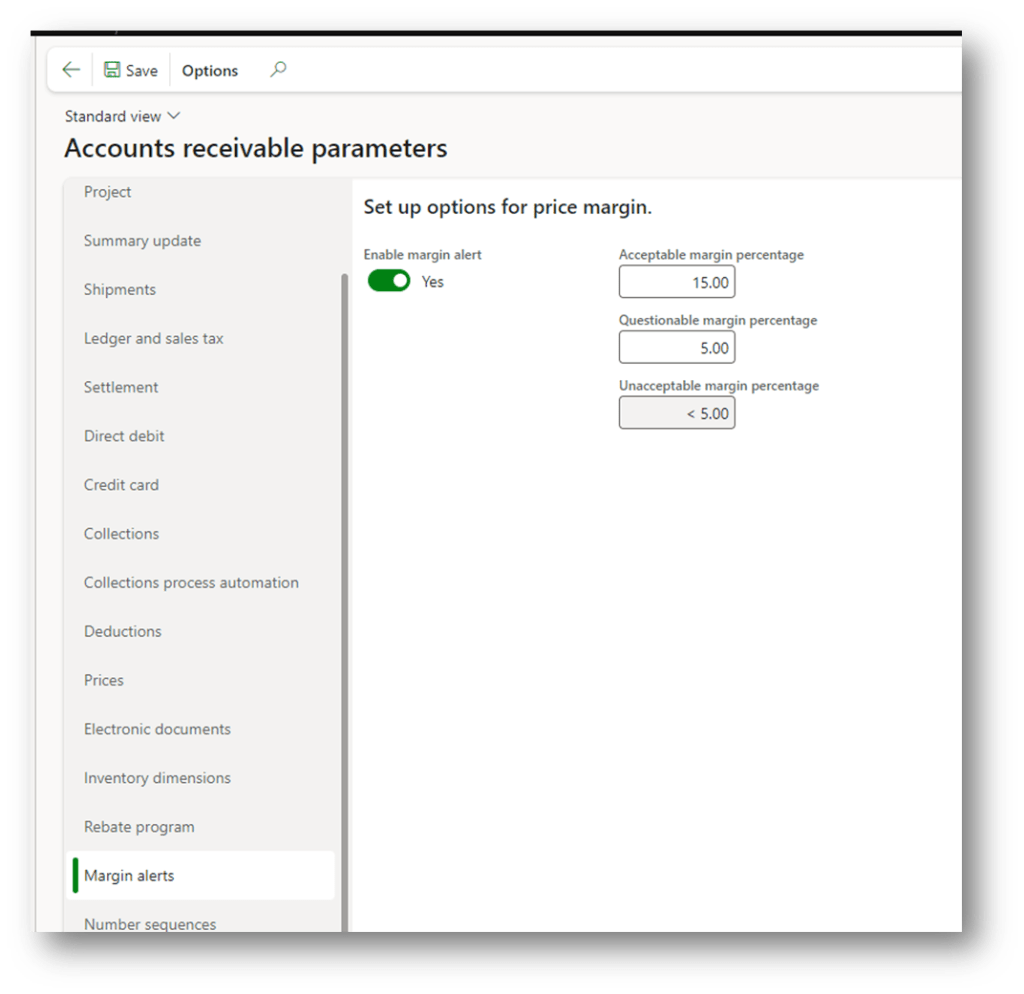
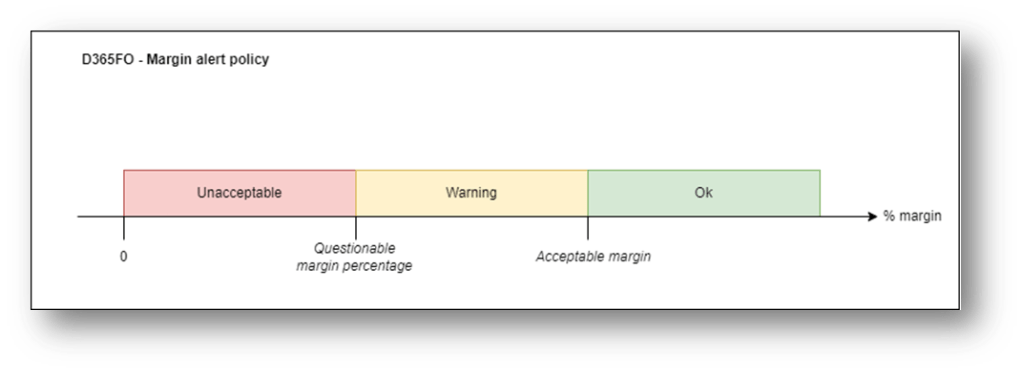
Then, we have to set the threshold percentage to set the alert policy. In particular:
- Upper acceptable percentage: it means that our sales order line is good;
- Between acceptable and questionable percentage: it means that there is just a warning. There is a medium risk to loss profit;
- Below unacceptable: it means that the sales order line is not good, the company will have a high risk to loss profit;
Price details
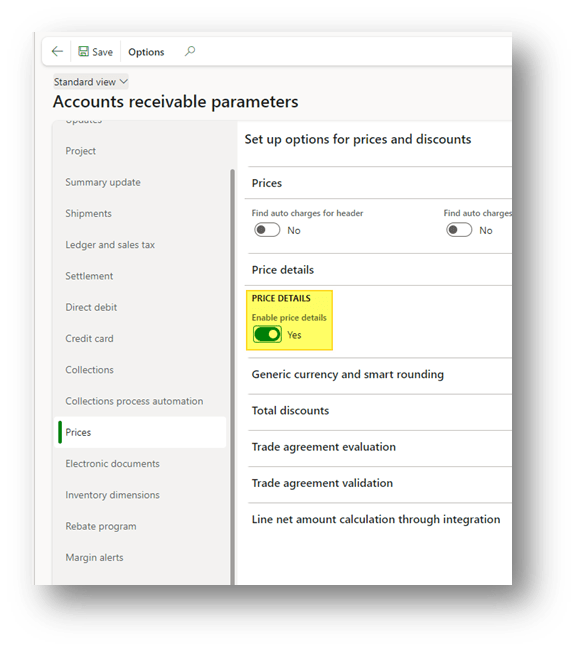
Go to: Accounts receivable> Setup> Accounts receivable parameters.
It’s optional, but we suggest activating the “enable price details” over the prices tab. Indeed, D365FO will give us more details about the variable involved in the calculation of the margin:
Process
Sales order line
Go to: Sales and marketing> Sales order> All sales orders.
We create a sales order as usual, but we can notice now that at the line level, we have some information about the margin percentage and the feedback of the alert:
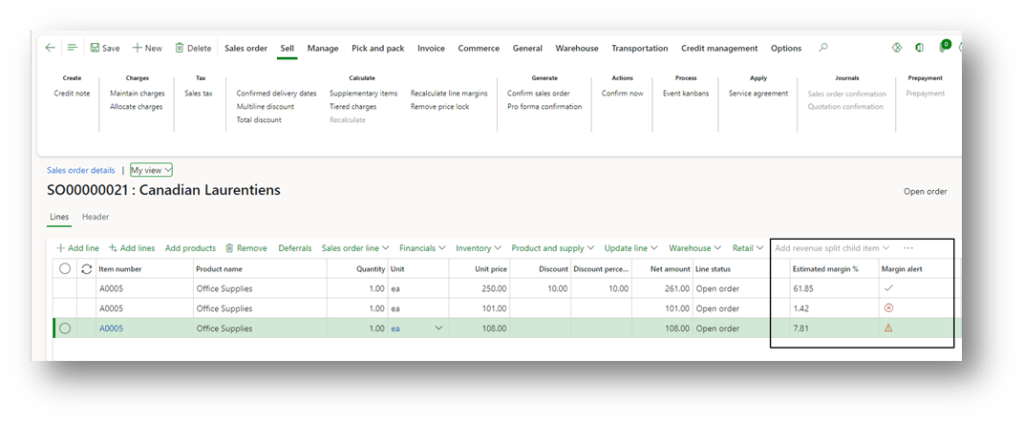
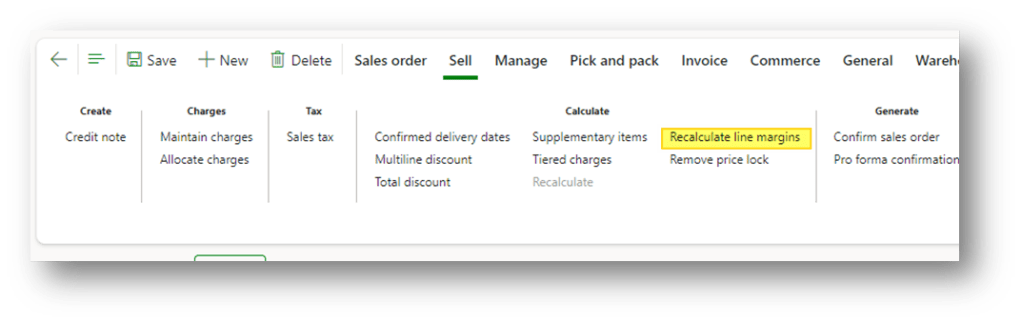
The information is calculated when we insert the item’s line. However, if we make some changes, like updating the price, discount, etc., we have to manually trigger the margin calculation to refresh the information. To do that, press the button “recalculate line margins”:
Calculation details
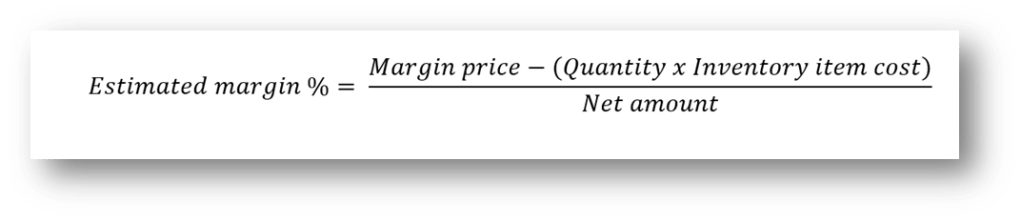
We can find here a resume of the calculation done by D365FO to calculate the margin percentage:

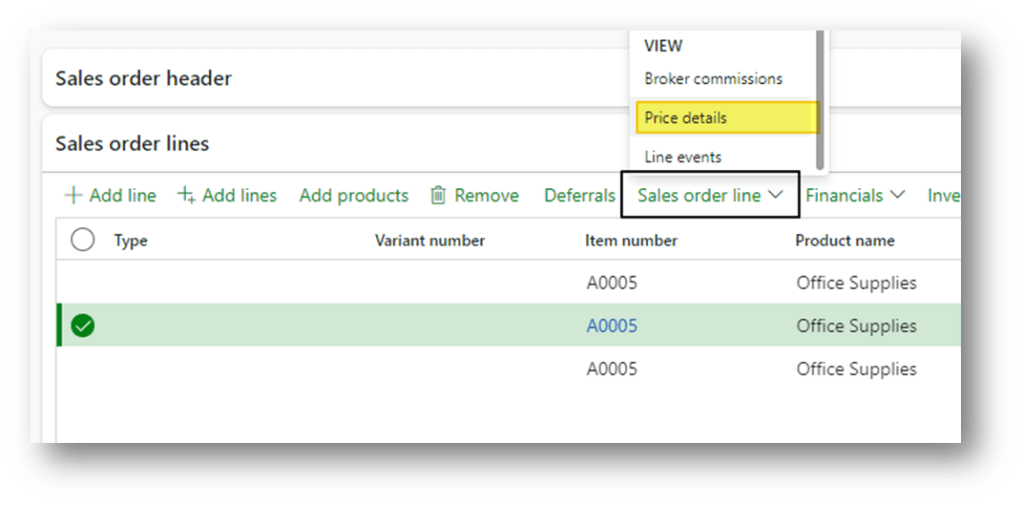
In our sales order line, we can use the function “Price details” to see the variable involved with the margin price:
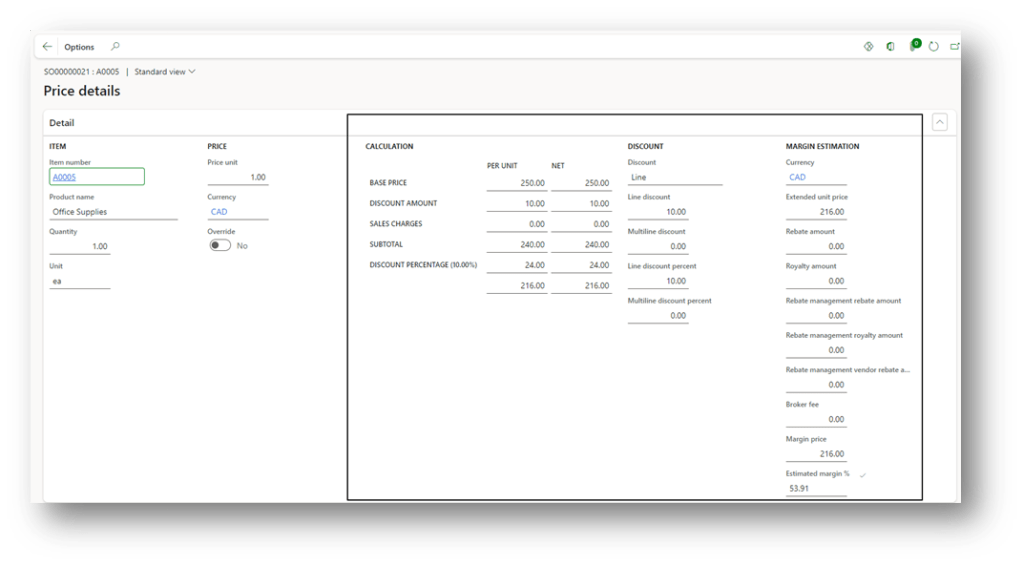
As you can see, we can see the details of the margin price calculation:
About the items cost, we have to check inventory cost from the items on-hand”:
Source
For additional information, you can see the documentation: D365: Set up margin alerts for sales orders

 Dax365FO
Leave a comment