
Business requirement
The request is to track each change made in the project’s timesheet.
Solution D365FO
D365FO has an option that allows it to track any change made by the user during the timesheet inspection.
Configuration
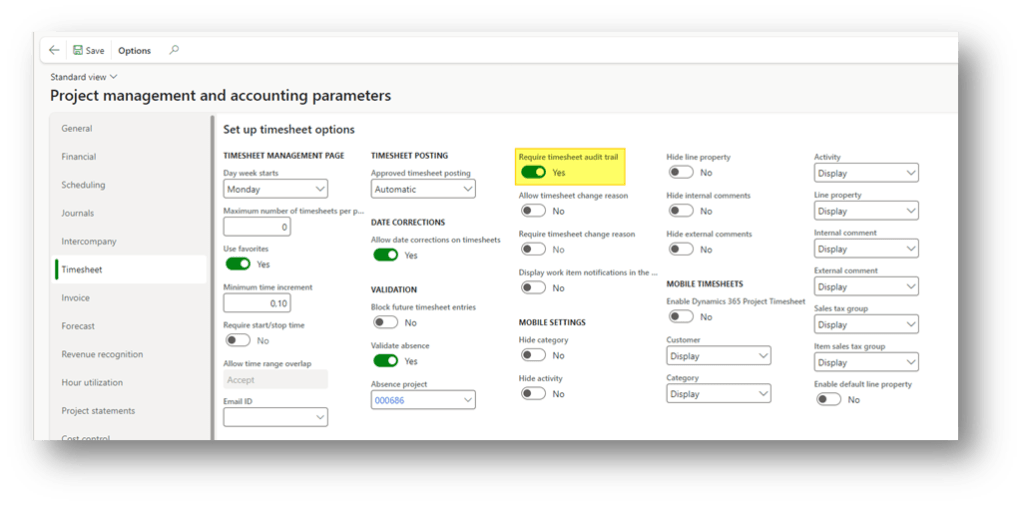
Go to: Project management and accounting> Setup> Project management and accounting parameters.
Here, we check the box “Require timesheet audit trail”:
Process
1- Inquiries timesheet versions
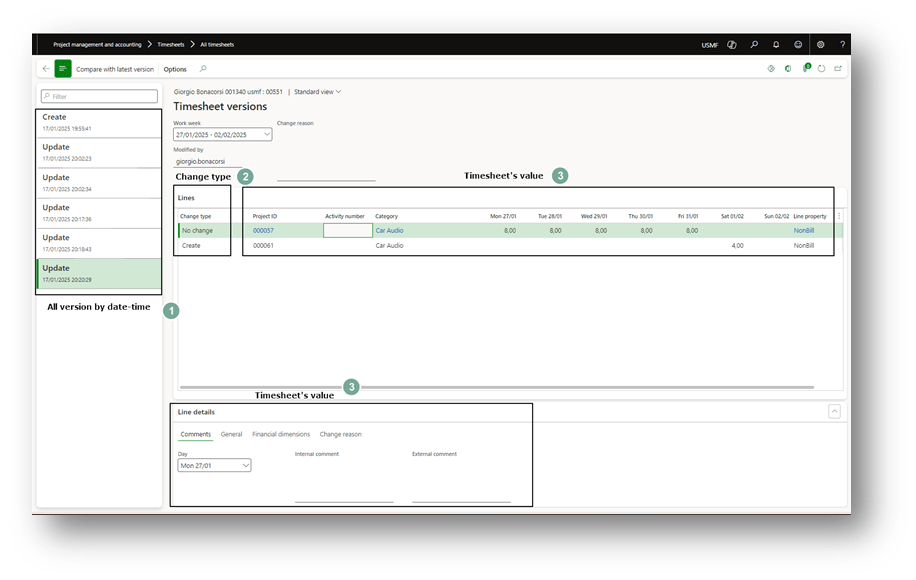
When we insert a project timesheet, we can pull on “Timesheet version” to see the tracking of the modification done. Here, we can see the version, the time of change done and the value present in the line:
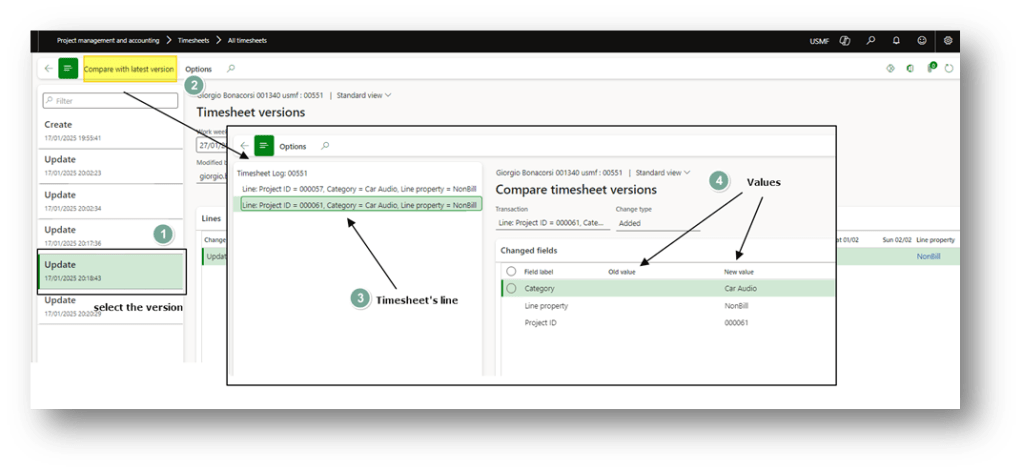
It’s also possible to compare the last version with a previous version:
Source materials
For more information, you can read this article: Audit Trial on Project Timesheets Entry and Reporting in CU7 For AX 2012 R2 – Microsoft Dynamics 365 Blog

 Dax365FO
Leave a comment