
Solution
This report helps the understand different between the inventory transaction and the general ledger.
Configuration
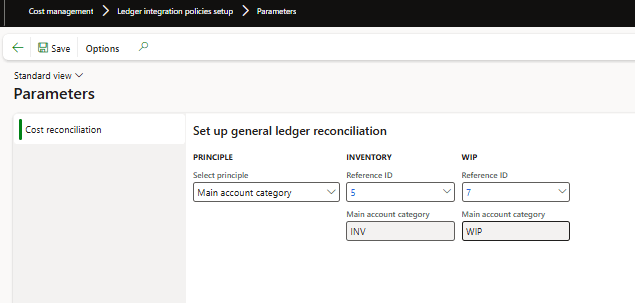
Go to: Cost management> Ledger integration policies setup> Parameters.
D365FO needs to identify the main account for comparing ledger and inventory transactions. If only two accounts are used (one for the warehouse and one for WIP), enter them directly into the configuration. For multiple accounts, configure based on main account categories (assuming one category classifies stock accounts and another for WIP).
Procedure
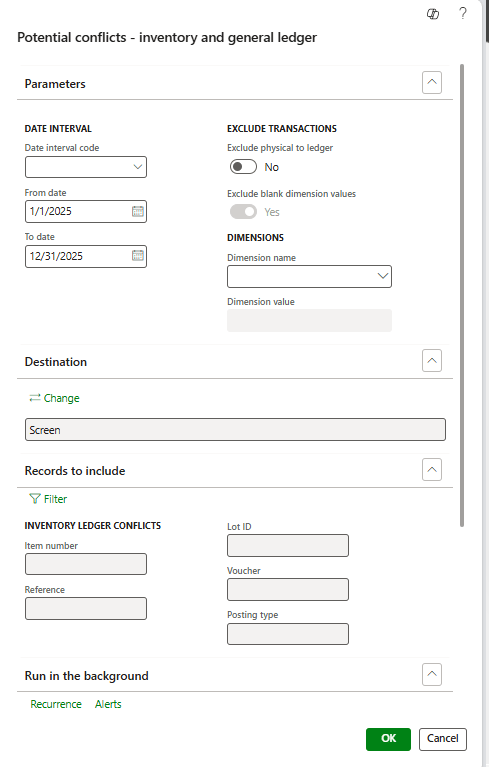
Go to: Cost management> Inquiries and reports> Inventory accounting – status reports> Potential conflict – Inventory and general ledger
Please include at least the duration of the confrontation. Additionally, a filter may be applied to the “record to include:
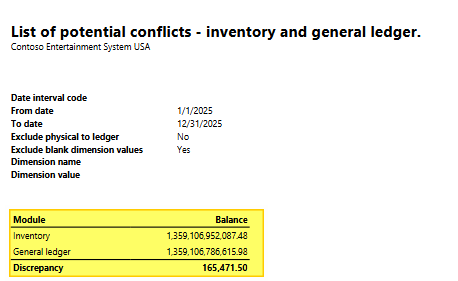
The report will intercept the inventory transaction included in the inventory value, but without a general journal entry. The details of the delta total can be observed as follows:
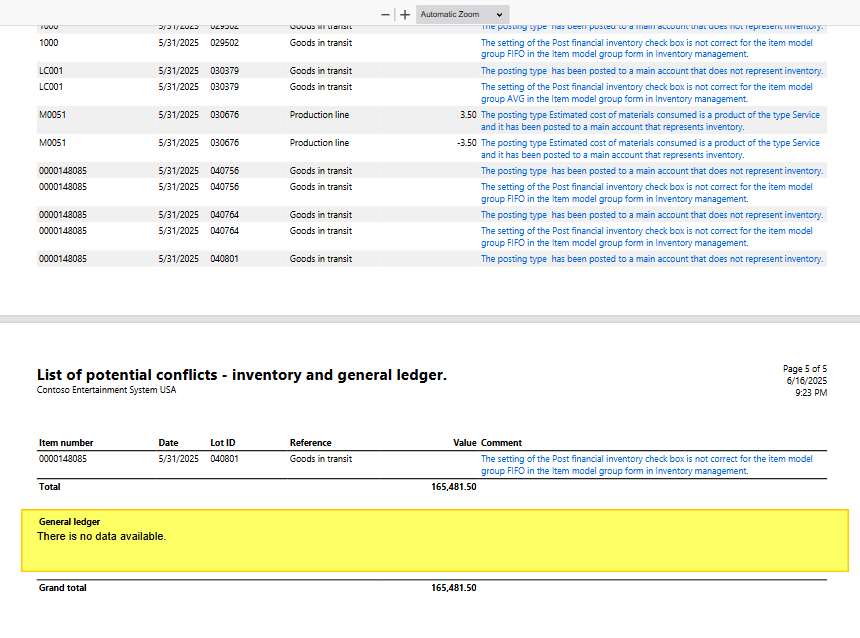
The first part of the report covers inventory transactions not recorded in the ledger. Each intercepted record includes a brief description of the cause.
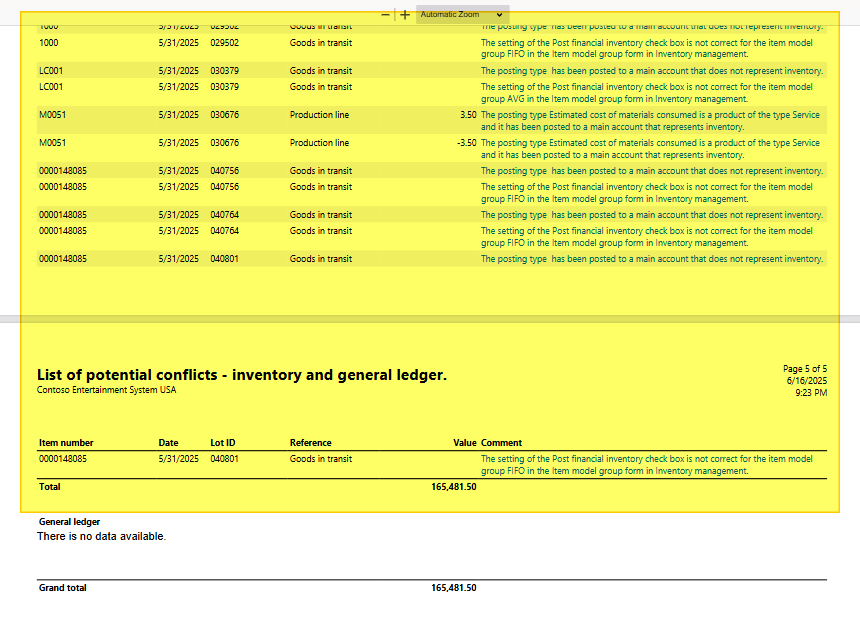
The second part of the report concern the general ledger transaction, but without inventory transaction entry. In our example, we don’t have any entry into this case:

 Dax365FO
Leave a comment