
Introduction
On the previous article we have introduce the UML for the ERP implementation: UML for ERP implementation – Dax365FO. So, now we will see through an example what’s a use state diagram and how that can help us.
The status of activities is employed to indicate the current phase within a business process. It serves as a representation of the process state. Similar diagrams are utilized in game theory to summarize a player’s state following certain actions. Consequently, a state diagram illustrates the progression of the process state in relation to our business process analyses.
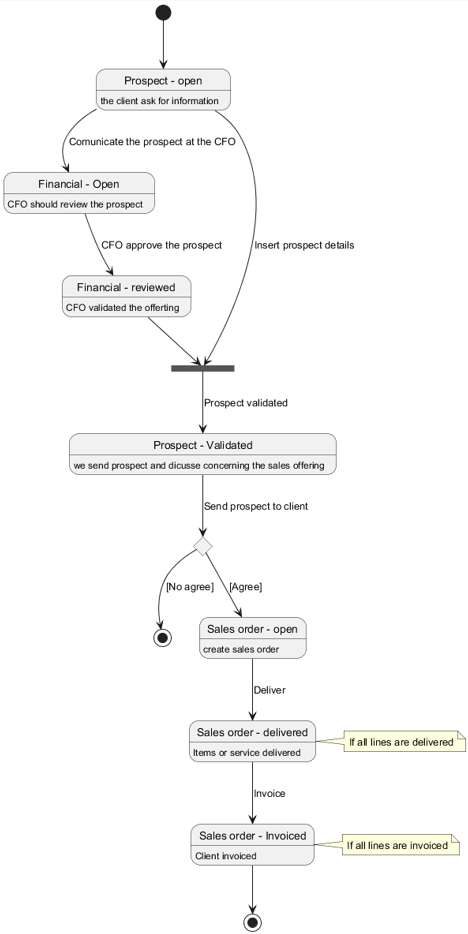
The diagram contains a single start point and multiple possible end points, like an activity diagram, depending on where the scenario concludes.
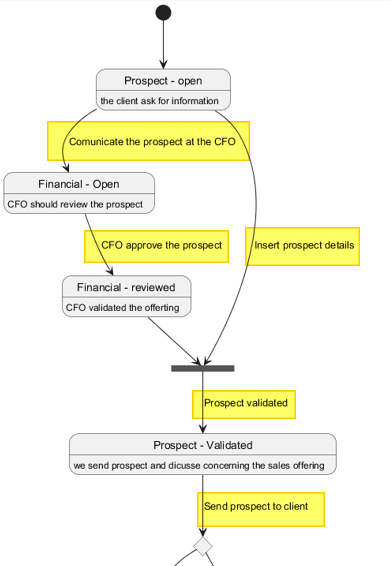
The event represents the active/action tiger that triggers our state transition. In this example is for example the “sending the prospect to the client” or “deliver”:
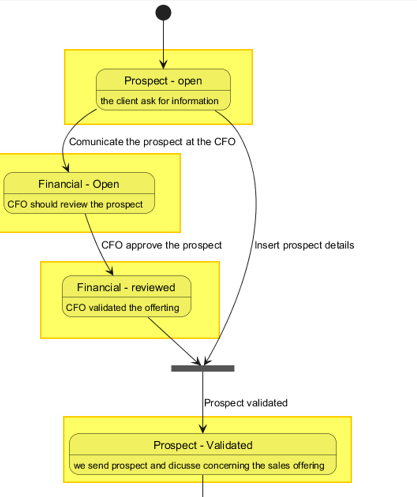
The state representation state of our object analysis in a precise moment:
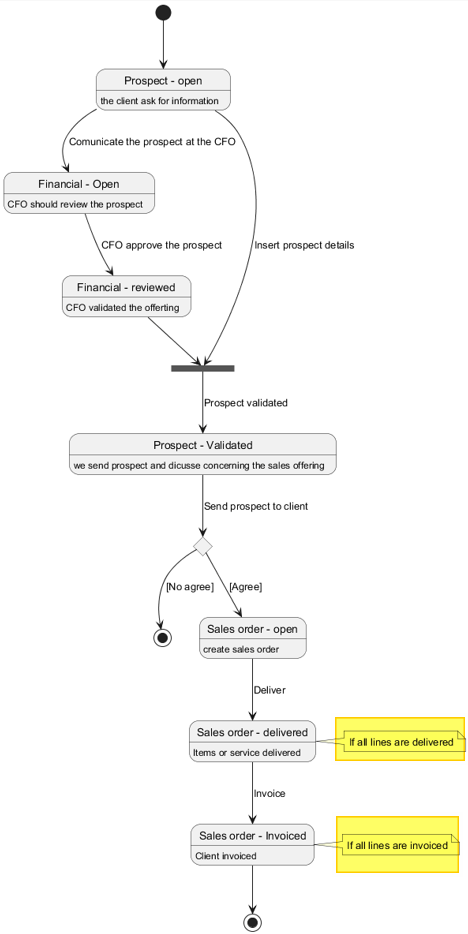
The transition serves as a note detailing the required conditions for status change:
Finally, guards serve as external conditions, independent of the object, that determine the flow of the diagram. These may be conditions (affirmative or negative) or forks (where progression depends on the completion of all prior steps):
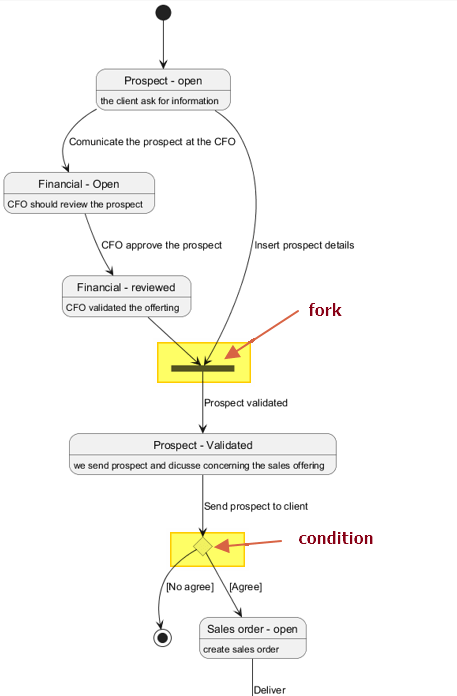
PlantUml code
For reference, the following is the PlantUML code used to produce the diagram.
autor: Giorgio Bonacorsi
description: example of state diagram

@startuml

state client_Prospect_open as "Prospect - open": the client ask for information
state client_Prospect as "Prospect - Validated": we send prospect and dicusse concerning the sales offering
state Financial_Open as "Financial - Open": CFO should review the prospect
state Financial_Validation as "Financial - reviewed": CFO validated the offerting
state agree <<choice>>
state end <<end>>
state fork_agree <<fork>>
state sales_order as "Sales order - open": create sales order
state sales_delivered as "Sales order - delivered": Items or service delivered
state sales_Invoiced as "Sales order - Invoiced": Client invoiced

[*] --> client_Prospect_open
client_Prospect_open --> Financial_Open : Comunicate the prospect at the CFO
Financial_Open --> Financial_Validation : CFO approve the prospect
Financial_Validation --> fork_agree
client_Prospect_open --> fork_agree : Insert prospect details
fork_agree --> client_Prospect : Prospect validated

client_Prospect --> agree : Send prospect to client
agree --> sales_order : [Agree]
agree --> end  : [No agree]
sales_order --> sales_delivered : Deliver
sales_delivered --> sales_Invoiced : Invoice

note right of sales_delivered
If all lines are delivered
end note

note right of sales_Invoiced
If all lines are invoiced
end note

sales_Invoiced --> [*]

@enduml
 Dax365FO
Leave a comment