
Introduction
On the previous article we have introduce the UML for the ERP implementation: UML for ERP implementation – Dax365FO. So, now we will see through an example what’s a use state diagram and how that can help us.
The component diagram provides a general overview of the structural aspects of a solution. It helps to identify the components involved and their interactions. For example, it can illustrate the composition of a car such as the engine, body, wheels, and other parts.
There is an example of payroll solution where we receive the data from Quick Book, then post the general entry in D365FO, generate the payment journal and finally process the payment using the ISV SKG.
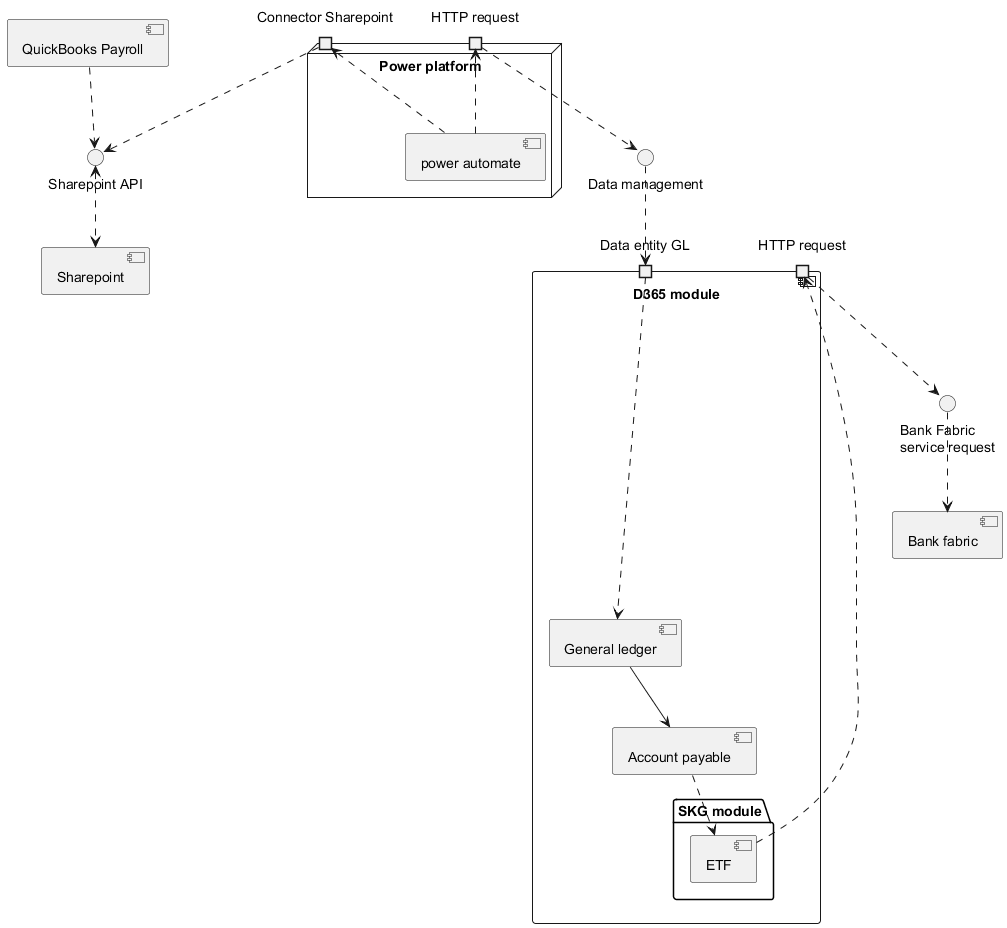
The solution consists of components, which may also include sub-components as part of our overall design.
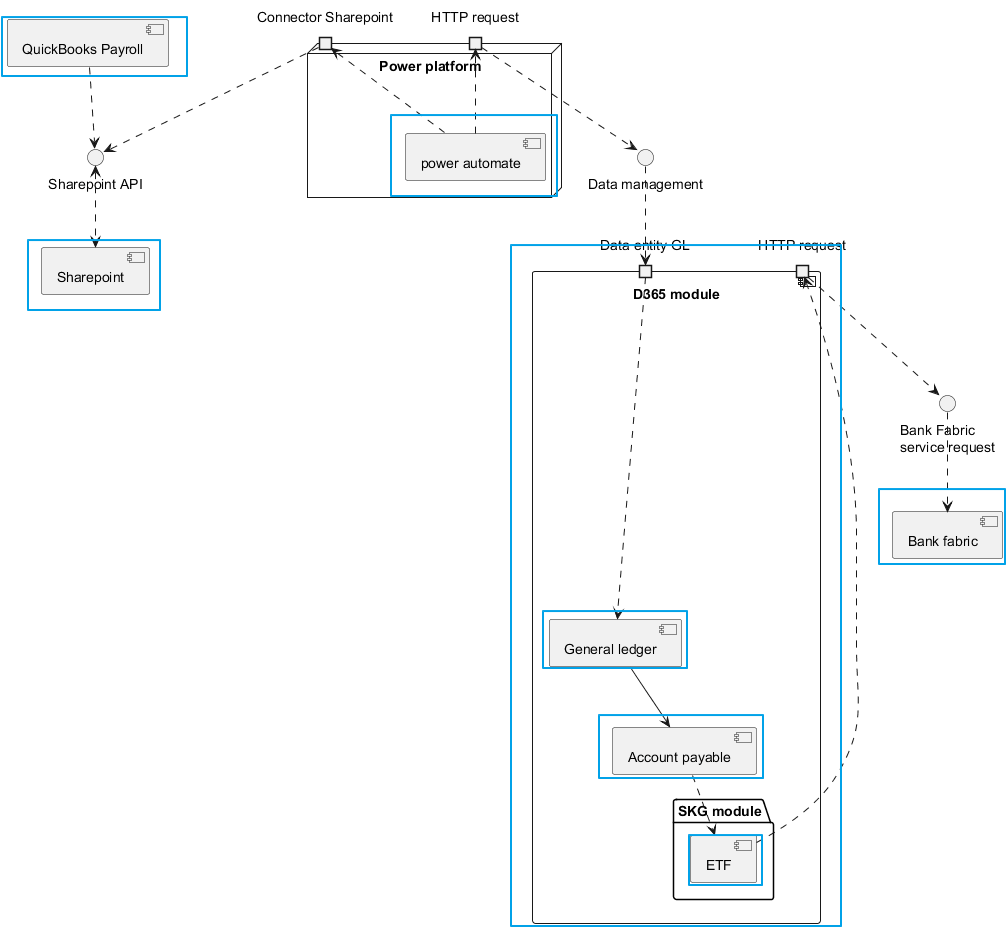
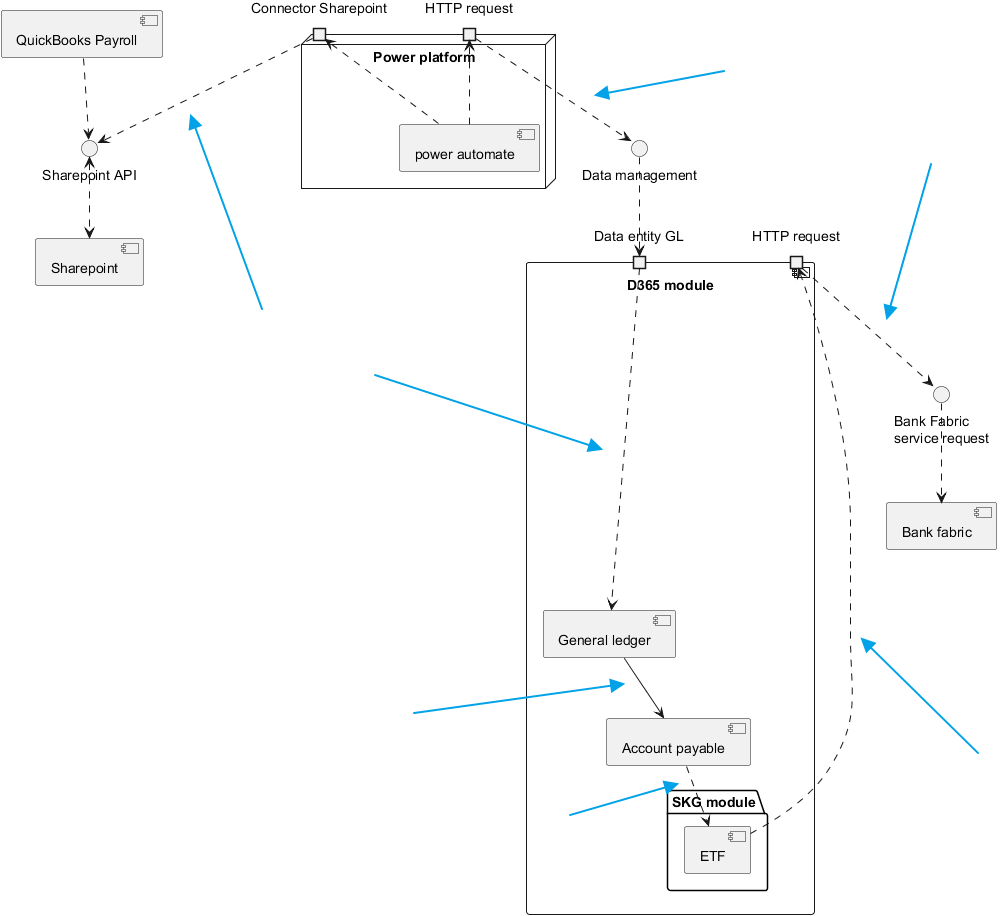
Connector lines indicate relationships between components. A discontinuous line shows dependency, meaning one component requires another to function. A continuous line means components are structurally linked. For example, the general journal posts to the vendor account, so transactions are automatically recorded in the vendor master data under accounts payable.
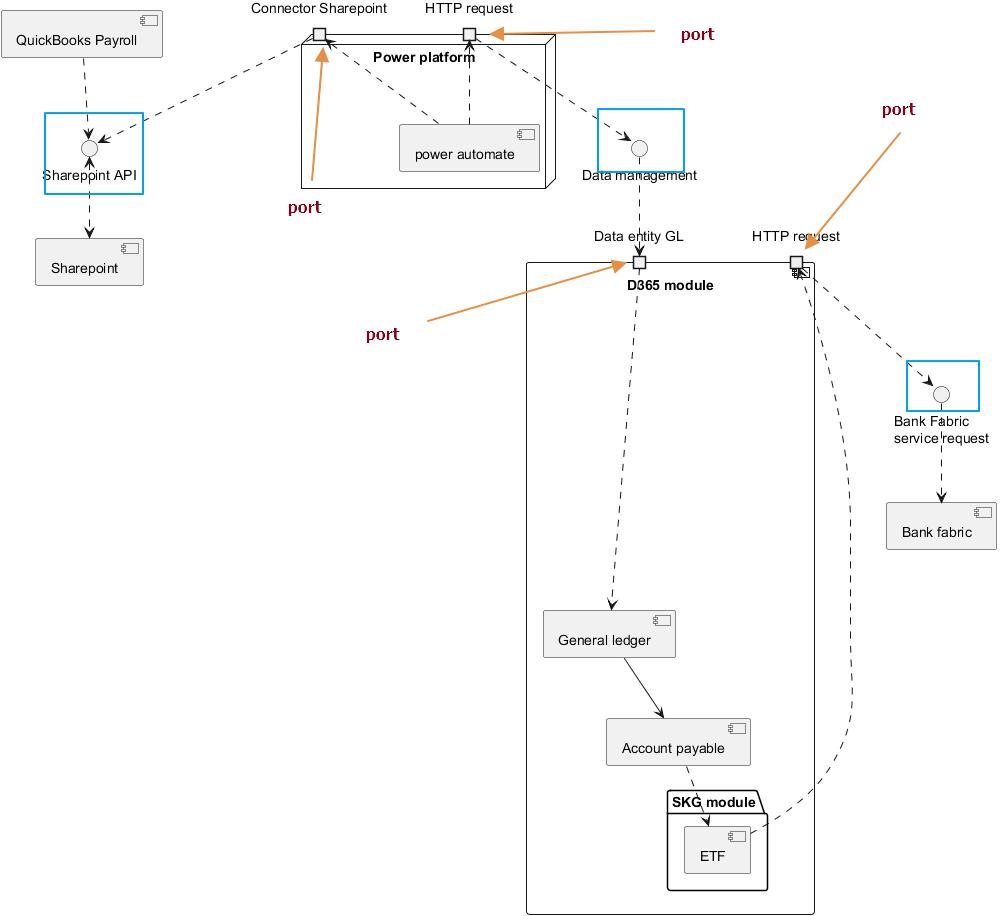
An interface is the service a component uses to interact with external components, while ports are the system buses developers use to connect to these interfaces.
It is important to note that the boundary of the component is included within the solution area. In this context, it is also evident that there is an external component intended for import into D365FO, represented as a package.
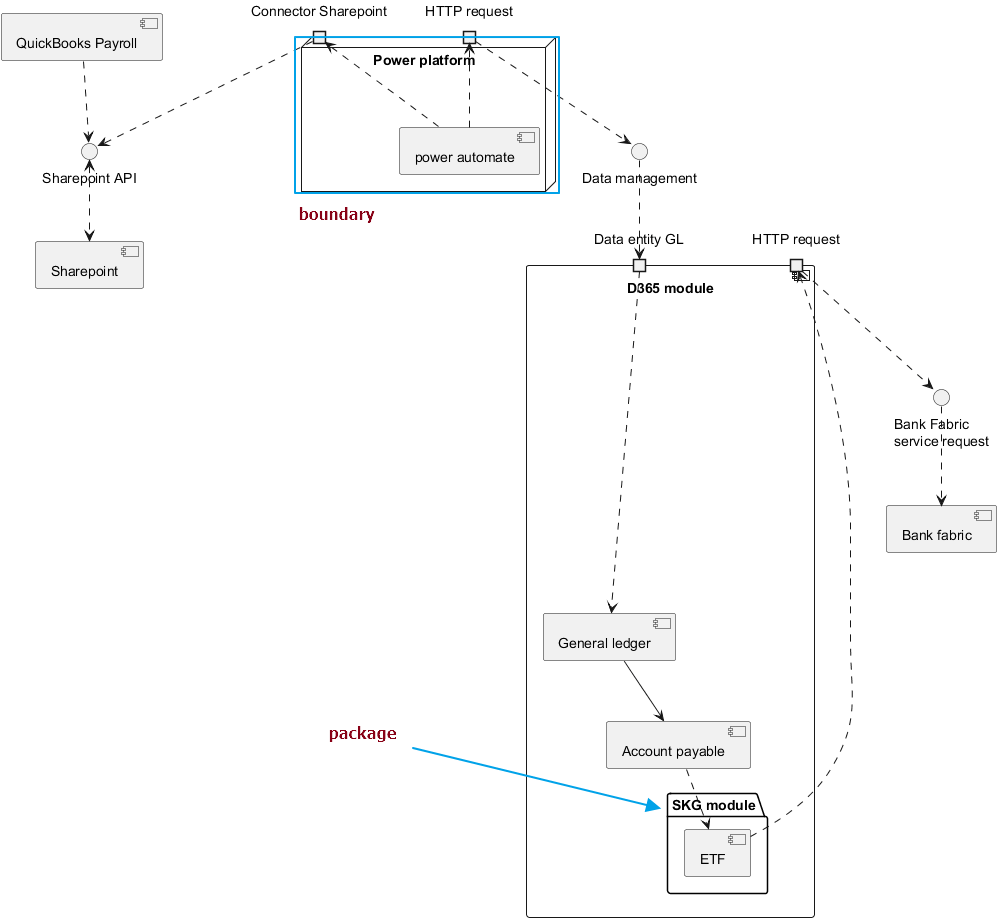
PlantUml code
For reference, the following is the PlantUML code used to produce the diagram
autor: Giorgio Bonacorsi
description: example of components diagram

@startuml

Component QuickBooks_Payroll as "QuickBooks Payroll"
component Sharepoint as "Sharepoint"
Interface Sharepoint_API as "Sharepoint API"

node Power_platform as "Power platform" {
component Power_automate as "power automate"
port HTTML_request_from_PA as "HTTP request"
port connector_sharepoint as "Connector Sharepoint"
}

Interface Data_Management as "Data management"

component D365 as "D365 module" {
    port Data_entity_GL as "Data entity GL"
    folder SKG_module as "SKG module" {
        component SKG as "ETF"
    }
    component GL as "General ledger"
    Component Account_payable as "Account payable"
    port HTTP_request as "HTTP request"
}

interface Bank_Fabric_request as "Bank Fabric
service request"
Component Bank_fabric as "Bank fabric"

QuickBooks_Payroll ..> Sharepoint_API
Sharepoint_API <..> Sharepoint
Power_automate ..> connector_sharepoint
connector_sharepoint ..> Sharepoint_API
Power_automate ..> HTTML_request_from_PA
HTTML_request_from_PA ..> Data_Management
Data_Management ..> Data_entity_GL
Data_entity_GL ..> GL
GL --> Account_payable
Account_payable ..> SKG
SKG ..> HTTP_request
HTTP_request ..> Bank_Fabric_request
Bank_Fabric_request ..>Bank_fabric

@enduml
 Dax365FO
Leave a comment