
Introduction
Presently some tables are segregated by legal entities, but it can happen during the implementation that the request is to share them across different legal entities. For example, it can be the case of some configuration or master data.
Within this article, we will explore the out of the box function change the segregation of the table from legal entity to cross-company. The function gives the option to share tables and select with field should be cross-company, and which one remain legal entity based. For example, if we share a client’s master data, we can share the payment method as cross-company but maintain the sales tax group legal entity based. Of course, whether a fields because cross-share, even the parameters’ table should be switched to because cross too.
During the exploration we will see an example case of cross-company sharing applying to the vendor groups.
Keep in mind some points:
- Some tables are already shared out of the box, such as the chart of account, or accounting structure. Hence, there are not present on the parameter’s options.
- Some tables are not yet on the permitter of this cross-sharing functionality. Give a look at the new Microsoft release because some new features extend the tables touched by cross sharing. Currently on version 10.0.44 we have 2 features: one for the product master data, and the other one concerning the compensation.
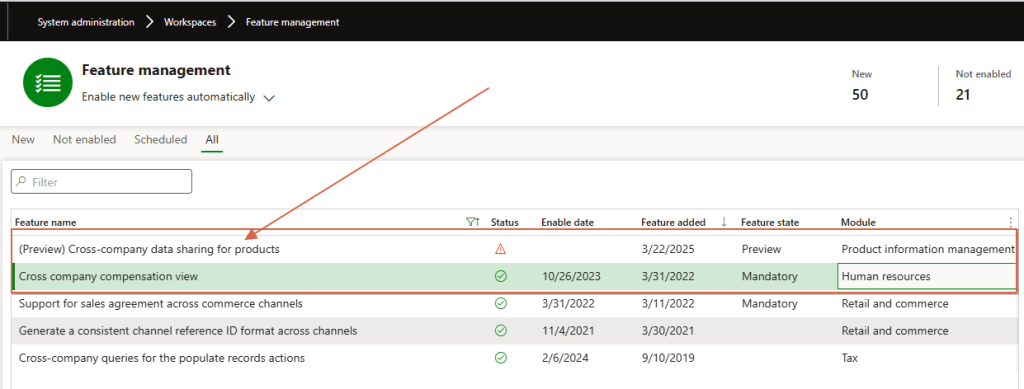
Configuration
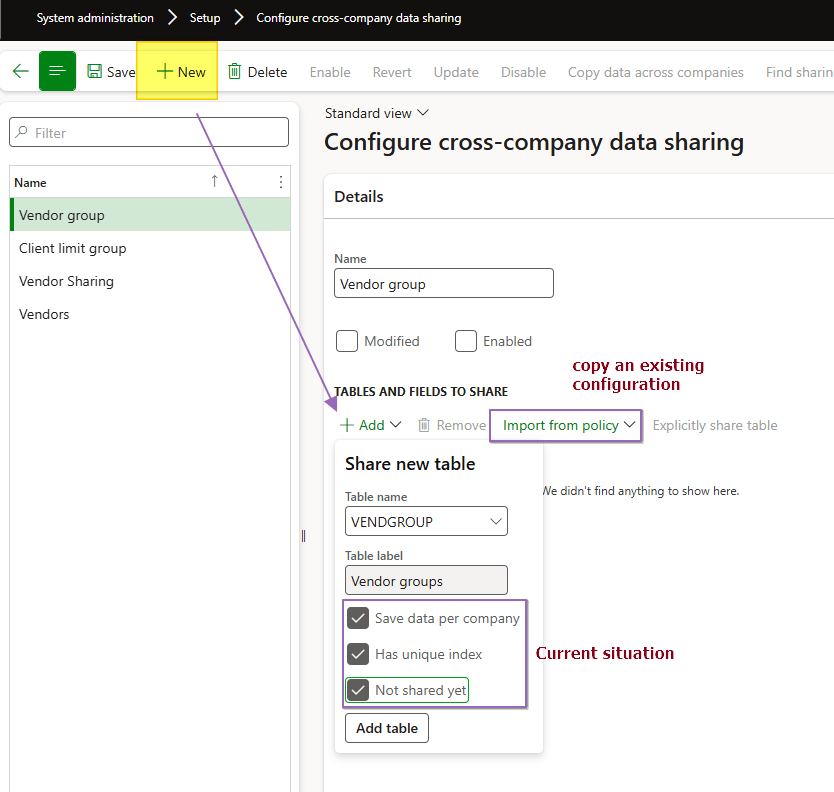
Let’s start an example with the vendor groups. Go to: System administration> Setup> Configure cross-company data sharing.
Create a new policy and select the table involved. Consider that there is an alternative option to re-use an existing policy and modify it.
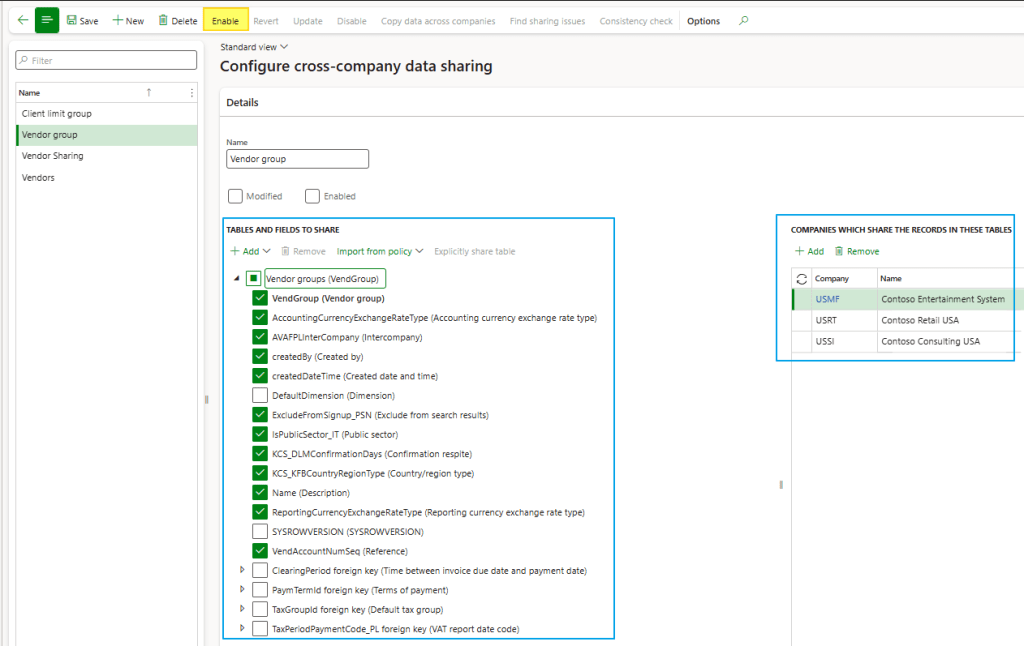
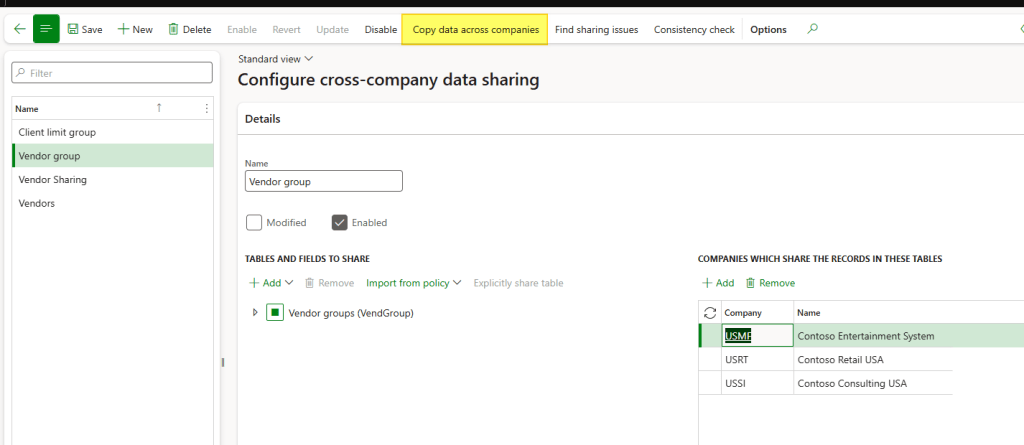
Choose the fields to share across companies and retain the fields that should remain specific to each legal entity. We can decide whether to share the fields for all legal entities or only for specific ones. When we finish, we publish the policy pressing on the button “Enable”:
Now, it’s time to share the data configuration. The process is straightforward: if there is no data, we simply need to pull it into the configuration, and it will be automatically shared.
But if we already have data the scenario becomes a little bit more complex because we need to make a consistency check and copy the data from a legal entity to another one. A certain point, we should decide how to solve the potential conflict.
Conflict data scenario
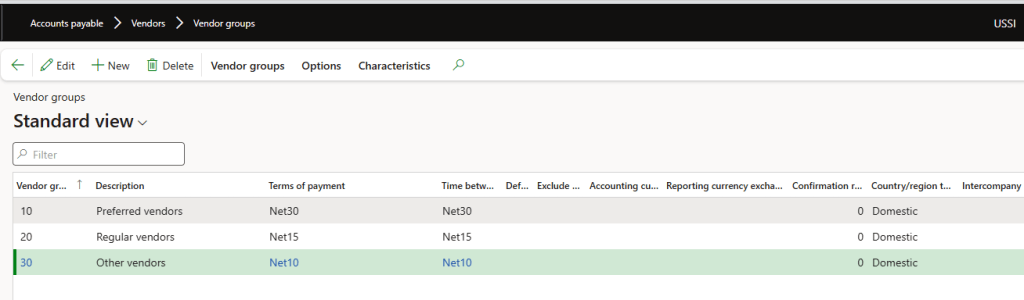
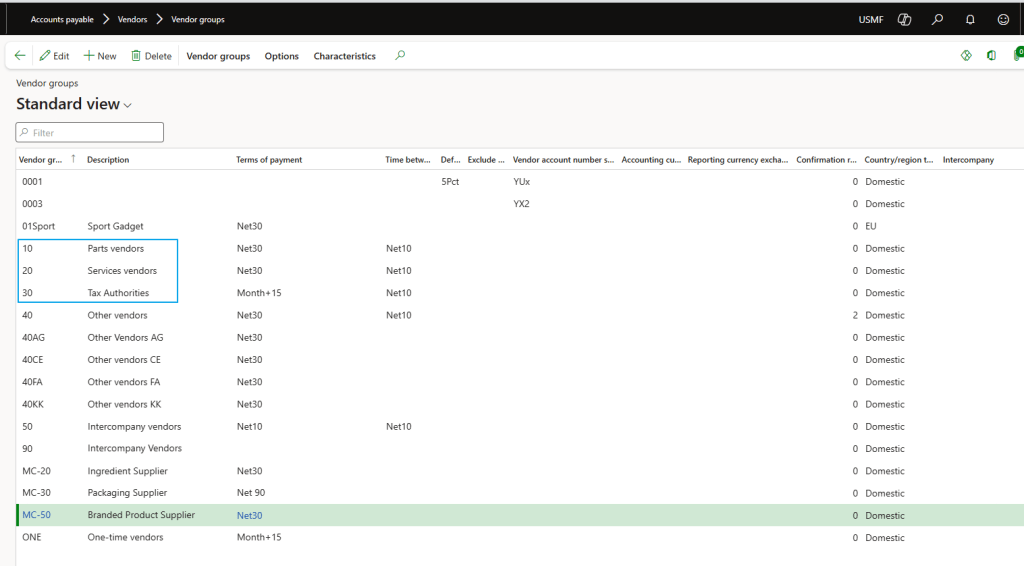
This is the situation before sharing:
USSI
USMF
We can see the group 10, 20, 30 are already present but with another description:
During the sharing (before or after the coping of the data), we can solve the conflict by pressing on “find sharing issue”. From this form we can see all the sharing issues and decide case by case, and we can choose from which company we want to copy the data from. Concerning the record in conflict, we must decide if to update only the conflicted field or copy all the record’s field touched by the cross-company function to the target entity.
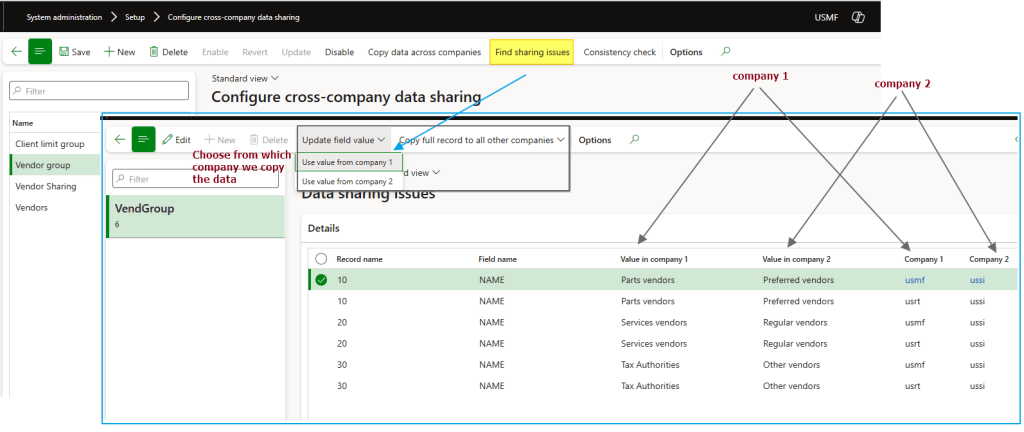
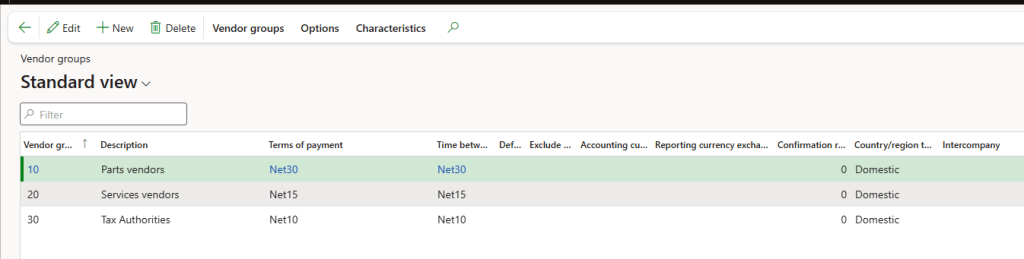
For this case we will decide to copy all the value from the company 1 (USMF). Let’s see the effect after the solution:
USSI: same value of USMF
Copy data from legal entity
The system proposes automatically copy of the existing data across the legal entity. If we choose to don’t go straightforward, we can always copy the data in a second moment press in “Copy data across companies”:
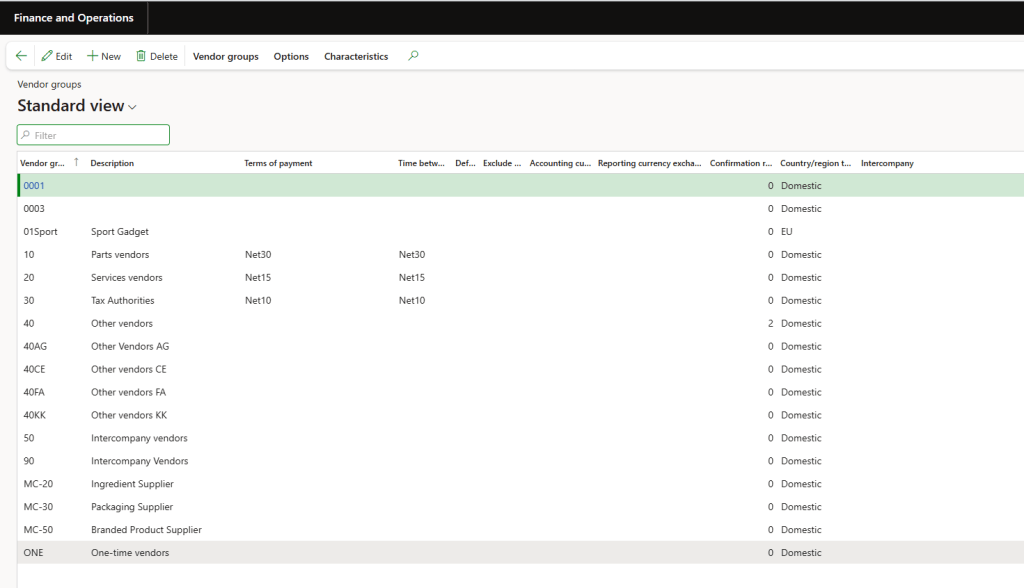
We can see the effect on USSI:

 Dax365FO
Leave a comment