
Business requirement
Sometimes, in the expense report, an employee must insert an expense for another legal entity. For example, this is the case for a training fulfilled by another legal entity. In this case, payment will be made from the original legal entity, but the cost is absorbed by the target one. In this article we will see how to manage this case.
Solution D365FO
Configuration
Expense management parameters
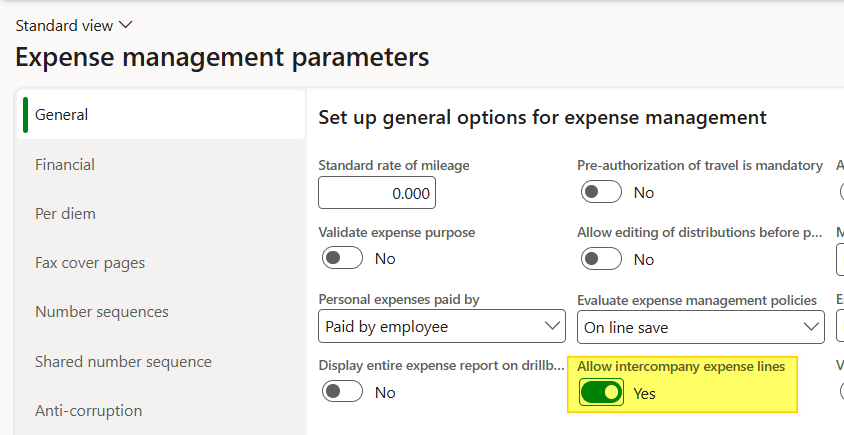
Go to: Expense management> Setup> General> Expense management parameters. Select the flag “Allow intercompany expense line.
Expense report fields
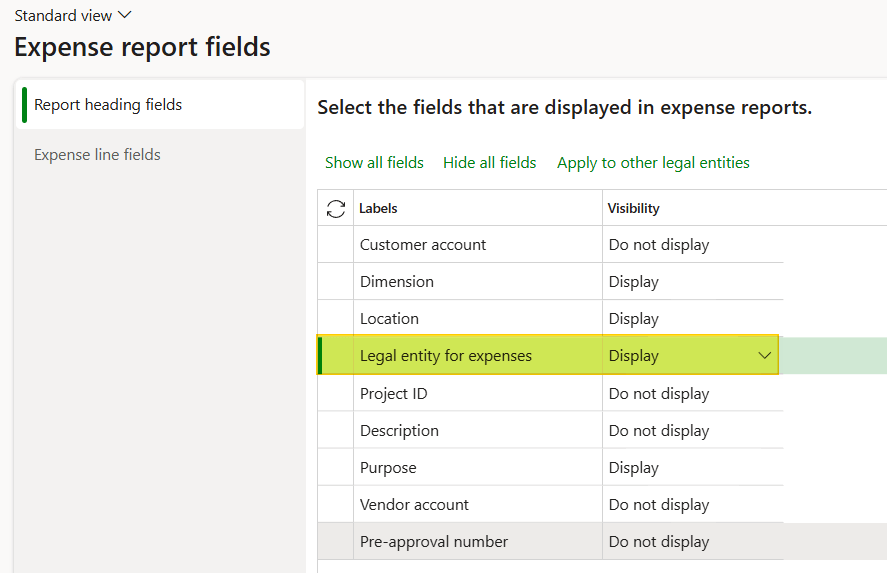
Go to: Expense management > Setup > General > Expense report fields. On the header, activate the display for the field “Legal entity for expenses”.
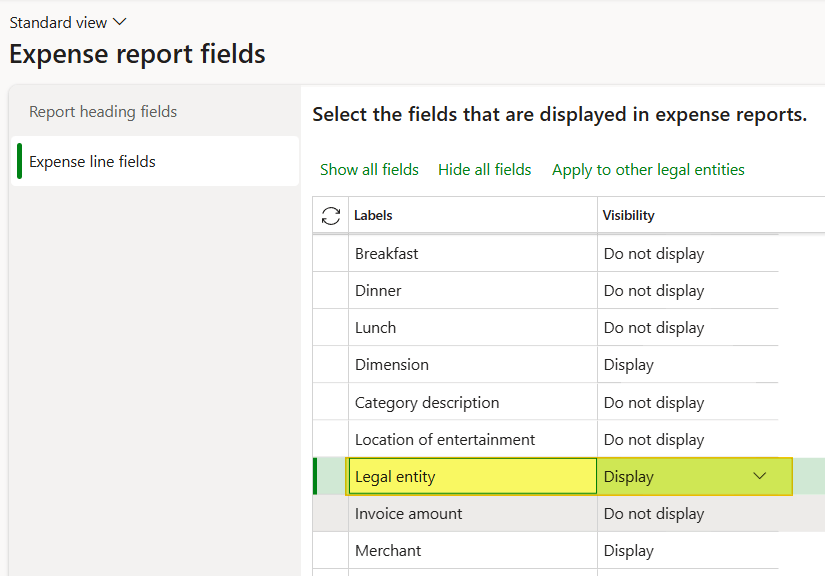
And activate this field for the line as well:
Expense categories
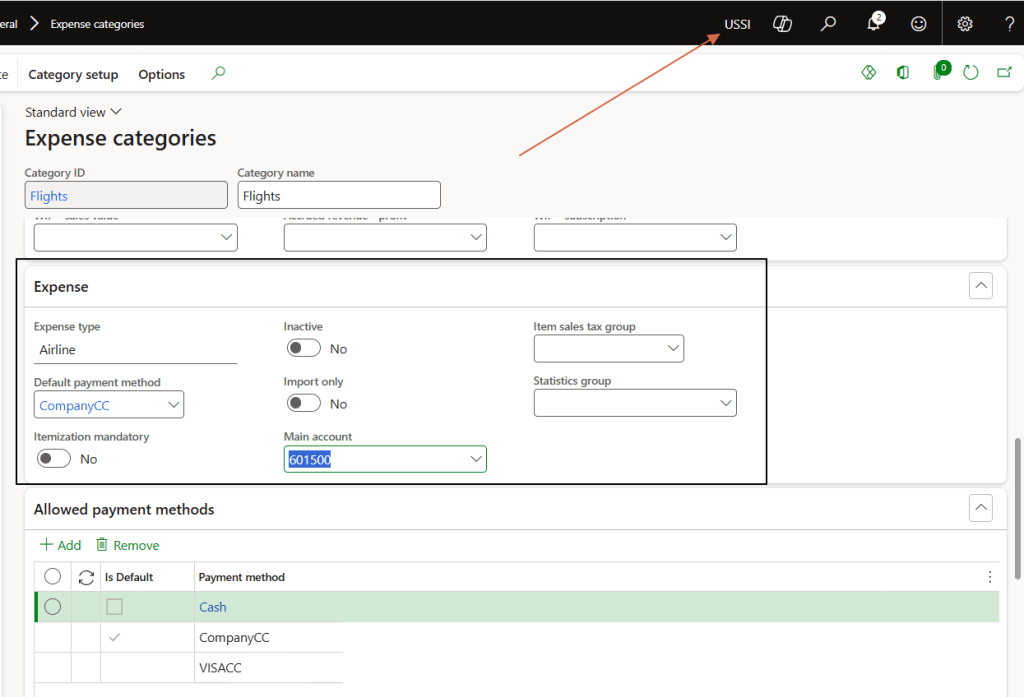
Go to: Expense management > Setup > General > Expense categories. We will record our expense in USMF; however, remember that the cost should be absorbed by our third legal entity (USSI in this case). Thus, the expense categories should be released even in this legal entity.
Process
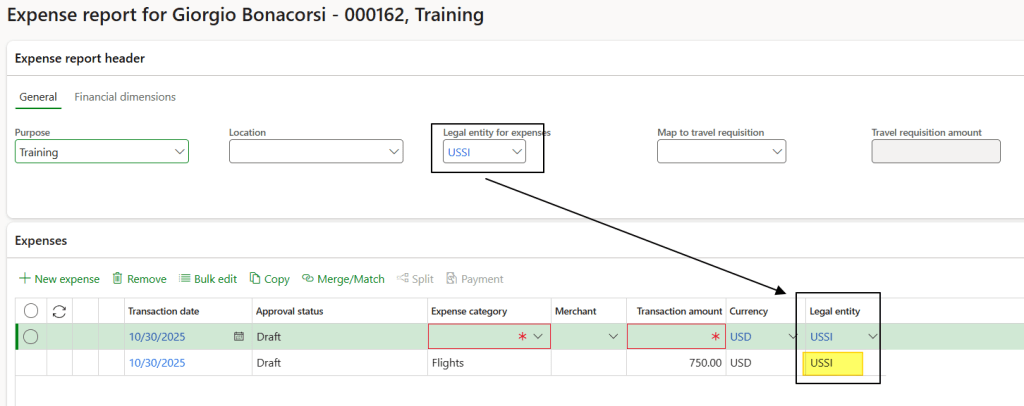
The process is exactly the same as for a regular expense report, except users need to specify the legal entity. And right there on the line level, we’ve got to tag which one’s actually footing the legal entity.
Notice, the header field won’t actually drive allocation, system ignores it. It’s just there to set a default legal entity that lines inherit once you add them.
Proceed as usual with workflow submission and expense report posting. Upon completing the regular process, we will have these vouchers:
1-Original legal entity: Posts payment due and a general ledger intercompany entry.

2-Cost absorption: In the target company, the syste posts a GL intercompany transaction for cost absorption.

Note: Read these articles for details on setting and using the GL intercompany function: https://daxmsdynamics365.wordpress.com/2024/06/07/intercompany-accounting-journal

 Dax365FO
Leave a comment