
Solution D365FO
The expense module requires approval for expense reports, cash advances, and travel requisitions. However, after approval, it may be necessary to reverse to the previous status to rectify and resubmit the document. D365FO allows this if the document is not yet posted, using the rollback function.
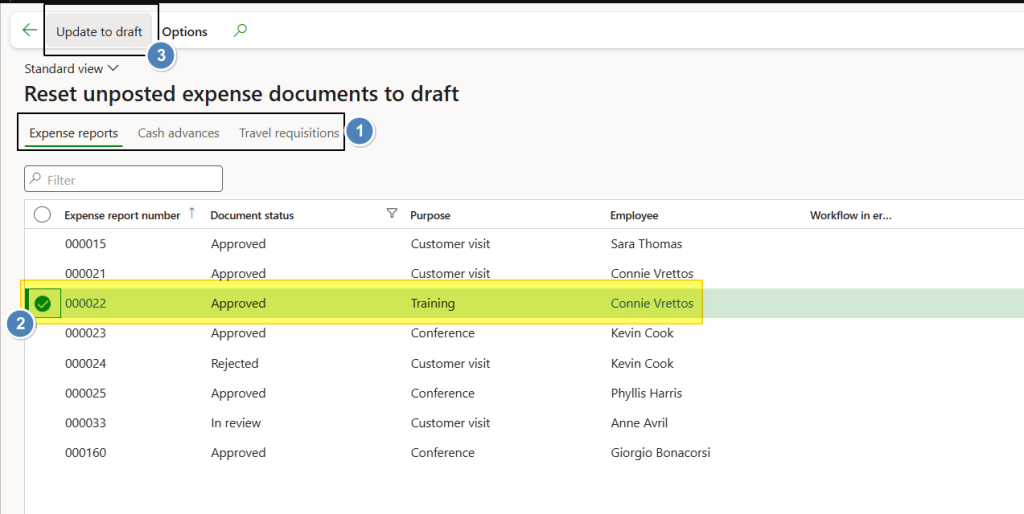
Go to: Expense management> Periodic tasks> Reset expense document status. Here select our document and click on “Update to draft” to reverse the status:

 Dax365FO
Leave a comment