
Business requirement
Often, the document approver varies based on the entry conditions. There are several ways to handle these requirements in D365FO, but this document presents a solution for how to leverage the financial dimensions present in your document lines to recognize the approver.
This solution is available for the following documents: Expense, Purchase Order, Purchase Requisition, and Vendor Invoice.
Configuration
The configuration elements are:
- Reviewers: Here, we specify which financial dimension value (or project owner) to consider as the approver. Note that each document type has its own reviewer configuration. Thus depending on the document, these are: Expenditure reviewers, Purchase order expenditure reviewers, Purchase requisition expenditure reviewers, or Vendor invoice expenditure reviewers;
- Workflow: The standard workflow used to approve documents.As the reviewrs each document type has its own workflow;
- Financial dimension values: Here, we specify the approver for each dimension value.
- Project: Here, we specify the approver and the associated financial dimension.”
We can see here the dependency relation between the component:
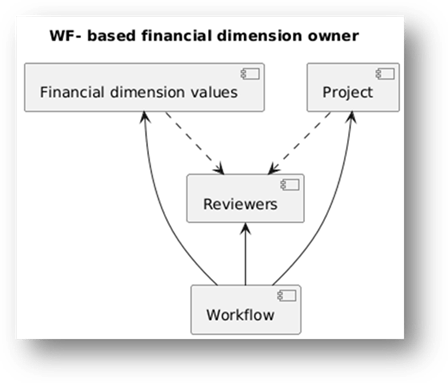
We will base our example on the Expense module. You can apply the same logic to the other documents.”
Reviewers
Path :
- Expense report: Expense management > Setup > Policies > Expenditure reviewers
- Purchase order: Procurement and sourcing > Setup > Policies > Purchase order expenditure reviewers
- Purchase requisitions: Procurement and sourcing > Setup > Policies > Purchase requisition expenditure reviewers
- Vendor invoices: Accounts payable > Policy setup > Vendor invoice expenditure reviewers
We select the legal entity in which to set the rule, and we have two options:
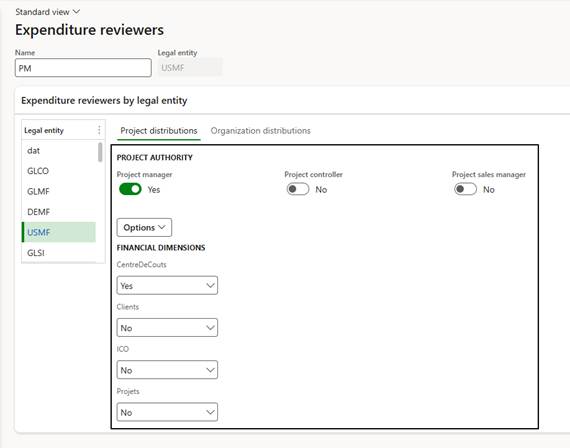
- Project distribution: The system uses the project master data tied to the document lines as reference. Therefore, the financial dimensions used are those present in the master data and not those on the document lines.
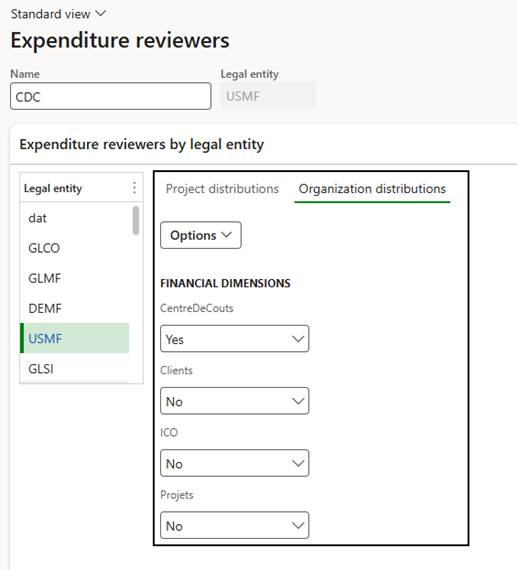
- Organization distributions: The reference is the financial dimensions present on the document lines.
Important: In case of conflict the system prioritize the configuration present on the project distribution.
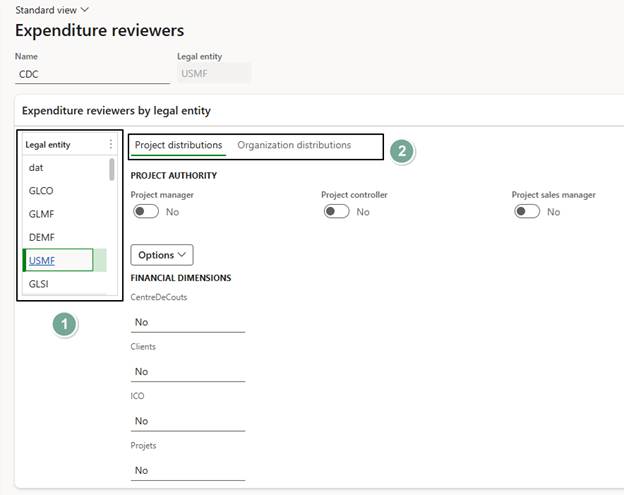
If multiple approvers are identified, the system will require approval from all of them. For details on managing approval among multiple approvers, refer to the article https://dax365fo.org/2024/10/02/workflow-completion-policy/.
Project distribution: Select project’s responsables and/or which financial dimension use to identify the approvers.
Organization distribution: Select project’s referents and/or which financial dimension use to identify the approvers.
Workflow
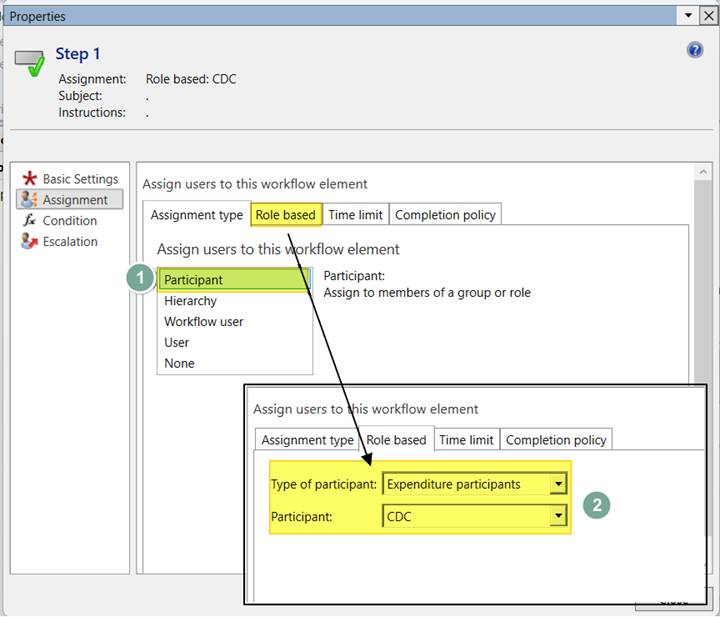
Open the workflow. On the approval step connector, select the assignment type Participant. Then, as participants, select Document participants and the reviewer rule created previously.
Financial dimension values
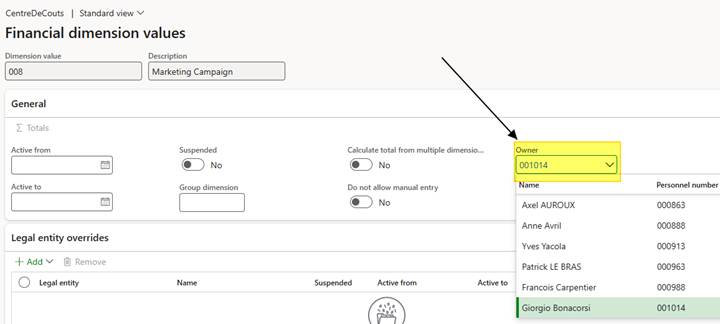
Path: General ledger> Chart of accounts> Dimensions> Financial dimensions.
In the financial dimension of interest, navigate to the Values tab. Here, select the approver for each dimension value:
Project
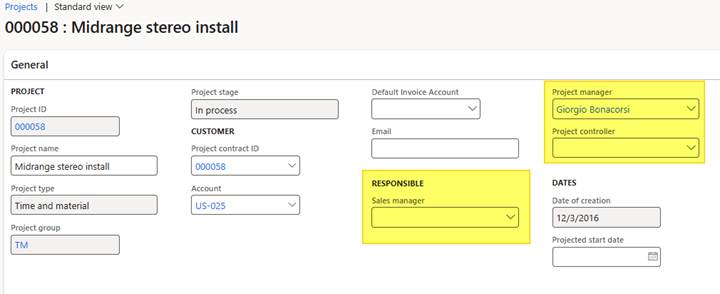
In the project of interest, insert the responsible needed:
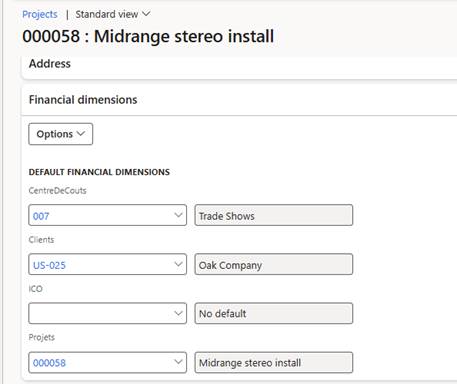
Furthermore, insert the financial dimension value to consider:
Process
When we submit the document, the system identifies the approvers based on our configurations.
If we select Organization distribution, the system uses the financial dimensions present at the line level. Otherwise, if we select Project distribution, the system identifies the approvers based on the data in the project master data linked to the document line.
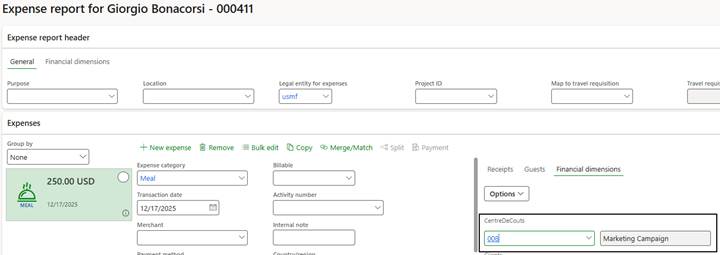
Here we can see the financial dimension selected:
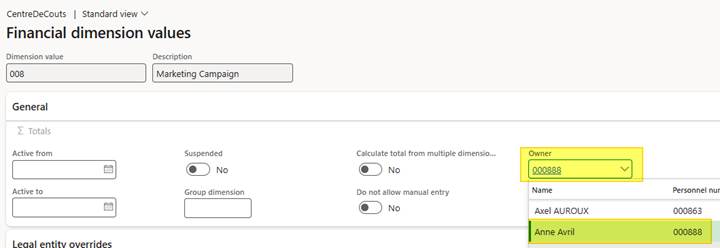
Here is the owner of the financial dimension:
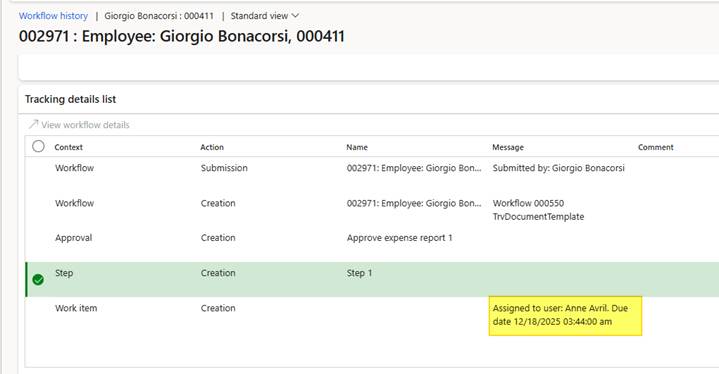
And lastly, we can see approver calculated by the workflow:
Source
Official documentation: https://learn.microsoft.com/en-us/dynamics365/fin-ops-core/fin-ops/organization-administration/configure-expenditure-reviewers

 Dax365FO
Leave a comment