
Business requirements
Expense reports in Dynamics 365 Finance and Operations collect expenses that need to be reimbursed to employees. However, since these represent business costs, they must be properly allocated in the general ledger.
Allocation logic is often based on the employee’s organizational assignment (such as division, department, etc..). Instead of manually entering financial dimensions on each expense line every time an employee creates an expense report, it’s common, and far more efficient, to automatically inherit these dimensions from the default employee’s master data.
For more details about the financial dimension inheriting logic into the expense, you can see this article: Expense – Accounting entry
Process
Set employee master data
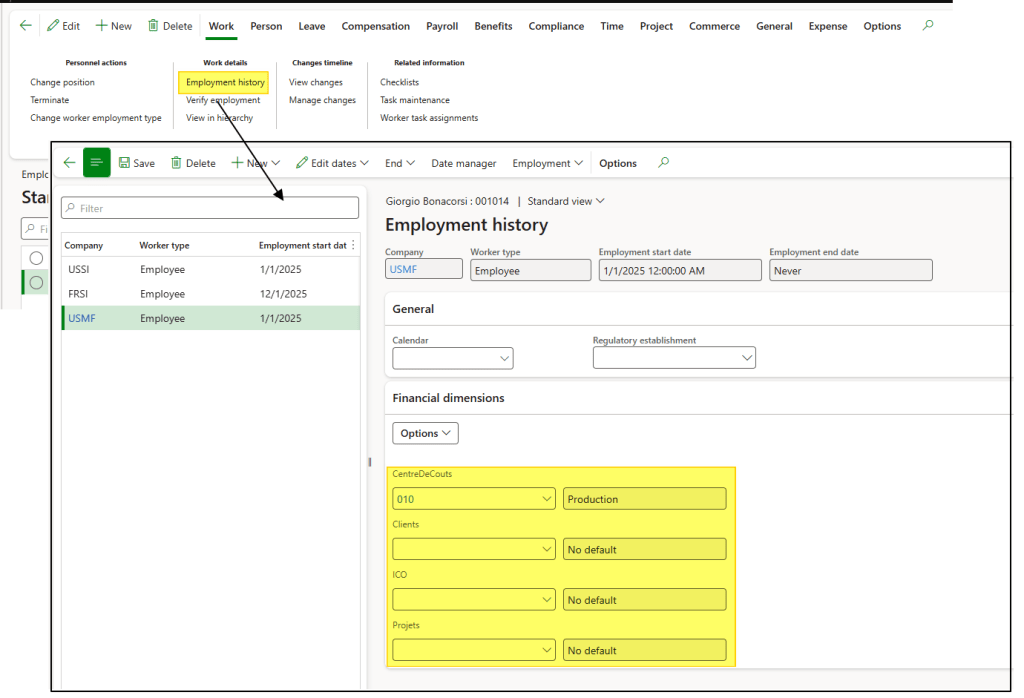
Go to: Human resources> Workers> Employees.
Select the employee in the system and click on Employment history.
From here, you can see the legal entity associated with the employee’s employment record. The financial dimensions are set per legal entity on the employment record.
Create expense report or expense
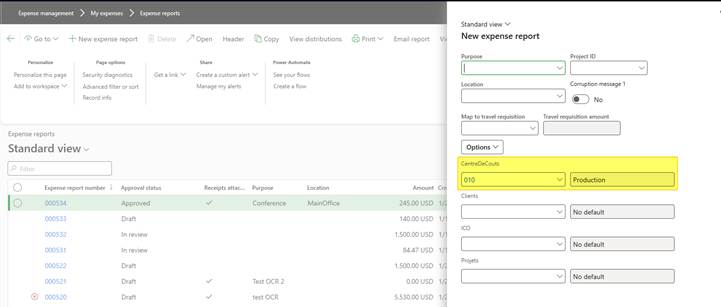
Go to: Expense management> My expenses> Expense report
Therefore, when creating an expense report in a specific legal entity, the system will inherit the financial dimensions defined for that employee in that same legal entity.
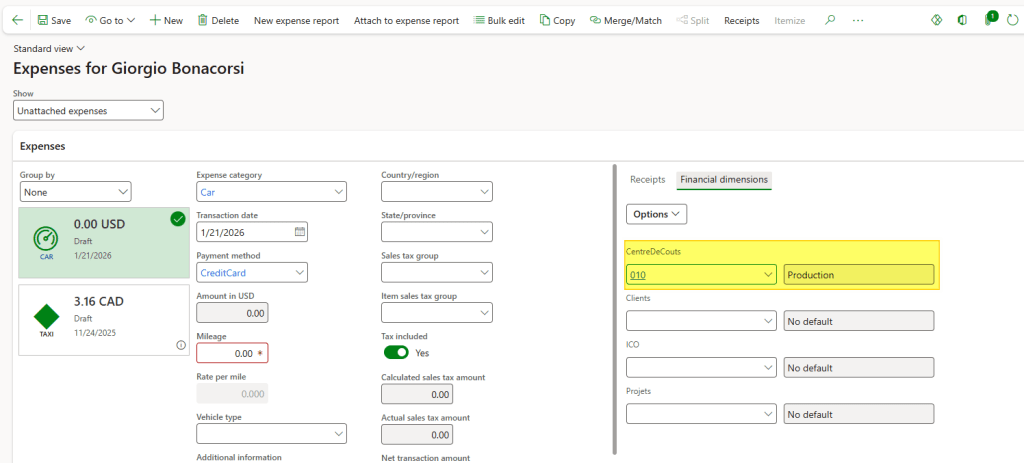
Go to: Expense management> My expenses> Expenses.
The same inheritance logic applies when creating the expense report itself.

 Dax365FO
Leave a comment