
Configuration
Go to: Warehouse management> Setup> Inventory> Reservation hierarchy.
This configuration enables the relevant dimensions to evolve during item reservation, ensuring they cover demand from sales orders, transfers, and work orders.
You can select only those dimensions available via on-hand inquiries during the reservation process. Items are then reserved for the order based on inquiry details and on-hand quantities broken down by this configuration
Create a new hierarchy and select the involved dimensions. Then choose the column order for displaying on-hand inquiries.
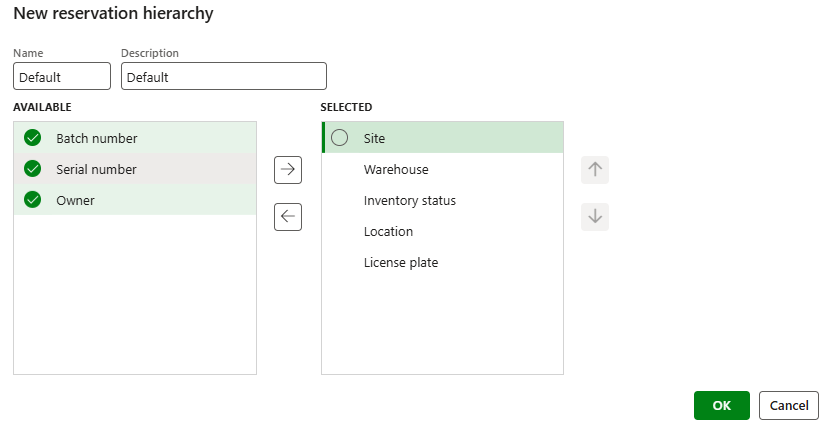
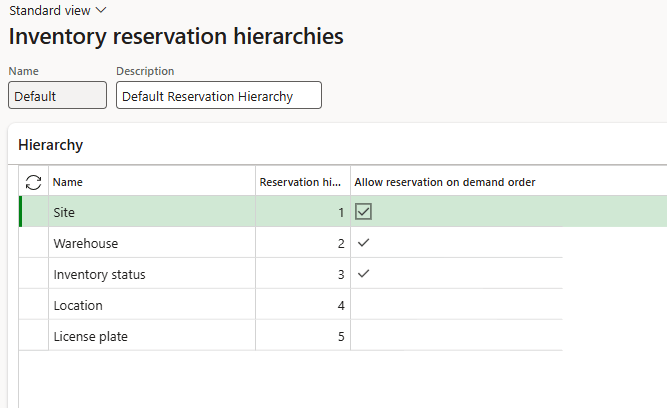
Select the dimension visible by the user. The reservation and picking from the dimension hide will be auto-manage by the WMS itself.

 Dax365FO
Leave a comment