
Configuration
Go to: Inventory management> Setup> Inventory breakdown> Sites.
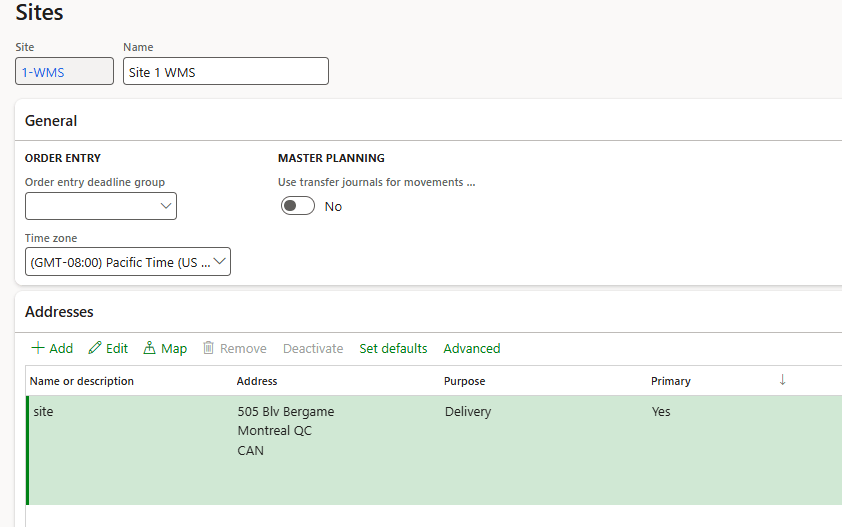
The minimum configurations to insert are inserting the ID and Name. It is even good practice (no mandatory) to add even the site address (we can reuse in further documents or tax calculation):
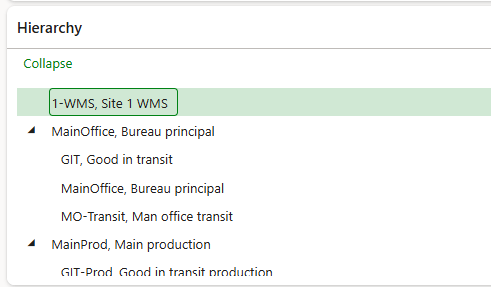
The hierarchy is not a setup, but a display value. It display the hierarchy tree configurated between the site and the warehouse:
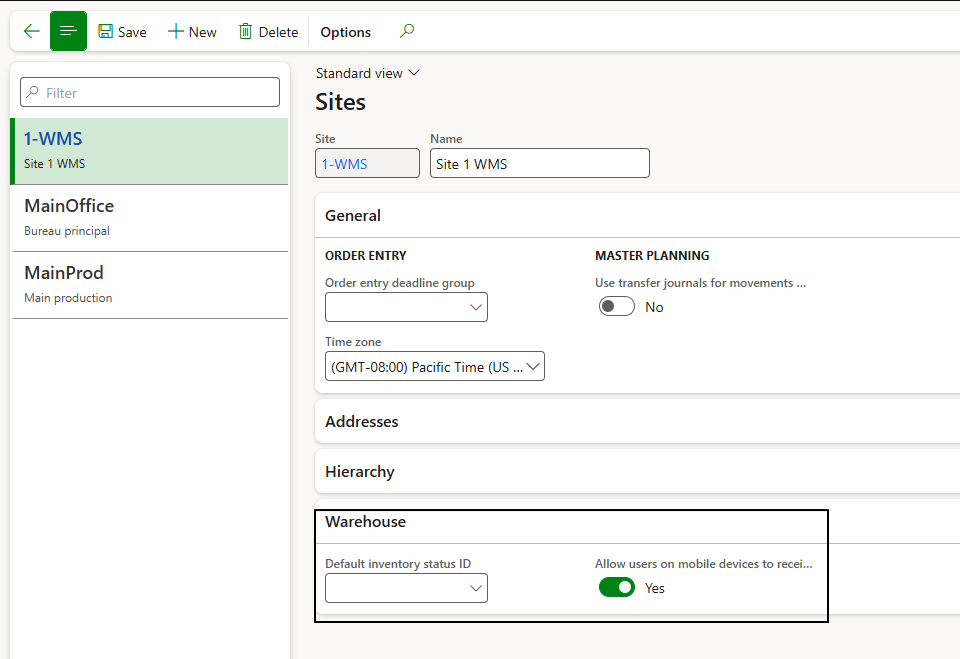
About the WMS, we can see the details configuration under the session “warehouse”:
- Allow user on mobile devices to receive at another device: Enable the user to receive load from another warehouse related to this site. Otherwise we have to receive the load precisely on the warehouse specified;
- Default inventory status: We can see the default status to attribute at our receipt;

 Dax365FO
Leave a comment