
Business requirements
It is possible to calculate, when entering a pending invoice, whether the document satisfies certain policy requirements. If violations are detected, the system displays an informational message to notify the user whether the document complies with a specific policy or not.
Therefore, currently on the version 10.0.45, any blocking based on specific insertion criteria should be handled by the workflow instead.
If you believe that policy violations should impact the posting process, you can vote for this idea: https://experience.dynamics.com/ideas/idea/?ideaid=0ea94dbb-5c01-f111-bb46-7c1e52d61fef
Configuration
Invoice validation
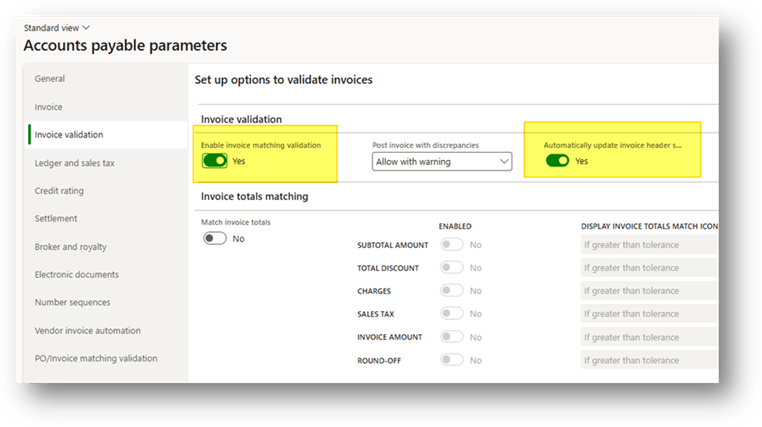
Go to: Accounts payable> Setup> Accounts payable parameters.
We need to have the matching validation calculated for running the policy validation:
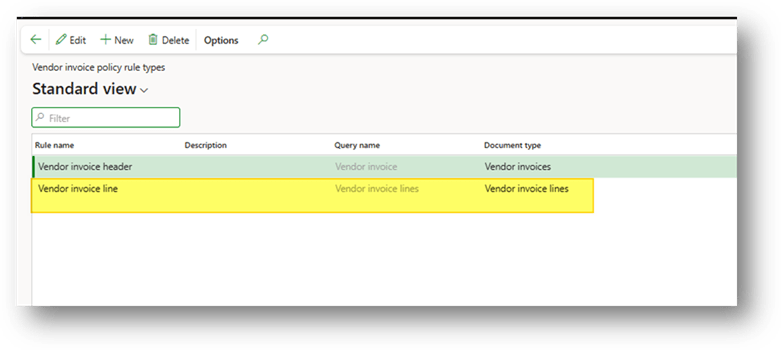
Vendor invoice policy rule types
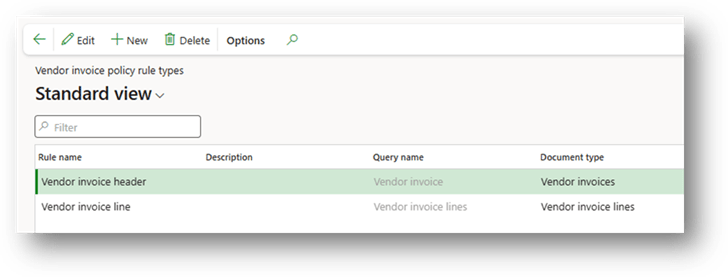
Go to : Accounts payable> Policy setup> Vendor invoice policy rule type.
Create the invoice element that will be subject to the policy rules definition.
Vendor invoice policies
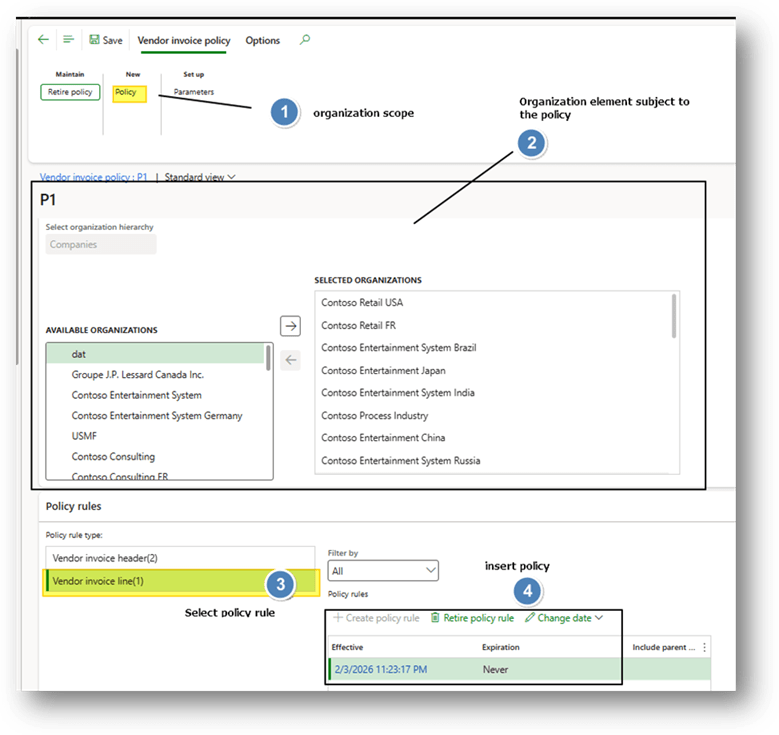
Go to : Accounts payable> Policy setup> Vendor invoice policies
Create a vendor invoice policy. Select the vendor invoice rules names previously configured and set the criteria to trigger the rules.
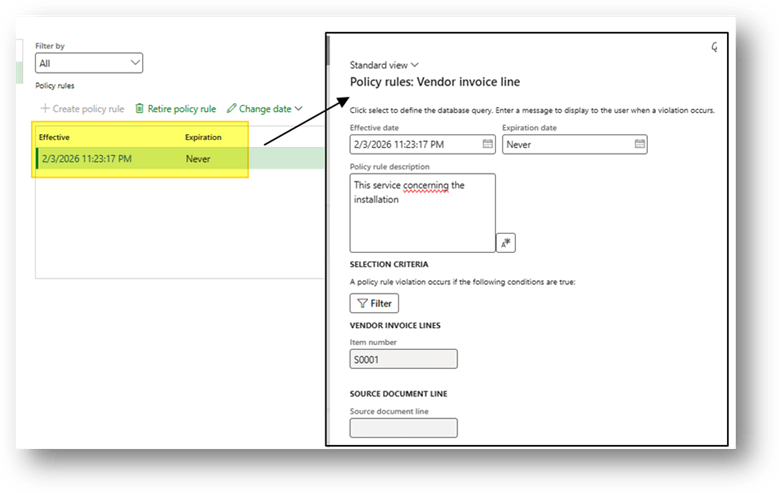
During the configuration insert event the message show during the invoice insertion:
Process
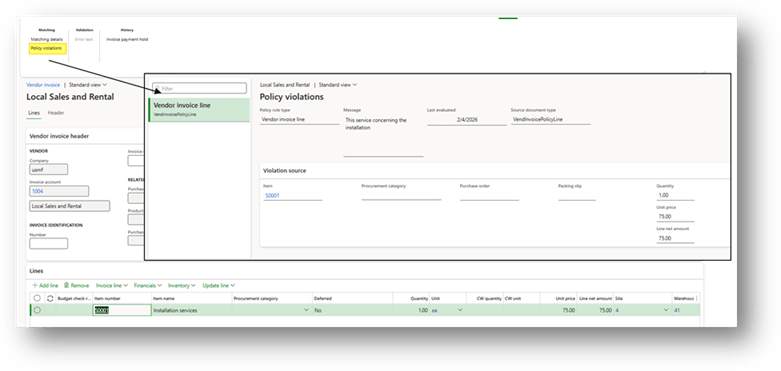
When we insert the invoice, the system calculates the policy violations during the saving process. If there are any violations, D365FO displays a confirmation message.
Notice
Right now, when I try this function, only the line control is working:

 Dax365FO
Leave a comment