
Configuration
Go to: Warehouse management> Setup> Worker.
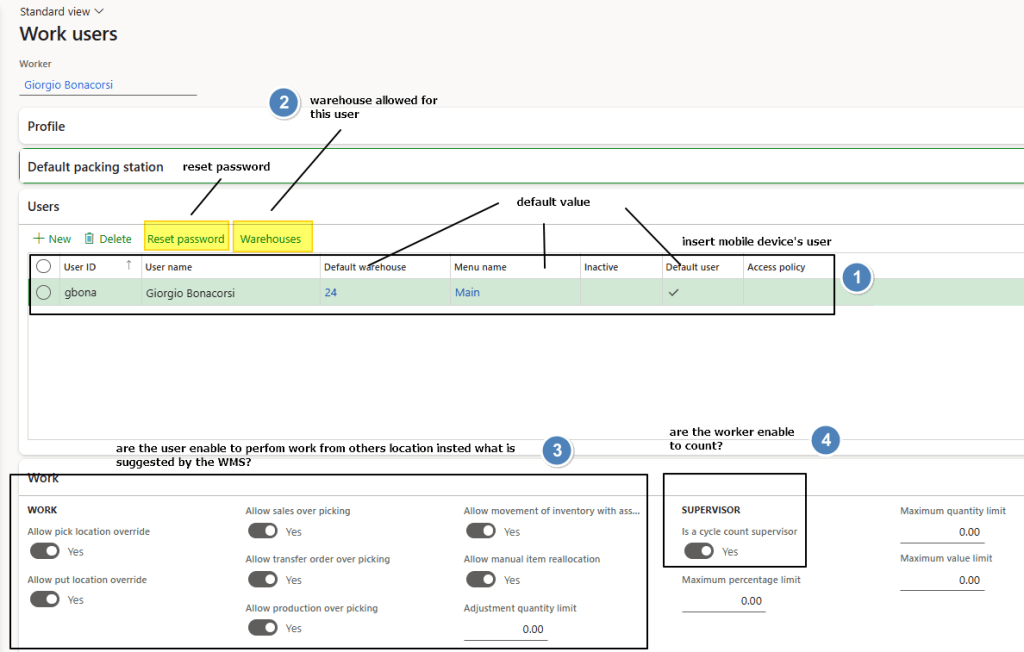
We configure here the user enable to use the warehouse mobile device. There are the minimum technical requirement access and work with the apps:
- Select worker (created from human resource module)
- Create user tied to the user, set the password, and set default value
- Select the warehouse tied the user
- Choose if the user can work from different location rather that suggested by WMS
- Choose if the user can perform a counting

 Dax365FO
Leave a comment