
Configuration
Go to: Warehouse management> setup> warehouse> unit sequence group.
This setup is really important, so here’s a quick example to show why.
Imagine we work with watches. We need to indicate that:
- 1 box contains 20 watch packages
- 1 pallet contains 15 boxes
In this example, package, box, and pallet are three different units of measure.
This configuration exactly defines the unit of measure and conversions involved into our process. Moreover, we configure here even the warehouse policies for each unit of measure. For example, when we produce we want to thinks at each package level, but when we purchase at pallet level.
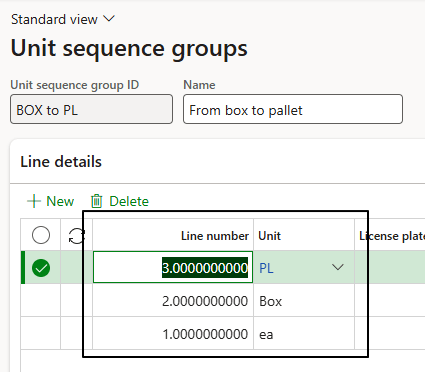
Create the unit sequence group, and set the units from the most detailed level to the highest level (typically the pallet).
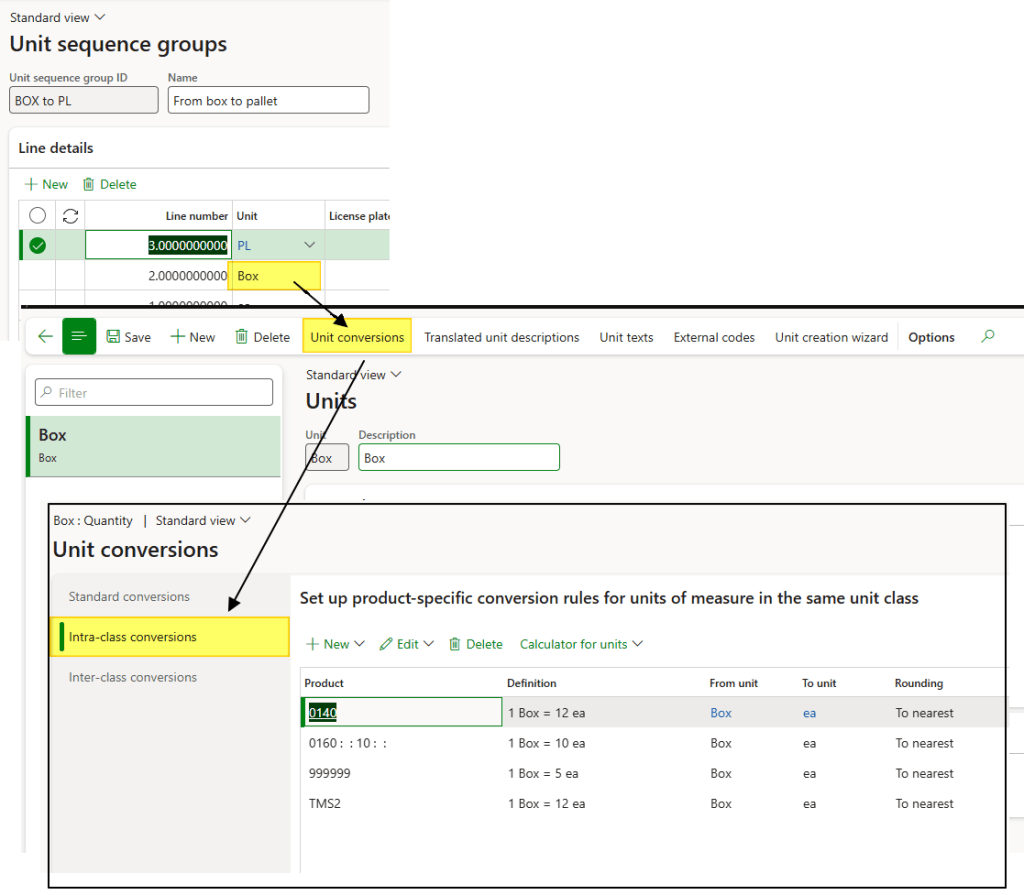
Configure inside each unit of measure the intra-class conversion measure (to say that1 box contains 20 watch packages):
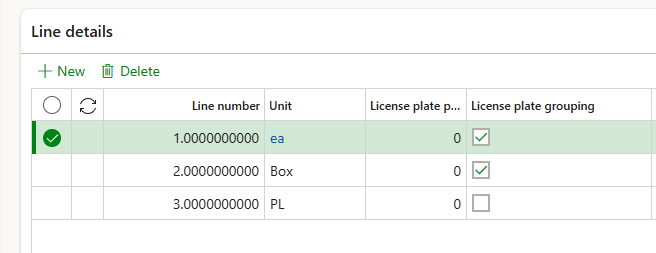
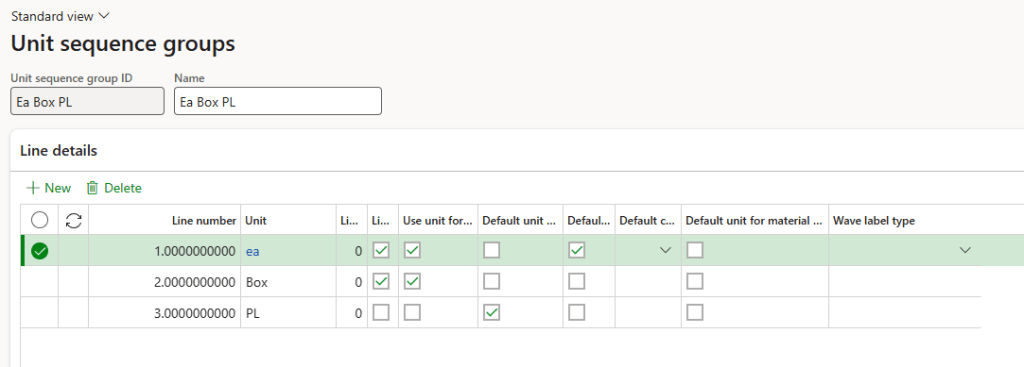
Back to our unit sequence groups we can go detailly on the configuration of the warehouse policies for each unit of measure:
- License plate packing type: ID to use when we generate the licence pallet number;
- License plate grouping: Allow grouping by this unit of measure to roll up to the upper level;
- Use the unit for cycle counting: set this unit as default when we do a counting;
- Default unit for purchase and transfer: set this unit as default when we do a purchase or a transfer;
- Default unit for production: set this unit as default when we do a production order;
- Default unit for material consumption: set this unit as default when we record the consumption;
- Default container type: Type of container to use when we pack;

- Wave label: Impact on the creation of the wave label;
License plate grouping case
We can use your this case as example:
- 1 box contains 20 watch packages
- 1 pallet contains 15 boxes
- We have to pick 355 watch pack
Option 1: We set group by each YES and Box NO, the system will generate:
- One pallet with 20 boxes
- Second pallet with 55 watch package
Option 2: We set group by each YES and Box YES, the system will generate:
- One pallet with 20 boxes
- Second pallet with 2 boxes
- Thierd pallet with 15 watch package

 Dax365FO
Leave a comment