
Introduction
In the WMS, warehouse locations must be configured within the warehouse management module. Before that, certain prerequisites need to be set up:
- Location type: type used to organize the location (receipt, ship, pack, etc..)
- Location format: format to generate the ID for the labels;
- Location profile: contain rule for the automatic location creation and policies tied to them;
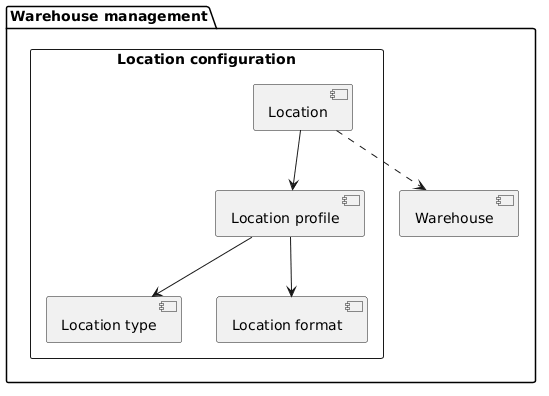
Configuration
Location type
Go to: Warehouse management> Setup> Warehouse> Location types.
These type are used as statistical information, and we use them to classify our location.
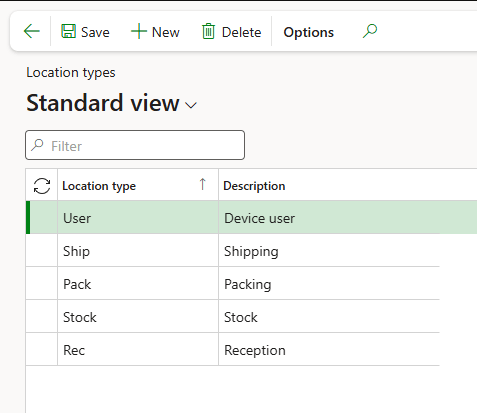
Location format
Go to: Warehouse management> Setup> Warehouse> Location formats.
This configuration define the label configuration for the location:
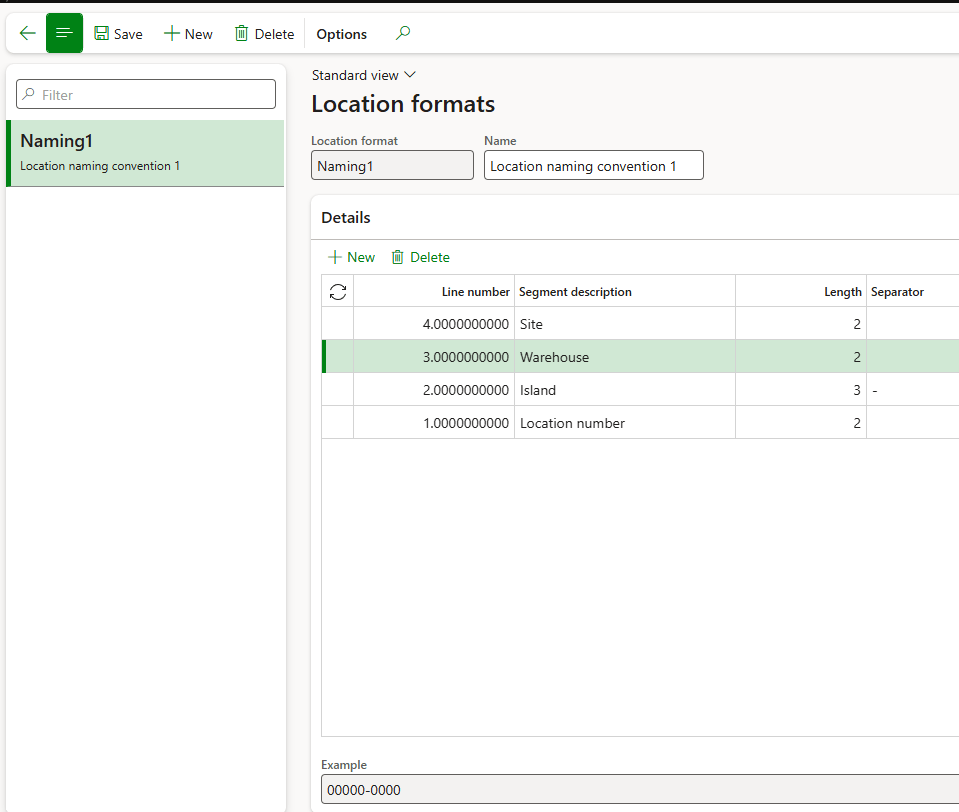
Location profile
Go to: Warehouse management> Setup> Warehouse> Location profiles.
This setup contain all the rules to create new locations and the different polices to follow. We will see how to leverage the different advanced flags later.
For now, we are limiting ourselves to the basic setup required to run the WMS:
- Location format: format for naming the location;
- Location type: Select the location type.
- Use license plate tracking: The system will request and track the license plate for each operation;
- Allow mixed items: Allow multiple items on the license plate grouping;
- Allow mixed inventory status: Allow items with different status on the license plate grouping;
- Allow mixed inventory batches: Allow items from different batches on the license plate grouping;
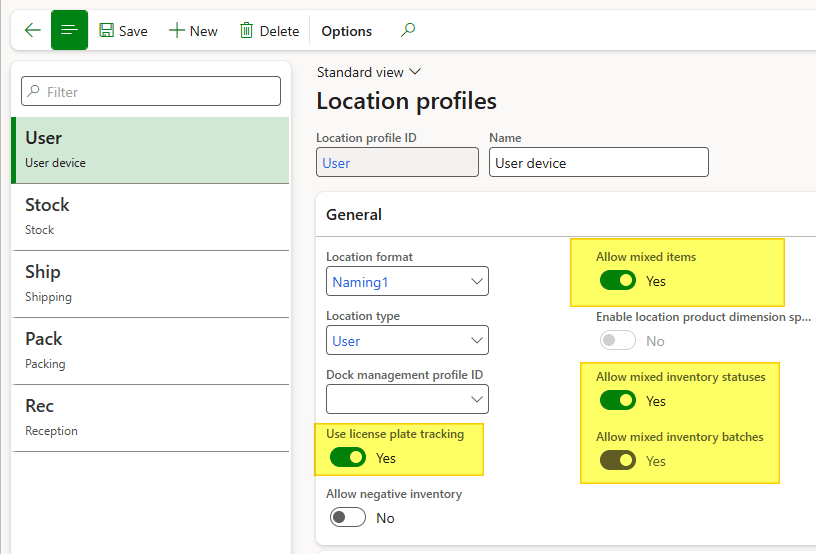
Feel free to follow the configuration that you prefer, but the parameters suggested for our demo:
| Id | Use license plate tracking | Allow mixed items | Allow mixed inventory status | Allow mixed batches |
| Rec | Yes | Yes | Yes | Yes |
| Stock | No | Yes | No | Yes |
| Pack | Yes | Yes | Yes | Yes |
| Ship | Yes | Yes | Yes | Yes |
| User | Yes | Yes | Yes | Yes |
Location stocking limits
Go to: Warehouse management> Setup> Warehouse> Location stocking limits.
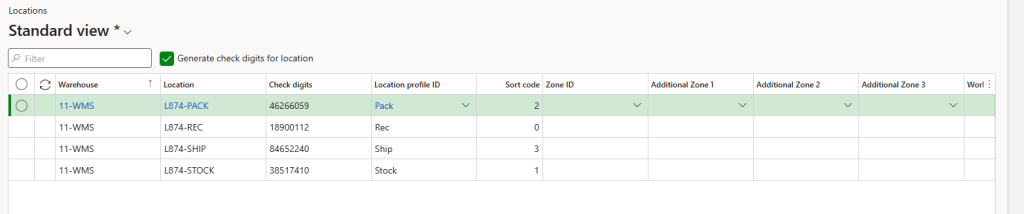
Create the locations for our warehouse and add them manually in the Location module, including the ID for each one. Using short location codes helps the WMS calculate the most efficient item movements.

 Dax365FO
Leave a comment