
In the previous article, we introduced UML for ERP implementations. Now, let’s explore the package diagram through an example and see how it can help us during implementation.
The package is a collection of classes, reports, etc. From an ERP perspective, I prefer to represent modules as sub-packages and the product as the main package.
The key benefit of this approach is that it becomes possible to clearly visualize the dependencies between packages. This makes it much easier to perform evaluations in terms of licensing and release management (e.g., compatibility, version conflicts, upgrade paths, or compliance across different releases).
Let’s look at an example. We want to release the Invoice Capture. The package then gives us a clear overview of all sub-packages (modules) involved, and the overall dependency.

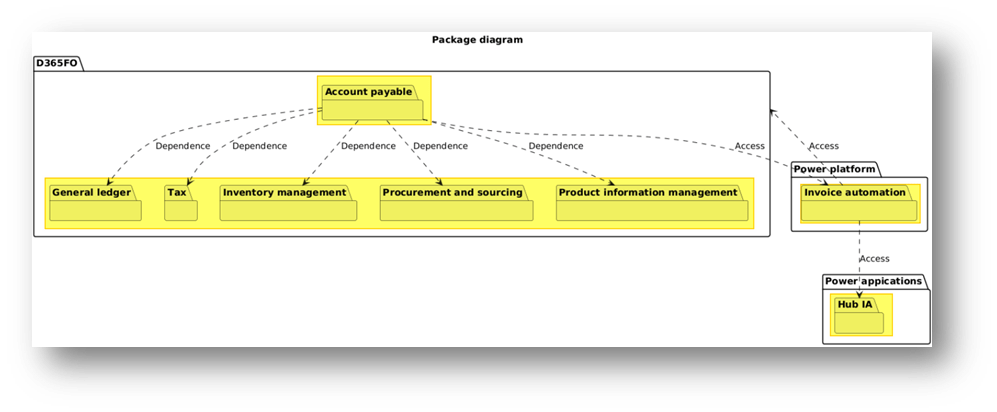
Relations between packages can be of two types: “Dependency”, one package requires the installation (and presence) of another package to run; “Access”, the package can be installed independently, but to run properly it needs to access to another package;
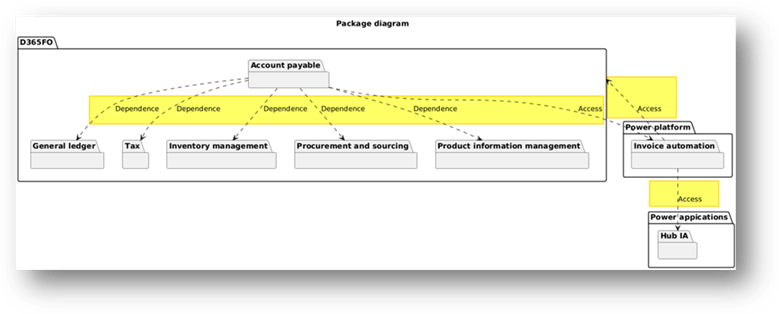
PlantUml code
For reference, here is the PlantUML code used to generate the diagram (note: this is the same from the code used for the component diagram).
@startumltitle Package diagrampackage "D365FO" {package "Account payable" {}package "General ledger" {}Package "Tax" {}package "Inventory management" {}Package "Procurement and sourcing" {}Package "Product information management" {}}package "Power appications" {package "Hub IA" {}}package "Power platform" {package "Invoice automation" {}}"Invoice automation" ..> "Hub IA" : "Access""Invoice automation" ..> "D365FO" : "Access""Account payable" ..> "General ledger" : "Dependence""Account payable" ..> "Tax" : "Dependence""Account payable" ..> "Inventory management" : "Dependence""Account payable" ..> "Procurement and sourcing" : "Dependence""Account payable" ..> "Product information management" : "Dependence""Account payable" ..> "Invoice automation" : "Access"@enduml

 Dax365FO
Leave a comment