
Introduction
This is the simplest way to run an allocation using the percentage method. The allocation template is a rule configured at the main account level. It automatically re-allocates amounts based on predefined percentages every time an entry is posted to that main account.
Configuration
Main account
Go to: General ledger> Ledger setup> Ledger.
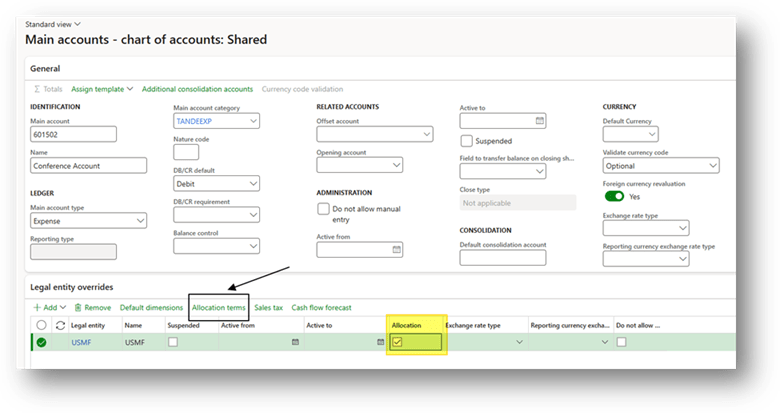
Select your main account, add the legal entity where the system should run the allocation and check the mark “allocation”. Then select “allocation terms” to configuration the rules:
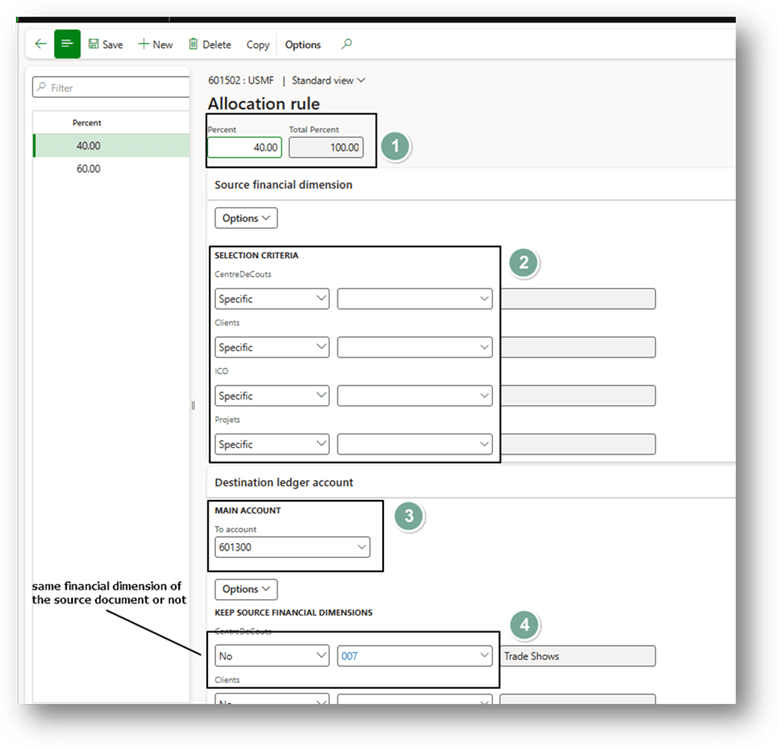
In the allocation terms, enter:
- the allocation percentage,
- the financial dimension values to identify the source amount,
- the main account for the destination (if different from the source),
- and whether to reuse the same financial dimensions or specify different values.
Process
General entry
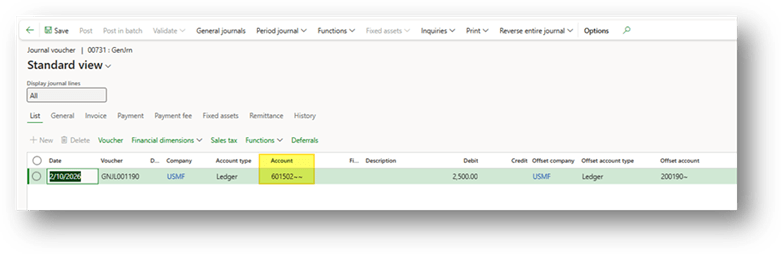
Post a general journal entry as usual, using the main account previously configured for allocation.
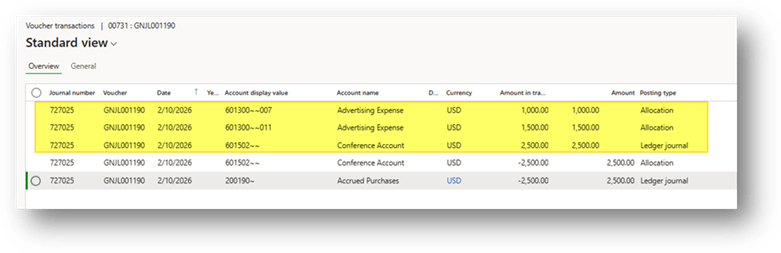
The system will automatically do the allocation with the posting:

 Dax365FO
Leave a comment