
Business requirement
It is common for companies with high volumes of tax transactions to face long processing times and high resource usage when running settlement and transaction posting. A frequent request is: “Can we run the settlement as a background batch job?”
Solution D365FO
Yes, we can run the settlement as a batch process instead of running it online and waiting. Note that even in batch mode, triggering the job remains manual.
Configuration
Sales tax settlement periods
Go to: Tax> Declarations> Sales tax> Settle and post sales tax.
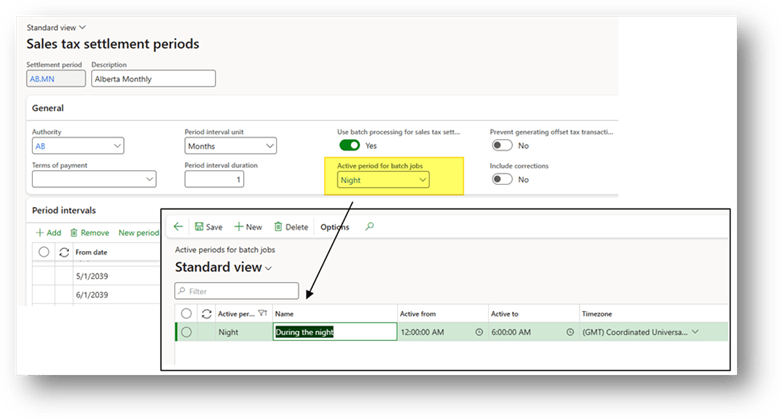
Select the settlement period and check the “Use batch processing for sales tax settlement” flag to indicate in D365FO that this settlement should be run as a batch:

In the filed “activate period for batch”, we can indicate the day’s interval when to run the batch:
Process
Settle and post tax
Go to: Tax> Declarations> Sales tax> Settle and post sales tax.
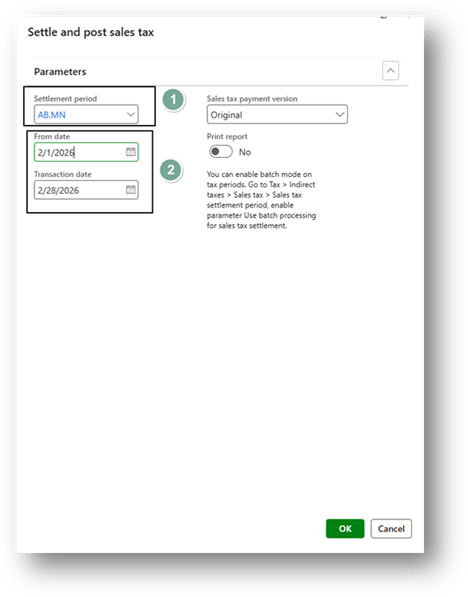
Run the settle and post process as usual (select the authority calendar and the range of time to settle):
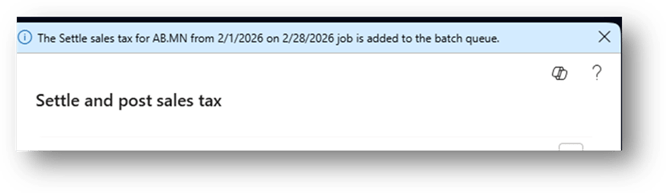
The system will confirm the batch schedule:
Note:
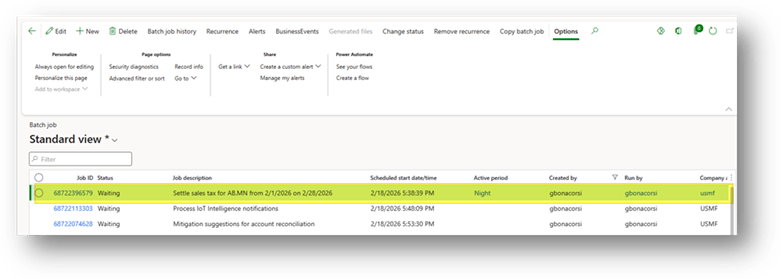
- You can see the schedule from the “batch jobs form”:
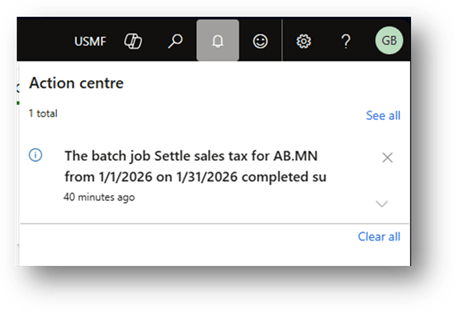
- When the system is finished, it will send a message to the user to notification:

 Dax365FO
Leave a comment