
Business requirement
D365FO includes various process policies (example: purchase requisition policies and expense report policies) that validate submitted documents.
A common challenge is deciding the right organizational level for applying these policies: some should apply across all legal entities, while others should apply only to specific operating units.
Solution D365FO
This article presents a solution to segregate policies between operating units. It uses an organization hierarchy that includes both legal entities and departments.
The system compares the organization allocation assigned to the policies against the department allocated to the user’s position.
Configuration
The configuration mapping is shown here:

Organization hierarchies
Go to: Organization administration> Organizations> Organization hierarchies
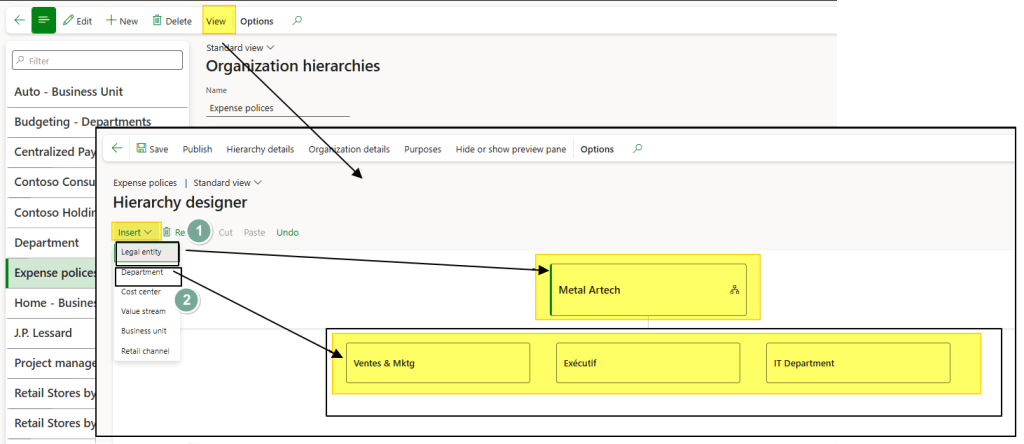
Create the organization hierarchy, then assign as first level the legal entity tree, as second level the departments:
Organization purpose
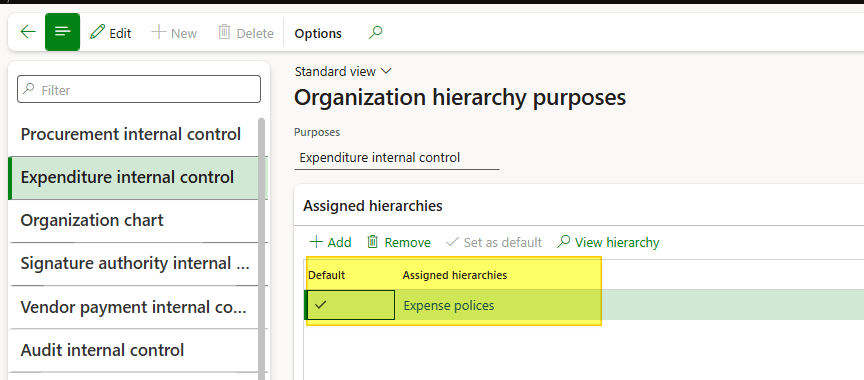
Go to: Organization administration> Organizations> Organization hierarchy purposes.
Assign the previously created organization hierarchy to the policies’ organization purpose (in this example: Expenditure internal control).
Worker
Go to: Human resources> Workers> Workers.
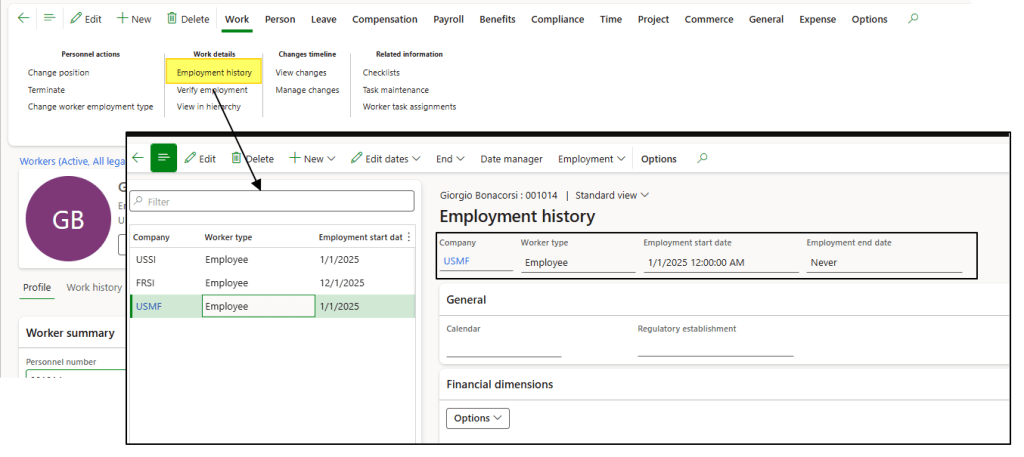
Ensure the worker has these parameters set correctly:
- Legal entity: The worker is linked to the correct legal entity.
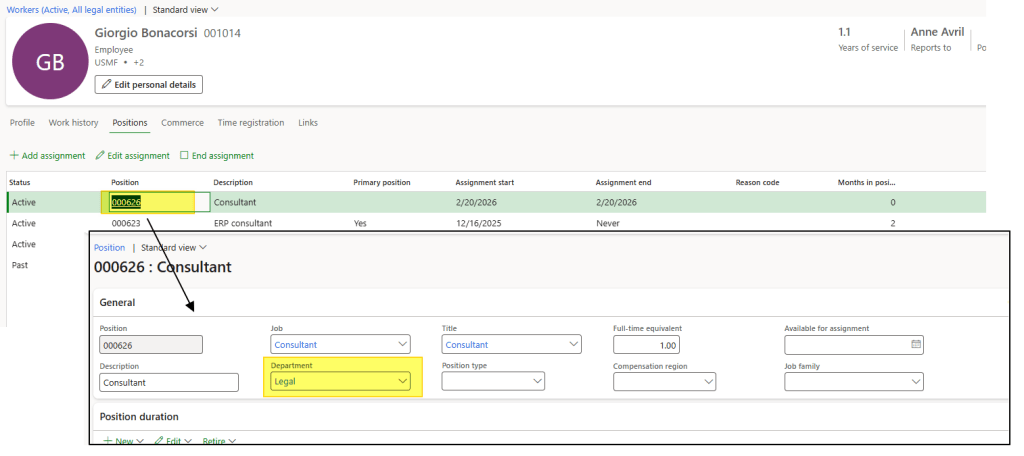
- Position: Ensure the assigned position has the correct department.
Polices
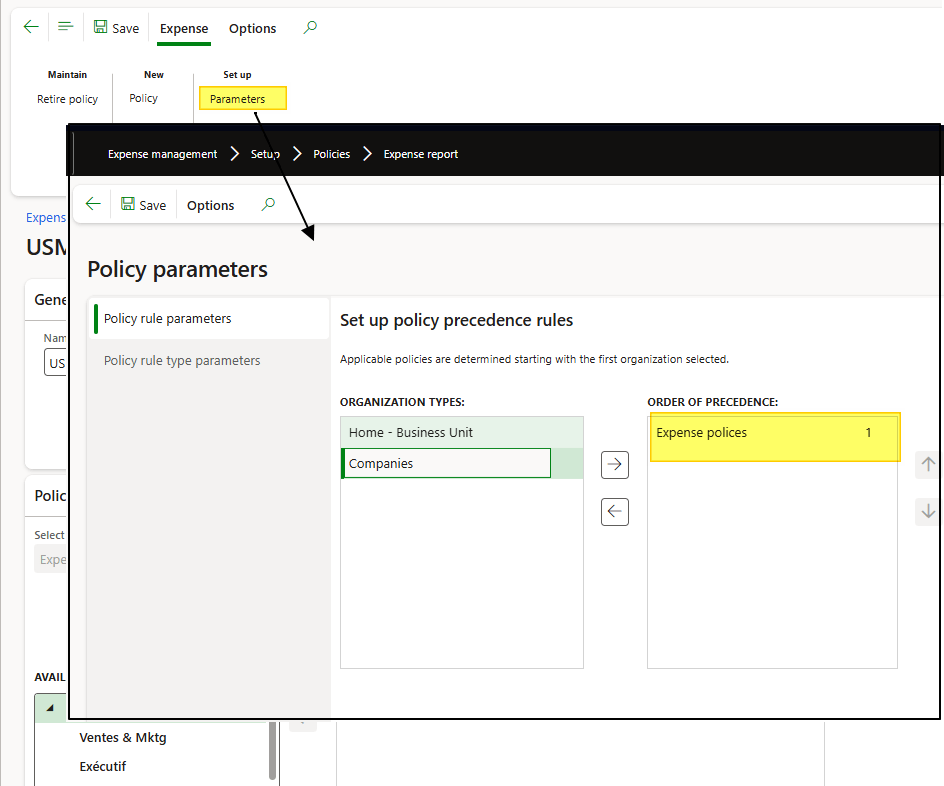
Open the policies, click Parameters, and select the organization hierarchy to apply.
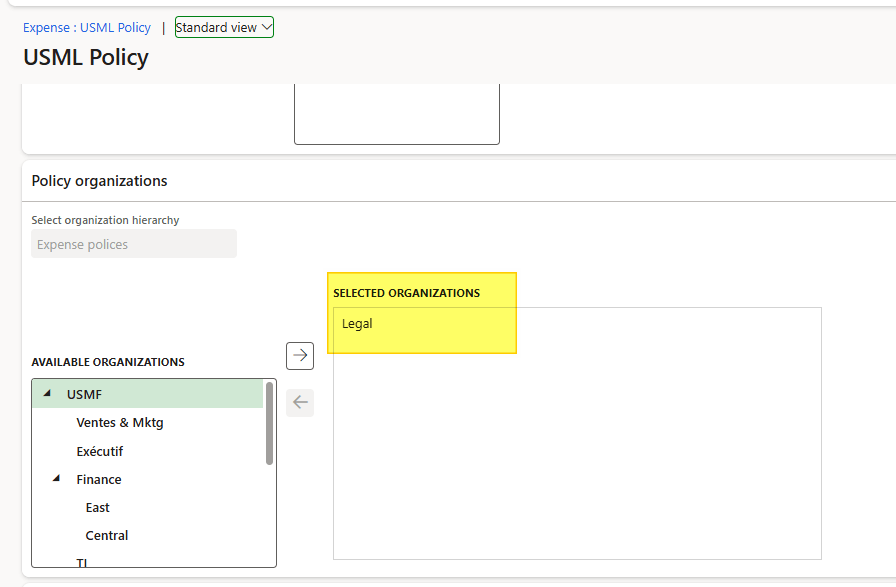
Select the organization unit (legal entity or/and department) where we want to apply the polices:
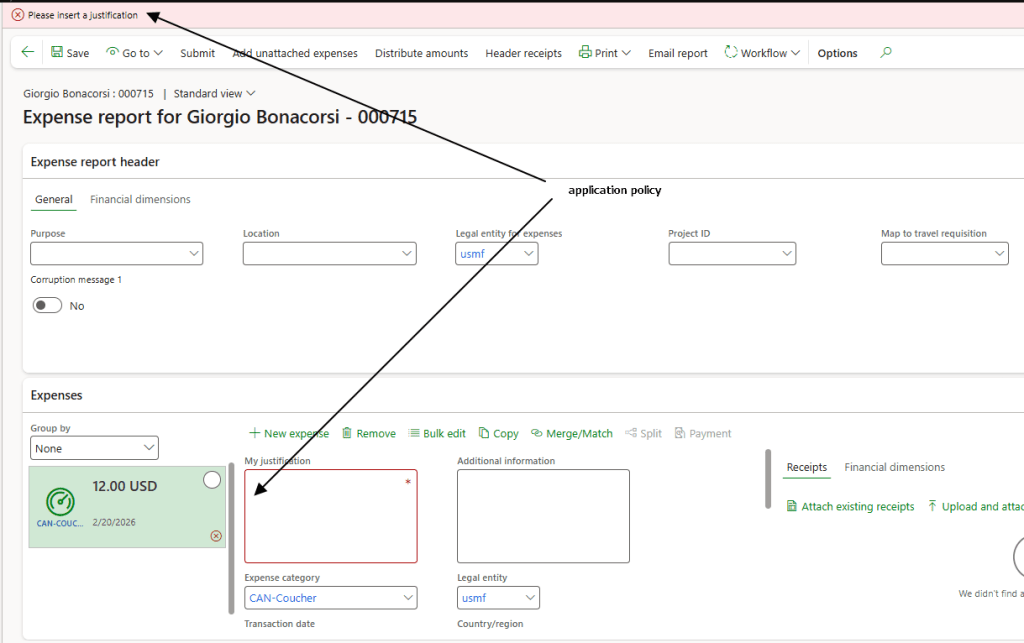
Insert the rest of the policies as usual.
Process
The policy is applied when the following conditions are matched:
- The legal entity and department assigned to the worker are consistent with the configuration defined on the policy.
- The policy rules are consistent with the document information.

 Dax365FO
Leave a comment