
Business requirement
From a management accounting perspective, there are several ways to calculate realistic depreciation of a fixed asset for internal reporting.
One approach is activity-based depreciation, which tracks depreciation based on actual consumption or usage rather than time. Example: we want to track the depreciation of our vehicle based on the millage/kilometer consumed.
D365FO Solution
Prerequisite: You need a basic understanding of fixed asset configuration and processes to read this article. Some setup steps (such as configuring the posting profile) will not be covered, as they are the same as in the standard configuration.
Configuration
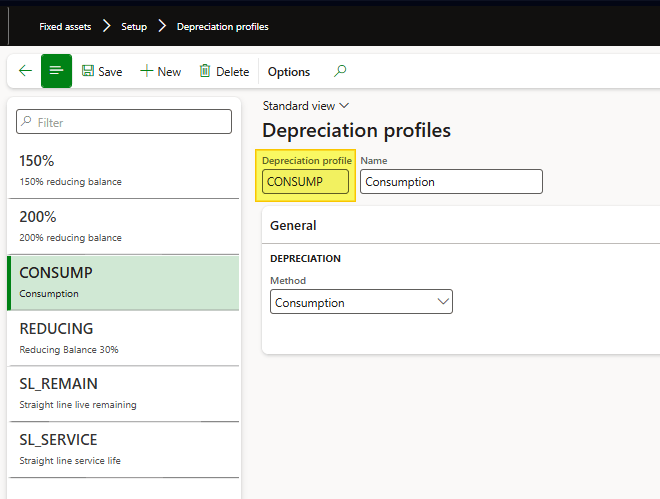
Depreciation profiles
Go to: Fixed assets> Setup> Depreciation profiles.
Create a depreciation profile, and select as method “consumption”.
Books
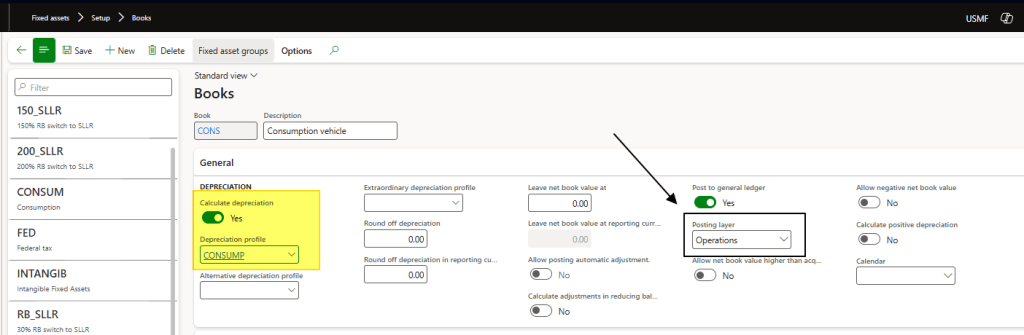
Go to: Fixed assets> Setup> Books.
The book drives the account transactions. Select the depreciation profile to define the depreciation calculation method.
Pay attention to the posting layer: current is typically used for statutory reporting, and operations is often used for management accounting.
Consumption units
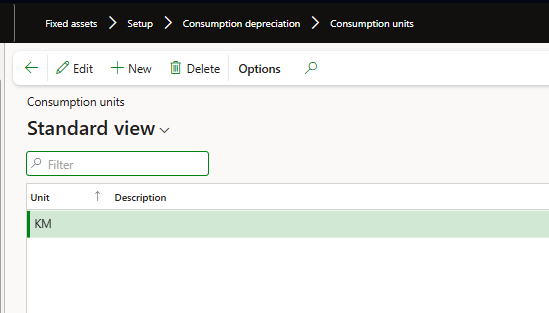
Go to: Fixed assets> Setup> Consumption depreciation> Consumption unites.
Insert the consumption unit of measure.
Consumption factor
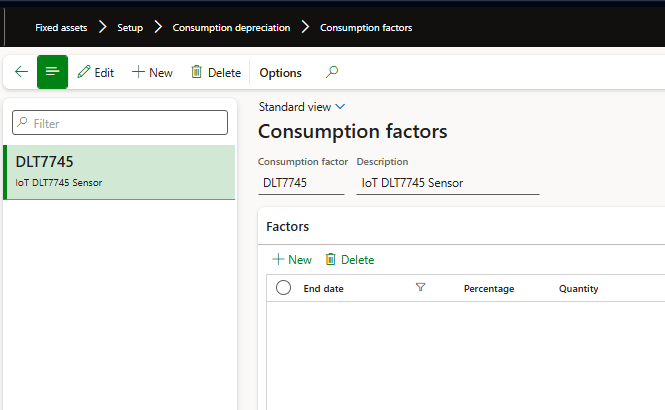
Go to: Fixed assets> Setup> Consumption depreciation> Consumption factors.
This shows the consumption history of our asset. You can see here the total consumption from the sensor linked to the asset. Notice: Each book can have only one consumption factor.
Process
Create the fixed asset
Create the fixed asset, and purchase it in the usual way. In our example we gonna to create a Lamborghini Revuelto.
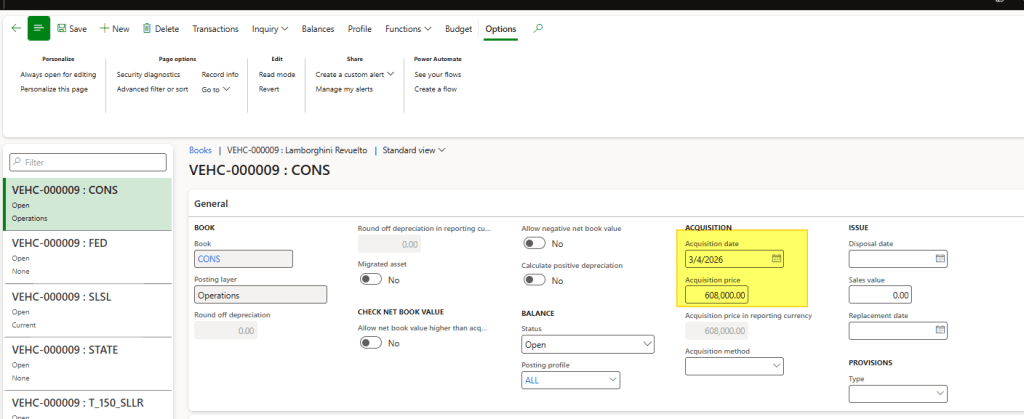
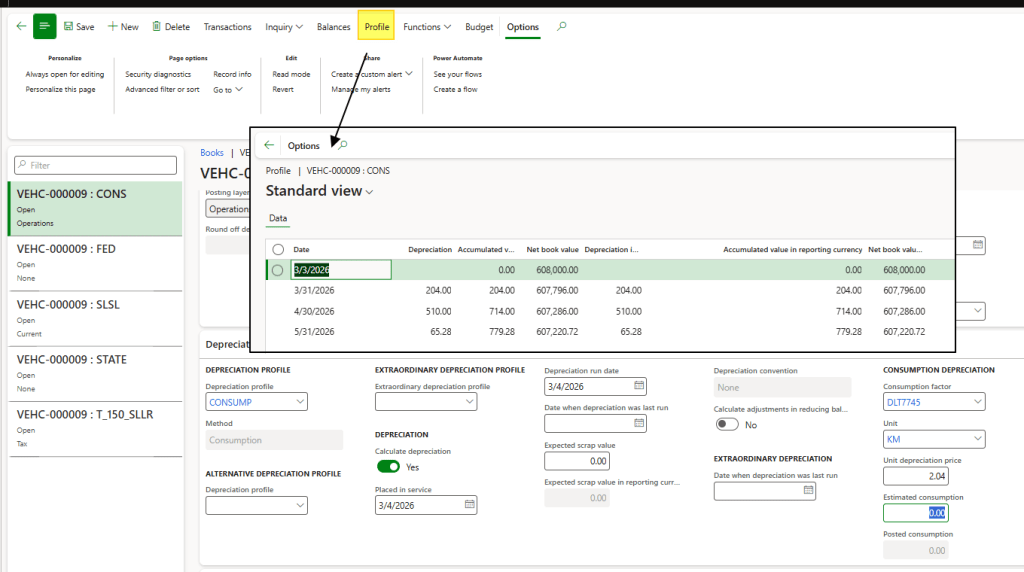
Complete the book information with the following details:
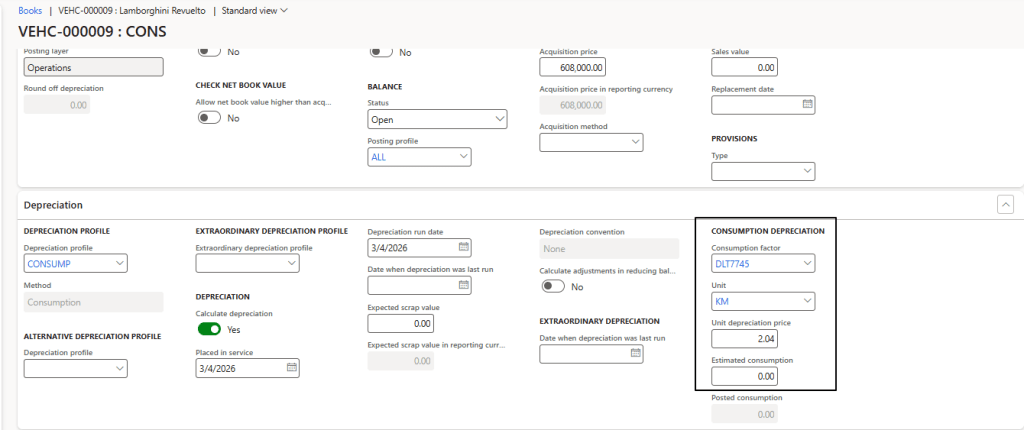
- Consumption factor: Where the consumption history is recorded.
- Unit: Unit of measure for the consumption.
- Unit price: If the consumption factor is percntague-based, enter the unit price per percentage. Otherwise, it’s the price for each quantity;
- Estimate: If the consumption factor is percntague-based, insert the maximum quantity to depreciated. This fiels isn’t use if we have a consumption factor quantity-based;
Tracking consumption
Go to: Fixed assets> Setup> Consumption depreciation> Consumption factors.
Enter the consumption tracking in the factor. You can choose to track it by quantity (KM in our example) or by percentage.
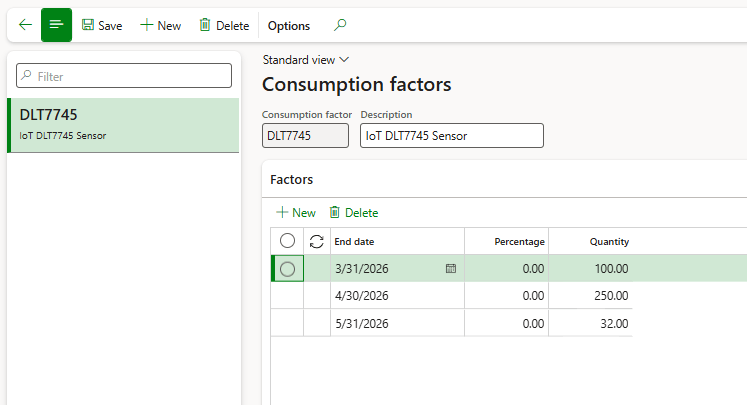
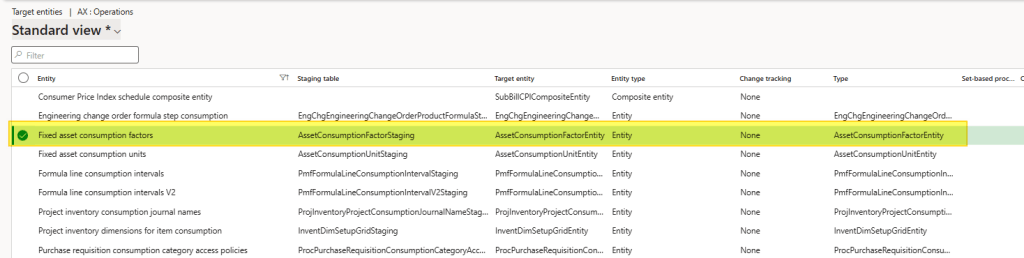
Note: To integrate with external IoT systems, you can import data via API using the data entity “Fixed asset consumption factors.”
Calculate depreciation
Calculated and post the depreciation as usual. We can see that the depreciation is calculated now, based into our consumption.
Example: Depreciation of march 2026 is 100 KM * 2.04 unit price rate = 204

 Dax365FO
Leave a comment