
Introduction
In D365FO, there is built-in functionality to send payment notifications to vendors, when a payment has been processed.
Configuration
Feature management
Path: System administration> Workspaces> Feature management
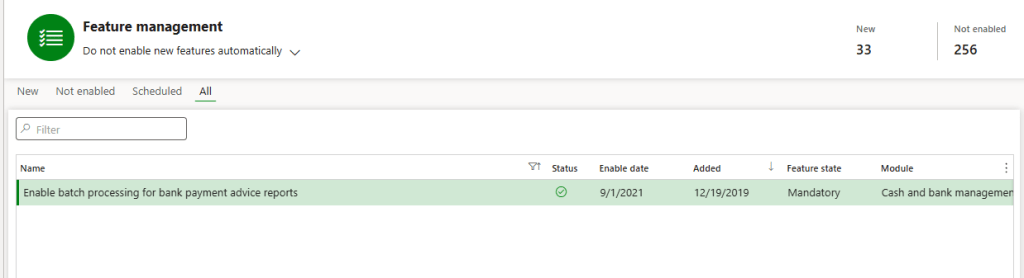
Enable this feature “Enable batch processing for bank payment advice reports”:
Form setup
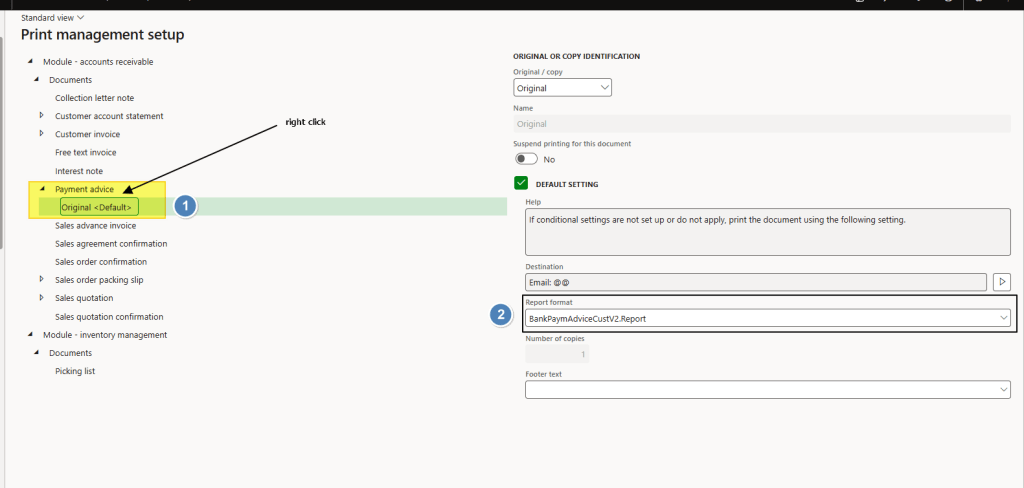
Path: Accounts receivable> Setup> Forms> Form setup.
Create a new configuration for the payment advice, and select the layout to use:
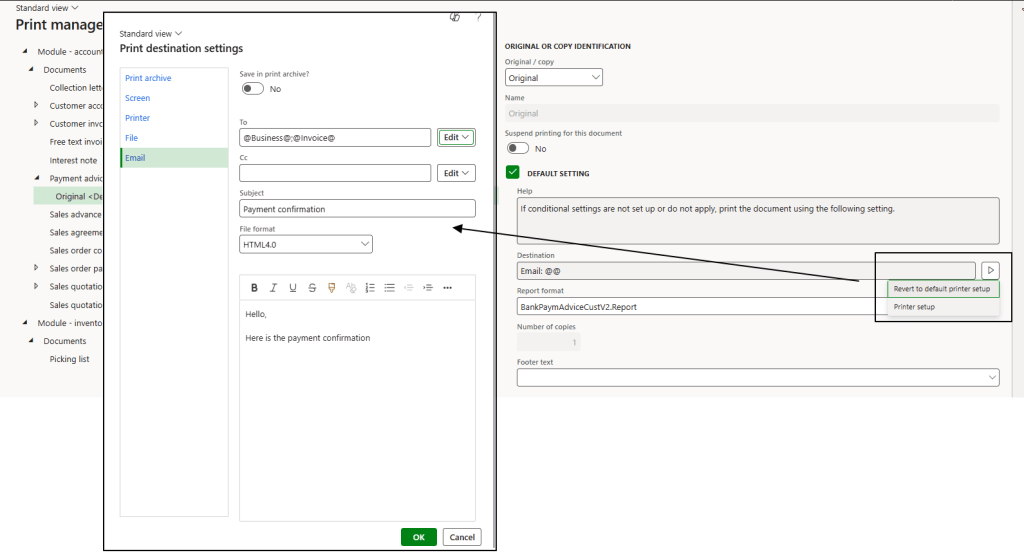
Select the communication channel and configure it based on your needs. In this case, we send an email with purpose “Business” and “Invoice”.
Process
Customer/Vendor master data
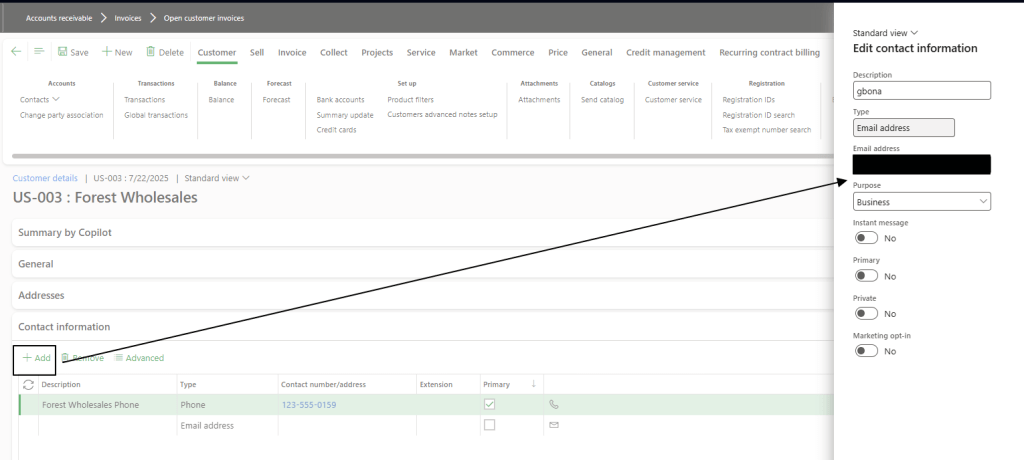
Insert in the customer/vendor master data the email’s contact. In this case, the purpose used consistent with the setup is “Business”:
Create the payment journal as usual. Before printing the payment advices, change the line status to “Sent”.

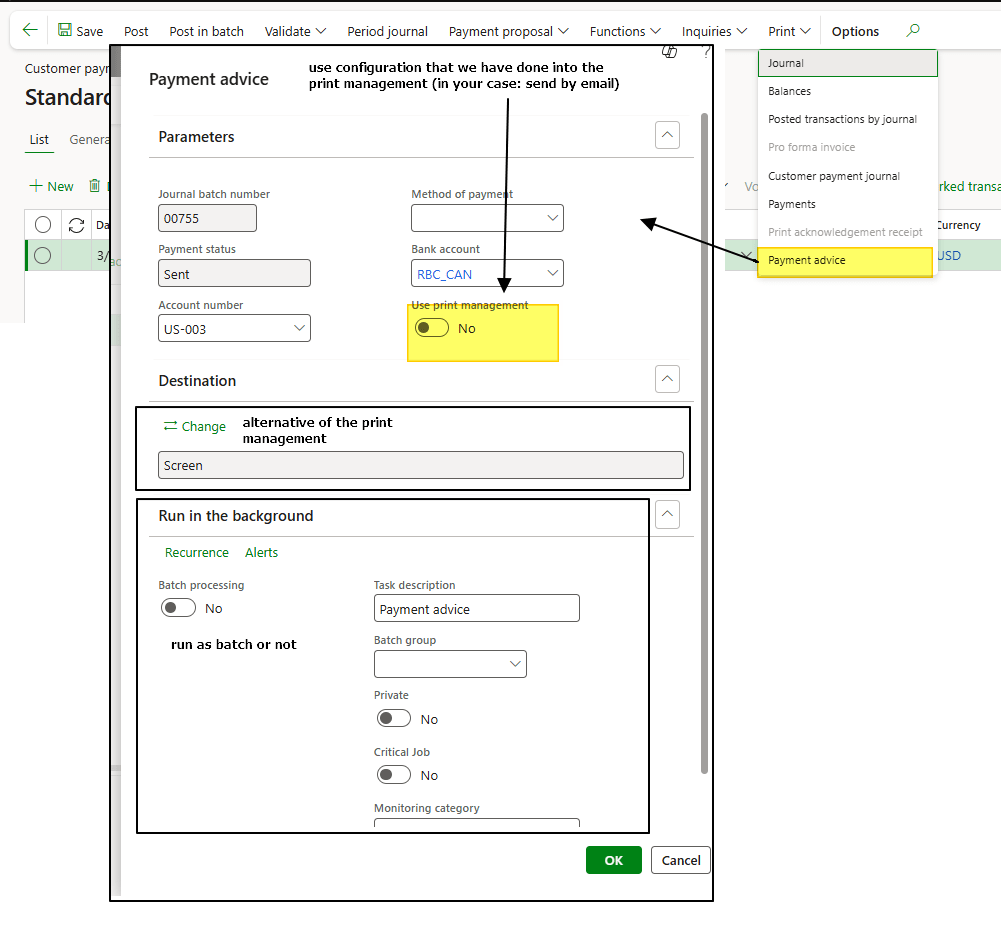
Run the payment advice notification and choose the run parameters:
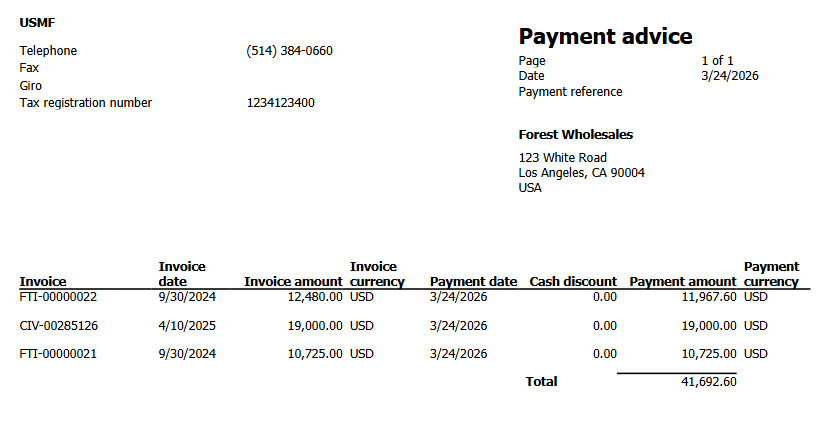
That’s a facsimile of the advice layout produced by the OOB layout:

 Dax365FO
Leave a comment