
Introduction
The credit score represents a risk assessment of the customer. In other words, it indicates the probability that the customer will make an overdue payment. It is based on the customer’s information and payment history (such as average payment days, DSO, etc.).
The credit score can be used purely as statistical information or as a key parameter for calculating the credit limit and for evaluating sales order blocking.
Configuration
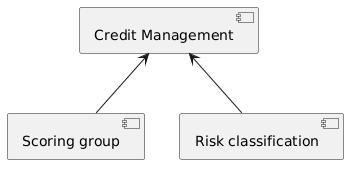
You can find below an overview of the configuration. The main elements of the application configuration are:
- Credit management: Enables the credit management function.
- Scoring Group: Defines the rules used to allocate risk points to our customers.
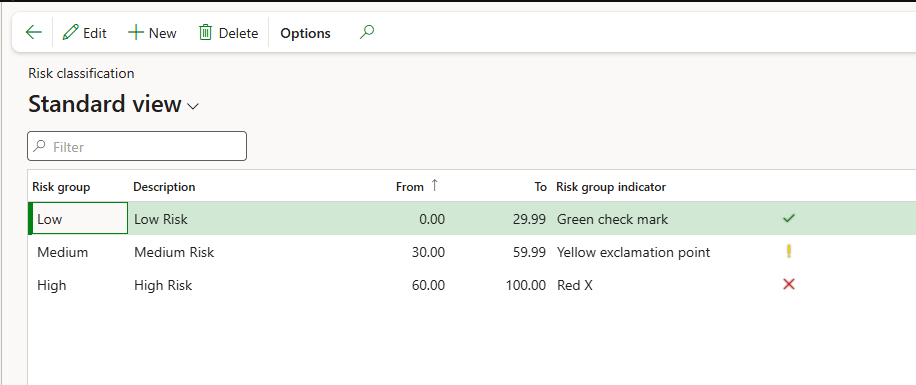
- Risk Classification: Determines the risk group based on the total risk score accumulated by the customer.
Credit management
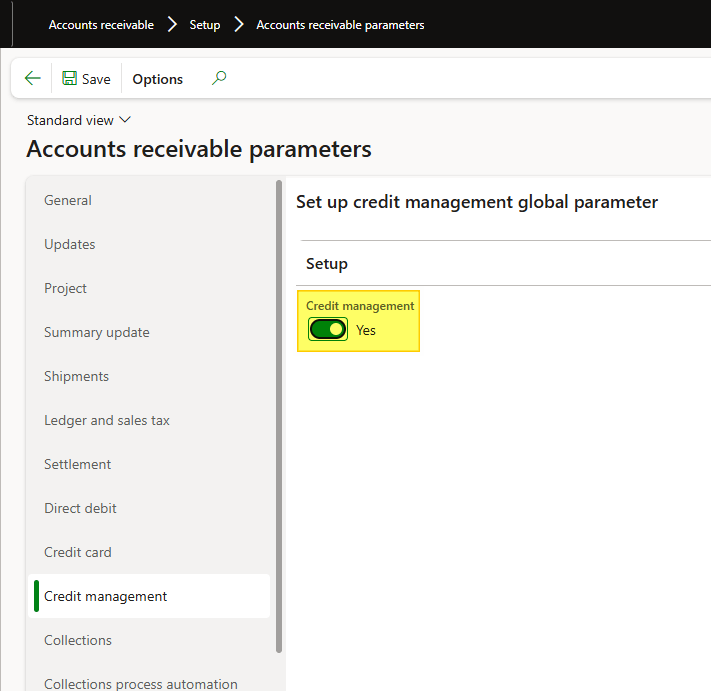
Path: Accounts receivable> Setup> Accounts receivable parameters.
As part of the credit management, we have to enable this function to use the credit score risk.
Scoring Group
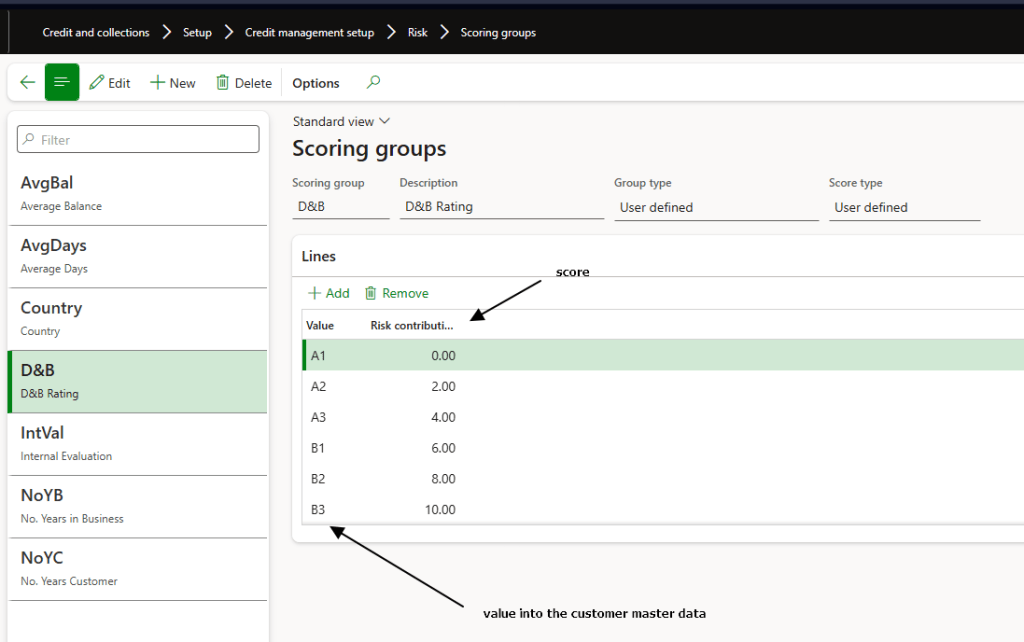
Path: Credit and collections> Setup> Credit management setup> Risk> Scoring groups.
Here, you can define the variables used in the customer risk calculation. There are two types of variables: Number and List. For List variables, you can assign specific risk points to each possible value.
For Number variables, you can define threshold ranges to assign the corresponding risk points.
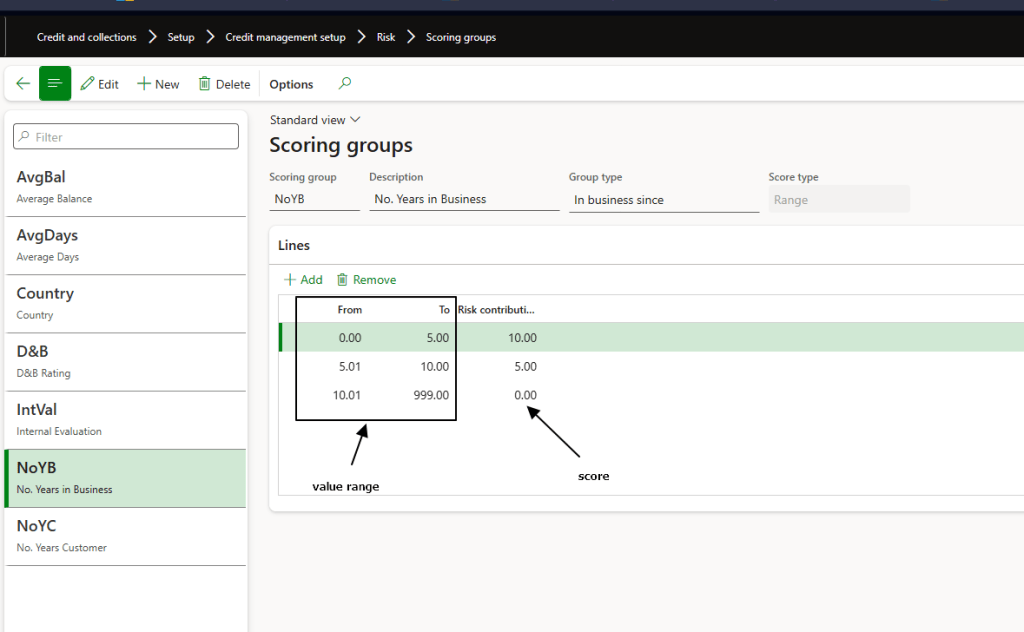
You can reuse the out-of-the-box variables or create new ones.
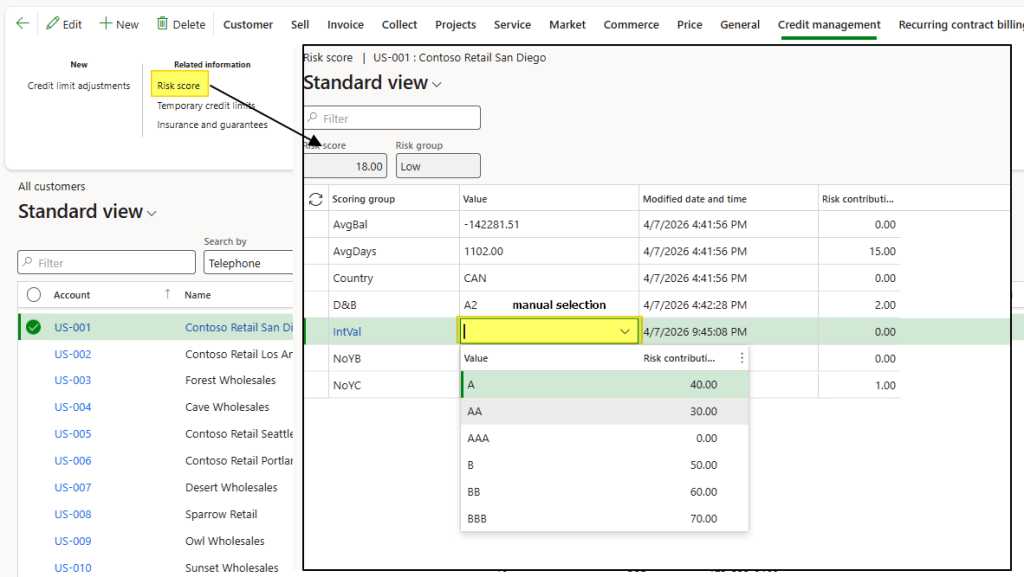
When creating a new variable, its value must be manually entered in each customer master record.
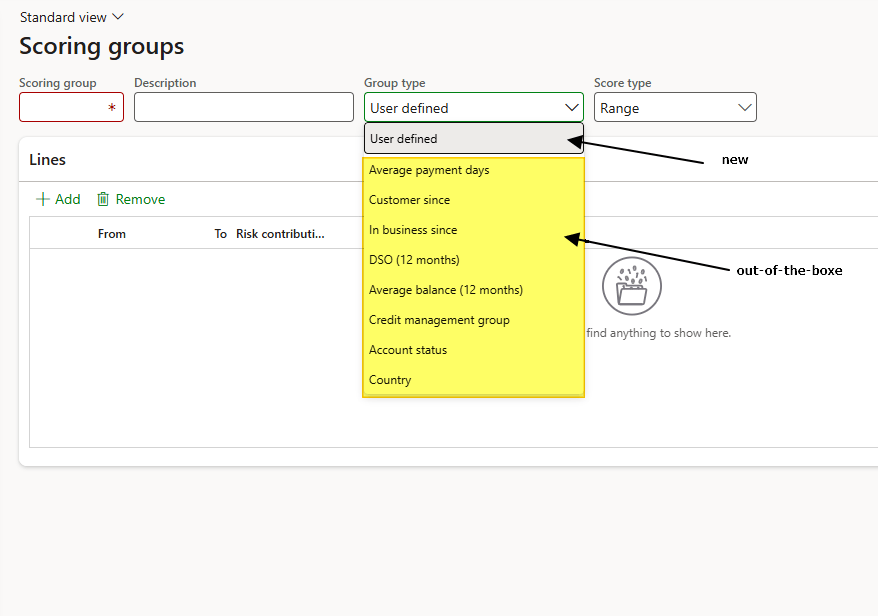
For more details about the out-of-the-box variables, please refer to the annex at the bottom of this article.
Risk classification
Path: Credit and collections> Credit management setup> Risk> Risk classification.
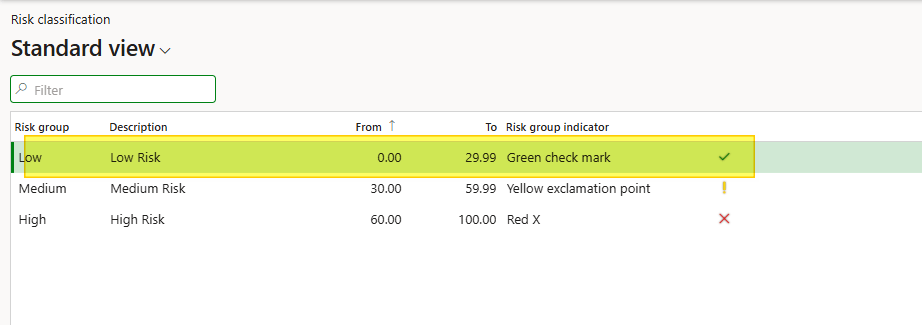
Here, you define the risk groups along with the total risk point ranges for each group. During the risk classification process, the system assigns the customer to the appropriate risk group by comparing the total accumulated risk points against the defined risk group’s thresholds.
Process
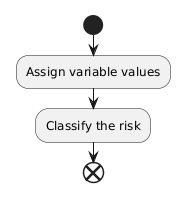
The process is very simple and consists of the following steps:
- Assign variable values: Calculate the value for out-of-the-box variables or manually enter the value for newly created variables.
- Classify the risk: Based on the total risk score accumulated, the system assigns the customer to the appropriate risk group.
Assign variable values
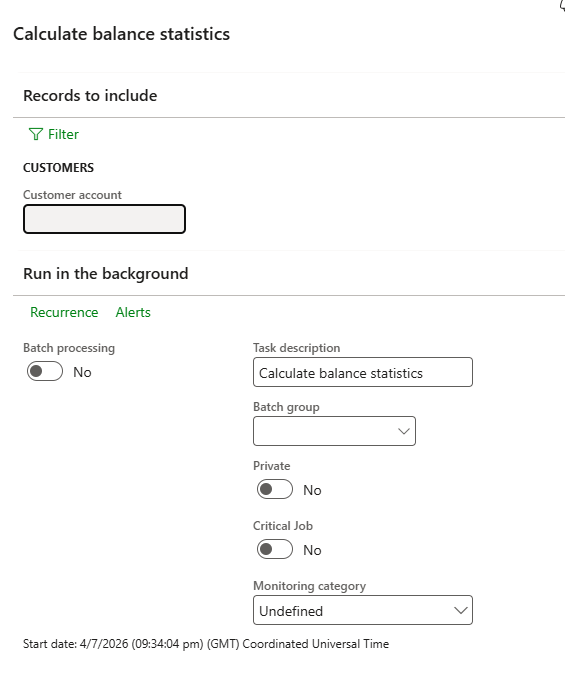
Path: Credit and collections> Periodic tasks> Credit management> Calculate balance statistics
We have to run this batch to calculate all the out-of-boxe variable based on client transaction (link average payment days, DSO, etc..).
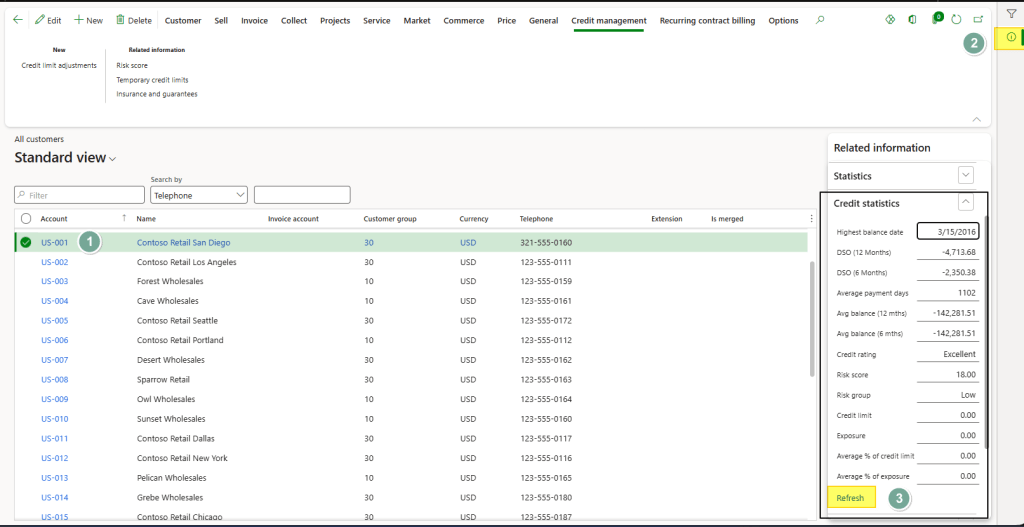
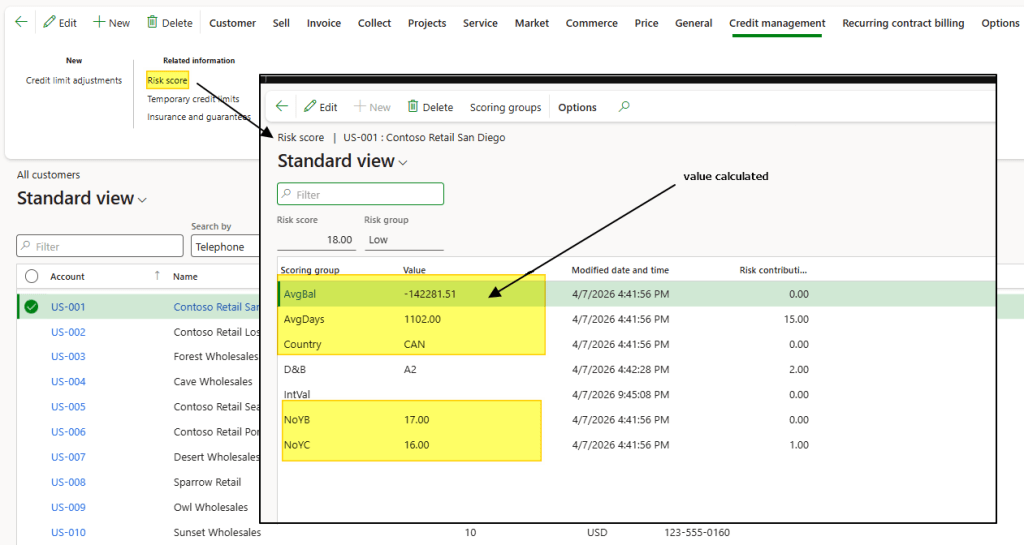
When it’s finish we can see the outcome from two points:
- Client lateral bar:
- Client risk score:
Concerning the new variable that we created, the activity is different. We have to pump into the customer master data, and assign manually the value:
Classify the risk
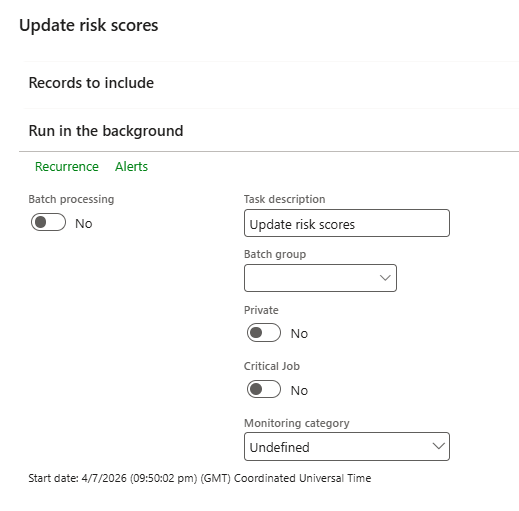
Path: Credit and collections> Periodic tasks> Credit management> Update risk scores.
Once you have finished allocating the risk variables, you can update the score derived from them.
In the customer master data, you can view the risk points assigned to each variable. The total accumulated points determine the risk group assigned to the customer.
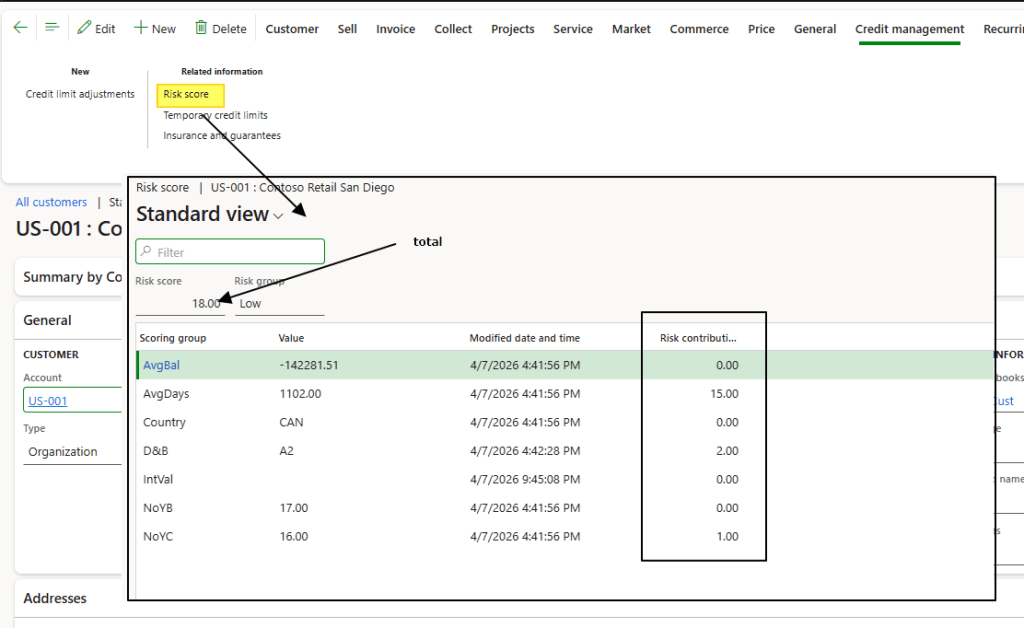
If we see the risk classification previously configured, for a total risk points of 18 the client is consider as low risk:
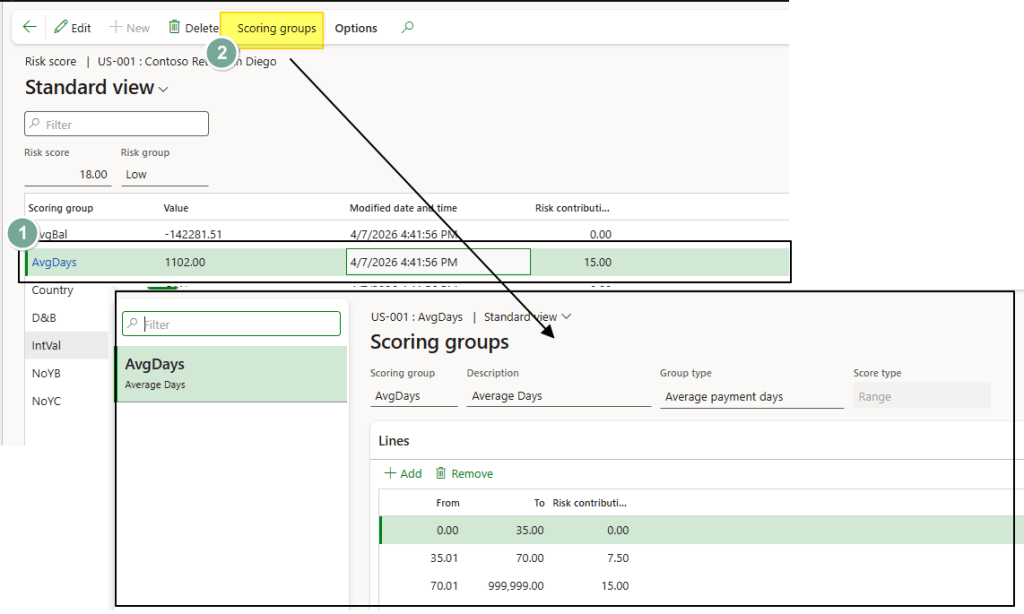
Consider even that for each variable we can jump quickly into the scoring group configuration to see how the points was allocated:
Annex
This section gives detailed information about the out-of-the-box variables. There are two types of OOB variables:
- Transaction: These are automatically calculated from the customer’s transaction history.
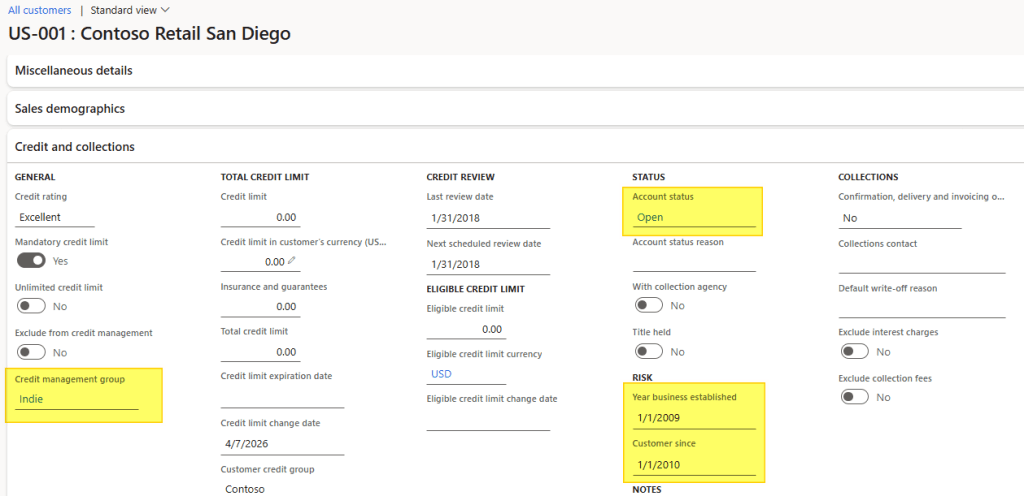
- Master data: These are derived from the attributes entered in the customer master data.
Below is the list of all available variables and their meanings:
| Variable | Description | Type |
| Average payment days | Average payment days from all transaction | Transaction |
| Customer since | Number of years since we have this customer | Master data |
| In business since | Number of years since we have been in business with | Master data |
| DSO (12 months) | Average days to collect credit from 12 months | Transaction |
| Avarage balance (12 months) | Average balance from last 12 months | Transaction |
| Credit management group | Credit management group assigned | Master data |
| Account status | Account status assigned | Master data |
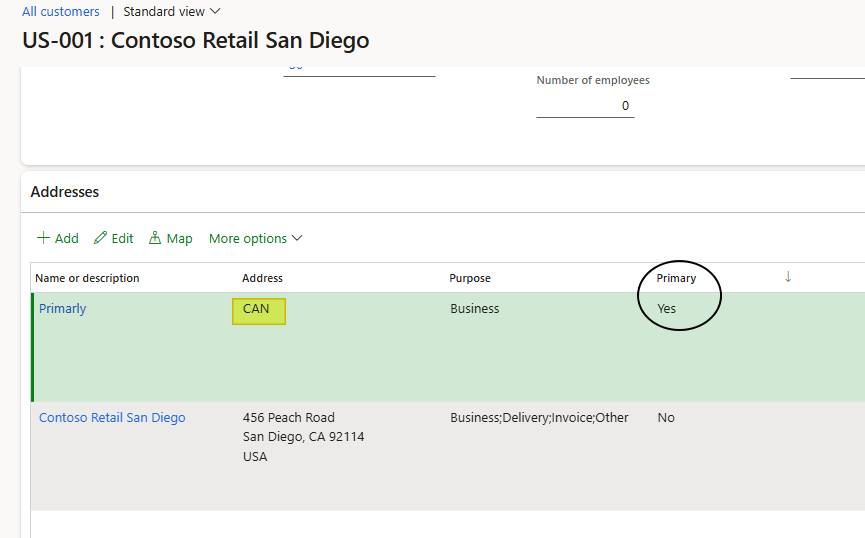
| Country | Country assigned at the primary address | Master data |
Here are the fields involved in the customer master data variables:
- Session address:
- Session credit and collection:

 Dax365FO
Leave a comment