
Business requirement
The requirement is to allow the tracking of the changes made on the table field values. All the changes will be traced on a separate table by the system. This solution is highly consuming, and we should be pondered by the tracking data strategy. About this last point, you can see this article for more information: https://daxmsdynamics365.wordpress.com/2023/10/22/data-tracking/
MD365FO solution
Configuration – Database log cleanup
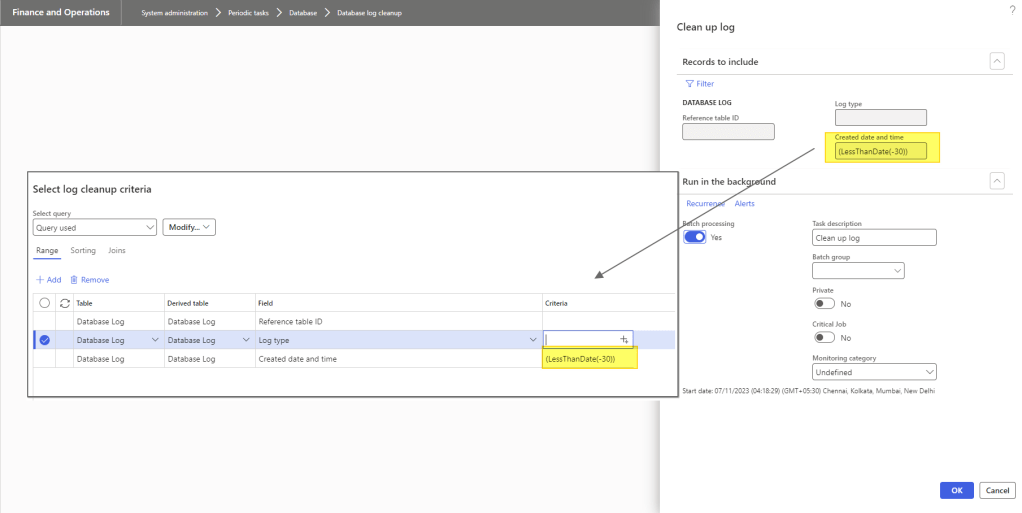
If you activate the data log, you should also activate the periodic cleanup of the data. Go to: System administration> Periodic tasks> Database> Database log cleanup.
Here, you can set a cleaning for all data less than 30 days:
Configuration – Data log setup
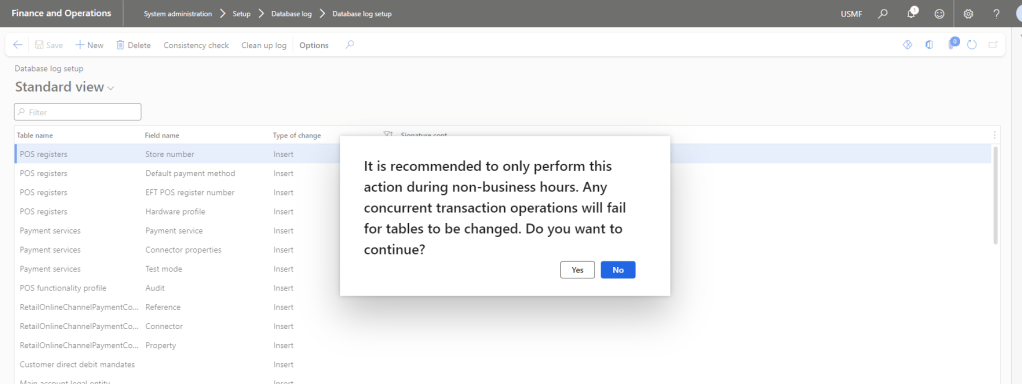
Go to: System administration> Setup> Database log> Database log setup
Here, you can click on new to launch the wizard configurator. You can see that the system recommended changing the configuration only during non-business hours:
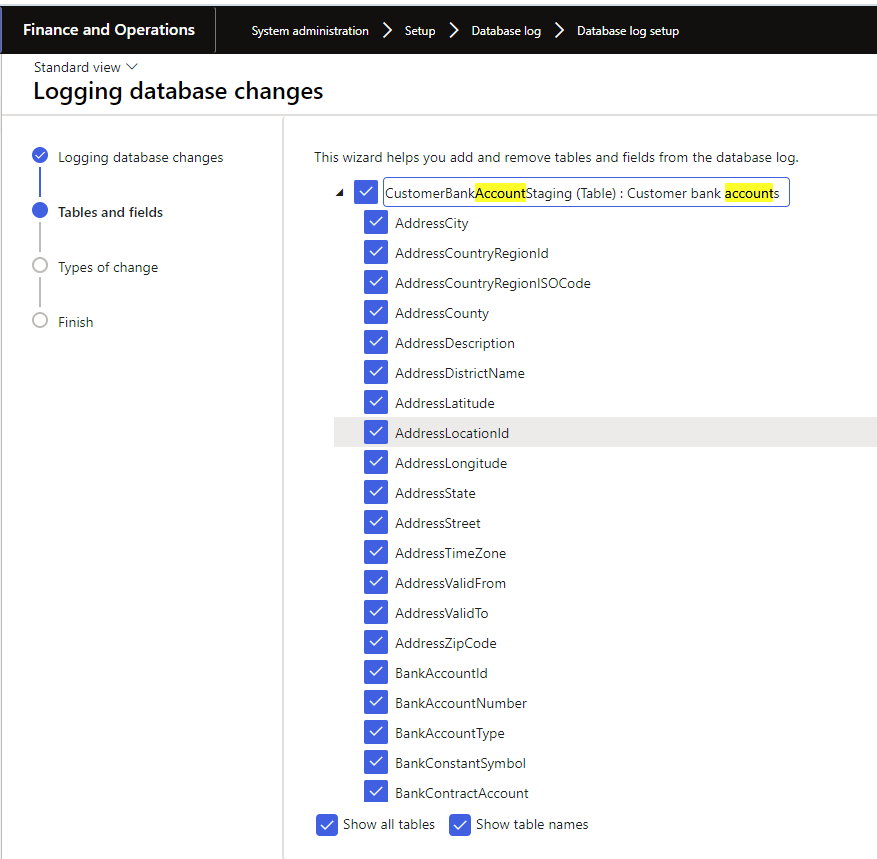
Choose the table and the field that you want to trace:
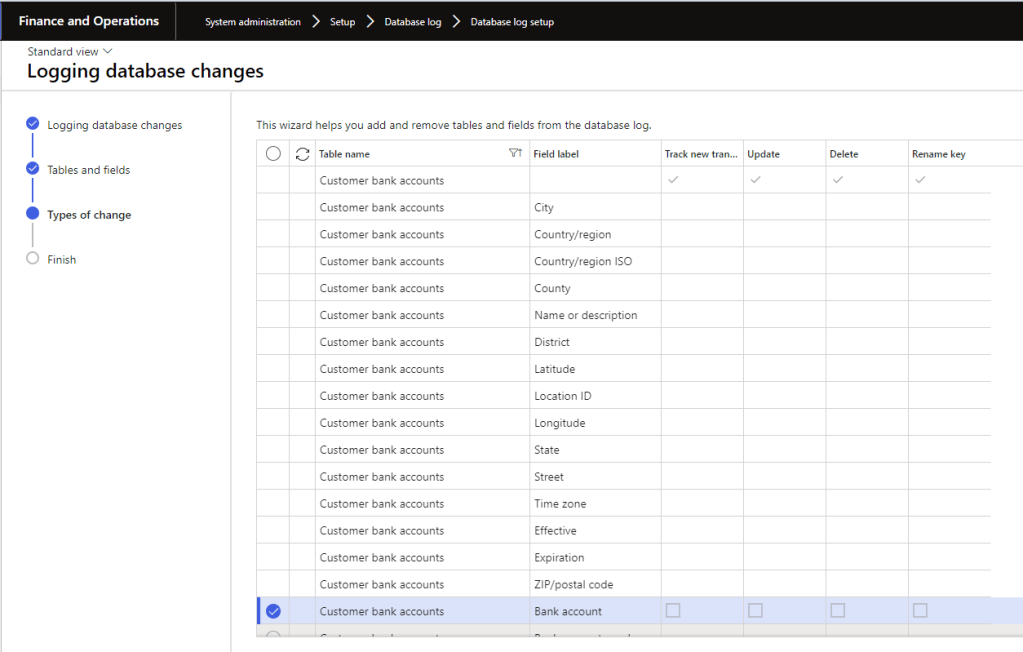
Here, you can decide which event to track: New record, update, delete, or rename key. Note that you can choose between two alternatives:
- Set the track policy for all table’s field
- Set the track policy for each field.
The system’s performance will decrease in function of more fields you decide to track and the volume of modification on the table tracked.
Process – View data logo
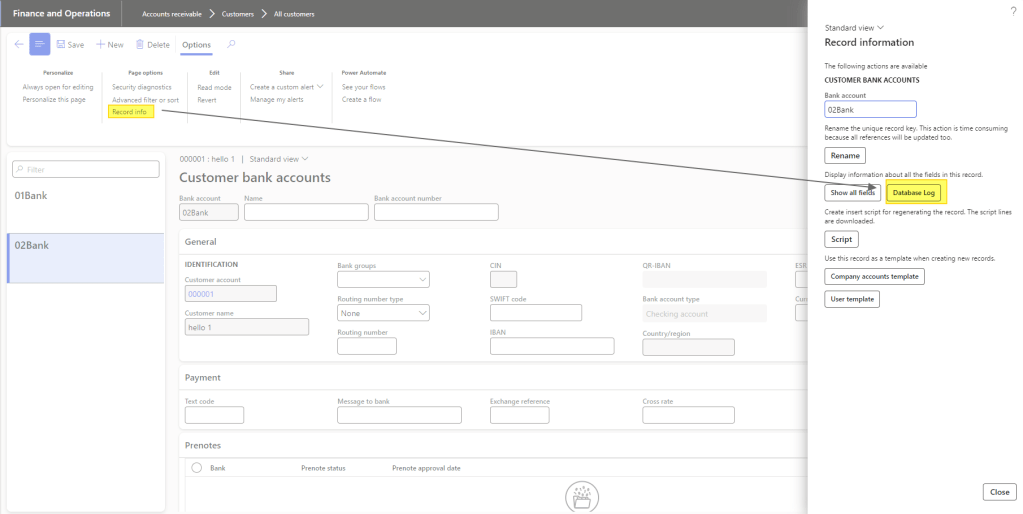
Jump on the table where you have activated the tracking. Select the record, then press “Record info” and “Data log”:
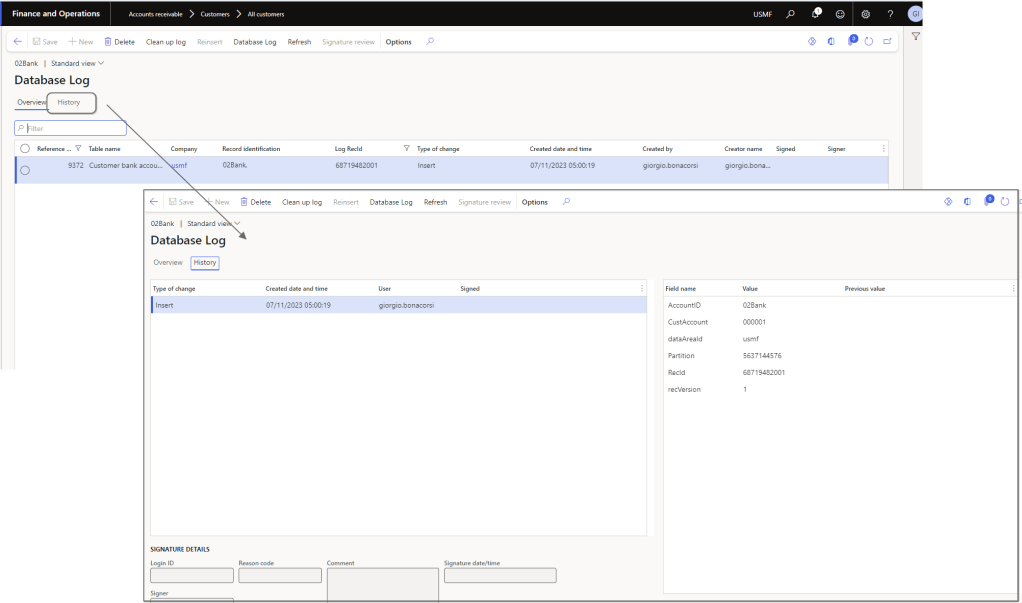
Here you can see the details of the changes:


Leave a Reply